

B Testimonial – Customer Testimonials in Custom Layouts
Testimonial slider are an important part of any website. You can add as many as testimonial carousel you want easily.
Plugin info
Maintenance & Compatibility
Maintenance score
Maintained • Last updated 156 days ago
Is B Testimonial – Customer Testimonials in Custom Layouts abandoned?
Likely maintained (last update 156 days ago).
Compatibility
Languages
Similar & Alternatives
Explore plugins with similar tags, and compare key metrics like downloads, ratings, updates, support, and WP/PHP compatibility.
Description
This Testimonial plugin wp is fully customizable, which includes color, font size, navigation, slider controls, etc. Have a look screenshot area to see customizable options.
How to use
- After installation you can see a sidebar menu in the dashboard called “B Testimonial “
- Add all testimonials you want to show.
- Now click “Shortcode generator”.
- Customize slider settings, color, select template then copy the shortcode.
- Paste the shortcode in the post, page, and widget areas To publish them.
- Enjoy!
Gutenberg Block
- This plugin has a Gutenberg Block called “B Testimonial” Under Common Block
- To Add Testimonial block Go to Post/Page Editor
- Go to Common Block > B Testimonial
- Add Testimonial carousel and customize them as you want.
- Publish > And enjoy!
Features
- The Testimonial slider has five different design templates
- Works on all major browsers – IE7, IE8, IE9, Safari, Firefox, Chrome
- The testimonial plugin is responsive. you can set how many columns will show in which device.
- You can embed Testimonials on pages, posts, widgets.
- slider settings control changing ability
- text color-changing ability
- Most powerful shortcode generator
- fully customizable Gutenberg block
Installation
=Install Method 1=
-Through WordPress Admin > Plugins > Add New, Search for “B Testimonial”
-Find “B Testimonial”
-Click “Install Now” of “B Testimonial”
=Install Method 2=
-Through WordPress Admin > Plugins > Add New
-Click Upload
-“Choose File” b-testimonial.zip
-Click “Install Now”
Frequently Asked Questions
You can install it like other regular WordPress plugins. same way. Please see on installation tab.
You can publish unlimited testimonials, there is no limit.
This plugin is compatible with most themes. But, unfortunately, If you find a conflict between our plugin and a third-party theme, please let us know and we will definitely release an update of our plugin to fix the problem.
This plugin is compatible with most plugins. But, unfortunately, If you find a conflict between our plugin and a third-party plugin, please let us know and we will definitely release an update of our plugin to fix the problem.
Review feed
It Saves our time !
Screenshots

Screenshot-1.png

Screenshot-2.png

Screenshot-3.png

Screenshot-4.png

Screenshot-5.png

Screenshot-6.png

Screenshot-7.png

Screenshot-8.png
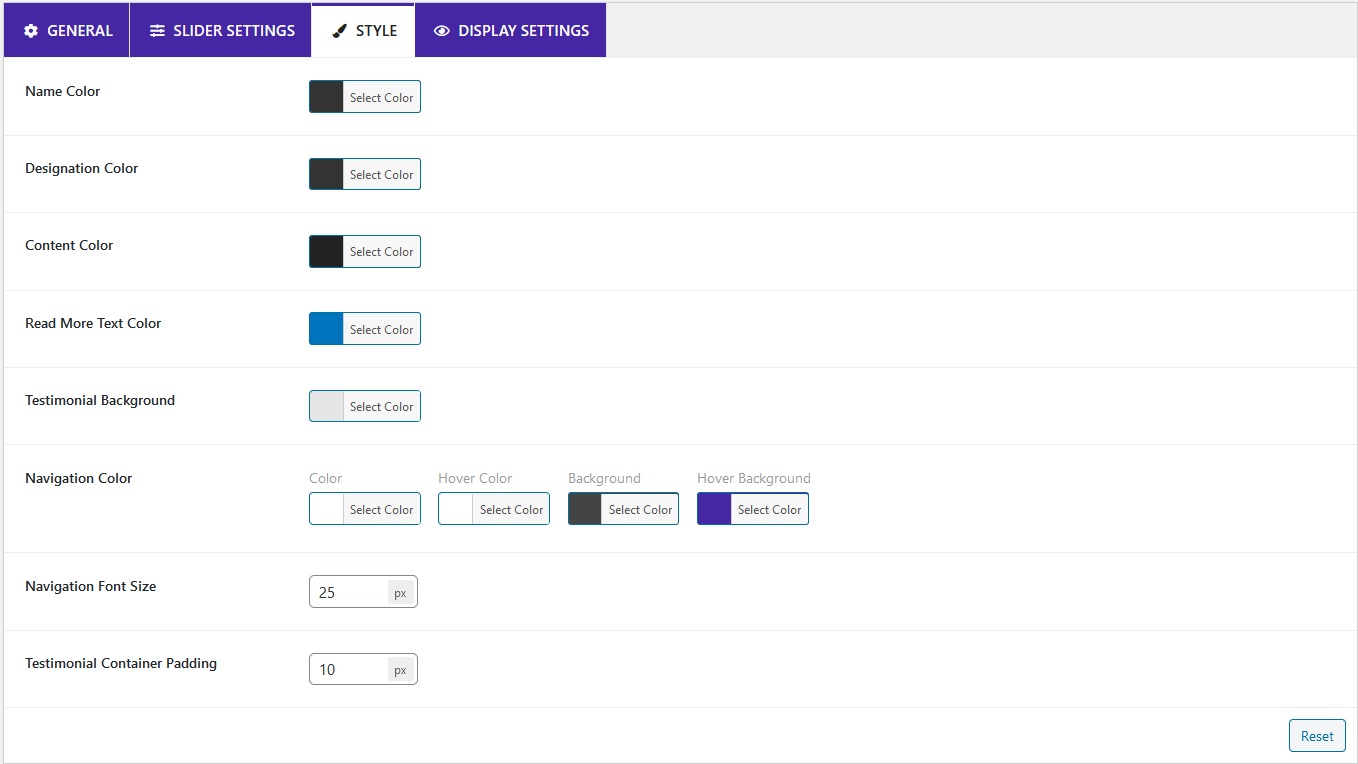
Screenshot-9.png

Screenshot-10.png
Changelog
= 1.2.4 – 11 Jan, 2025=
* Fixed: showing a tag on the testimonial content
1.2.3
- fixed Vulnerability issue
1.2.1
- fixed star issue
1.0.0
- Initial Release