
Maintenance 40/100352d since update
Active installs
1,000
Downloads
8,890
Reviews
2
Age
3.2y
Plugin info
Total downloads: 8,890
Active installs: 1,000
Total reviews: 2
Average rating: 4.5
Support threads opened: 0
Support threads resolved: 0 (0%)
Available in: 1 language(s)
Contributors: 2
Last updated: 4/30/2025 (352 days ago)
Added to WordPress: 2/2/2023 (3 years old)
Minimum WordPress version: 6.0
Tested up to WordPress version: 6.8.3
Minimum PHP version: 7.4
Maintenance & Compatibility
Maintenance score
Stale • Last updated 352 days ago • 2 reviews
40/100
Is Testimonial Gutenberg Blocks abandoned?
Likely maintained (last update 352 days ago).
Compatibility
Requires WordPress: 6.0
Tested up to: 6.8.3
Requires PHP: 7.4
Similar & Alternatives
Explore plugins with similar tags, and compare key metrics like downloads, ratings, updates, support, and WP/PHP compatibility.
Testimonial Block
Rating 1.0/5 (1 reviews) • Active installs 100
B Testimonial – Customer Testimonials in Custom Layouts
Rating 0.0/5 (0 reviews) • Active installs 100
TestimonialX – Elevate Your Website's Credibility with 15+ Stunning Testimonial Styles
Rating 0.0/5 (0 reviews) • Active installs 100
Testimonial Gutenberg Block
Rating 5.0/5 (2 reviews) • Active installs 20
Testimonial Carousel Block
Rating 0.0/5 (0 reviews) • Active installs 20
Description
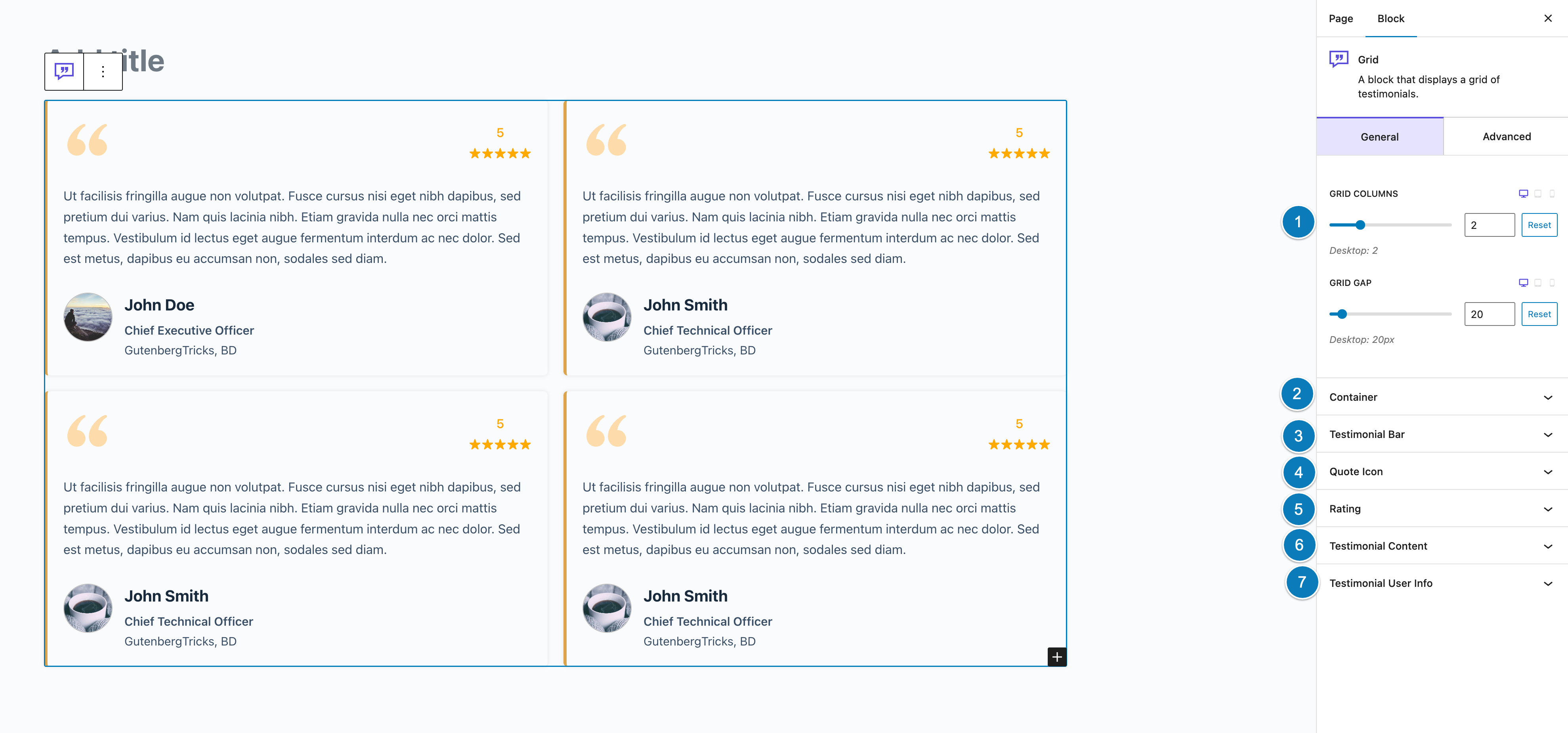
Easy Testimonial Blocks – is a collection of custom Gutenberg blocks developed with native components to showcase client testimonials. It provides custom Gutenberg blocks in your block editor so that you can easily show your customers review.
Video Tutorial
Key Features
- Built with Gutenberg Native Components
- Slick, light-weight and super-fast
- Clean and attractive design
- Drag and drop use
- Fully responsive, mobile-ready
- Easy to customize any content
- Highly customizable and easy to use
- Unlimited colors
- Compatible with any themes and plugins
- Conditional scripts rendering to get best performance
- SEO friendly
- and many more
Installation
This section describes how to install the plugin and get it working.
e.g.
- Upload the plugin files to the
/wp-content/plugins/easy-testimonial-blocksdirectory, or install the plugin through the WordPress plugins screen directly. - Activate the plugin through the ‘Plugins’ screen in WordPress
- Use the Settings->Easy Testimonial Blocks screen to configure the plugin
- (Make your instructions match the desired user flow for activating and installing your plugin. Include any steps that might be needed for explanatory purposes)
Frequently Asked Questions
No, it will never slow down your website. Because it is built with native components and it is so slick.
Yes, it is 100% mobile-friendly
No, you don’t need to have any coding knowledge.
Review feed
No reviews available
Screenshots

Changelog
1.0.5
- Compatibility with WordPress 6.8
1.0.1
- Change the block title
- Add admin support page
1.0.0
- Initial release