

Bandwidth Saver: Image CDN
Make your images load faster for visitors anywhere in the world. One-click setup, nothing to configure.
Plugin info
Maintenance & Compatibility
Maintenance score
Maintained • Last updated 119 days ago
Is Bandwidth Saver: Image CDN abandoned?
Likely maintained (last update 119 days ago).
Compatibility
Similar & Alternatives
Explore plugins with similar tags, and compare key metrics like downloads, ratings, updates, support, and WP/PHP compatibility.
Description
Images are usually the slowest part of any WordPress site.
When your pages take too long to load, visitors leave. Search engines notice. Your PageSpeed score drops. And you lose traffic you worked hard to get.
Bandwidth Saver fixes this by serving your images from servers close to your visitors — automatically. A visitor in Tokyo loads images from Asia. A visitor in London loads from Europe. Everyone gets faster pages.
The best part? You don’t need to understand how it works. Just activate the plugin, enter your email, and toggle it on. Your images start loading faster immediately.
What You Get
Faster pages. Images load from the nearest server instead of traveling across the world from your host.
Better SEO. Google uses page speed as a ranking factor. Faster images mean better Core Web Vitals scores.
Happier visitors. People don’t wait for slow sites. Faster loading means lower bounce rates.
Peace of mind. Your original images stay untouched on your server. If anything ever goes wrong, your site automatically falls back to loading images directly. Nothing breaks.
How It Works
Behind the scenes, Bandwidth Saver uses a global CDN (Content Delivery Network) with 300+ edge locations. But you don’t need to know what that means or how to set it up.
- You activate the plugin and enter your email
- The plugin automatically rewrites image URLs on your pages
- Visitors load images from the nearest edge server
- Your original images stay exactly where they are
That’s it. No DNS changes. No external accounts to manage. No settings to configure.
Why People Choose This Over Other Speed Plugins
It actually works in 60 seconds. Most CDN solutions require DNS changes, external account setup, and technical configuration. This one doesn’t.
Nothing to learn. No optimization levels, no quality settings, no rules to write. It works out of the box.
Nothing to break. Your images stay on your server. The plugin only changes URLs on your public pages. Deactivate it and everything returns to normal instantly.
Generous free tier. 100 GB of bandwidth per month — enough for most sites. No credit card required.
Who This Is For
- Bloggers and content creators with image-heavy posts
- WooCommerce stores with product photos
- Recipe, travel, and photography sites
- Portfolio and agency sites
- Anyone tired of complicated speed optimization
Who This Is NOT For
- Sites already using a full-page CDN with image optimization built in
- Sites that need image compression (use ShortPixel, Imagify, or Smush for that — they work great alongside this plugin)
- Sites that need HTML/CSS/JS caching (this is image-only)
Pricing
Free — 100 GB/month, free forever, no credit card
Lite ($4.99/mo) — 250 GB/month + custom CDN domain
Pro ($14.99/mo) — 2 TB/month + custom CDN domain
Business ($49/mo) — 10 TB/month + custom CDN domain + priority support
All paid plans include custom domains (cdn.yoursite.com) with automatic SSL.
Self-Hosted Option — For developers who want full control, you can deploy the open-source worker on your own Cloudflare account. Setup guide on GitHub
Privacy
What Data Is Collected?
The plugin does not add cookies, tracking pixels, or analytics to your site.
Managed Mode
- Your site URL is used to configure CDN routing
- Your email address is used for account creation
- Custom domain settings are sent if configured
Images are cached and served through a global edge network.
Self-Hosted Mode
No data is sent to us. Images are cached in your own Cloudflare account.
External Services
This plugin connects to external services:
Cloudflare (R2 Storage and Workers)
- Purpose: Image caching and global edge delivery
- Terms of Service
- Privacy Policy
Bandwidth Saver API (Managed mode only)
- Purpose: Account management, usage tracking
- Data sent: Site URL, email, custom domain (if configured)
Self-hosted users connect only to their own Cloudflare account.
Support
Installation
60-second setup. No technical knowledge required.
- Install and activate the plugin
- Go to Settings Bandwidth Saver
- Enter your email
- Toggle the CDN on
Done. Your images are now loading faster.
Frequently Asked Questions
No. It does the opposite — it makes your images load faster. Your original images stay on your server completely untouched. The plugin only changes URLs on your public pages. If you ever want to stop using it, just deactivate and your site works exactly as before.
Yes. That’s exactly who this is for. You don’t need to understand CDNs, DNS, or servers. Just activate, enter your email, and toggle it on.
After enabling, visit your site and inspect any image. The URL will start with your CDN domain instead of your regular site URL. You can also check your PageSpeed score before and after.
Yes. 100 GB of bandwidth per month, free forever. No credit card required. No trial period. Most small to medium sites never need to upgrade.
Your images will temporarily load directly from your server (the normal way) until your bandwidth resets next month. Nothing breaks — your site just loads images the way it did before you installed the plugin.
No. This is a delivery tool, not an optimization tool. It makes your images load faster by serving them from nearby servers. For making images smaller, use a compression plugin like ShortPixel, Imagify, or Smush. They work great together.
Yes. It works with any theme, any page builder (Elementor, Divi, Beaver Builder, etc.), and any plugin. It also works with lazy loading, responsive images, and WooCommerce.
JPG, PNG, GIF, WebP, AVIF, and SVG.
Your site automatically serves images directly from your server. Visitors won’t notice anything — your images just load the normal way until the CDN is back.
No. Everything happens from your WordPress admin. No DNS changes, no external dashboards, no separate logins.
Yes. All paid plans support custom domains (cdn.yoursite.com) with automatic SSL.
Review feed
Screenshots
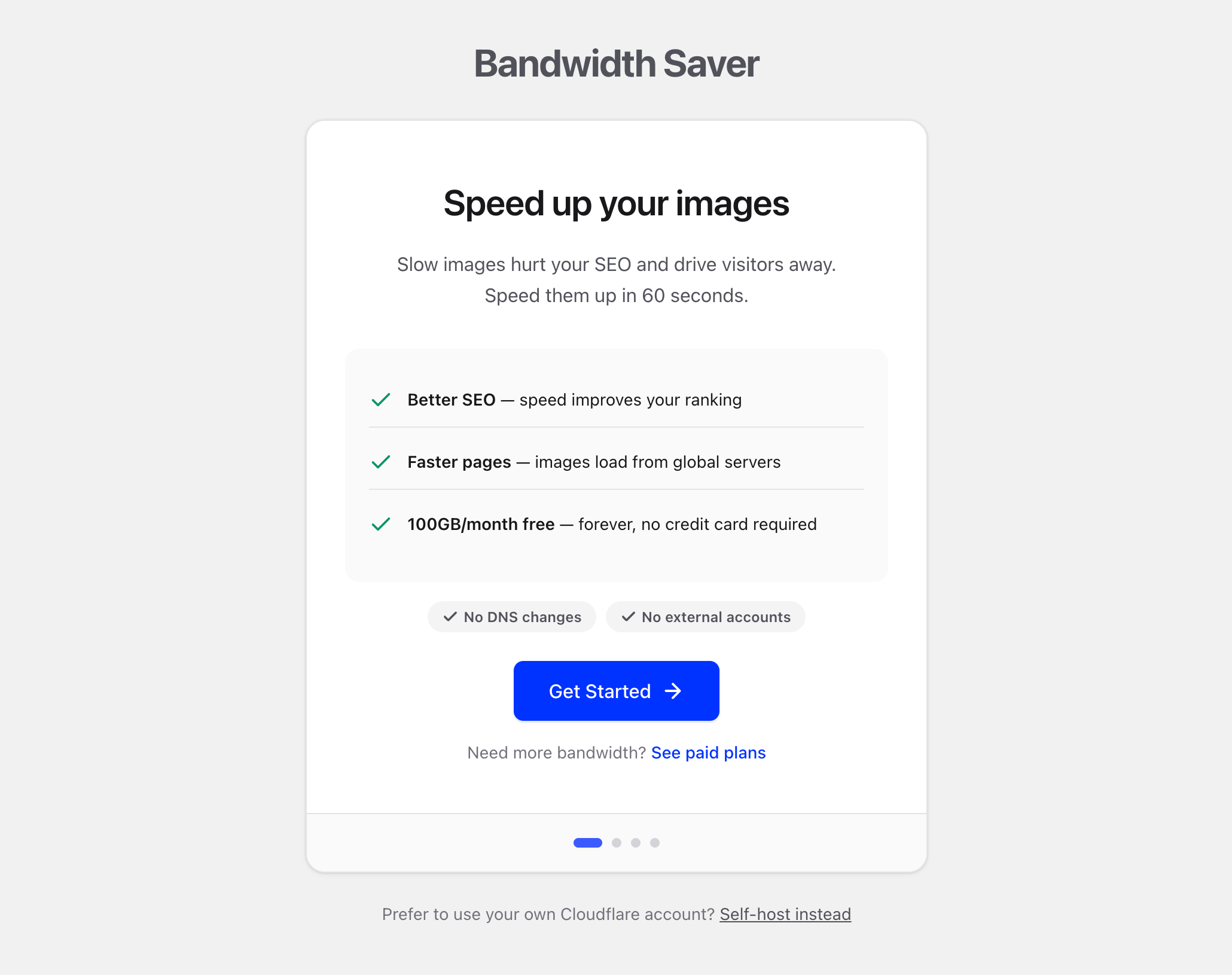
Speed up your images in 60 seconds
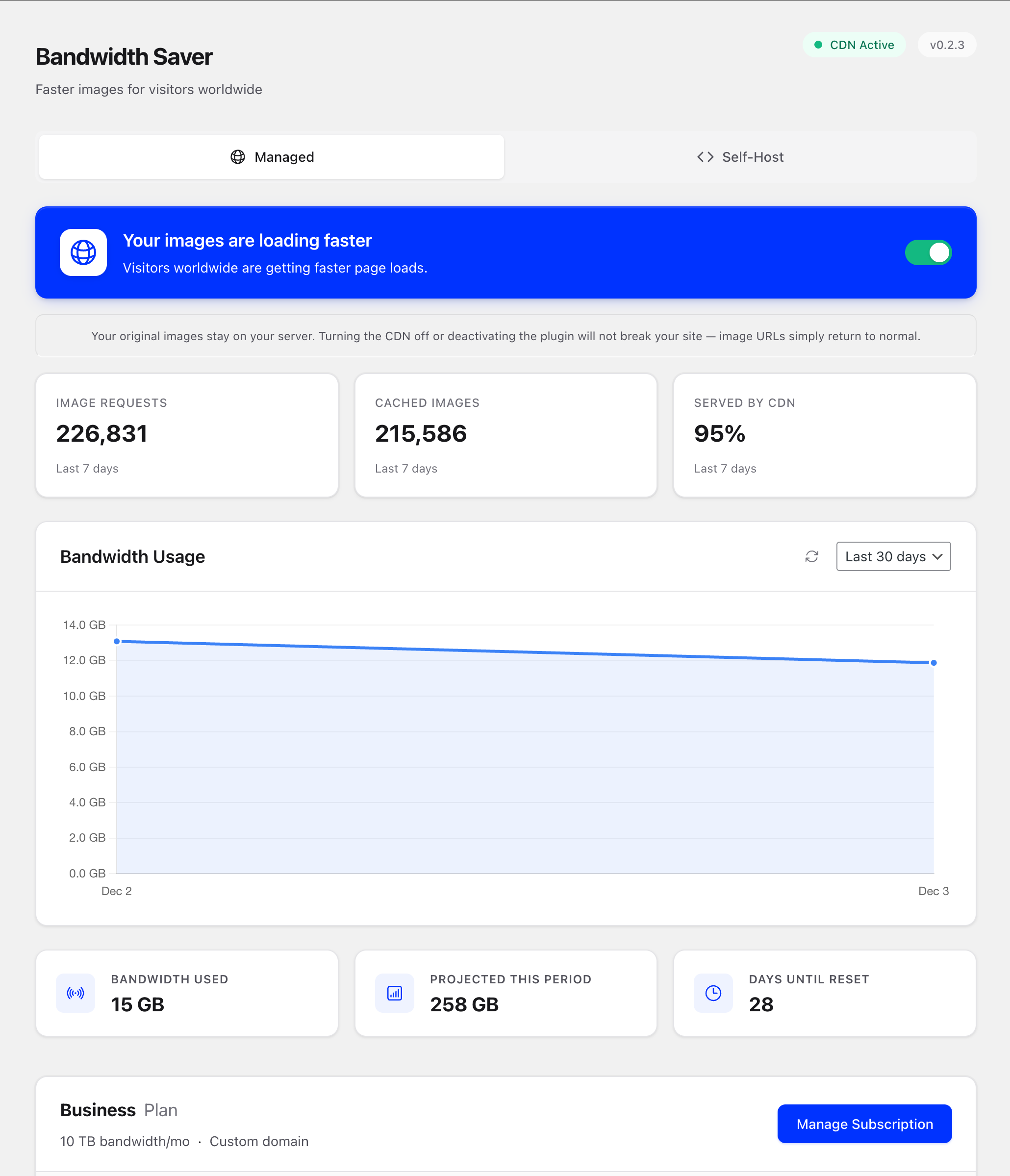
Track your bandwidth and performance
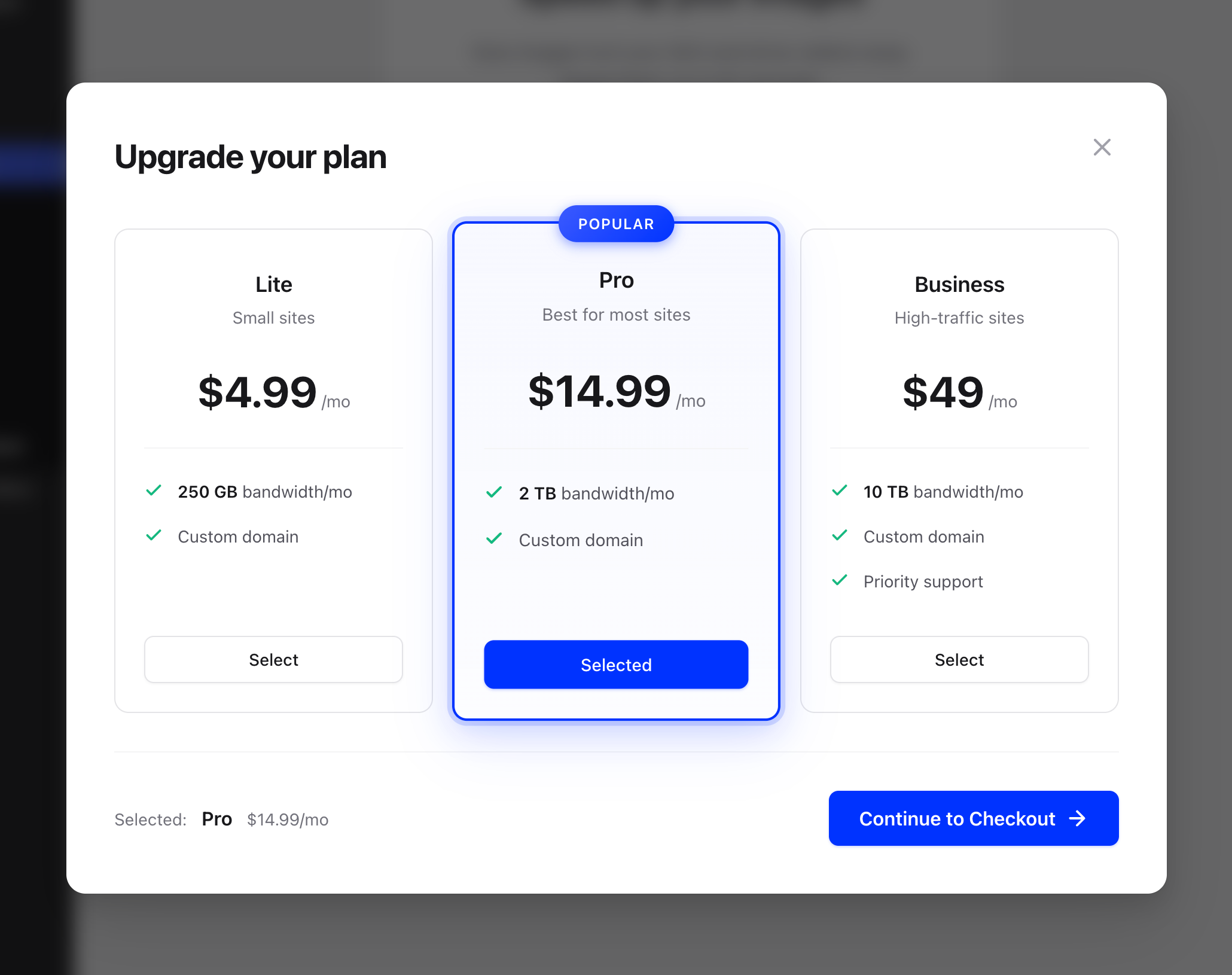
Generous free tier, simple upgrades
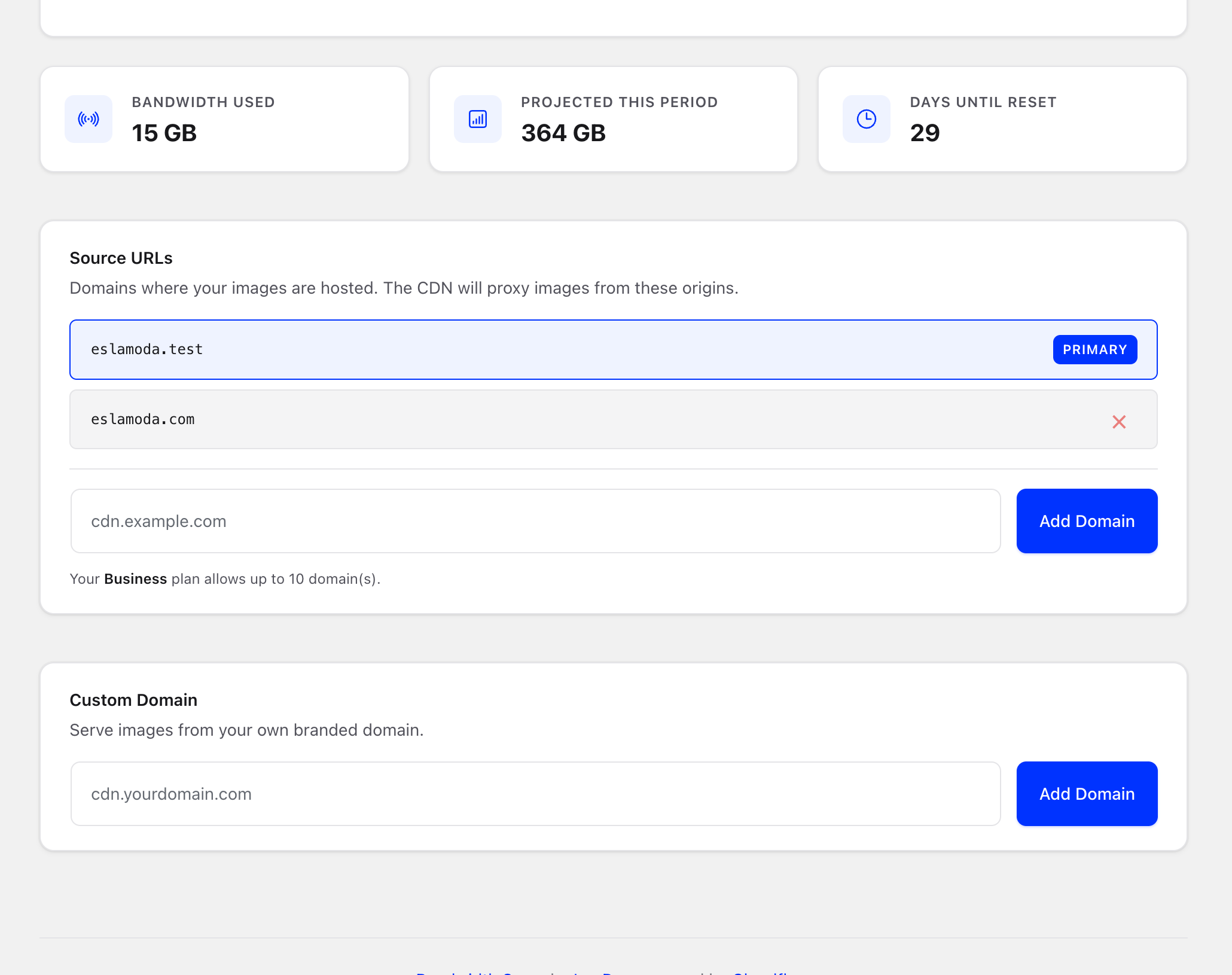
Multi-site support and custom domains

Self-host option for full control
Changelog
0.2.3
- Improved: Clearer messaging focused on speed and SEO benefits
- Improved: Simplified onboarding copy
- Improved: Updated screenshot captions
- Fixed: PHPCS warnings for Stripe redirect handler
0.2.2
- Improved: Settings page loads faster with batched API requests
- Improved: Source URLs and usage stats are pre-loaded
- Improved: Better WordPress coding standards compliance
- Fixed: Cleaner transient cleanup on uninstall
0.2.1
- New: Usage analytics dashboard with bandwidth charts
- New: Source URLs management for multiple origin domains
- New: Projected bandwidth usage
- Improved: CDN works with infinite scroll and “load more”
- Improved: Faster settings page with smarter caching
- Fixed: Double-click prevention on all buttons
- Fixed: Custom domain feature now available on Lite plans
0.2.0
- New: Updated pricing with bandwidth as primary metric
- New: All paid plans include custom domain support
- New: Free tier upgraded to 100 GB bandwidth/month
- Security: API keys encrypted at rest
- Security: Rate limiting on admin actions
- Security: Stricter validation of CDN domains
0.1.9
- Fixed: CDN activates reliably after payment or recovery
- Fixed: CDN properly disables when subscription becomes inactive
0.1.8
- Fixed: Payment success now correctly enables CDN toggle
0.1.7
- Improved: Redesigned CDN toggle with better visual feedback
- Fixed: Direct upgrade properly saves new tier limits
0.1.6
- New: Custom domain support (cdn.yoursite.com)
- Fixed: Fallback uses correct URL for srcset images
0.1.5
- Improved: Simplified setup
- Improved: Faster image fallback with inline error handling
- Fixed: Images no longer flash on load
0.1.0
- New: Managed option for one-click setup
- New: Redesigned admin interface
0.0.1
- Initial release