

bunny.net – WordPress CDN Plugin
Enable Bunny CDN to speed up your WordPress website and enjoy greatly improved loading times around the world.
Plugin info
Maintenance & Compatibility
Maintenance score
Stale • Last updated 263 days ago • Support resolved 0% • 16 reviews
Is bunny.net – WordPress CDN Plugin abandoned?
Likely maintained (last update 263 days ago).
Compatibility
Developers
Similar & Alternatives
Explore plugins with similar tags, and compare key metrics like downloads, ratings, updates, support, and WP/PHP compatibility.
Description
Turbocharge your website’s performance effortlessly with the Bunny WordPress CDN Plugin. This powerful tool integrates bunny.net’s next-generation delivery optimization services into your WordPress site, providing a configuration wizard to simplify setup, all without requiring complex configuration or coding on your part.
Benefit from global delivery with optimal latency, automatically transfer your media to the cloud with multi-region replication, seamlessly compress media files without coding, and enhance user privacy and GDPR compliance with our open-source non-tracked fonts.
This plugin relies on the following bunny.net services
- Bunny CDN – Substitutes existing static content links with CDN links to improve loading times;
- Bunny Optimizer – Compresses files and images to reduce file size;
- Bunny Offloader – Transfers media files to Bunny Storage with multi-region replication;
- Bunny Stream – Upload and embed videos once, deliver everywhere;
- Bunny Fonts – Offers a selection of GDPR-compliant fonts hosted within the EU;
For more details, visit https://bunny.net.
System Requirements
- PHP >=8.1
- WordPress >=6.7
Development
Minified files
assets/echarts.min.js: https://github.com/apache/echarts/blob/5.6.0/dist/echarts.min.js
Installation
Frequently Asked Questions
The plugin interacts with various bunny.net services to provide CDN, media offloading, optimization, and font hosting. Data sent includes static content links, media files, and font requests. No personal data is shared or tracked by Bunny Fonts, ensuring GDPR compliance.
For more information, visit:
Bunny.net Terms of Service: https://bunny.net/tos/
Bunny.net Privacy Policy: https://bunny.net/privacy/
You can use the bunnycdn_stream_video shortcode to add videos to the product description. Example:
[bunnycdn_stream_video library=197133 id=”dc48a09e-d9bb-420a-83d7-72dc2304c034″ responsive=true]
Replace 197133 with your Stream Library ID and dc48a09e-d9bb-420a-83d7-72dc2304c034 with the Video ID.
All the Embed parameters are supported.
Review feed
Didn't work for me
A Quick Performance Booster. Easy to use
BunnyCDN is awesome
Leaves the propagated URLs after plugin removal
Works great, helpful support!
Screenshots
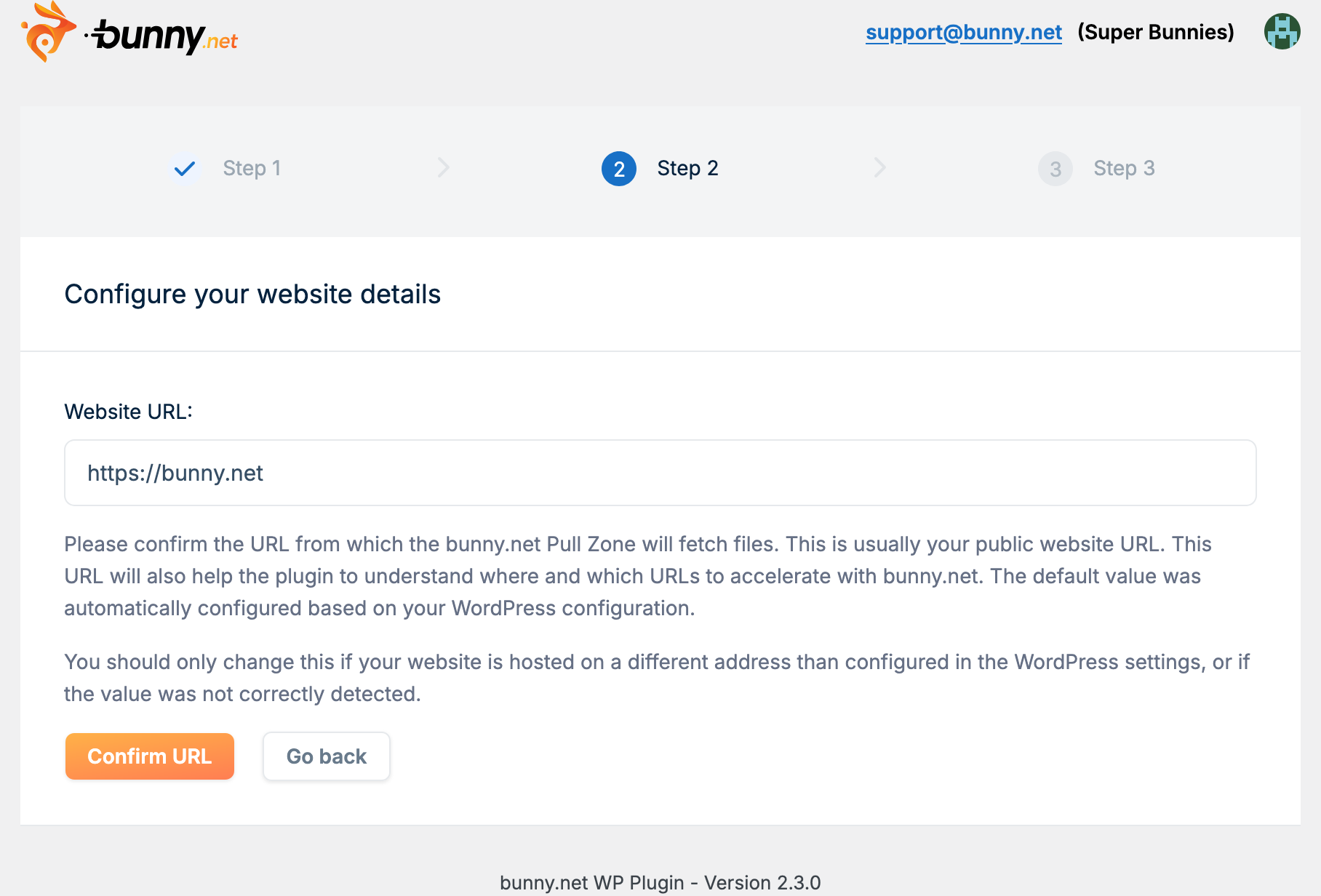
Setup wizard
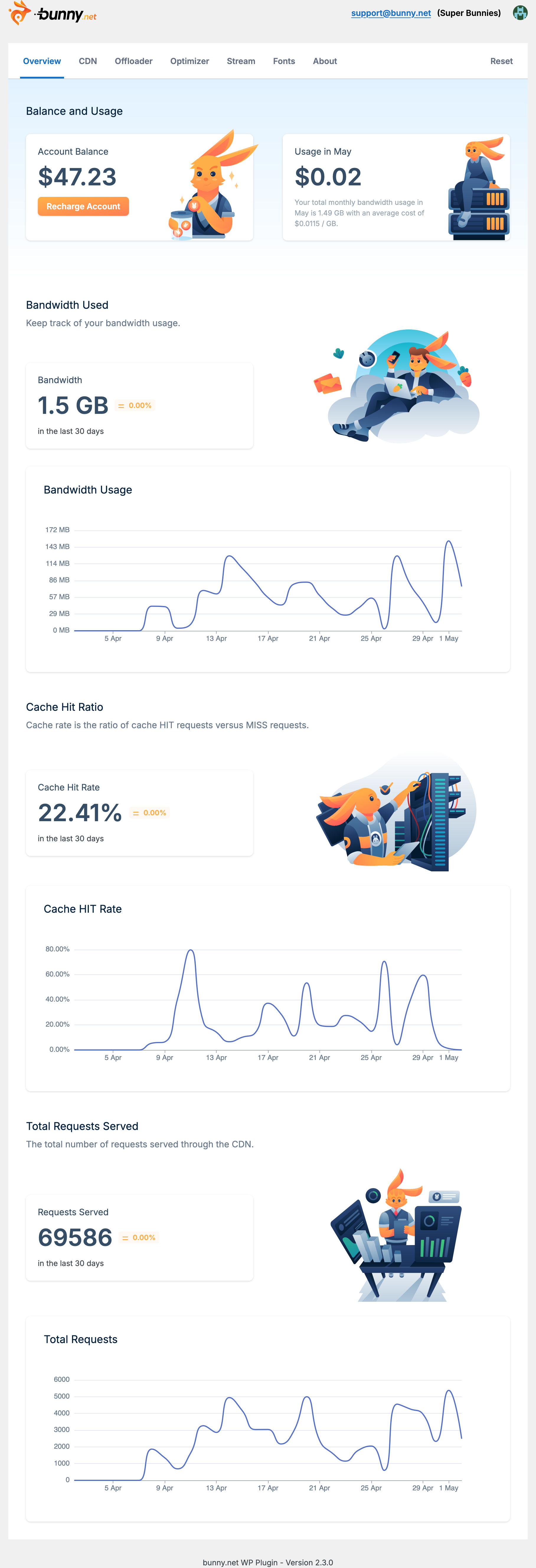
Overview page
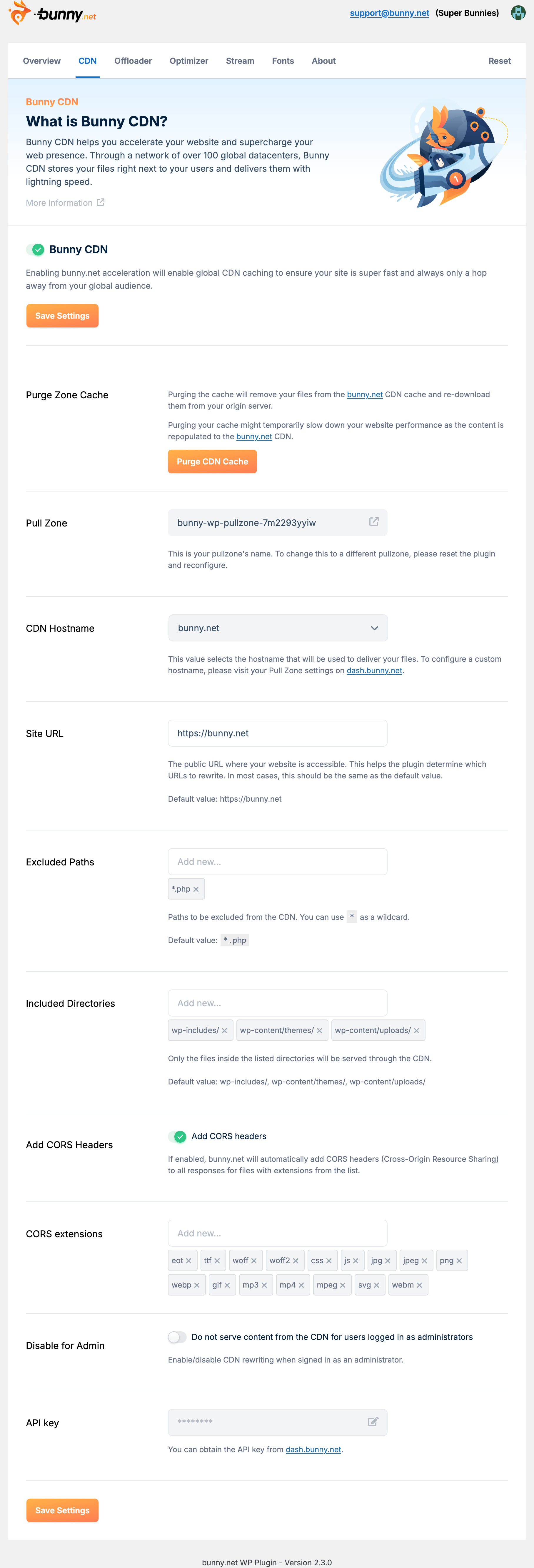
Bunny CDN configuration
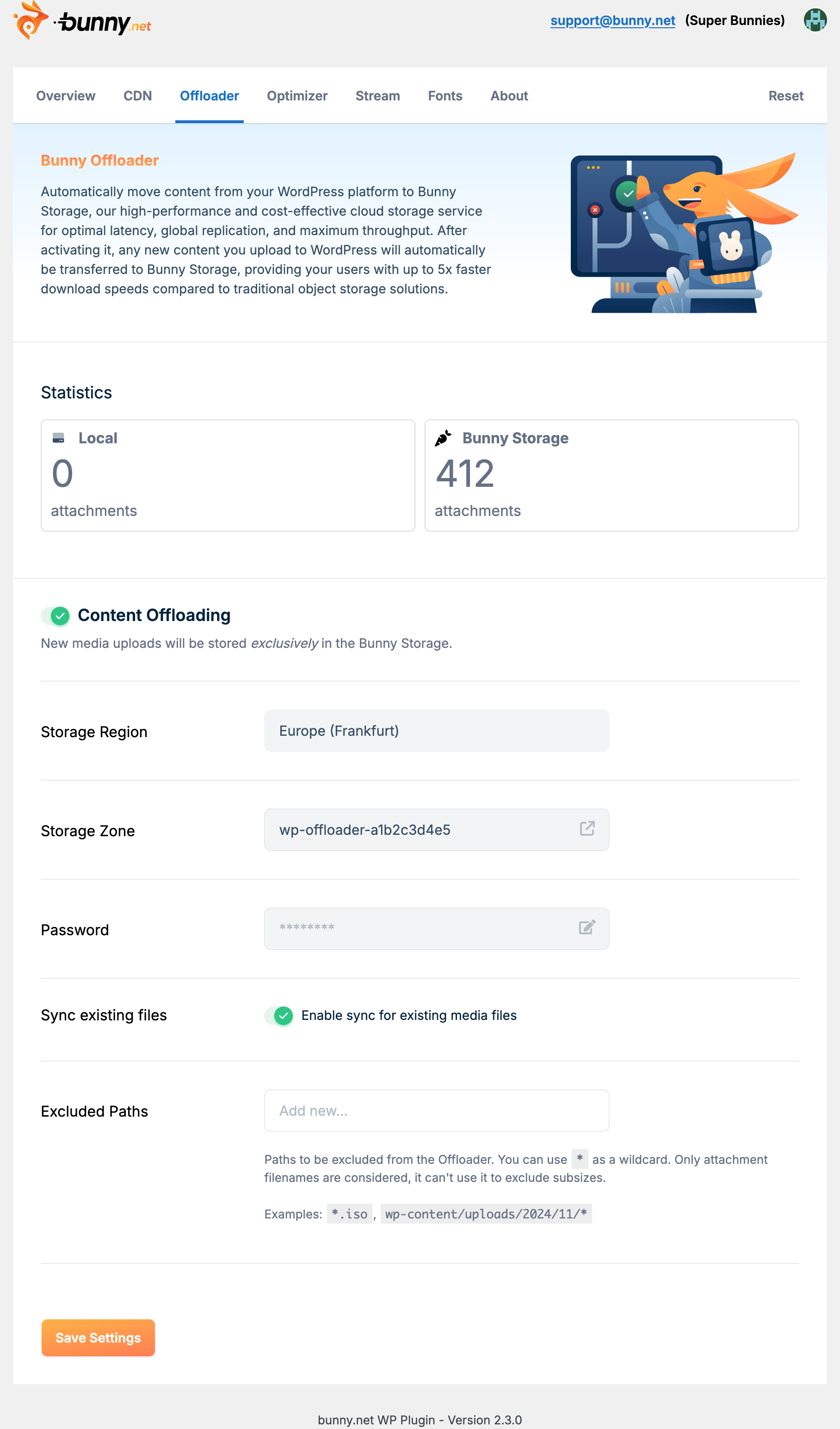
Bunny Offloader configuration

Bunny Optimizer configuration

Bunny Stream configuration

Bunny Fonts configuration
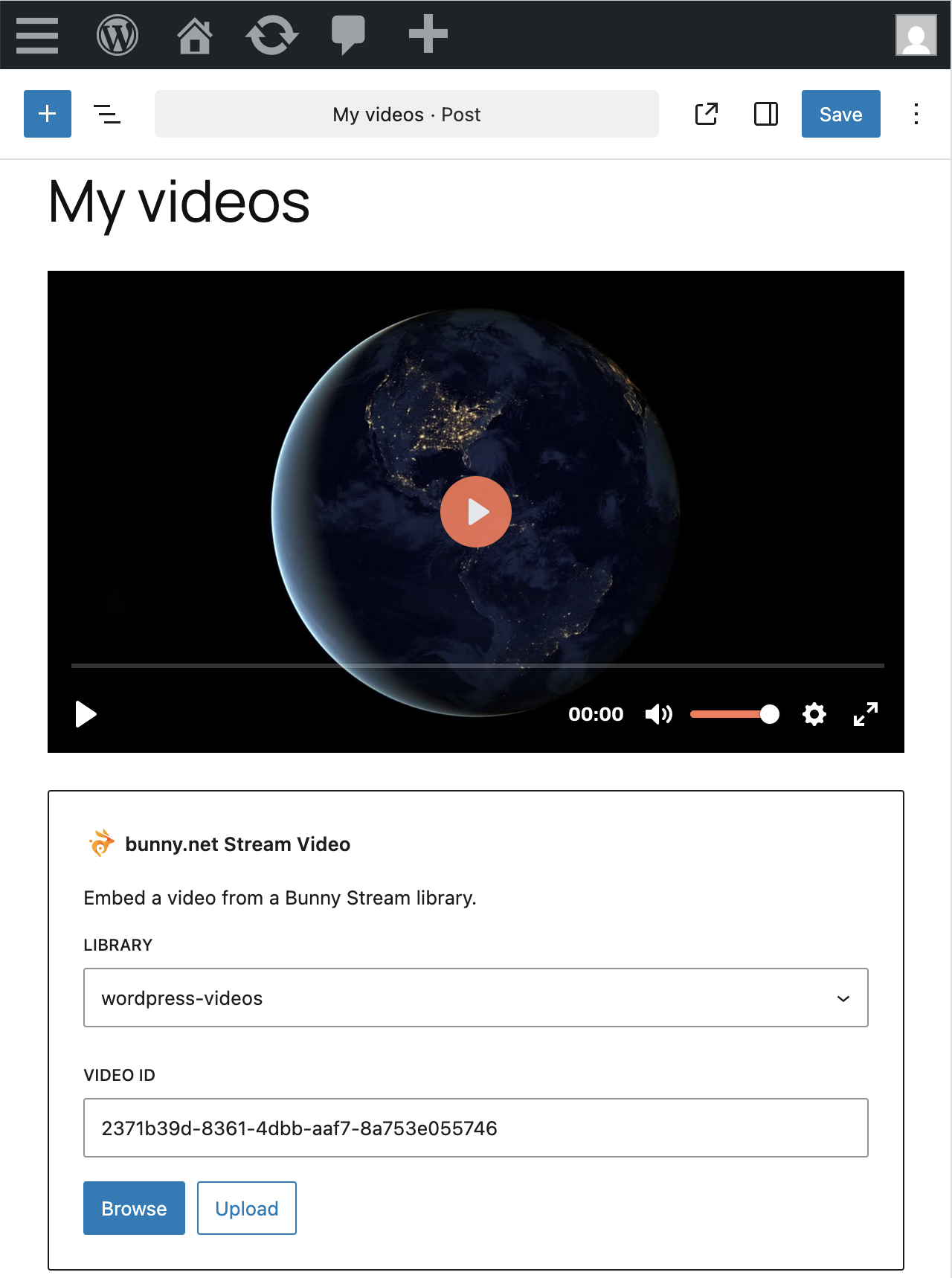
Embed bunny.net Stream Video block
Changelog
2.3.5
- wizard: fix setup for accounts with many pullzones
2.3.4
- stream: always render video dynamically (triggers “invalid content” error on existing blocks)
- Fix fatal error when migration from pre-6.5 WP versions
- Fix E_USER_ERROR deprecation on PHP 8.4
2.3.3
- stream: support token authentication
- stream: support all embed parameters
2.3.2
- stream: fix 404 when using shortcode
2.3.1
- stream: properly escape video_id
2.3.0
- Added support for Bunny Stream
- Bumped minimum WordPress version to 6.7
- Bumped minimum PHP version to 8.1
2.2.28
- Tested with WordPress 6.8
2.2.27
- Support configuring CORS headers
- Support resource hints
2.2.26
- offloader: support excluded paths
2.2.25
- offloader: added extra checks before removing storage files
2.2.24
- Tested with WordPress 6.7
2.2.23
- Tested with WordPress 6.7
2.2.22
- offloader: best-effort support for non-image files
2.2.21
- Fixed a few of javascript errors
- a11y: added alt attribute to all tags
- offloader: filter for sync errors
- offloader: mass actions for sync errors
- offloader: added extra checks before removing storage files
2.2.20
- offloader: show error message when list of sync issues fails to load
2.2.19
- Fixed an unintended reset of the CDN configurations
2.2.18
- offloader: added extra checks before removing storage files
2.2.17
- Improve error handling for unavailable API
- Fix TypeError in the offloader cron
2.2.16
- Improve error handling for deleted pullzone
- Improve error handling for overview statistics
- Overview: cache statistics
2.2.15
- offloader: do not fail the existing files sync if local file does not exist
- offloader: use async uploads to sync existing files
- Fixed error message caused by attempting to migrate CORS configuration when in agency mode
2.2.14
- Tested with WordPress 6.6
- Improve data sanitizing and HTML escaping
- Offloader: add warning for unsupported remote files
- Offloader: add warning for unsupported custom directories
2.2.13
- Fixed breaking error introduced in 2.2.12
2.2.12
- Implemented fixes suggested by the Plugins Team
2.2.11
- Implemented fixes suggested by the Plugins Team
2.2.10
- Updating the compatibility version
2.2.9
- Offloader: sanitize output in error message
- Admin: added links to view pullzone/storagezone in dash.bunny.net
2.2.8
- CDN: replaced “Excluded extensions” with “Excluded paths”, including wildcard support
2.2.7
- Added support for multisite networks
- Improved compatibility with plugins that use script module in admin
2.2.6
- Offloader: support PDF files
2.2.5
- Offloader: fixed a type error with post metadata
2.2.4
- Offloader: fixed an error with mismatching date formats
2.2.3
- Added sync conflict resolution interface
- Added support for WP_PROXY_* constants
2.2.2
- Improved compatibility with other plugins
2.2.1
- Fixed a fatal error introduced in 2.2.0
2.2.0
- Added support for WordPress 6.5
2.1.3
- Improved compatibility with plugins that use older composer versions
2.1.2
- Improved compatibility with MariaDB
- Improved compatibility with Divi Theme Builder
- Improved compatibility with plugins that use older composer versions
2.1.1
- Improved Offloader error handling for sync failures
2.1.0
- Added support for PHP 7.4
2.0.3
- Allow plugin to be converted into Agency Mode
2.0.2
- CDN: support srcset without width/pixel density descriptor
- Offloader: only show “in sync” if “sync existing” is enabled
2.0.1
- Fixed link to the Bunny DNS guide
2.0.0
- Redesigned plugin, with Bunny Fonts, Bunny Optimizer and Bunny Offloader support
1.0.8
- Updated the branding to bunny.net
1.0.7
- Increased pull zone name length limit
1.0.6
- Added an option to disable BunnyCDN while logged in as an admin user
- Added a built in Clear Cache functionality
- Added automatic dns prefetch headers
1.0.5
- Fixed the domain name input to allow hyphens
1.0.4
- Logo update
1.0.3
- Bug fixes
1.0.2
- Added a Site URL setting for configurations using a non-standard URL configuration.
1.0.1
- Fixed a problem with HTTPS URL handling
1.0.0
- Initial release