

Banner Upload
Easy way to display the different size of banner advertisements in WordPress using widgets
Maintenance 22/1003307d since update
Active installs
600
Downloads
34,167
Reviews
2
Age
12.2y
Plugin info
Total downloads: 34,167
Active installs: 600
Total reviews: 2
Average rating: 5
Support threads opened: 0
Support threads resolved: 0 (0%)
Available in: 1 language(s)
Contributors: 2
Last updated: 3/14/2017 (3307 days ago)
Added to WordPress: 1/15/2014 (12 years old)
Minimum WordPress version: 4.3
Tested up to WordPress version: 4.7.31
Minimum PHP version: f
Maintenance & Compatibility
Maintenance score
Possibly abandoned • Last updated 3307 days ago • 2 reviews
22/100
Is Banner Upload abandoned?
Possibly abandoned (last update 3307 days ago).
Compatibility
Requires WordPress: 4.3
Tested up to: 4.7.31
Requires PHP: f
Similar & Alternatives
Explore plugins with similar tags, and compare key metrics like downloads, ratings, updates, support, and WP/PHP compatibility.
Random Banner
Rating 4.6/5 (53 reviews) • Active installs 1,000
WP-Revive Adserver
Rating 0.0/5 (0 reviews) • Active installs 100
MAIRDUMONT NETLETIX Ads
Rating 0.0/5 (0 reviews) • Active installs 40
Ads Benedict
Rating 0.0/5 (0 reviews) • Active installs 10
Rex Ad Cards WP
Rating 0.0/5 (0 reviews) • Active installs 0
Kantbtrue content bottom ads
Rating 0.0/5 (0 reviews) • Active installs 0
Description
Easy way to display the different size of banner advertisements in WordPress using widgets
Through this plugin admin can,
- Upload the banner ads through widget.
- Specify the banner ads width and height size using px.
- Create multiple banner ads using widgets.
- Specific the link for that advertisement, so that when users click the banner, the link will be opened in new window.
- Add the custom title for their widget.
Installation
- Upload the “banner-upload” directory to the plugins directory.
- Go to the plugins setting page and activate “Banner Upload”
- Go to Appearance –> Widget –> Drag Banner Upload Widget to appropriate location
- Add the custom title, upload the image, add the image size and URL link.
- Do save.
Frequently Asked Questions
No FAQ available
Review feed
No reviews available
Screenshots

Banner Upload setting page widget

Banner upload 350x250 image ads output
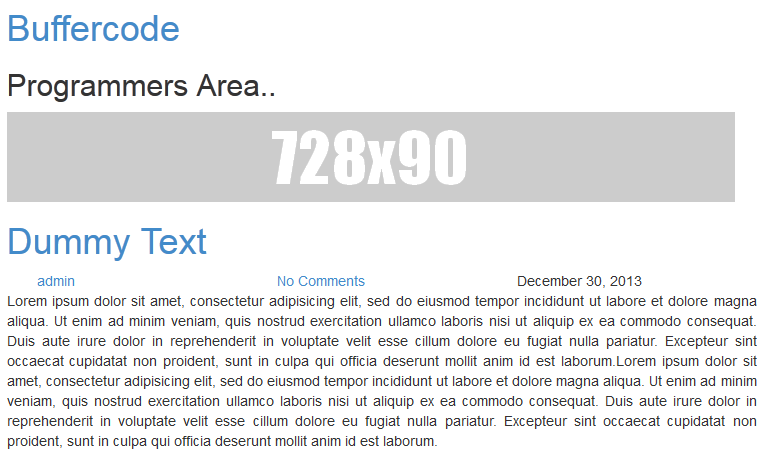
Banner upload 728x90 image ads output
Changelog
v 1.6 (2017-March-14)
-
Support 4.7.3
-
Few bug fixes
v 1.4(016-July-11)
- Support 4.2.2
1.3
- Open banner link in new window or same window.
1.2.1
- Bug fixes – Image uploading issue.
1.2
- Major bug fixes
- Moved the setting to widget location. Now user can able to add multiple banners using widget
1.0
- Public release