

Maintenance 49/100273d since update
Active installs
100,000
Downloads
9,204,711
Reviews
343
Age
16.2y
Plugin info
Total downloads: 9,204,711
Active installs: 100,000
Total reviews: 343
Average rating: 3.8
Support threads opened: 0
Support threads resolved: 0 (0%)
Available in: 59 language(s)
Contributors: 10
Last updated: 7/2/2025 (273 days ago)
Added to WordPress: 1/13/2010 (16 years old)
Minimum WordPress version: 6.0
Tested up to WordPress version: 6.9
Minimum PHP version: 5.6.20
Maintenance & Compatibility
Maintenance score
Stale • Last updated 273 days ago • 343 reviews
49/100
Is bbPress abandoned?
Likely maintained (last update 273 days ago).
Compatibility
Requires WordPress: 6.0
Tested up to: 6.9
Requires PHP: 5.6.20
Languages
Spanish (Spain)32,360Dutch30,206Russian27,196French (France)20,849German19,853Spanish (Venezuela)17,048Italian15,565Swedish14,890Japanese14,019Spanish (Colombia)13,464Spanish (Mexico)13,287Portuguese (Brazil)13,276Spanish (Ecuador)11,738Dutch (Formal)11,736Czech10,389Dutch (Belgium)10,363English (UK)9,973German (Formal)9,953Chinese (China)9,700Polish9,087English (Canada)8,372Persian8,053Spanish (Chile)8,024Ukrainian7,073Turkish6,934Chinese (Taiwan)6,927English (Australia)6,825Danish6,292Norwegian (Bokmål)6,152Greek5,862Korean5,844Portuguese (Portugal)5,491Romanian5,144Slovak5,058English (New Zealand)5,019English (South Africa)4,595Arabic4,417Catalan4,308Croatian4,253Hungarian4,022Vietnamese3,631Finnish3,377Indonesian3,019Hebrew2,714Albanian2,280Bulgarian2,181Serbian1,926Spanish (Costa Rica)1,678Lithuanian1,486Slovenian1,063Chinese (Hong Kong)1,039Esperanto937Welsh499Portuguese (Angola)477Moroccan Arabic450Thai401Gujarati300Uzbek206
Similar & Alternatives
Explore plugins with similar tags, and compare key metrics like downloads, ratings, updates, support, and WP/PHP compatibility.
Asgaros Forum
Rating 4.7/5 (208 reviews) • Active installs 10,000
Ultimate Member – ForumWP forum integration
Rating 1.0/5 (6 reviews) • Active installs 500
PeerBoard Forum and Community
Rating 4.6/5 (17 reviews) • Active installs 300
WPLingo – Forum Plugin
Rating 0.0/5 (0 reviews) • Active installs 10
bbP Signature
Rating 2.7/5 (6 reviews) • Active installs 100
Better bbPress Signature
Rating 3.7/5 (6 reviews) • Active installs 40
Description
Are you looking for a timeless, elegant, and streamlined discussion board? bbPress is easy to integrate, easy to use, and is built to scale with your growing community.
bbPress is intentionally simple yet infinitely powerful forum software, built by contributors to WordPress.
Installation
From your WordPress dashboard
- Visit ‘Plugins > Add New’
- Search for ‘bbPress’
- Activate bbPress from your Plugins page. (You will be greeted with a Welcome page.)
From WordPress.org
- Download bbPress.
- Upload the ‘bbpress’ directory to your ‘/wp-content/plugins/’ directory, using your favorite method (ftp, sftp, scp, etc…)
- Activate bbPress from your Plugins page. (You will be greeted with a Welcome page.)
Once Activated
- Visit ‘Forums > Add New’ and create some forums. (You can always delete these later.)
- If you have pretty permalinks enabled, visit example.com/forums/, or if you do not have pretty permalinks enabled, visit example.com?post_type=forum
- Visit ‘Settings > Forums’ and configure the settings to best match the needs of your community.
- Visit ‘Tools > Forums > Import Forums’ if you have an existing forum to convert to bbPress.
Once Configured
- bbPress comes with a robust theme-compatibility API that does its best to make bbPress look and feel right with just-about any WordPress theme. You may need to adjust some styling on your own to make everything look pristine.
- You may want to customize the register/activation/sign-in/lost-password flows, to better suit your site. bbPress comes with a bevy of shortcodes to make this possible, listed here: https://codex.bbpress.org/shortcodes/
- bbPress also comes with built-in support for Akismet and BuddyPress, two very popular and very powerful WordPress plugins. If you’re using either, visit your Forum Settings page and ensure that integration appears correct.
Frequently Asked Questions
No FAQ available
Review feed
Salvatore Noschese
Unusable. looks like abandoned.
Tried to install: keymaster issue (so, cannot work at all).
fixed keymaster issue with bbp style plugin (a plugin to fix another plugin looks insane), now blank page.
tried to fix also this via bbp plugin, a lot of graphical glitch and shortcode not parsed.
atm (from some years now) is really unusable.
Li-An
so old now
I am active on french support forum who runs under BBPress. It’s looks so old now, without the features (and rendering) the other forum’s programs have now. I now this forum here is under BBPress, but it’s a reworked version of what you get with the plugin.
Screenshots
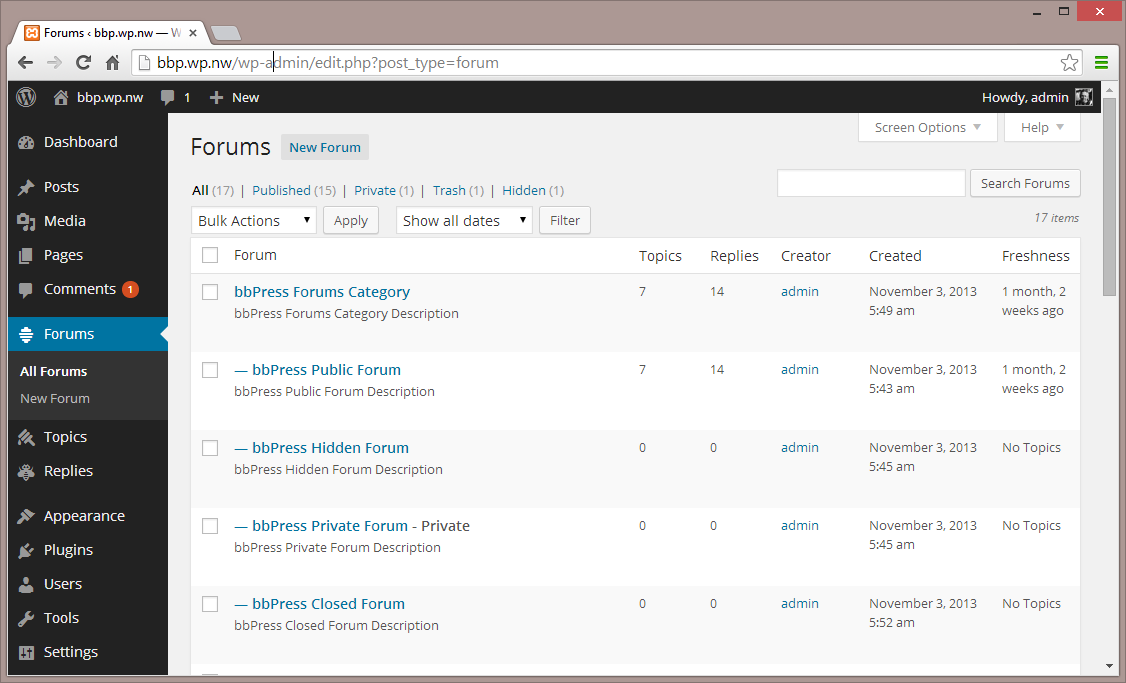
Forums - Admin Interface
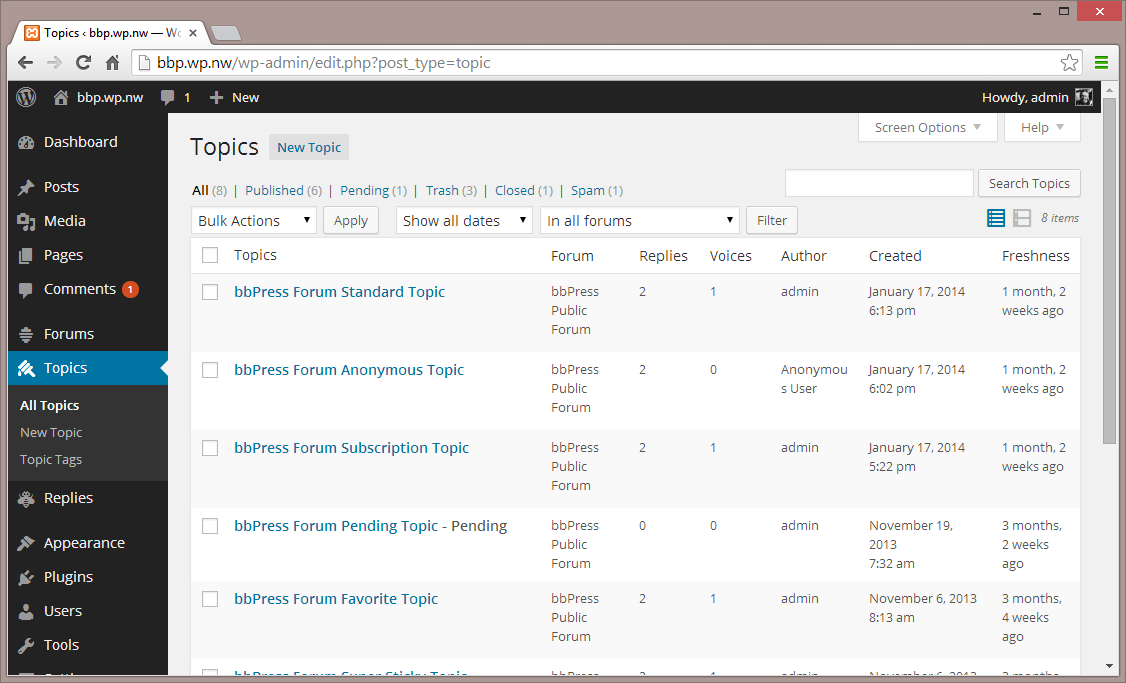
Topics - Admin Interface
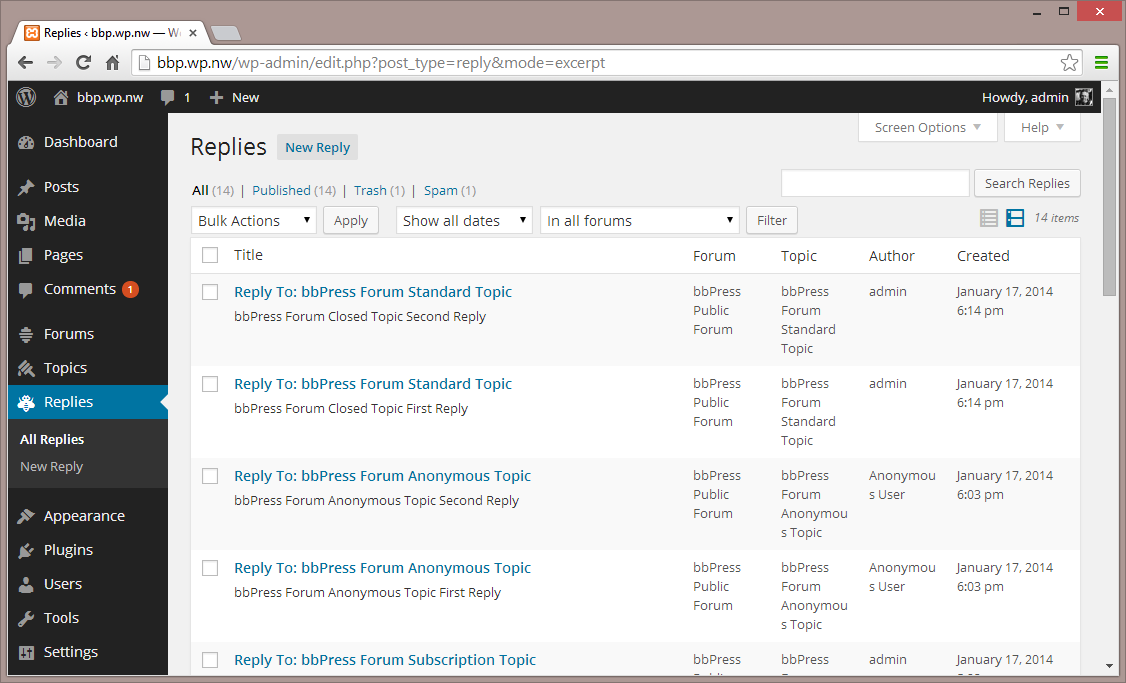
Replies - Admin Interface
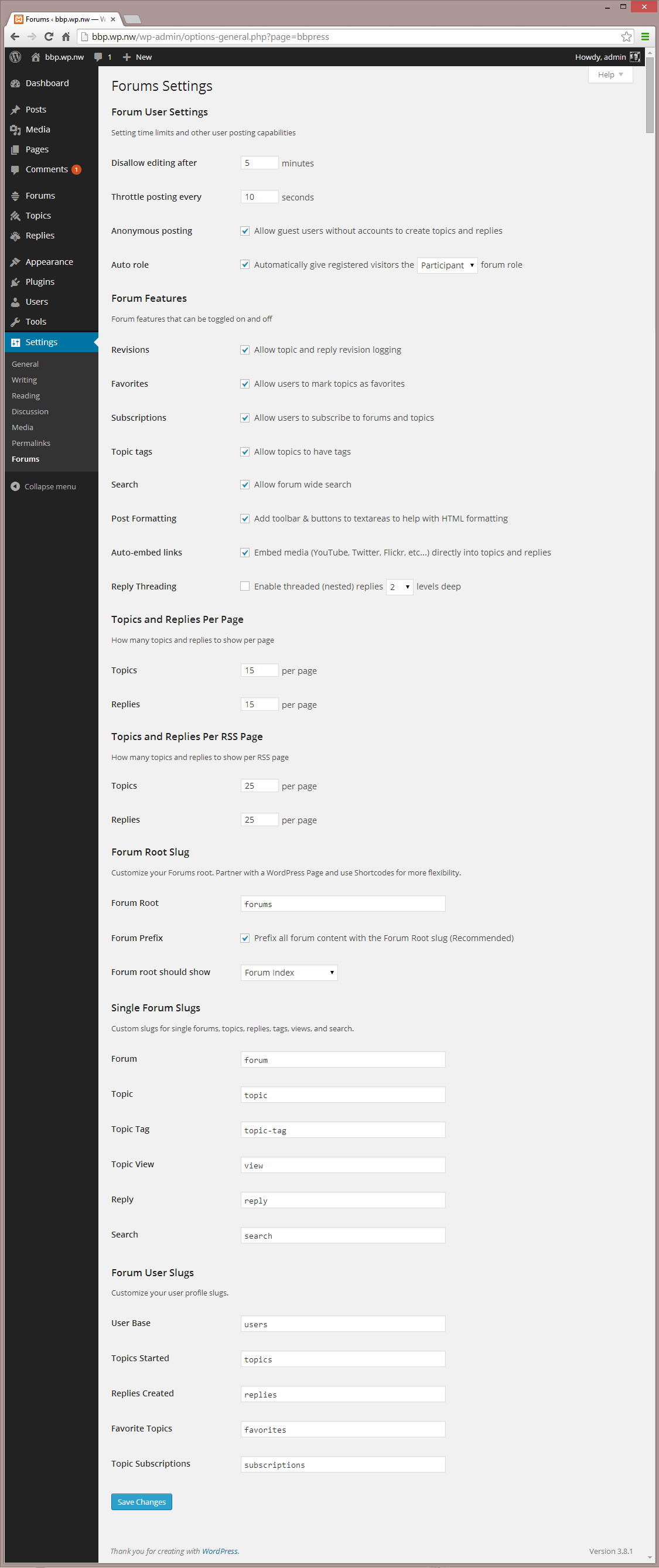
Settings - Admin Interface
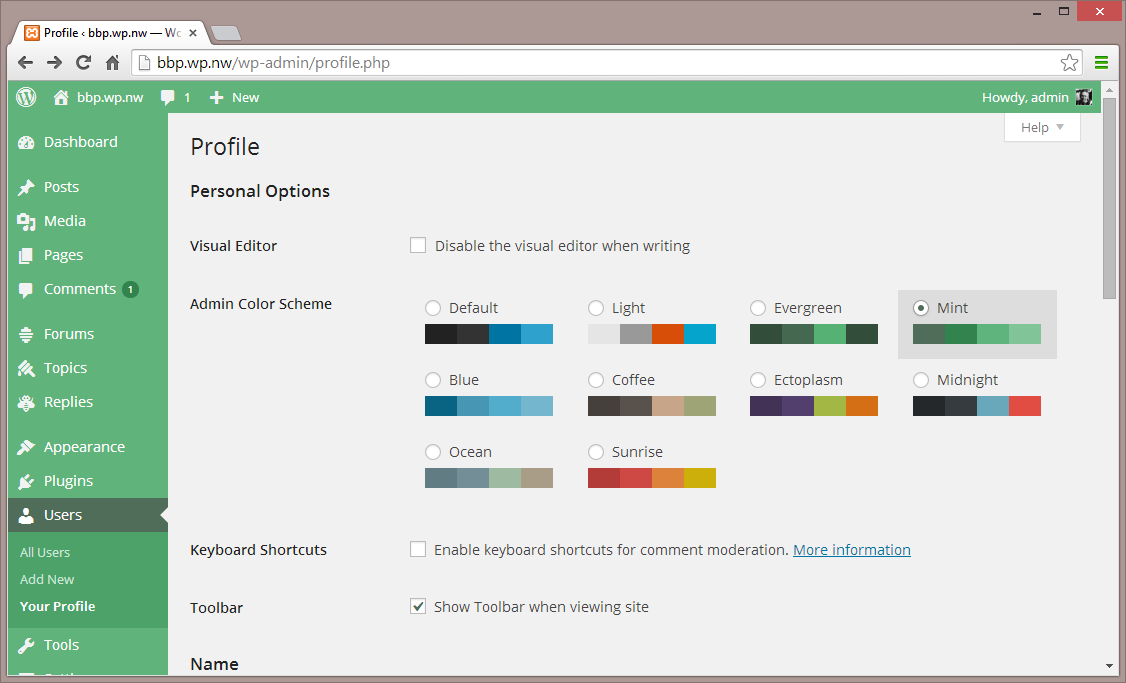
Settings 2 - Admin Interface
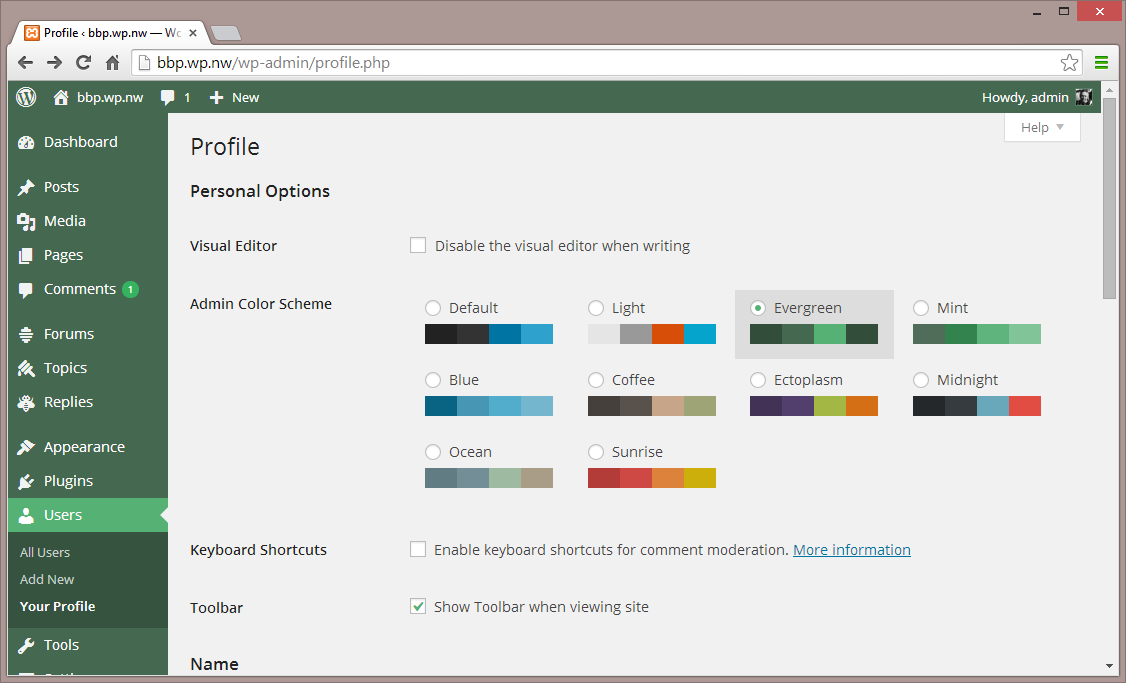
Themes - Admin Interface
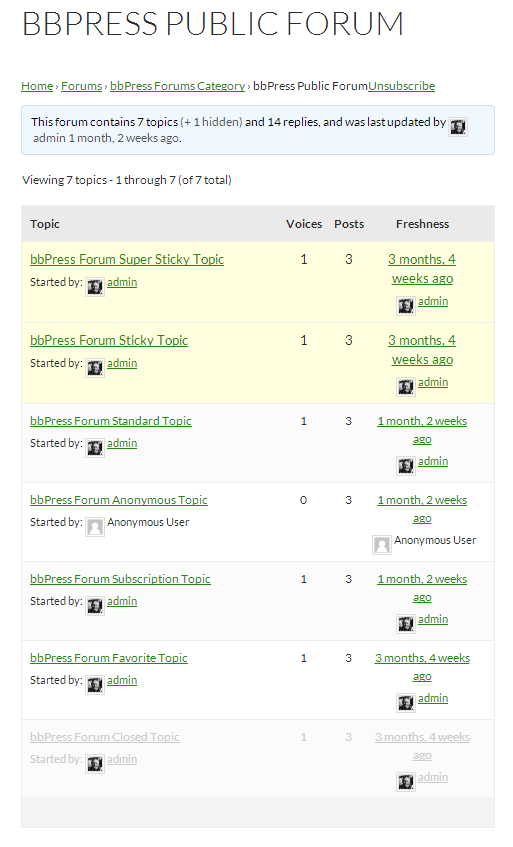
Single Forum - Default Theme
Changelog
Check out the releases page