

Plugin info
Maintenance & Compatibility
Maintenance score
Possibly abandoned • Last updated 2536 days ago
Is Best WP SMTP Email abandoned?
Possibly abandoned (last update 2536 days ago).
Compatibility
Similar & Alternatives
Explore plugins with similar tags, and compare key metrics like downloads, ratings, updates, support, and WP/PHP compatibility.
Description
Best WP SMTP Email plugin is the most simple, easy and best SMTP emailer plugin for WordPress.
Using SMTP in your WordPress site was never been easier. Configuration is the easiest part of Best WP SMTP Plugin. Simply copy your SMTP credentials, and paste in plugin settings panel. That\’s it, no mumbo-jumbo!
Features:
- Beautiful Design
- Easiest Configuration Panel
- Supports WordPress Multisite
- Works Perfectly with Latest Version of WordPress
- Supports ALL SMTP Servers
- Supports SSL/TLS Security Protocol
- Supports No Authorization
- Built-in Usage Guide
- SMTP Test Email Option
- Works with ALL WordPress Themes
- Highly Secure
This plugin overrides the native wp_mail() function. So if you are having any issue with your current emails, this plugin will most probably solve that issue for you.
You will love this plugin for sure!
Please contact \”[email protected]\” if you face any kind of issue with this plugin. We will try our best to resolve.
Installation
- Upload the plugin zip file to the \”/wp-content/plugins/\” directory.
- Activate the plugin through the \”Plugins\” menu in WordPress.
Frequently Asked Questions
Do I need to pay for using this?
This plugin is absolutely FREE. However, your SMTP Server might charge you for their service. There are also free SMTP Server providers. You can try them.
Will it fix my email issue?
If the issue is with the native wp_mail() function, then in most cases it will fix the issue as it will override the wp_mail() function with SMTP Protocol.
Review feed
Screenshots
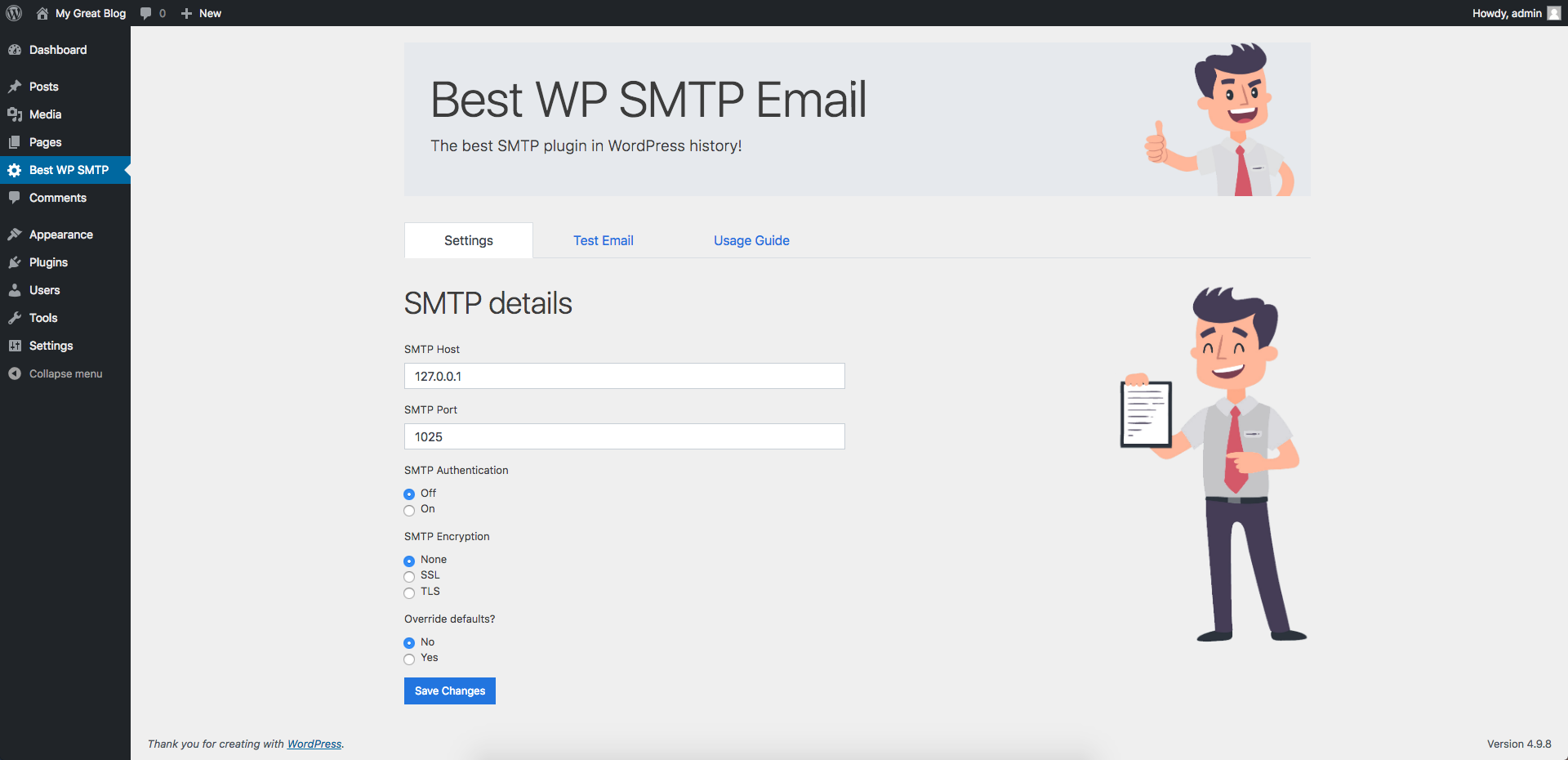
Beautiful Interface of the Settings Panel

Easily Test SMTP Function

Built-in Usage Guide
Changelog
1.0
- Tested with latest WordPress version.
- Author updated.
1.0
- Initial release.