

Blocks Scanner
Easily scan and list the Gutenberg blocks used on your site. Quickly edit or view the posts that use the blocks.
Plugin info
Maintenance & Compatibility
Maintenance score
Possibly abandoned • Last updated 422 days ago
Is Blocks Scanner abandoned?
Possibly abandoned (last update 422 days ago).
Compatibility
Similar & Alternatives
Explore plugins with similar tags, and compare key metrics like downloads, ratings, updates, support, and WP/PHP compatibility.
Description
Blocks Scanner is a WordPress plugin that allows you to easily scan and list the Gutenberg blocks used on your site. With Blocks Scanner, you can quickly edit or view the posts that use specific blocks, streamlining your editing workflow.
Features
- Scan and list Gutenberg blocks used on your WordPress site.
- Quickly edit or view the posts that contain specific blocks.
- Streamline your editing workflow by easily identifying and managing blocks.
Usage
- Once activated, navigate to Tools > Blocks Scanner in your WordPress admin panel.
- The plugin will automatically scan all posts, pages, and custom post types and patterns.
- You can then view the list of posts that utilize blocks on your site and take appropriate actions quickly.
Support
For support, bug reports, or feature requests, please visit the GitHub repository and create an issue.
Installation
Frequently Asked Questions
After activating the Blocks Scanner plugin, navigate to Tools > Blocks Scanner in your WordPress admin panel. The plugin will automatically scan all posts, pages, and custom post types to list the Gutenberg blocks used on your site.
Yes, Blocks Scanner allows you to quickly edit or view the posts that contain specific blocks. Once you’ve scanned your site, you can easily identify and manage blocks from the plugin’s interface.
If you encounter any issues, have feature requests, or need support, please visit the GitHub repository and create an issue. Our team will be happy to assist you.
Blocks Scanner is designed to work smoothly with most WordPress themes and plugins. However, if you experience any compatibility issues, please let us know by creating an issue on the GitHub repository.
Blocks Scanner updates its block list in real-time as you scan your site. This ensures that you always have the most up-to-date information about the Gutenberg blocks used on your WordPress site.
Yes, Blocks Scanner is compatible with multisite installations of WordPress. You can activate the plugin network-wide and use it to scan and manage Gutenberg blocks across all sites in your network.
Review feed
Screenshots

Plugin Main Page.
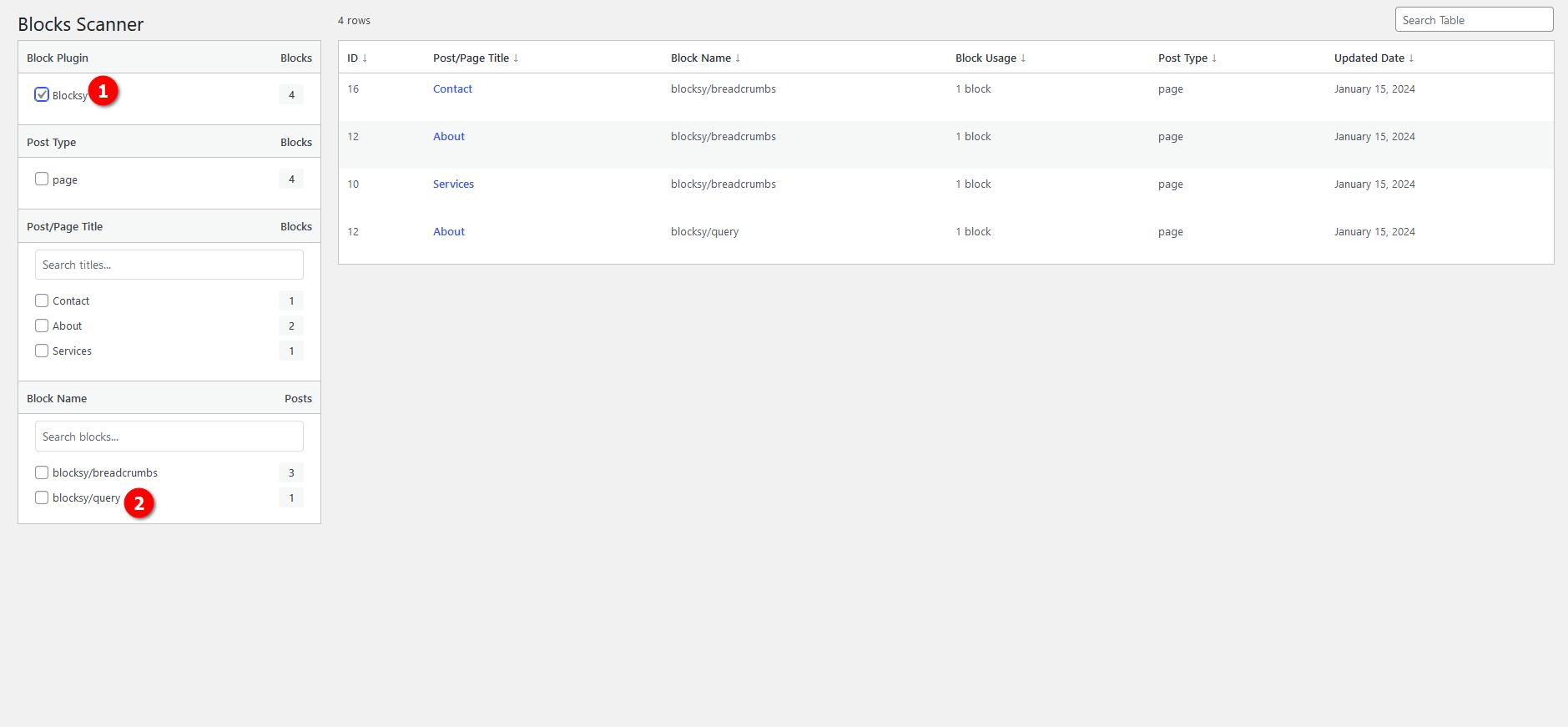
Easy & Live Filter.

Easy & Live Search Filter.
Changelog
1.0
- New: Added more filters to better management
- New: Filters are updated via the posts/pages current table
- New: JS has been rewritten from scratch, now even faster
- Improvement: UI changes for better management
0.9.1
- Fix: If the first word of the blocks set is WP, add the second word
- Fix: Separated variables
0.9
- Improvement: Dynamically generate tabs and block lists based on Blocks set/plugin
0.8
- Improvement: Improved unique slug nonce check
- Improvement: Improved unique function names
0.7.2
- Improvement: Added better nonce check
0.7.1
- Improvement: Added nonce check
0.7
- Improvement: Run js and css only in blocks_scanner page
- Improvement: Used css grid instead of css flex for better responsive experience
0.6
- New: Reduced query to one, speed improved
- New: Introduce multi-select checkboxex for blocks
- New: UI/UX improvements with sticky sidebar and mobile responsive
0.5
- Fixed output escaping function for some strings
0.4.1
- Check exact drop down value
0.4
- Added wrapper class to main div
- Added table sorting feature
0.3
- Corrected translatable post and block strings
0.2
- Count only posts in dropdown
- Count all inner/nested blocks posts in table
0.1
- First release