

CM Search And Replace – Optimize content edits with a powerful search and replace tool
Search and replace words, phrases, and HTML within your website posts and pages.
Plugin info
Maintenance & Compatibility
Maintenance score
Stale • Last updated 237 days ago • 15 reviews
Is CM Search And Replace – Optimize content edits with a powerful search and replace tool abandoned?
Likely maintained (last update 237 days ago).
Compatibility
Similar & Alternatives
Explore plugins with similar tags, and compare key metrics like downloads, ratings, updates, support, and WP/PHP compatibility.
Description
Pro Plugin Page | Videos | User Guide
Use our WordPress Search and Replace plugin to perform live search/replace operations on words, phrases, and HTML within your WordPress site’s content, without altering the underlying database.
⭐ We’re excited to present the renewed version of CM Search and Replace! Featuring a brand-new, intuitive design, the plugin is now more user-friendly than ever, making it easier to create and manage your search and replace rules with precision.
With this powerful WordPress find replace plugin, you’ll be able to modify the content of posts, pages, comments, titles, and excerpts just before they are displayed on the front end without any need to make changes to the WordPress database.
This WordPress plugin generates dynamic rules that enable consistent replacement of HTML and text generated not only by your page content but also plugins before a page is loaded to a user’s browser.
Search Replace Premium Edition
The Search and Replace Plugin Premium edition includes even more powerful features, such as: store search and replace changes to databse, log all changes made, regex support, time based search and replace rules and much more.
Search Replace Plugin Introduction Video
WordPress Search Replace Plugin Use-Cases
- Profanity Filter – Our WordPress plugin gives you the ability to censor bad words posted in comments, content generated by plugins, as well as pages or posts.
- HTML Replacement – Replace HTML code on the fly.
- Image Replacement – Replace images on the fly.
- Schedule Content – Schedule content changes for particular dates or durations.
- Database Changes – Make permament changes to the content in the database.
- Log Changes – Log all changes.
WordPress Search Replace Plugin Basic Version Features
- Create any number of rules for replacing regular text and html.
- Applies replacement rules that can help in standarizing WordPress posts and pages.
- Performs replacements only locally and doesn’t save them to the database.
- Supports scanning content for case sensitive words.
- Choose if to search and replace content in images URLs.
WordPress Search Replace Plugin Pro Version Features
Pro Version Detailed Features List
- Define search/replace rules for site and page titles, content, excerpts, link, comments and images.
- Support custom posts types.
- Support Regex rules.
- Support search replace based on timeframes.
- Support search replace only on specific posts.
- Support search replace only on specific post categories, tags or other taxonomies.
- Rules Management – pause, edit, delete and easily change the order of rules.
- Includes log for changes that are made on the fly.
- Includes log for permanent changes in the database.
- Import and export rules.
- Search within rules.
- Frontend widget to turn rules on and off.
- Ensures additional content support for plugins like Yoast, BBPress, WooCommerce, ACF and CM Tooltip Glossary.
- Optionally, commit replacement rules to the database so they will be permanent.
Follow Us
Blog | Twitter | LinkedIn | YouTube | Facebook
Suggested Plugins by CreativeMinds
List of all WordPress Plugins by CreativeMinds
- CM Tooltip Glossary – Easily creates a Glossary, Encyclopaedia or Dictionary of your website’s terms and shows them as a tooltip in posts and pages when hovering. With many more powerful features.
- CM Download Manager – Allows users to upload, manage, track and support documents or files in a download directory listing database for others to contribute, use and comment upon.
- CM Answers Plugin – A fully-featured WordPress Questions & Answers Plugin that allows you to build multiple discussion forum systems Just like StackOverflow, Yahoo Answers and Quora, Now with MicroPayments and Anonymous posting support.
WordPress Search and Replace Plugin Frequently Asked Questions
Installation
- Upload the plugin folder to the
/wp-content/plugins/directory. - Activate the plugin through the ‘Plugins’ menu in WordPress.
- Define the search & replace items in the plugin’s dashboard.
Frequently Asked Questions
Review feed
Screenshots
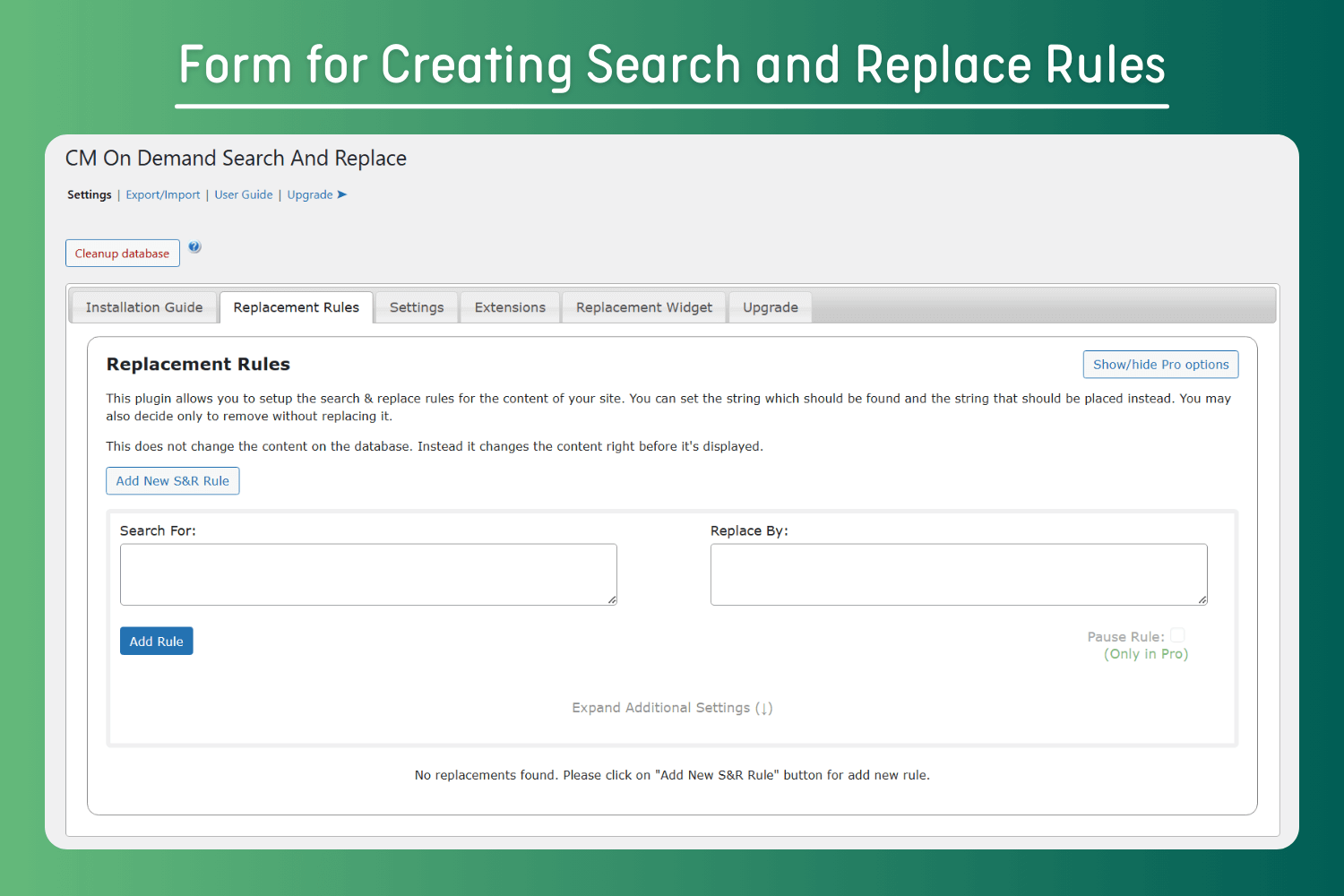
Form for Creating Search and Replace Rules
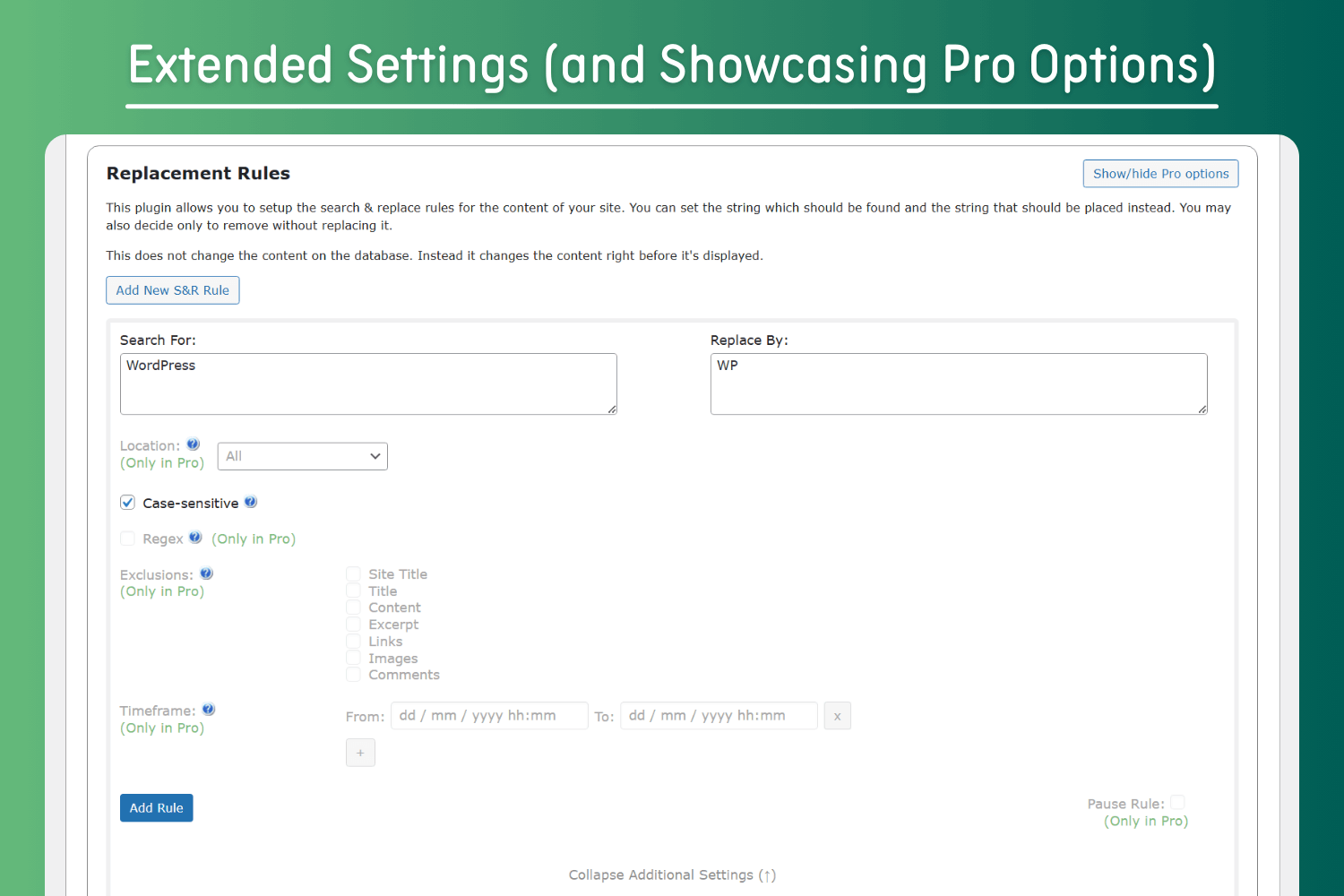
Extended Settings (and Showcasing Pro Options)
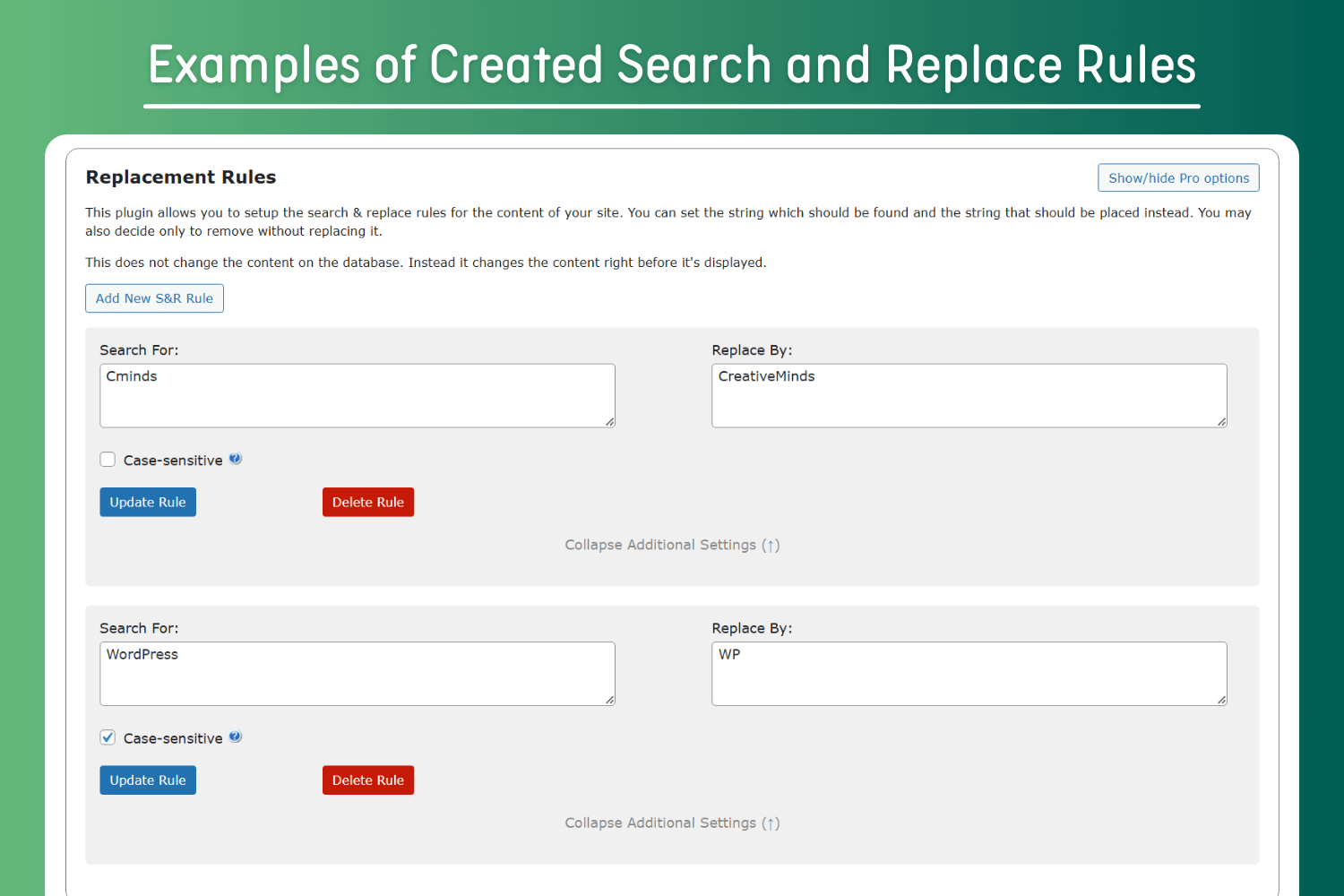
Examples of Created Search and Replace Rules
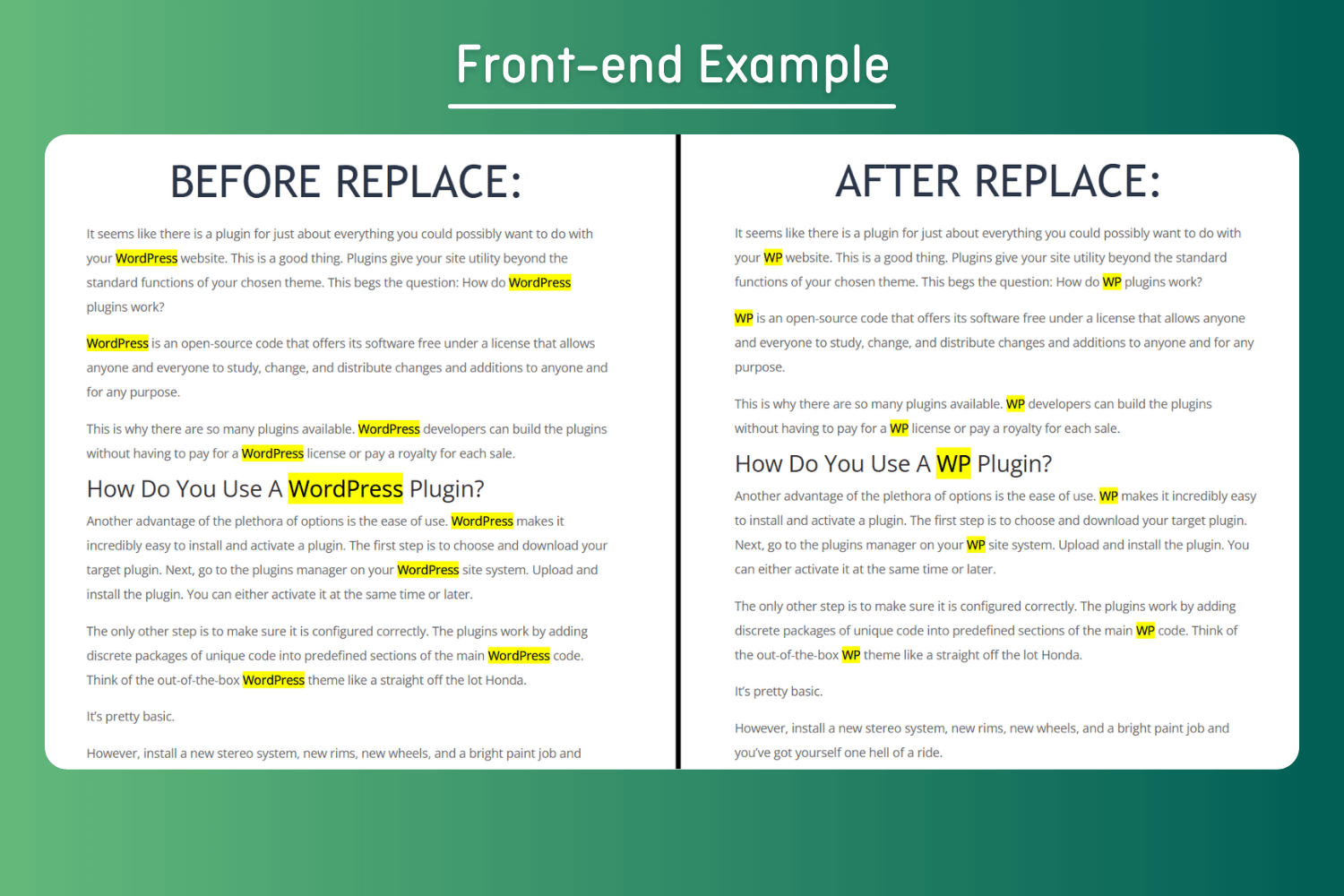
Front-end Example
Changelog
1.5.4
Release Date: 08 Aug 2025
* Bugfix related to HTML links rendering
1.5.3
Release Date: 04 Aug 2025
* Fixed vulnerability issues
1.5.2
Release Date: 09 Jun 2025
* Added restrictions for deactivating a plugin and send reason should be admin user
1.5.1
Release Date: 23 May 2025
* Fixed PHP Warnings
1.5.0
Release Date: 20 May 2025
* Added support to exclude images url
1.4.9
Release Date: 15 May 2025
* Improvements
* Updated pricing
1.4.8
- Bugfixing
1.4.7
Release Date: 18 Mar 2025
* Updated pricing
1.4.6
Release Date: 14 Jan 2025
* Improvement in new user interface
1.4.5
Release Date: 07 Jan 2025
* Fixed vulnerability issue
1.4.4
Release Date: 07 Dec 2024
* Implement new user interface
1.4.3
Release Date: 19 Nov 2024
* Fixed security (medium) issue
1.4.2
Release Date: 06 Nov 2024
* Added pro version settings as a showcase
1.4.1
Release Date: 09 Oct 2024
* Fixed security issues
1.4.0
Release Date: 13 Aug 2024
* Fixed version number
1.3.3
Release Date: 18 May 2024
* Fixed security issues
1.3.2
Release Date: 25 December 2023
* Update package info
1.3.1
Release Date: 24 Mar 2023
* Resolved bug
1.3.0
Release Date: 24 Mar 2023
* Resolved bug related to setting
1.2.10
Release Date: 22nd Mar 2023
* Update package info
1.2.9
Release Date: 9th Nov 2022
* Replace Internal support links