

BOLT AI Features
AI-powered chatbot with intelligent Q&A, floating chat interface, content embedding, user history, and admin dashboard.
Plugin info
Maintenance & Compatibility
Maintenance score
Maintained • Last updated 161 days ago • 1 reviews
Is BOLT AI Features abandoned?
Likely maintained (last update 161 days ago).
Compatibility
Similar & Alternatives
Explore plugins with similar tags, and compare key metrics like downloads, ratings, updates, support, and WP/PHP compatibility.
Description
BOLT AI Features is a comprehensive AI-powered plugin that brings intelligent chatbot functionality and advanced content embedding to your WordPress site. This plugin provides a seamless way to integrate AI assistance directly into your website, offering visitors instant access to intelligent responses based on your site’s content.
Key Features
- Intelligent Chatbot: Floating chat interface with AI-powered responses
- Content Embedding: Automatic vector embedding generation for posts, pages, and content
- Smart Q&A System: Context-aware responses based on your site’s content
- User Chat History: Complete chat history management for users
- Admin Dashboard: Comprehensive statistics and management tools
- Data Export: Download chat history in CSV format
- Privacy Controls: User data management and deletion capabilities
- Responsive Design: Works seamlessly on desktop and mobile devices
How It Works
- Content Processing: The plugin processes your choosen site’s content to create vector embeddings with just one click
- AI Integration: Connects to external AI services (GDPR Conform) to provide intelligent responses
- User Interaction: Visitors can interact with the chatbot through a floating chat interface
- Smart Responses: AI provides contextually relevant answers based on your site’s content
- History Management: All conversations are stored and can be managed by users and administrators
Admin Features
- Usage Statistics: Track chatbot usage, user engagement, and response metrics
- Content Management: Control which content is processed for AI responses
- User Data Management: View and manage user chat histories
- Settings Configuration: Customize AI behavior and interface appearance
- Export Tools: Download chat data and usage statistics
Privacy & Data
This plugin processes user questions and site content through external AI services. All data handling complies with WordPress privacy standards, and users have full control over their chat history data.
Usage and Pricing
We offer a free tier with 1000 Messages each Day, if you need more message quotas please contact us for a custom plan at [email protected].
Requirements
- WordPress 5.0 or higher
- PHP 7.4 or higher
- External AI service configuration (included in setup)
Support
For support questions, feature requests, or bug reports, please visit our support forum or contact the development team.
Privacy Policy
This plugin processes user questions and site content through external AI services. We recommend reviewing your site’s privacy policy to ensure compliance with data protection regulations. Users have full control over their chat data and can delete it at any time.
External Services
This plugin connects to external AI services to provide intelligent responses. By using this plugin, you acknowledge that user questions and site content may be processed by these services. Please review the terms of service and privacy policies of the connected AI services. https://www.hs-mittweida.de/newsampservice/datenschutz/
Credits
Developed by the Bolt Team for the BCCM (Blockchain Competence Center Mittweida) project.
Installation
- Upload the plugin files to the
/wp-content/plugins/bolt-ai-featuresdirectory, or install the plugin through the WordPress plugins screen directly. - Activate the plugin through the ‘Plugins’ screen in WordPress.
- Navigate to the ‘BOLT AI Features’ menu in your WordPress admin dashboard.
- Configure the plugin settings.
- Process your site content for embedding generation.
- The chatbot will automatically appear on your site’s frontend after activating the option in the settings menu.
Frequently Asked Questions
Yes, BOLT Chatbot is designed to work with any properly coded WordPress theme. The chatbot interface uses CSS that adapts to your theme’s styling.
Yes, this plugin requires connection to external AI services to provide intelligent responses. Configuration details are provided in the plugin settings.
All user chat data is stored securely and users have full control over their data, including the ability to view, download, and delete their chat history.
The plugin is optimized for performance and uses asynchronous loading for the chatbot interface. Content processing happens in the background.
Yes, you can control for whom the chatbot appears by selecting if the chatbot only appears for logged in users or users with a specific email domain.
Review feed
Screenshots
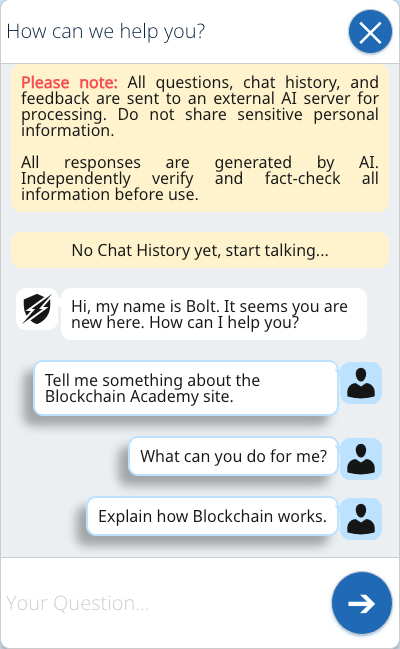
Floating chatbot interface on the frontend
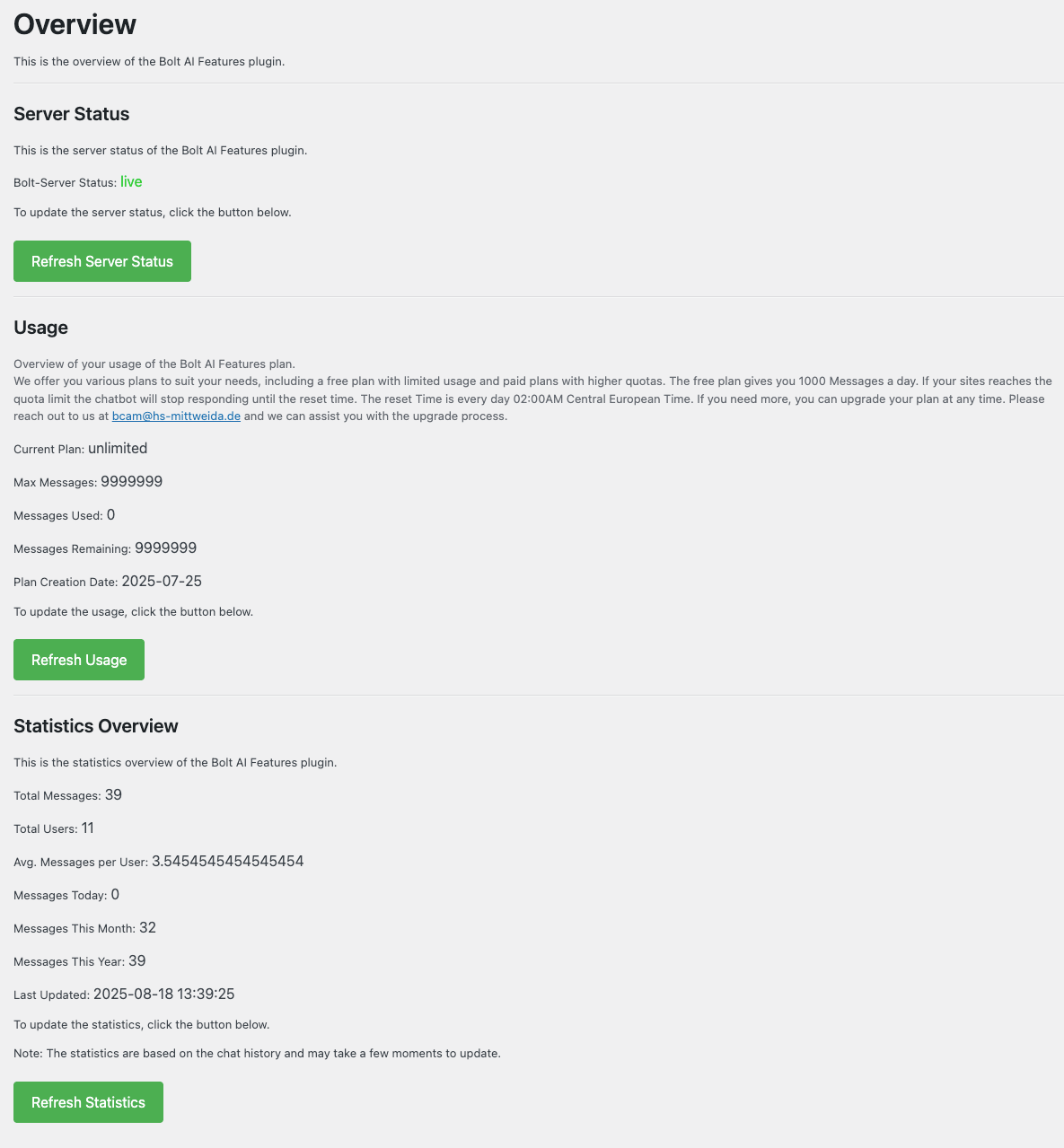
Admin dashboard with usage statistics
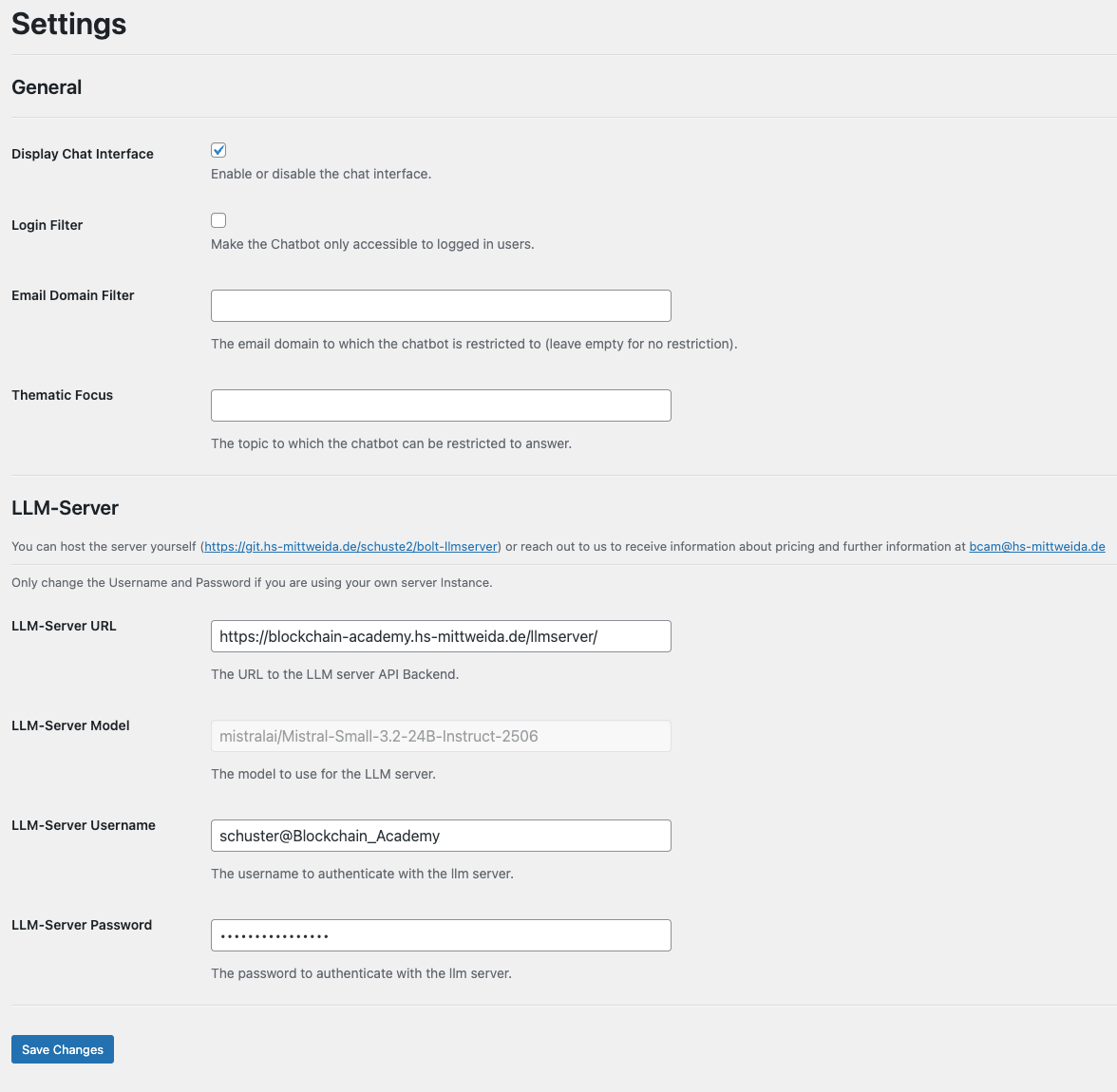
Plugin settings configuration page
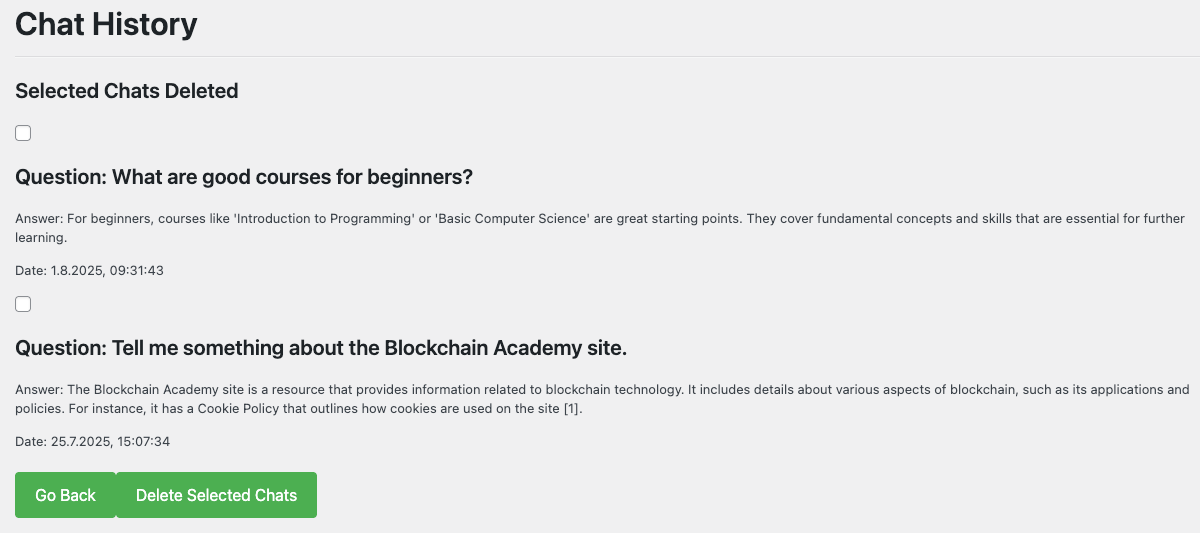
Chat history management interface
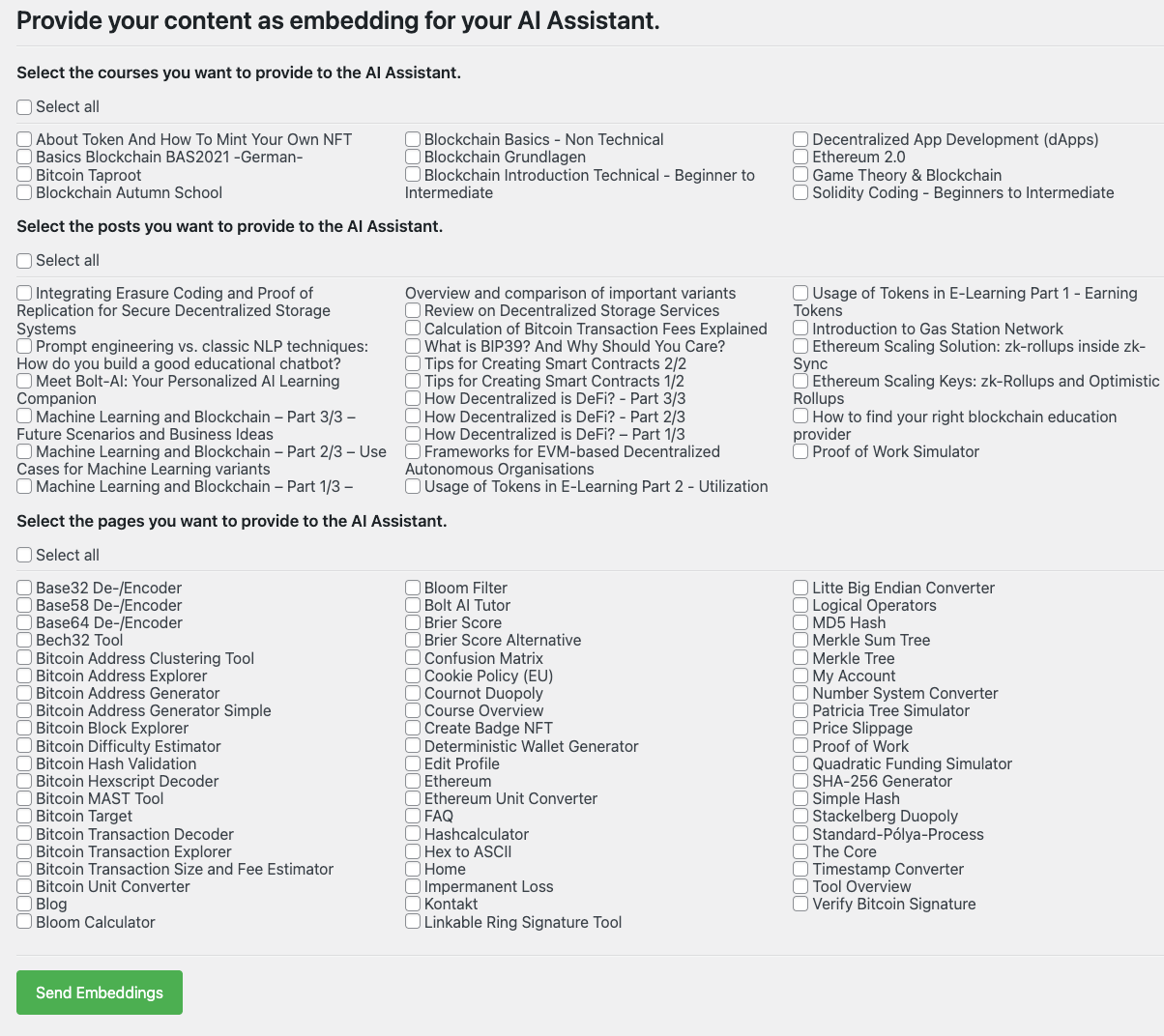
Content embedding management
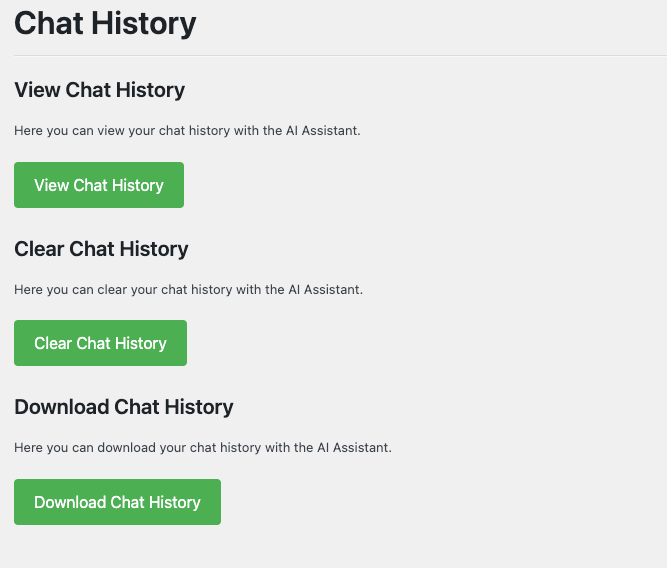
User data management interface
Changelog
0.6.0
- Added option to customize chatbot greeting message and the example questions
- Added Frontend localization for French, German, Italian, Spanish and Russian
0.5.0
- Bugfixes
- Rework to adhere to WordPress Plugin Guidelines
0.1.0
- Initial release
- Floating chatbot interface
- Content embedding generation
- User chat history management
- Admin dashboard with statistics
- Data export capabilities
- Privacy controls and data management
- Responsive design implementation