

Bricks Builder Mobile & Mega Menu
Mobile Menu and Mega menu element for Bricks Builder that enhances your WordPress navigation with advanced features and mobile-friendly design.
Plugin info
Maintenance & Compatibility
Maintenance score
Possibly abandoned • Last updated 392 days ago • 1 reviews
Is Bricks Builder Mobile & Mega Menu abandoned?
Possibly abandoned (last update 392 days ago).
Compatibility
Similar & Alternatives
Explore plugins with similar tags, and compare key metrics like downloads, ratings, updates, support, and WP/PHP compatibility.
Description
Bricksed is a powerful mega menu element for Bricks Builder that allows you to create sophisticated navigation menus with advanced features for both desktop and mobile views.
IMPORTANT: This plugin requires Bricks Builder (version 1.8.6 or higher) to be installed and activated.
Key Features
- Fully customizable mega menu dropdowns
- Responsive mobile navigation with customizable breakpoints
- Multi-level dropdown support
- Customizable animations and transitions
- Mobile-first design with slide-in navigation
- Last nav item button styling options
- Flexible layout options for both desktop and mobile views
- Custom styling controls for all menu elements
- Mobile logo support
- Advanced dropdown animations
Desktop Features
- Customizable menu gap spacing
- Dropdown icon animations
- Flexible dropdown container styling
- Mega menu and standard dropdown support
- Customizable hover effects
Mobile Features
- Customizable slide directions (left, right, top, bottom)
- Adjustable transition durations
- Mobile logo support
- Customizable mobile menu background
- Bottom-aligned button option
- Hamburger menu customization
For Developers
- SCSS variables for easy customization
- Extensive styling hooks
- Clean, maintainable code structure
- Built for Bricks Builder compatibility
Installation
Required: Bricks Builder (version 1.8.6 or higher) must be installed and activated.
- Upload the plugin files to the
/wp-content/plugins/brickseddirectory, or install the plugin through the WordPress plugins screen directly - Activate the plugin through the ‘Plugins’ screen in WordPress
- Use the Bricks Builder editor to add the Bricksed element to your template
Frequently Asked Questions
Yes, Bricksed REQUIRES Bricks Builder (version 1.8.6 or higher) to be installed and activated. This plugin will not work without Bricks Builder as it is specifically designed as a Bricks Builder element.
Yes, Bricksed supports multi-level dropdowns with customizable styling and animations for each level.
Yes, the mobile menu is highly customizable with options for slide directions, transitions, colors, and layout configurations.
Yes, you can style the last navigation item as a button for both desktop and mobile views, with options to position it at the bottom in mobile view.
Review feed
Screenshots
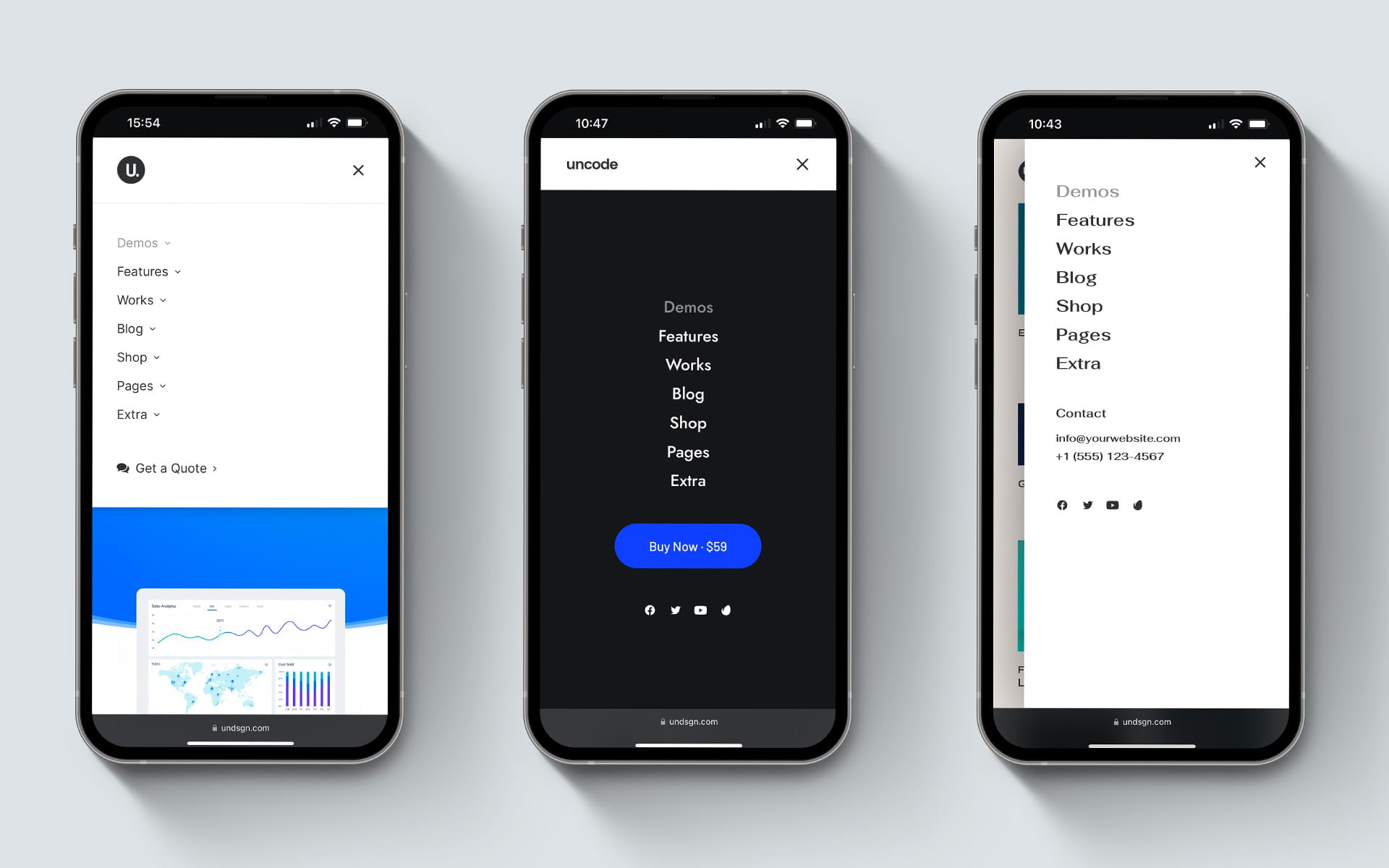
Mobile Menu View
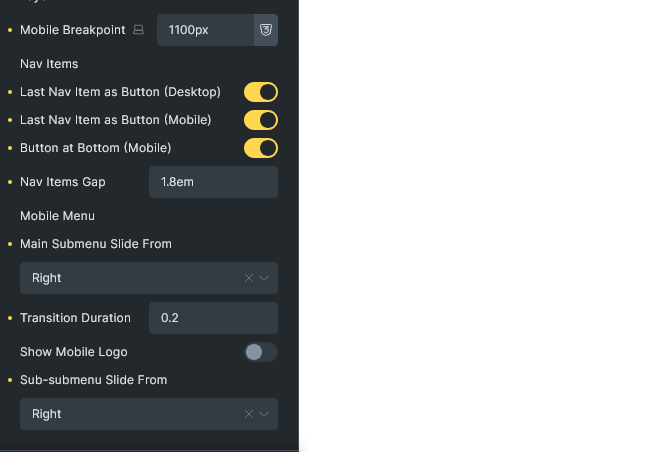
Bricksed Settings
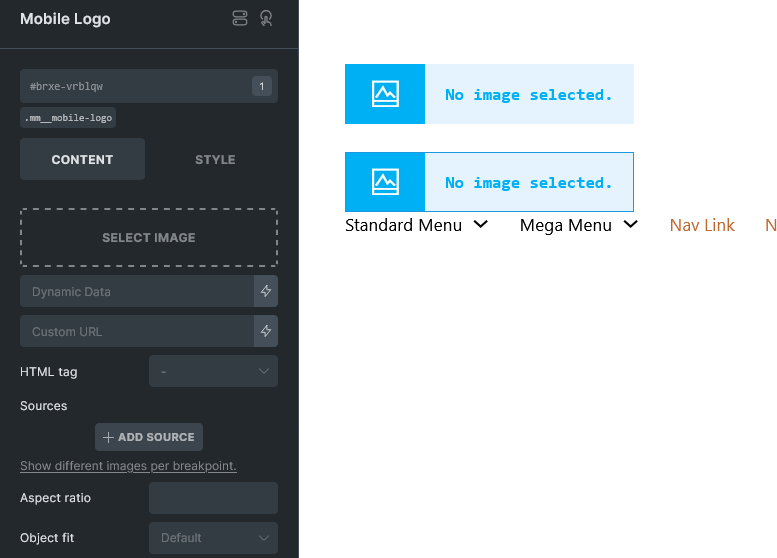
Bricksed Mobile Menu Settings
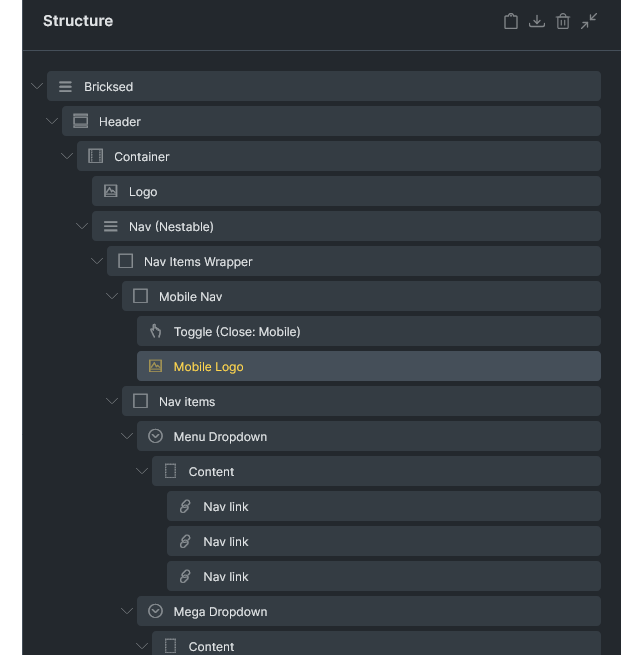
Bricksed Auto-added bricks elements
Changelog
1.0.0
- Initial release
- Feature: Desktop mega menu support
- Feature: Mobile responsive navigation
- Feature: Customizable styling options
- Feature: Multi-level dropdown support
- Feature: Mobile slide animations
- Feature: Last item button styling
- Feature: Mobile logo support