

Bricks Navigator
Adds quick links in the WordPress admin bar for users of Bricks theme.
Plugin info
Maintenance & Compatibility
Maintenance score
Stale • Last updated 233 days ago • Support resolved 0% • 16 reviews
Is Bricks Navigator abandoned?
Likely maintained (last update 233 days ago).
Compatibility
Similar & Alternatives
Explore plugins with similar tags, and compare key metrics like downloads, ratings, updates, support, and WP/PHP compatibility.
Description
This plugin adds a handy “Bricks” menu item in the WP admin bar for quickly navigating to various areas within the site as well as to external sites relevant for the users of Bricks Builder theme.
A very useful feature is being able to directly view the list of all Templates and Pages and edit any of them with Bricks directly with a single click without going to Templates and Pages list screens first.
The admin bar can also be enabled in Bricks editor pages via the plugin’s settings page at Bricks Bricks Navigator.
Links to Bricks-specific plugins’ settings page are also provided.
Links to community sites, internal and external Bricks links can be enabled in the plugin’s settings page.
A “new tab” icon is provided for site-specific menu items added by the plugin to open that menu item in a new tab.
All external links open in a new tab.
Built for the Bricks community by Sridhar Katakam of BricksLabs.
Performance Notice: The free version loads all templates and pages in the menu and works best for smaller sites (up to ~20 templates and ~50 pages). For larger sites with extensive content, consider upgrading to our upcoming Pro version for better performance. Note that this only applies for admins and other logged-in users for whom the WP toolbar shows.
Automatic Installation
Search for bricks navigator from within your WordPress plugins’ Add New page and install.
Manual Installation
- Click on the
Downloadbutton to download the plugin. - Upload the entire
brickslabs-bricks-navigatorfolder to the/wp-content/plugins/directory. - Activate the plugin through the
Pluginsmenu in WordPress.
Installation
Frequently Asked Questions
Review feed
Screenshots
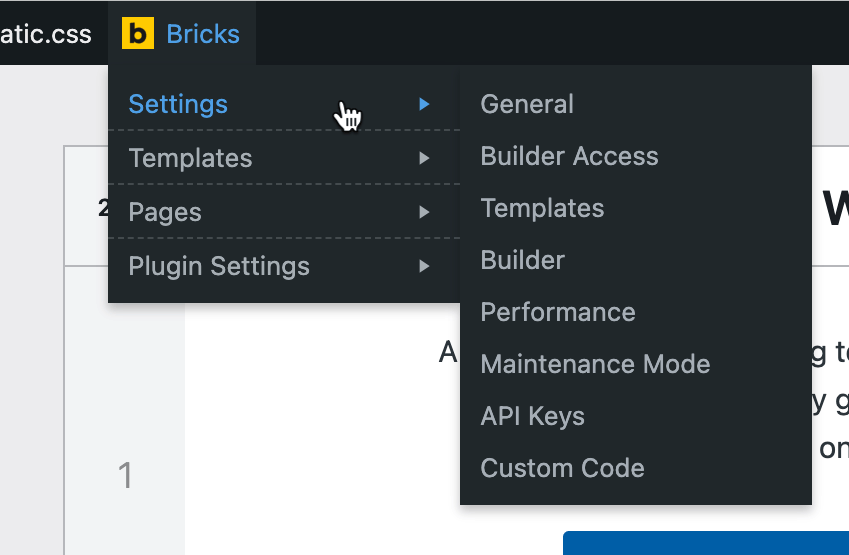
Screenshot showing the sub menu of Settings.
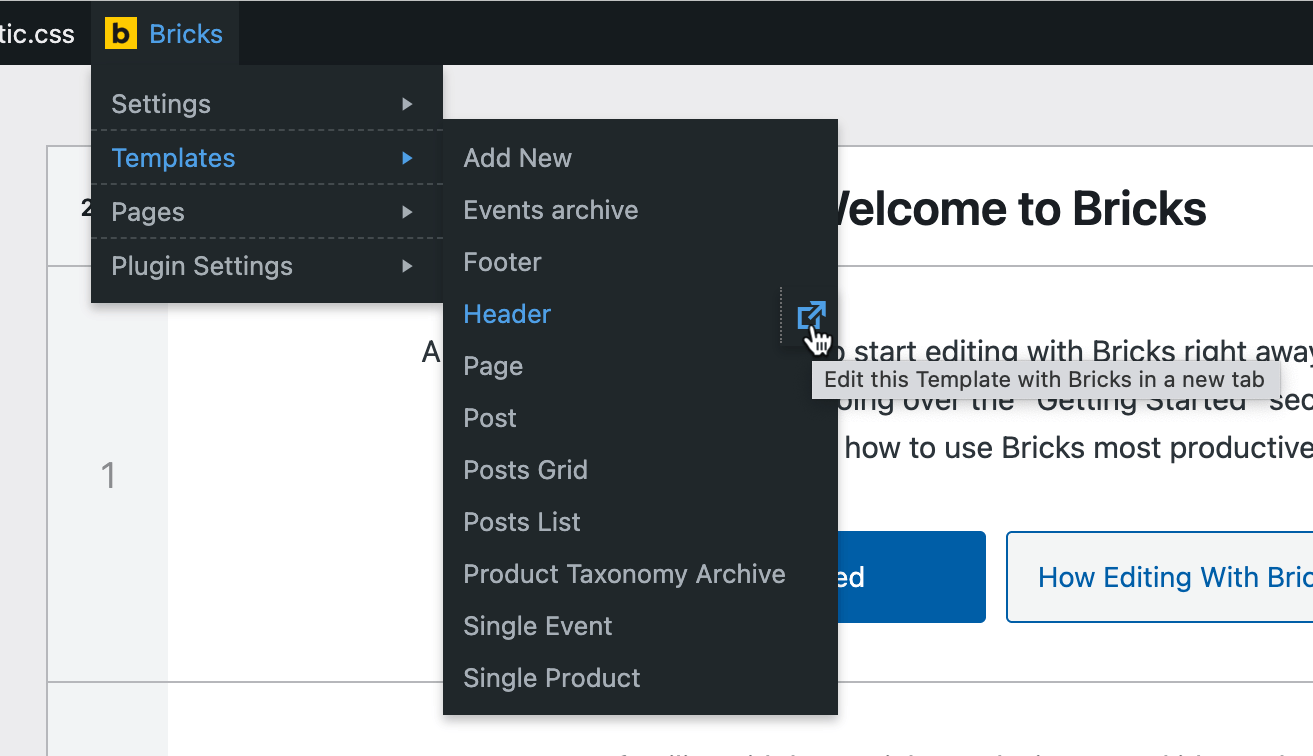
Screenshot showing 1-click direct link to edit the hovered Template directly with Bricks in a new tab.
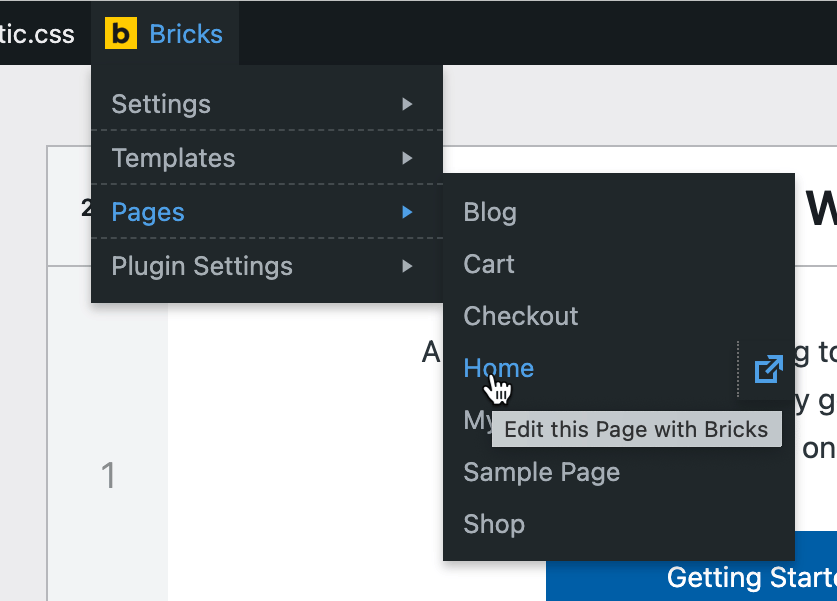
Screenshot showing 1-click direct link to edit the hovered Page directly with Bricks.
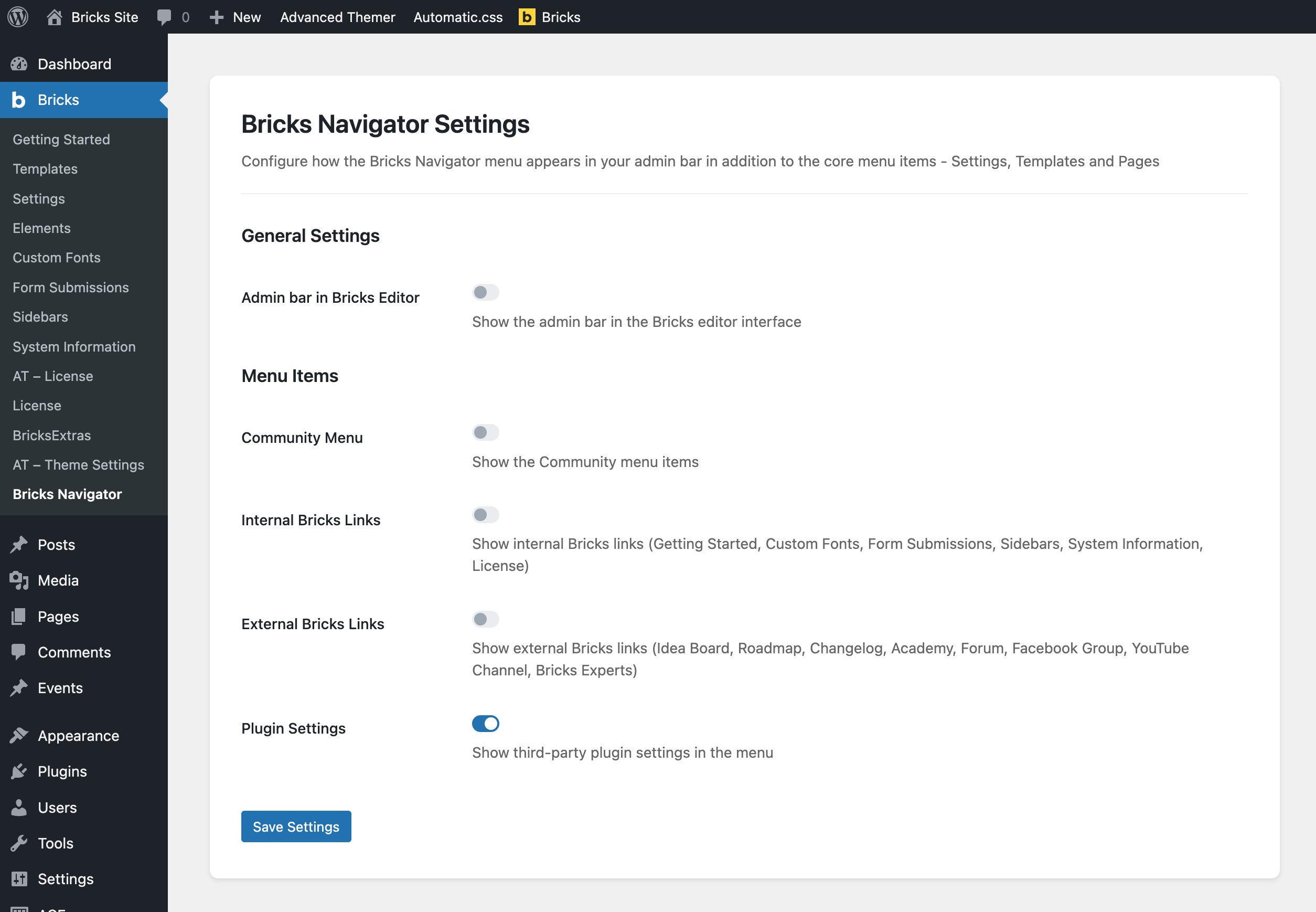
Screenshot showing the plugin's settings page.
Changelog
1.1.2 ( Aug 13, 2025 )
- Fixed the CSS for making long Pages/Templates lists scrollable.
1.1.1 ( Aug 09, 2025 )
- Fixed the plugin settings menu visibility when no third-party plugins are active.
1.1.0 ( Aug 09, 2025 )
- Fixed the CSS for the “Show admin bar in Bricks” setting in Bricks 2.0.
- Improved performance and reliability. Plugin now gracefully degrades when Bricks isn’t available. Resolved cPanel WP Toolkit SSO login issue and prevents similar problems with WP-CLI, automated backups, or any other tools that load WordPress without themes.
- Revamped UI.
- Community, Internal and External Bricks links have been disabled by default. They are now opt-in rather than opt-out.
1.0.3 ( Dec 03, 2023 )
- Fixed the CSS for the “Show admin bar in Bricks” setting for Bricks 1.9.3.
1.0.2 ( Nov 10, 2023 )
- Fixed the CSS for the “Show admin bar in Bricks” setting.
1.0.1 ( Jul 30, 2023 )
- Link to WooCommerce Bricks Settings page now appears only if WooCommerce is active.
- Added “Add New” link under Templates.
- Added “Plugin Settings” node which links to Bricks-specific plugins’ settings pages.
- Added a “Bricks Navigator” Settings page under Bricks admin menu. The Settings page has options to show the admin bar in the editor and hide unwanted items.
- Added a link to plugin’s settings page in the Plugins list screen.
1.0.0 ( May 27, 2022 )
- Initial Release.