

Brozzme DB Prefix & Tools Addons
Easily change your WordPress DB prefix, save time, increase security.
Plugin info
Maintenance & Compatibility
Maintenance score
Possibly abandoned • Last updated 856 days ago • 54 reviews
Is Brozzme DB Prefix & Tools Addons abandoned?
Possibly abandoned (last update 856 days ago).
Compatibility
Developers
Similar & Alternatives
Explore plugins with similar tags, and compare key metrics like downloads, ratings, updates, support, and WP/PHP compatibility.
Description
Brozzme DB Prefix is a one click tool to modify your database prefix everywhere (database and wp-config.php).
To apply a new prefix, you just need to verify that the wp-config.php is writable and that the Alter rights of the database are enable.
A single entry is need : the new database prefix. The plugin will generate a new one for you. You only have to press the button if you are ok with the generated prefix. Of course, the prefix can be modify to fit your needs.
This plugin doesn’t have any options settings.
Since 1.3 : New tools will be add !
- mysql dump : export whole database in a single click or more click if you need options 😉
Have a look to the other Brozzme plugins search : Brozzme
Installation
- Upload “Brozzme DB Prefix” to the “/wp-content/plugins/” directory.
- Activate the plugin through the “Plugins” menu in WordPress.
- Go to Tools menu and choose DB Prefix
Frequently Asked Questions
An answer to that question.
WordPress Database is like the heart for your WordPress site, as the database runs for every single information store, you need to protect it against hackers and spammers that could run automated code for SQL injections.
Many people forget to change the database prefix in the install wizard.
This makes it easier for hackers to plan a mass attack by targeting the default prefix wp_.
To avoid them, you can protect your database by changing the database prefix which is really easy with Brozzme DB Prefix.
It takes a few seconds to change the prefix.
MAKE SURE YOU HAVE A DATABASE BACKUP BEFORE USING THIS TOOL.
You just need to verify:
    - wp-config.php is writable on your server.
    - that mySQL ALTER rights are enable.
Depending on where the fail occurs:
    Compare prefix in the wp-config.php and in phpmyAdmin, depending on the the situation,
    - change manually $table_prefix value in wp-config.php.
    - suppress all tables and import the backup in phpmyAdmin.
    Verify all the pre-requisite point in the previous question before processing once again.
Of course you can, but there’s many occurences to modify to make it works. Not only the tables name need to be modify.
    Here is the exhaustive list of what to change,
    - Tables names,
    - table options: {old_prefix}user_roles option name,
    table usermeta, for each registered user, {old_prefix}capabilities and {old_prefix}user_level, option names
    if exists you'll need to also modify {old_prefix}dashboard_quick_press_last_post_id option name
Only use lower-case characters to solve this.
Review feed
Great plugin
Works as expected
Very helpful plugin
Screenshots
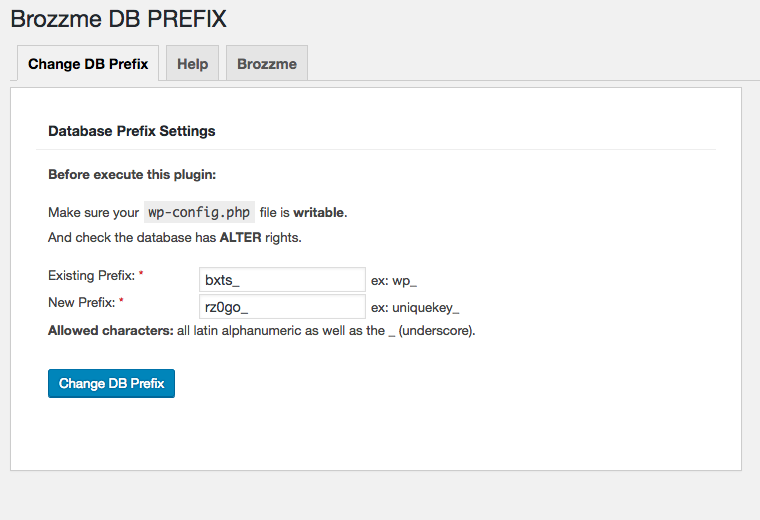
english tool control screenshot-1.png.
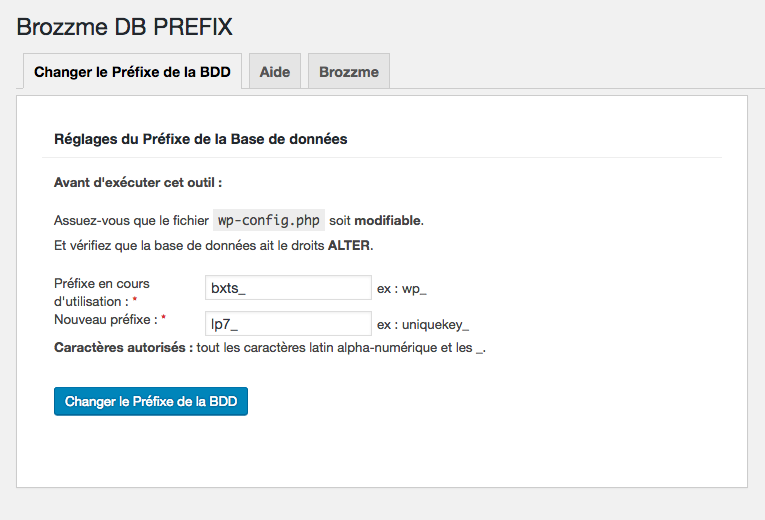
french tool control screenshot-2.png.
Changelog
1.3.2
bugfixes
1.3.1
bugfixes for notices
1.3
- Add mysql dump tab
1.2.2
- PHP8.0 compatibility
1.2
- get right path to wp-config -thx @victorfreitas
1.1
- bugfixes with languages txt domain
1.0
- Initial release.