

Bulk Post Importer
Import posts and custom post types from JSON and CSV files with intelligent field mapping for WordPress fields, ACF, and custom meta.
Plugin info
Maintenance & Compatibility
Maintenance score
Stale • Last updated 260 days ago
Is Bulk Post Importer abandoned?
Likely maintained (last update 260 days ago).
Compatibility
Similar & Alternatives
Explore plugins with similar tags, and compare key metrics like downloads, ratings, updates, support, and WP/PHP compatibility.
Description
Import large amounts of content into WordPress from JSON or CSV files. Perfect for migrating from other platforms, importing API data, or bulk-creating content with a user-friendly mapping interface.
Key Features
- Dual Format Support: Import from JSON or CSV files
- Intelligent Field Mapping: Visual interface for mapping data fields to WordPress fields
- ACF Integration: Full support for Advanced Custom Fields with automatic detection
- Gutenberg Ready: Automatically converts text content to Gutenberg paragraph blocks
- Custom Meta Fields: Support for WordPress post meta fields
- Secure Processing: Built-in security checks and data validation
- Error Handling: Comprehensive error reporting and import logging
Supported File Formats
JSON Format: Array of objects
[
{
“title”: “Post Title”,
“content”: “Post content”,
“custom_field”: “value”
}
]
CSV Format: Headers in first row, data in subsequent rows
title,content,custom_field
“Post Title”,”Post content”,”value”
“Another Post”,”More content”,”another value”
Requirements
- WordPress 5.0+
- PHP 7.4+
- Administrator privileges
- Optional: Advanced Custom Fields plugin for ACF support
Usage
3-Step Process
- Upload: Go to Tools > Bulk Post Importer, select your JSON/CSV file and target post type
- Map Fields: Use the visual interface to map your data fields to WordPress fields
- Import: Review and process the import with detailed progress reporting
Field Mapping Options
- Standard Fields: Title, content, excerpt, status, date
- ACF Fields: Automatically detected if ACF plugin is active
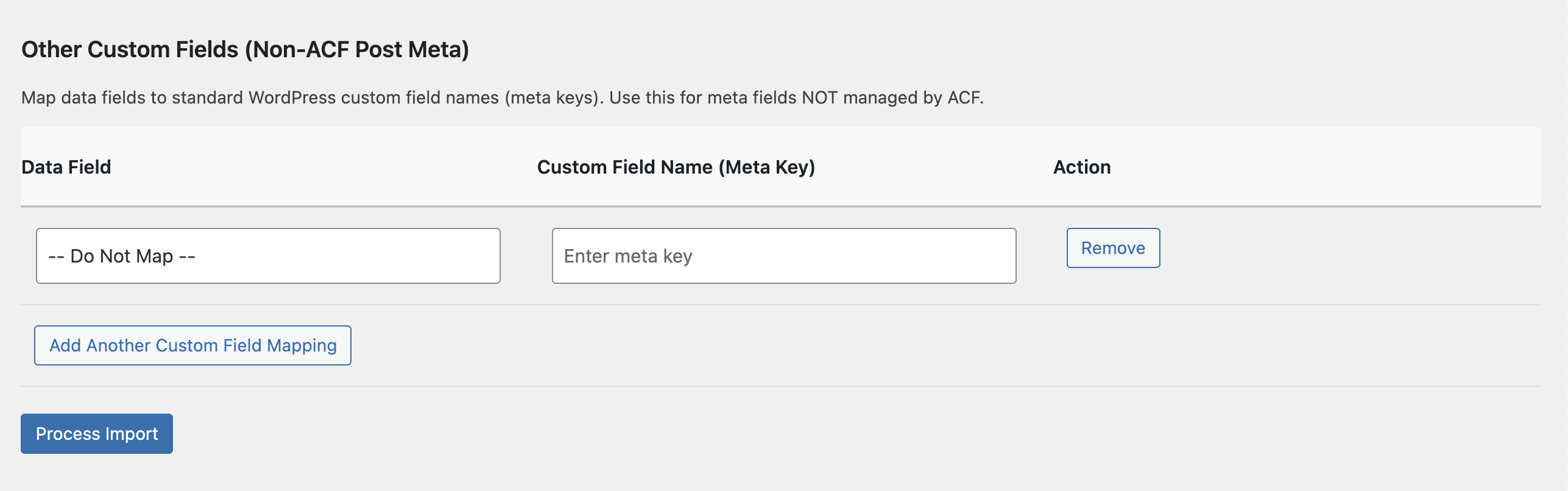
- Custom Meta: WordPress post meta fields
Privacy
This plugin processes files locally on your server. No data is transmitted externally. Uploaded files are processed and removed from temporary storage.
Installation
- Download the plugin zip file
- Go to Plugins > Add New in WordPress admin
- Click Upload Plugin
- Choose the zip file and click Install Now
- Click Activate Plugin
Frequently Asked Questions
JSON (array of objects) and CSV (headers in first row, data in subsequent rows).
Yes! Works with any public post type including custom post types.
Yes! If ACF is installed, field groups are automatically detected for mapping.
Keep files under 10MB for best performance. Larger files may require PHP setting adjustments.
Yes! Text content is automatically converted to Gutenberg paragraph blocks.
Review feed
Screenshots
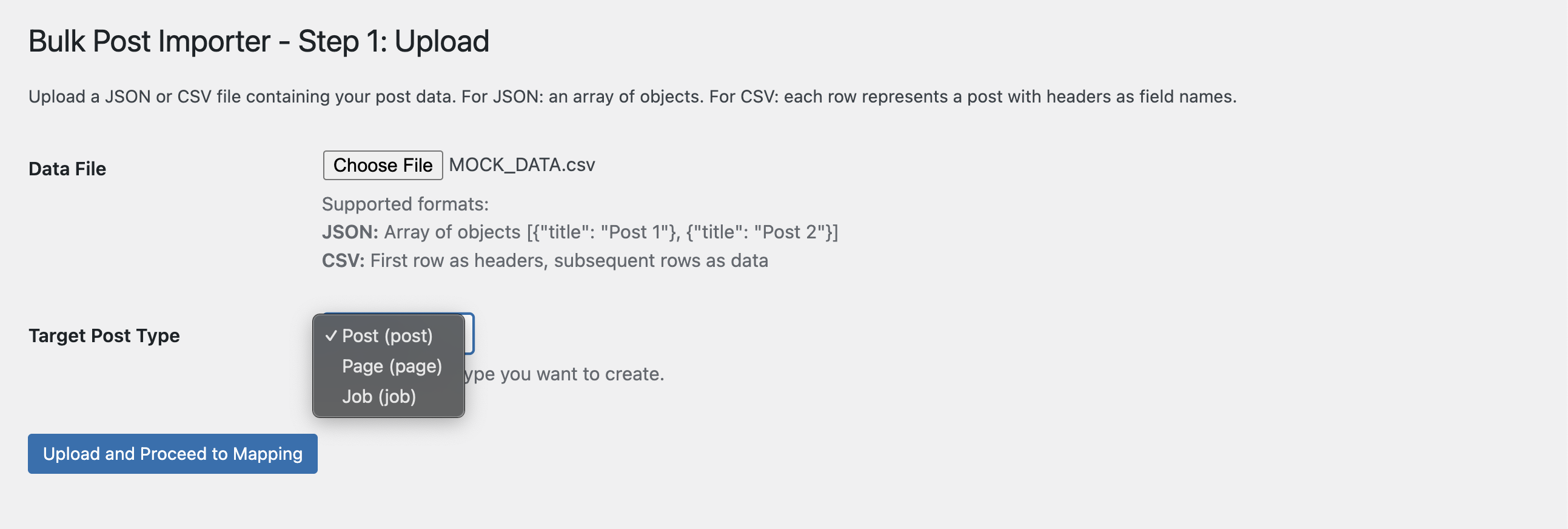
Upload interface - Select your JSON/CSV file and target post type
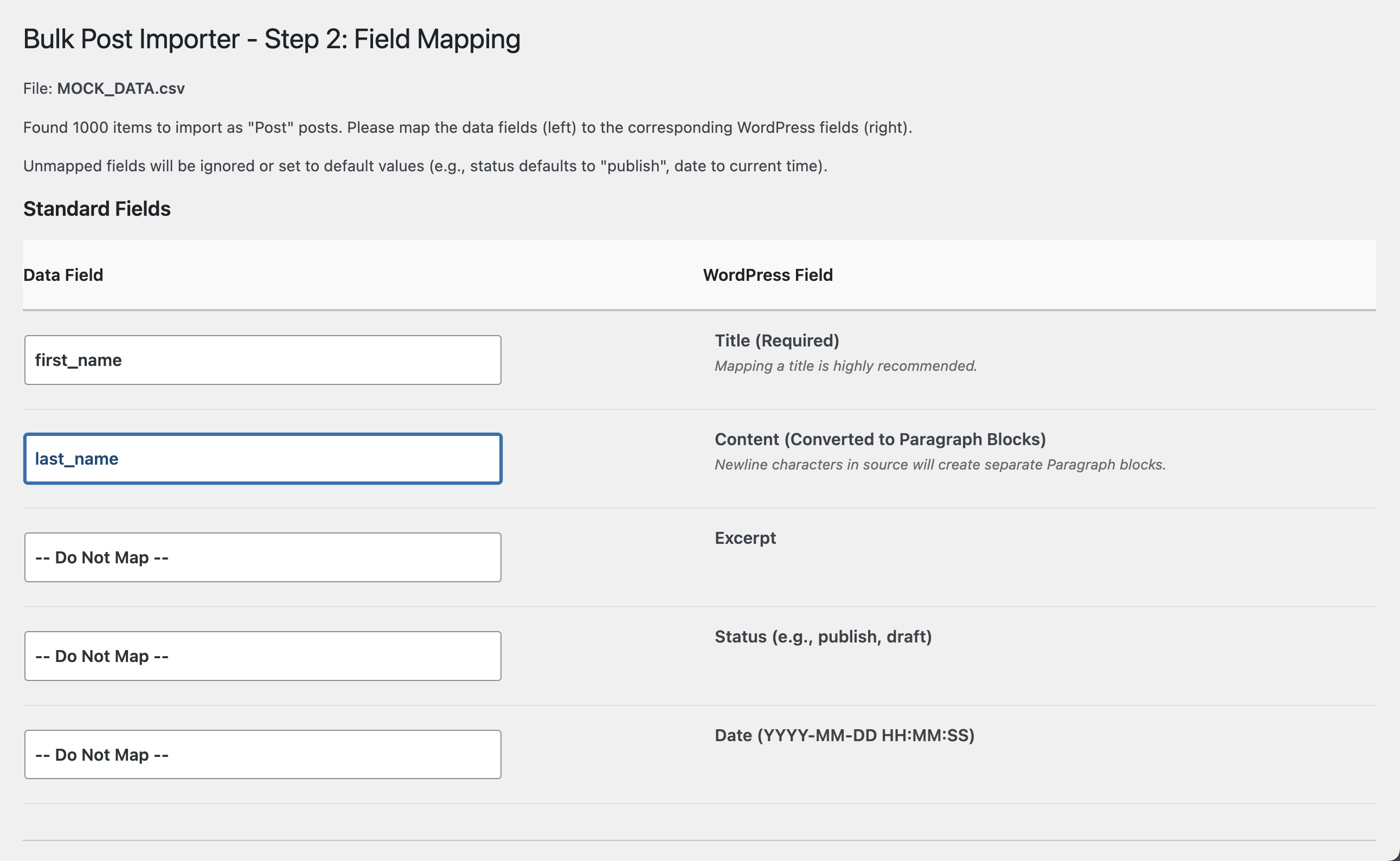
Field mapping interface - Map data fields to WordPress fields
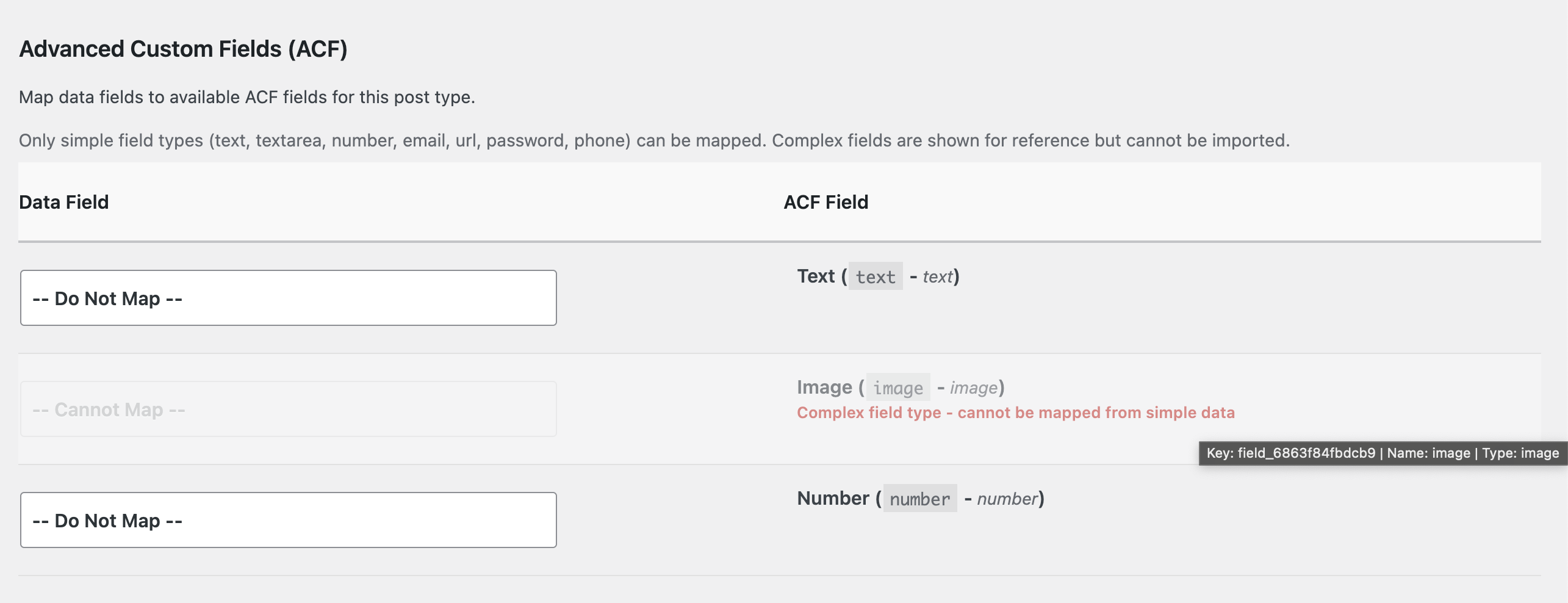
ACF integration - Automatic detection of ACF fields
Import results - Detailed reporting of import success and any errors
Changelog
0.2.0
- Added CSV file support
- Enhanced file validation
- Updated admin interface
- Improved error handling
0.1.1
- Initial release
- JSON import functionality
- ACF integration
- Custom meta field support