
Code and Core Remove Empty P Tags
Removes empty tags and from post or page content when saving, only if the user enables the cleaning option in the editor.
Plugin info
Maintenance & Compatibility
Maintenance score
Maintained • Last updated 129 days ago
Is Code and Core Remove Empty P Tags abandoned?
Likely maintained (last update 129 days ago).
Compatibility
Similar & Alternatives
Explore plugins with similar tags, and compare key metrics like downloads, ratings, updates, support, and WP/PHP compatibility.
Description
The Code and Core Remove Empty P Tags plugin helps keep your WordPress content clean by removing:
- Empty
tags tags that contain only
A checkbox is added in the default WordPress editor for posts and pages.
When the box is checked, the plugin cleans your content during save.
This plugin does not work automatically — it only runs when the user chooses to clean the content.
Important Limitations:
- ✔️ Only works with Posts and Pages
- ✔️ Works only with the default WordPress editor
- ✔️ Cleaning happens only when the checkbox is selected
- ❌ Does not work with Custom Post Types
- ❌ Does not work with Elementor, Divi, WPBakery, or other page builders
Key Features
- ✔️ Removes empty
tags - ✔️ Removes
- ✔️ Checkbox inside the editor allows manual cleanup
- ✔️ Lightweight and simple
- ❌ Not automatic — cleaning happens only if enabled
- ❌ No effect on custom post types or page builders
How It Works
- Edit a post or page using the WordPress default editor.
- A checkbox will appear labeled: “Remove empty paragraphs and non-breaking spaces”
- When the checkbox is checked, the plugin scans your content and removes:
- The cleaned content is saved; the original content remains unchanged unless you choose cleanup.
Why Use This Plugin?
- Avoid unwanted spacing caused by blank paragraphs
- Keep HTML cleaner for better readability
- Great for bloggers, editors, and developers
- No configuration required
- Provides manual control instead of automatic cleanup
License
This plugin is released under the GPL v2 or later license.
You are free to use, modify, and distribute this plugin under the terms of the GNU General Public License version 2 or later.
Privacy Policy (With User Allow/Consent Button)
This plugin does not collect, store, or process any personal or user-identifiable information without the site administrator’s explicit consent.
Data Collected
To help improve plugin stability and ensure safe updates, the plugin sends a small amount of anonymous technical information to our server when certain events occur (activation, update, or deactivation).
The following data may be collected:
- Site URL
- WordPress version
- PHP version
- Plugin version
- Theme name and version
- Multisite status
- Site language
- Plugin event type (activation, deactivation, update)
- Event timestamp
No personal data, user information, email addresses, login details, or IP addresses are collected or transmitted.
How the Data Is Used
This anonymous technical data is used solely for:
- Compatibility tracking
- Update testing
- Debugging issues
- Ensuring future plugin versions work reliably
We do not use the data for marketing or profiling, and we do not share or sell any data.
Data Retention
Anonymous diagnostic data is retained only as long as necessary for debugging and compatibility analysis, and is then removed.
User Control
Because no personal or identifiable data is collected, no user action or consent is required.
If desired, site administrators may request that all diagnostic reporting be disabled by contacting us.
Installation
- Upload the
code-and-core-remove-empty-p-tagsfolder to/wp-content/plugins/ - Activate the plugin in the Plugins menu
- Edit a WordPress post or page
- Use the checkbox to clean empty paragraph tags when saving
Frequently Asked Questions
No. It only works when the checkbox is checked before saving.
Not at the moment. It only works with default Posts and Pages.
No. The plugin supports only the default WordPress editor.
No. It only cleans a post or page when you edit and save it manually.
Review feed
Screenshots
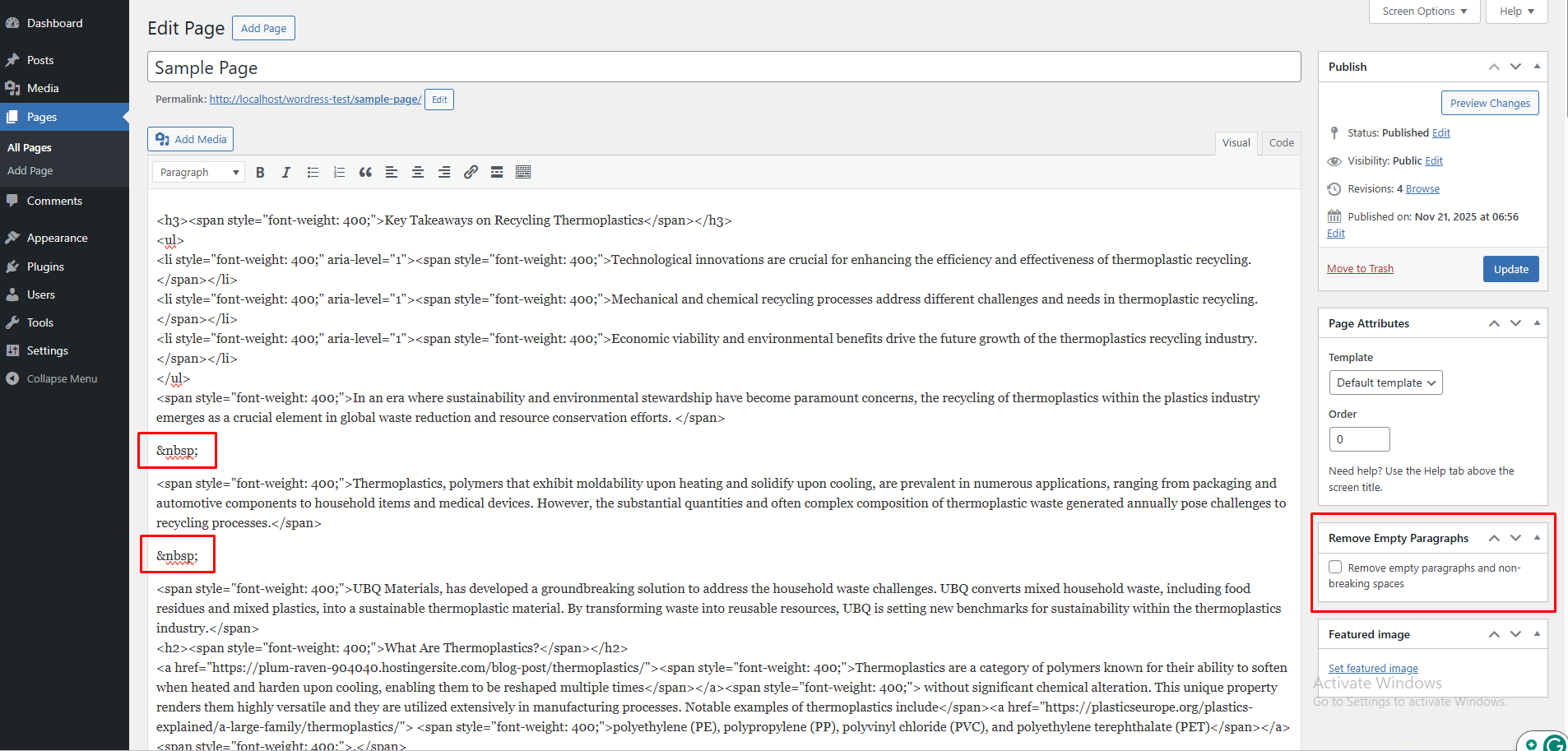
WordPress page editor showing the Remove Empty Paragraphs checkbox in the sidebar
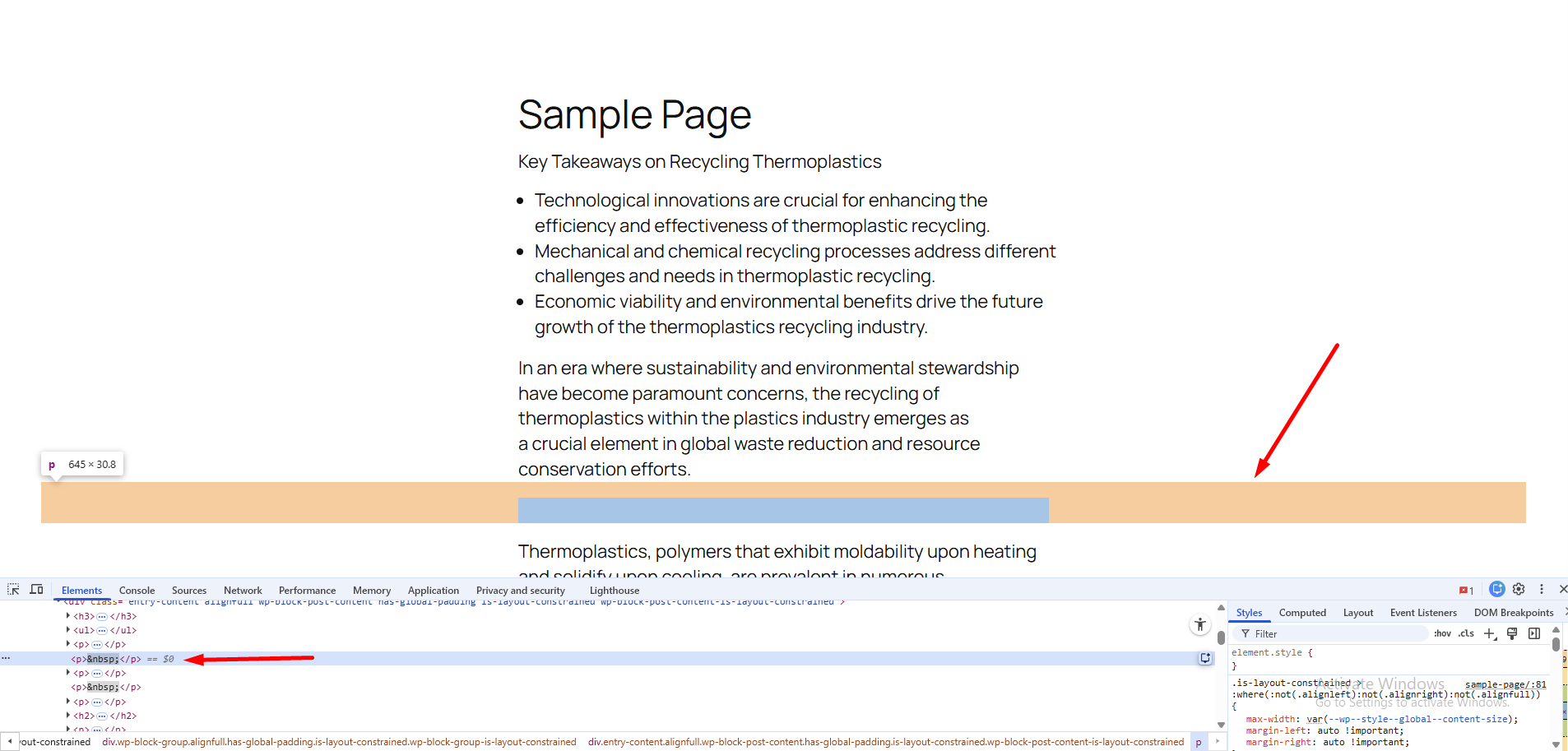
Frontend view of the WordPress page showing extra spacing and blank P Tag
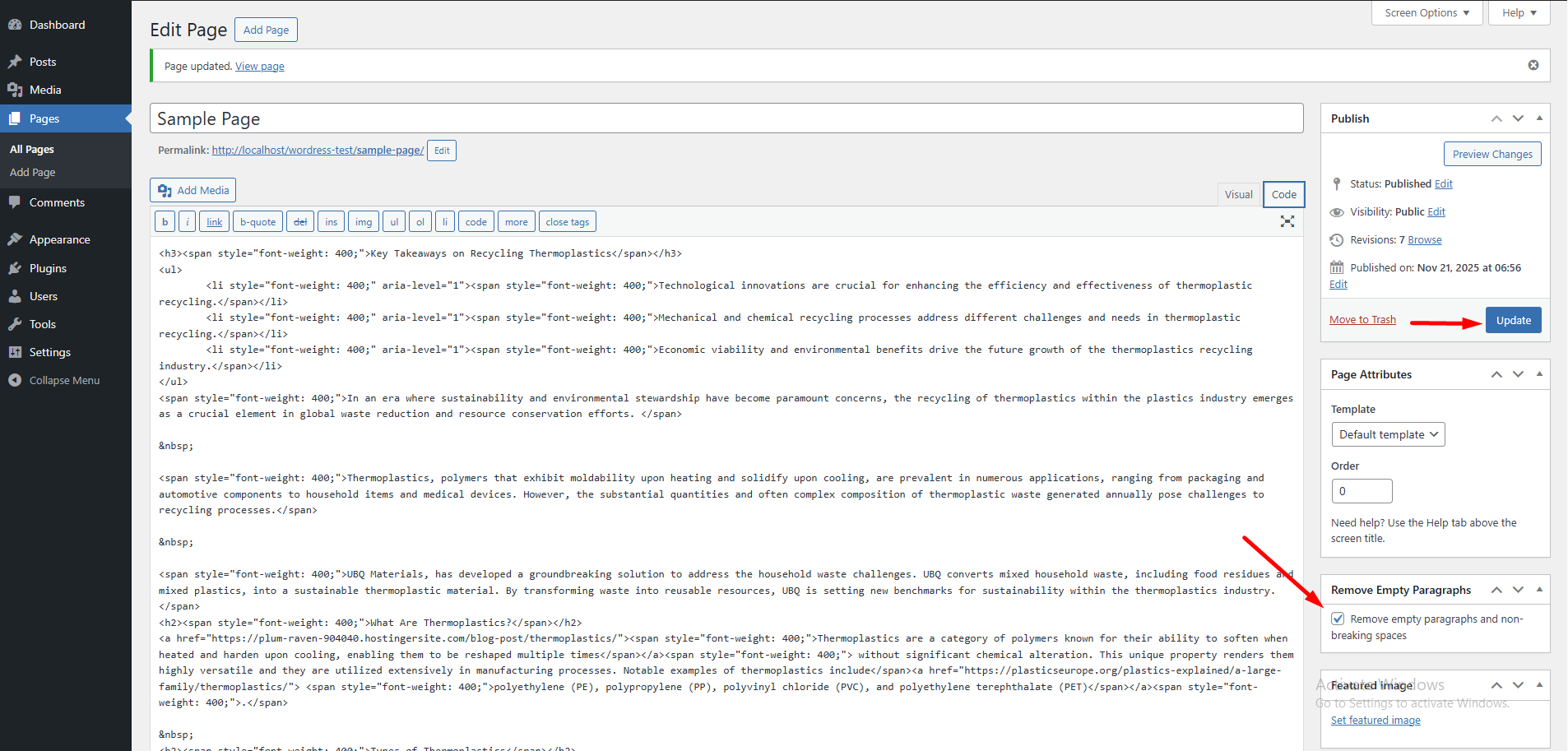
Cleaned HTML content in the WordPress editor after removing empty paragraphs and nbsp entries
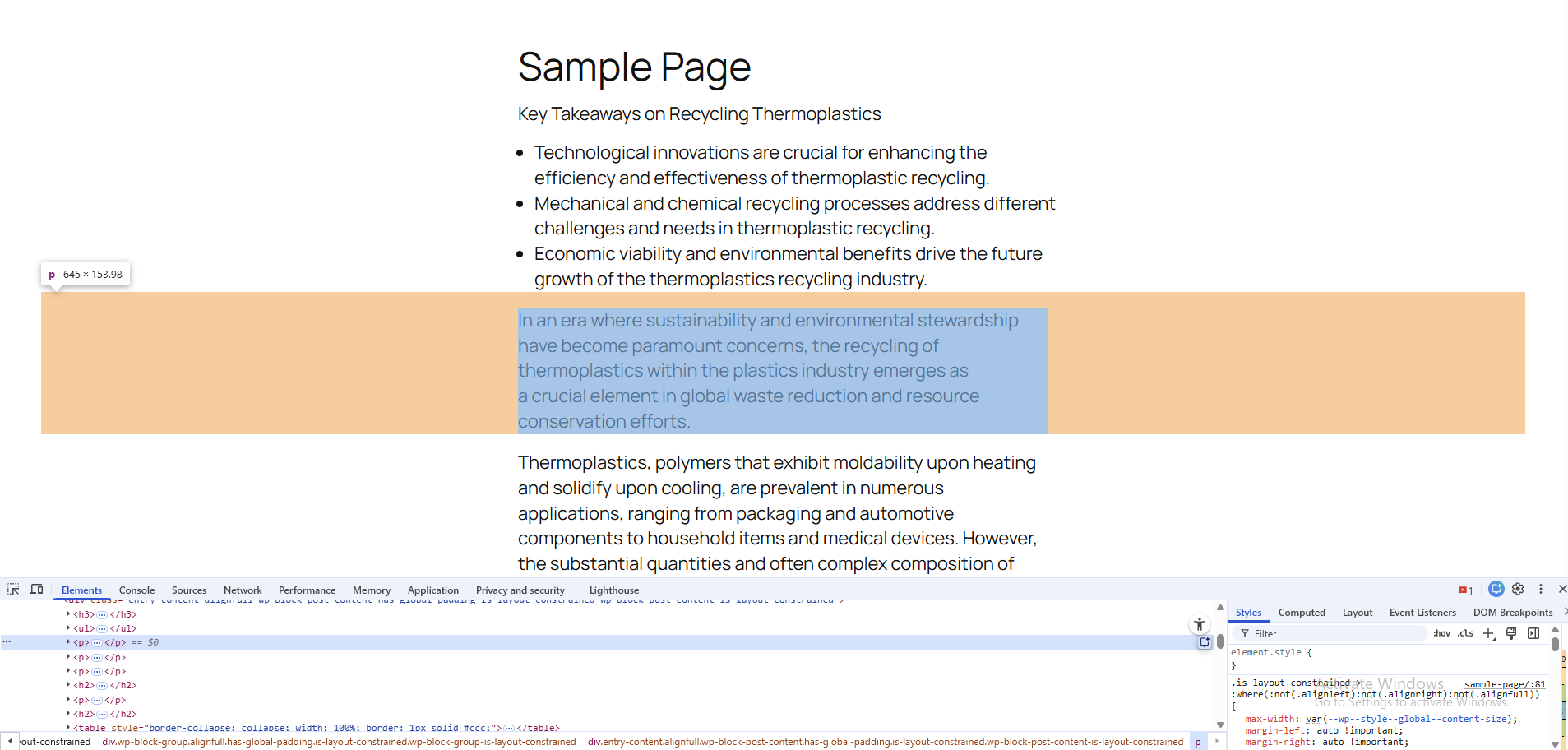
Frontend view of the WordPress page showing no extra spacing after empty paragraphs are removed
Changelog
1.1.0
- Added anonymous technical event tracking (activation, update, deactivation) for improving plugin stability.
- Updated privacy policy to comply with WordPress.org guidelines.
- Minor code improvements and optimizations.
1.0.0
- Initial release.
- Added editor checkbox for removing empty
<p>tags and during post save.