

Plugin info
Maintenance & Compatibility
Maintenance score
Possibly abandoned • Last updated 2224 days ago • 1 reviews
Is Connect EmailOctopus and Gravity Forms abandoned?
Possibly abandoned (last update 2224 days ago).
Compatibility
Similar & Alternatives
Explore plugins with similar tags, and compare key metrics like downloads, ratings, updates, support, and WP/PHP compatibility.
Description
As of January 15, 2020, there is an official Gravity Forms EmailOctopus integration. Please read the announcement post.
This plugin will no longer be updated or supported as of 2020-02-01. Please use the official Gravity Forms add-on for EmailOctopus for updates and support.
This plugin provides an easy way to integrate EmailOctopus with Gravity Forms
Read my full guide here: Integrating EmailOctopus with Gravity Forms.
Please note that this is a third-party plugin and is not affiliated with EmailOctopus or Gravity Forms.
Minimum Requirements
- Gravity Forms 2.3+
- EmailOctopus Subscription
Installation
Minimum Requirements
- Gravity Forms 2.3+
- EmailOctopus Subscription
Using The WordPress Dashboard
- Navigate to the ‘Add New’ in the plugins dashboard
- Search for EmailOctopus Gravity Forms
- Click ‘Install Now’
- Activate the plugin on the Plugin dashboard
Uploading in WordPress Dashboard
- Navigate to the ‘Add New’ in the plugins dashboard
- Navigate to the ‘Upload’ area
- Select
connect-eo-gffrom your computer - Click ‘Install Now’
- Activate the plugin in the Plugin dashboard
Using FTP
- Download
connect-eo-gf.zip - Extract the
connect-eo-gfdirectory to your computer - Upload the
connect-eo-gfdirectory to the/wp-content/plugins/directory - Activate the plugin in the Plugin dashboard
Frequently Asked Questions
Is this an official add-on?
No. However, Gravity Forms has an official add-on now for EmailOctopus.
Review feed
Screenshots

API Key Settings

Feed Settings

Feed Settings

Selecting an EmailOctopus list
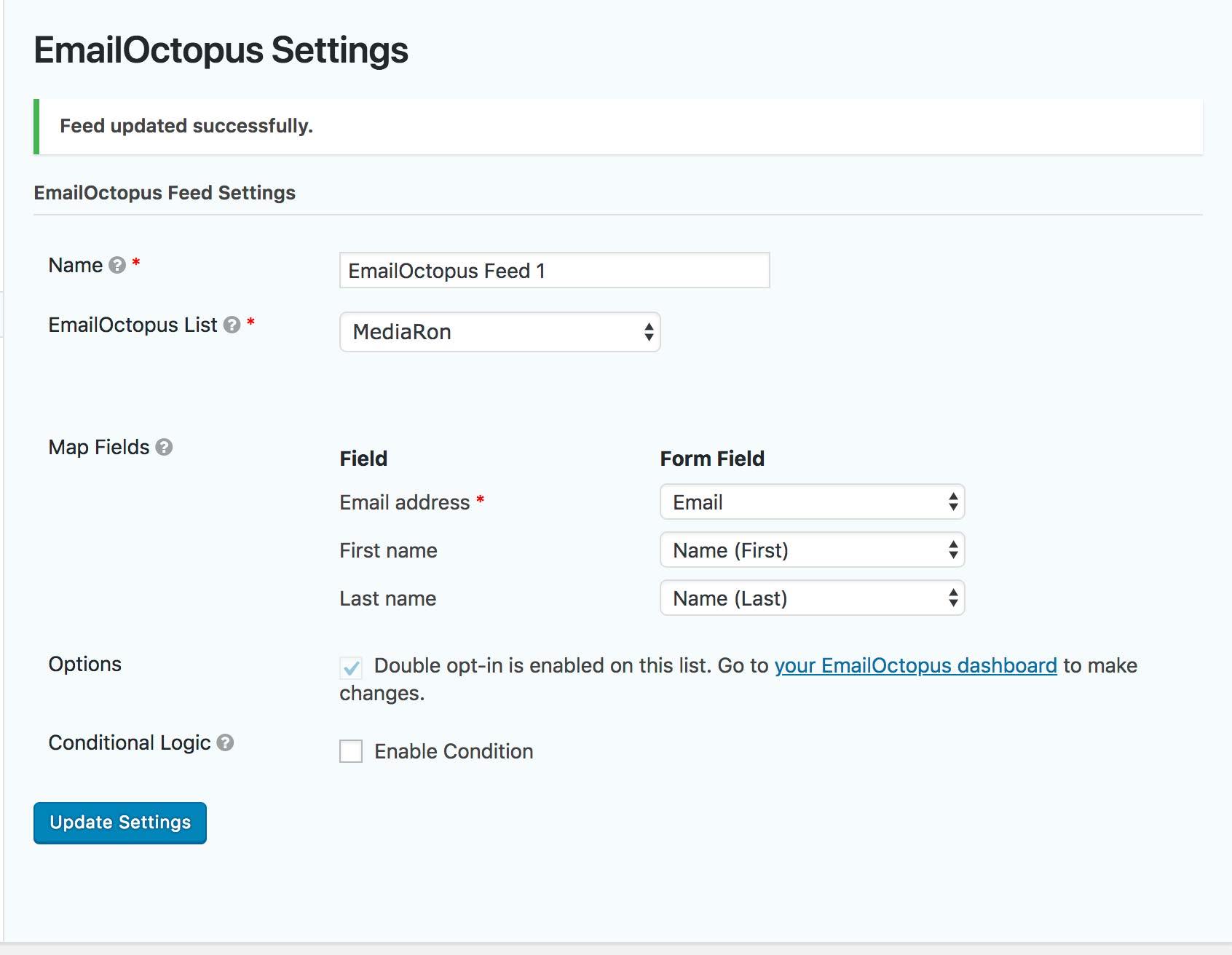
Mapping EmailOctopus fields to Gravity Forms fields

Conditional Logic
Changelog
2.0.0
- Released 2020-01-16
- Documentation update. Gravity Forms now has an official add-on for EmailOctopus. It is recommended to switch to the official add-on.
1.0.1
- Released 2019-05-28
- Fixing PHP error for feeds
1.0.0
- Released 2018-11-14
- Initial release.