

Contemplate
Create unlimited content templates (supports HTML, CSS, JavaScript). Fantastic for creating blocks of content you want to add to one, or more, pages.
Plugin info
Maintenance & Compatibility
Maintenance score
Possibly abandoned • Last updated 3243 days ago • 3 reviews
Is Contemplate abandoned?
Possibly abandoned (last update 3243 days ago).
Compatibility
Similar & Alternatives
Explore plugins with similar tags, and compare key metrics like downloads, ratings, updates, support, and WP/PHP compatibility.
Description
Create unlimited content templates and add to any page, or multiple pages. Any change to a content template is automatically updated wherever it’s used on your site. You only ever have to edit in one place! No more hunting around for all instances of content and updating multiple times.
The Contemplate plugin is great for things like adding banners, or content blocks that you duplicate throughout your site.
Anyone with a WordPress site will definitely benefit from this plugin. It’s a great time-saver.
In case you are wondering, the plugin name is derived from: [Con]tent + [Template] = Contemplate
A lot of hard work goes into maintaining my FREE plugins. If you have a moment I’d really appreciate if you could rate the plugin and perhaps give it a review.
Also, why not take a look at our new WordPress plugin site for more great plugins!
Installation
https://codex.wordpress.org/Managing_Plugins#Automatic_Plugin_Installation
Frequently Asked Questions
Installation Instructions
https://codex.wordpress.org/Managing_Plugins#Automatic_Plugin_Installation
Review feed
Screenshots
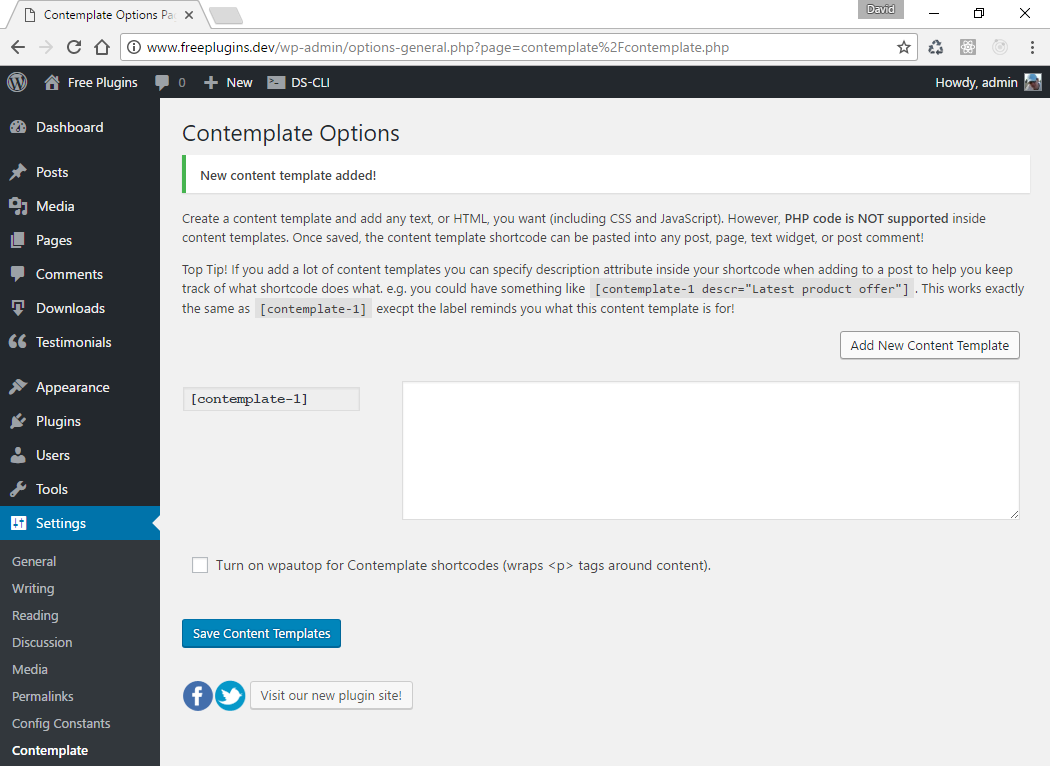
Create unlimited content templates via the Plugin settings page.

Delete a content template by hovering over it and clicking the 'delete' icon.

Content template deleted.
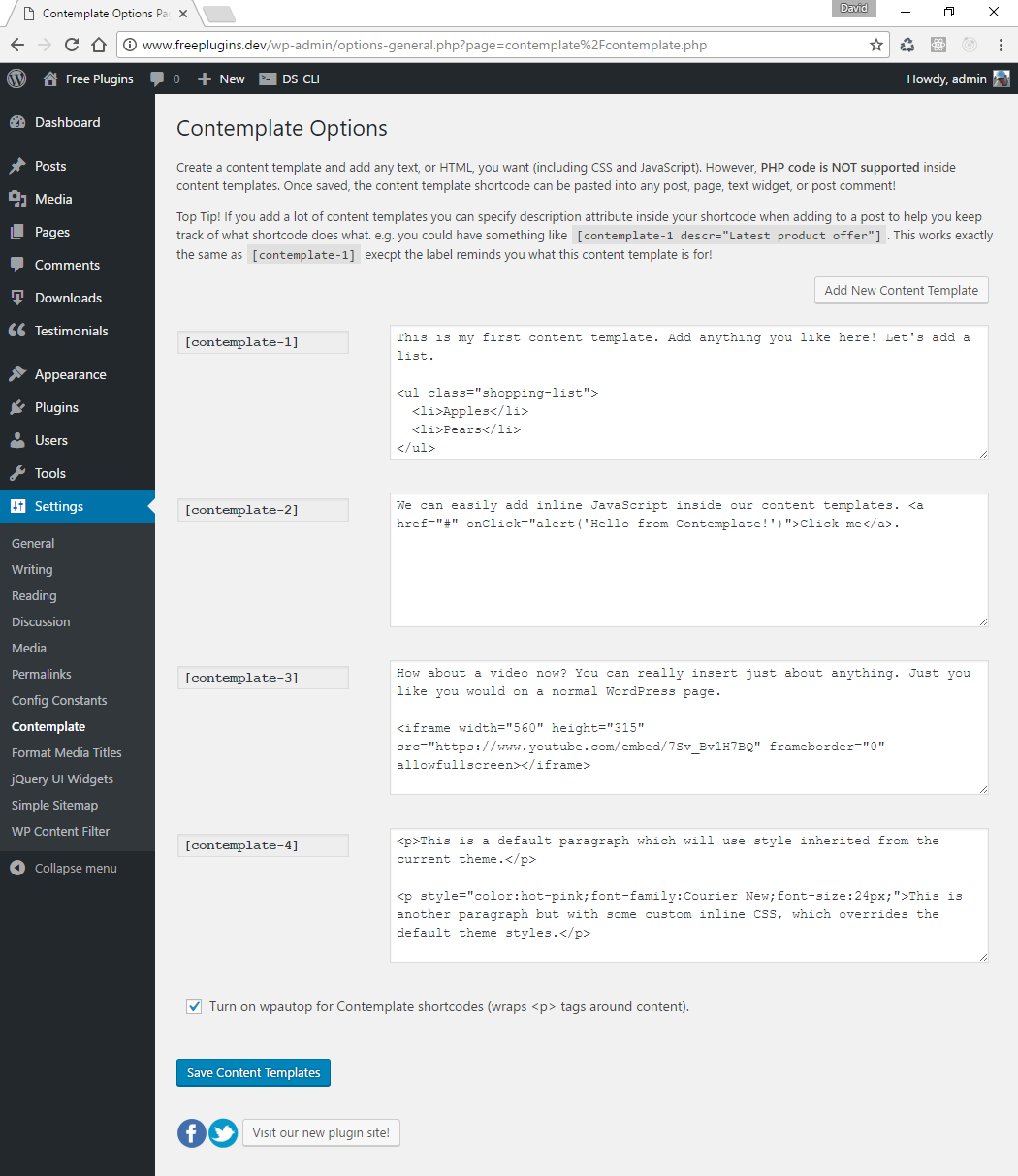
Add whatever text, HTML, CSS, JavaScript you like to your content templates.

Add the content template shortcodes to any page (or multiple pages).

Content templates render seamlessly on the front end just as if you added the content to the page directly!
Changelog
2.10 update
- Contemplate update to be fully compatible with WordPress 4.8.
2.02 update
- Fixed bug in Plugin options page.
2.01 update
- Fixed error in the description.
2.0 update
- Complete Plugin rewrite.
- No longer dependent on Silverlight.
- Unlimited content templates.
1.05 update
- Now fully compatible with WordPress 3.0!
1.01 update
- Minor update to WordPress plugin page.
1.0 update
- First release of Contemplate!