
Copy URL Button with Tooltip
A simple plugin that adds a shortcode to copy the current page URL with a tooltip message. Just use [copy_url_button].
Maintenance 40/100306d since update
Active installs
10
Downloads
217
Reviews
1
Age
0.8y
Plugin info
Total downloads: 217
Active installs: 10
Total reviews: 1
Average rating: 5
Support threads opened: 0
Support threads resolved: 0 (0%)
Available in: 1 language(s)
Contributors: 1
Last updated: 5/31/2025 (306 days ago)
Added to WordPress: 5/31/2025 (0 years old)
Minimum WordPress version: 5.2
Tested up to WordPress version: 6.8.3
Minimum PHP version: f
Maintenance & Compatibility
Maintenance score
Stale • Last updated 306 days ago • 1 reviews
40/100
Is Copy URL Button with Tooltip abandoned?
Likely maintained (last update 306 days ago).
Compatibility
Requires WordPress: 5.2
Tested up to: 6.8.3
Requires PHP: f
Similar & Alternatives
Explore plugins with similar tags, and compare key metrics like downloads, ratings, updates, support, and WP/PHP compatibility.
Copy Link to Heading – Easily add Anchor links for Headings
Rating 5.0/5 (1 reviews) • Active installs 20
All Page URLs
Rating 5.0/5 (1 reviews) • Active installs 10
Copy Link and QR Code
Rating 5.0/5 (2 reviews) • Active installs 0
Description
This lightweight plugin adds a copy button that copies the current page URL and shows a tooltip saying “Copied!”.
Features:
- Shortcode:
[copy_url_button] - Lightweight and fast
- Stylish tooltip that fades in/out
- No configuration required
Installation
- Upload the plugin files to the
/wp-content/plugins/copy-url-button-with-tooltipdirectory, or install the plugin through the WordPress admin area. - Activate the plugin through the ‘Plugins’ menu in WordPress.
- Use the
[copy_url_button]shortcode anywhere on your site.
Frequently Asked Questions
Yes, the shortcode [copy_url_button] can be used in posts, pages, widgets, or templates using do_shortcode().
Review feed
No reviews available
Screenshots
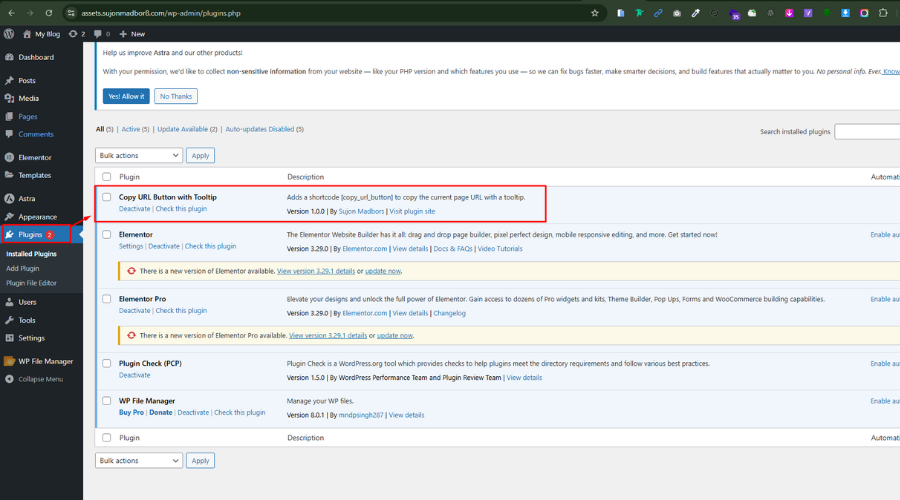
Copy button with tooltip in action.

Changelog
5.2.2
- Initial release