

Cosmic Blocks (40+) Content Editor Blocks Collection
Blocks collection of 40+ customizable WordPress 5.0 gutenberg content blocks for the new content block editor.
Plugin info
Maintenance & Compatibility
Maintenance score
Possibly abandoned • Last updated 925 days ago • 4 reviews
Is Cosmic Blocks (40+) Content Editor Blocks Collection abandoned?
Possibly abandoned (last update 925 days ago).
Compatibility
Similar & Alternatives
Explore plugins with similar tags, and compare key metrics like downloads, ratings, updates, support, and WP/PHP compatibility.
Description
Cosmic Blocks is a collection of 40+ customizable content blocks for the new WordPress 5.0 gutenberg content block editor. This collection is built to easily integrate in any theme. It is packed with many unique features and design options for your site.
With the new WordPress content editor, you can create complex layouts with ease. The default editor includes standard block elements like title, paragraphs, images, galleries and more. With our Cosmic Blocks collection, you can extend the possibilities of content creation with more than 40+ new content block elements.
Cosmic Blocks
Animation
Make your website more stunning. Choose one of more than 75+ animations to display your blocks.
Background Color
Use colors, gradients and images as background to highlight your blocks. Change the block size properties to build modern websites with ease.
Enable/Disable
Disable unused blocks: Activate/Deactivate each single block as admin to restrict the use of individual blocks.
Blocks collection
- Accordion
- Advantages
- Brands
- Buttons (call to action)
- Classifieds List
- Classifieds Tiles
- Contacts List*
- Contacts Tiles*
- Contacts Target Bar*
- Container
- Countdown
- Count Up
- Date List
- Date Tiles
- Deals
- Employee List
- Employee
- Events List*
- Events Tiles*
- Events Upcoming List*
- Events Upcoming Tiles*
- Facts
- Foreword
- Greeting
- Image
- Inline Notice
- Launch
- Like/Dislike
- Links Download
- Links Icon
- Links Image
- Posts List
- Posts Grid
- Pricebox
- Pricelist
- Progress
- Separator
- Showcase
- Social Share
- Split List
- Statements
- Steps
- Testimonial
- Title & Intro
- Voting Slogans
- Wanted
Demo Videos
Cosmic Blocks in Action
Links Icon Block in Action
Brands Block in Action
Testimonial Block in Action
Greeting Block in Action
Why Cosmic Blocks
Comsic Blocks is a high quality blocks collection like the popular Atomic Blocks, Stackable Blocks, Advanced Gutenberg Blocks, Editor Blocks or CoBlocks. Our Cosmic Blocks Collection has 40+ well designed blocks.
Integration
Integration of cosmic blocks is easy. Just go to the settings page and check the “frontend block sizes” section.
Installation
- Download, unzip and upload to your WordPress plugins directory
- Activate the plugin within you WordPress Administration Backend
Frequently Asked Questions
If you have any questions, please ask it on the support forum.
No, you cannot use Cosmic Blocks Plugin without “Gutenberg” Plugin. Because “Cosmic Blocks” Plugin has Dependency with Gutenberg Plugin.
No, since Gutnberg is on core with WordPress v5.0. You don’t need to Install “Gutenberg” Plugin.
Installation Process has been discussed on “Installation” Section.
Configuration has been discussed on “Integration” Section.
Navigate to any post or page which you want to edit. Then click on the plus button. Scroll down or search for “Cosmic Block”. Click on that option and you will see some blocks. Just add what block you like and edit the content.
First, deactive Other “Gutenberg Blocks” plugins and try again. In most cases, it’ll be conflicting issue. Try Activate/Deactivate “Cosmic Blocks” Plugin. If nothing works then post on our Support Form (link Mentioned above).
You can use the hooks, filters and actions provided by WordPress to customize cosmic blocks hooks.
We don’t provide Customization Support for Free Products. But, If you need to Create one we do Offer Customization Service.
Review feed
Screenshots

Plugin Settings Page

Accordion Block Edit Screen

Accordion Block Screen

Advantages Block Edit Screen

Advantages Block Screen

Brands Block Edit Screen

Brands Block Screen

Buttons Block Edit Screen

Buttons Block Screen

Container Block Edit Screen

Container Block Screen

Count Up Block Edit Screen

Count Up Block Screen

Countdown Block Edit Screen

Countdown Block Screen

Employee Block Edit Screen

Employee Block Screen

Employee List Block Edit Screen

Employee List Block Screen

Facts Block Edit Screen

Facts Block Screen

Greeting Block Edit Screen

Greeting Block Screen

Image Block Edit Screen

Image Block Screen

Inline Notice Block Edit Screen

Inline Notice Block Screen

Launch Block Edit Screen

Launch Block Screen

Like/Dislike Block Edit Screen
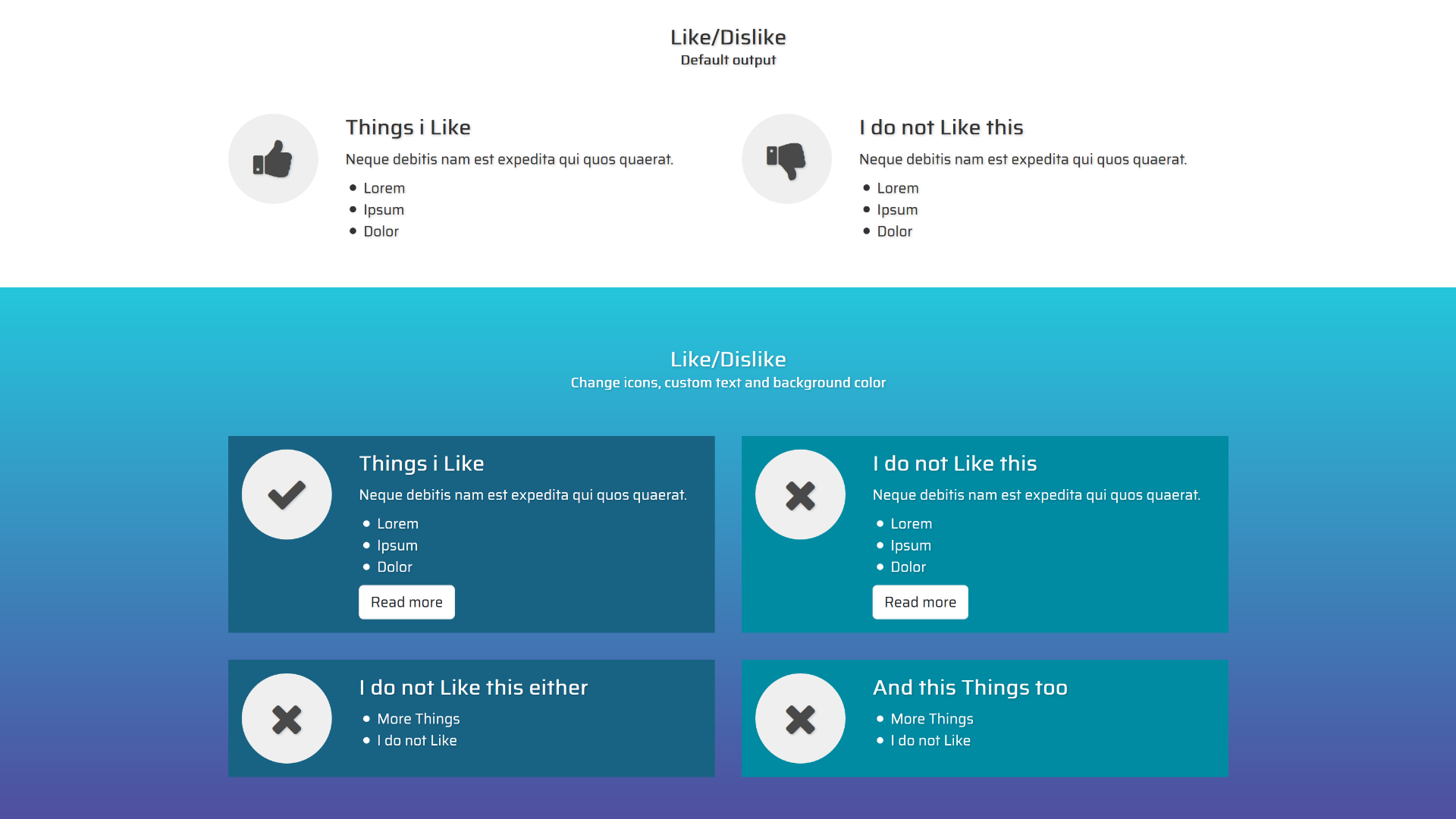
Like/Dislike Block Screen

Links Download Block Edit Screen

Links Download Block Screen

Links Icon Block Edit Screen

Links Icon Block Screen

Links Image Block Edit Screen

Links Image Block Screen

Posts List Block Edit Screen

Posts List Block Screen

Pricebox Block Edit Screen

Pricebox Block Screen

Price List Block Edit Screen

Price List Block Screen

Progress Block Edit Screen

Progress Block Screen

Separator Block Edit Screen

Separator Block Screen

Showcase Block Edit Screen

Showcase Block Screen

Social Share Block Edit Screen

Social Share Block Screen

Split List Block Edit Screen
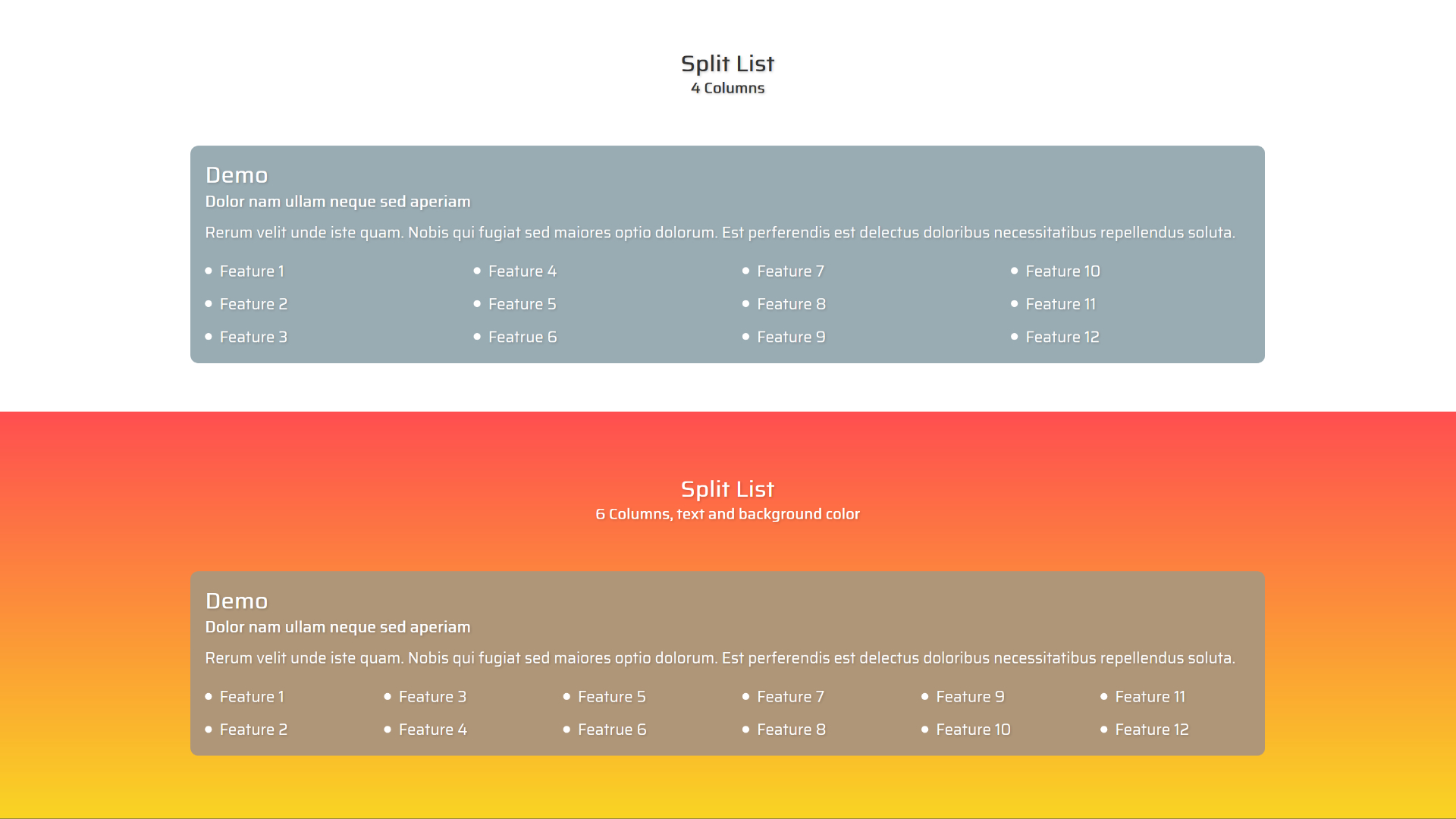
Split List Block Screen

Statements Block Edit Screen

Statements Block Screen

Steps Block Edit Screen

Steps Block Screen

Testimonial Block Edit Screen

Testimonial Block Screen

Title & Intro Block Edit Screen

Title & Intro Block Screen

Voting Slogans Block Edit Screen

Voting Slogans Block Screen

Wanted Block Edit Screen

Wanted Block Screen

Posts Tiles Block Edit Screen

Posts Tiles Block Screen


Changelog
- Version 1.3.0
- Donations Block removes
- compatibility improments
- Version 1.2.7
- Change allowedFormats to core
- Version 1.2.6
- Deprecated notice block_categories solved
- Version 1.2.5
- Compatibility improvements for WP 6.0
- Version 1.2.4
- Color picker fixed
- Version 1.2.3
- Icon font fixed
- Version 1.2.2
- Color Picker fix
- Version 1.2.1
- deprecations cleanup
- Version 1.2.0
- Fix fontIconPicker-react not found
- Version 1.1.0
- Preview added
- Version 1.0.2
- CSS fix for h3 elements
- Fix gutenberg introtitle click position
- Fix gutenberg widestyle
- Version 1.0.1
- Fix for posts list