

Custom Attributes Manager
Manage custom HTML attributes for elements and unlock pro version to add unlimited attributes.
Plugin info
Maintenance & Compatibility
Maintenance score
Maintained • Last updated 123 days ago
Is Custom Attributes Manager abandoned?
Likely maintained (last update 123 days ago).
Compatibility
Similar & Alternatives
Explore plugins with similar tags, and compare key metrics like downloads, ratings, updates, support, and WP/PHP compatibility.
Description
Custom Attributes Manager (CAM) helps improve ADA accessibility on your WordPress site by letting you add and manage essential HTML attributes used by screen readers and assistive devices — such as aria-label, role, tabindex, etc.
Use CAM to enhance navigability, improve screen-reader context, and ensure your content and theme is more accessible to all users.
Easily add or edit attributes such as:
* aria-label for better screen-reader context
* role to define semantic meaning
* tabindex to improve keyboard navigation
* Any other custom attributes your theme or plugins may require
CAM helps assistive technologies read your site correctly, improving usability and alignment with accessibility best practices.
Basic features are free up to 10 records; Premium unlocks unlimited attribute.
External services
This plugin integrates with Freemius (freemius.com) to handle licensing, checkout, downloads and software updates.
What the service is and what it is used for
– Freemius provides the hosted checkout and license management used by this plugin. It is used to present the checkout page, process payments, deliver the downloadable PRO zip after purchase, and manage licenses/auto-updates.
What data is sent and when
– When a user opens the checkout or activates a license, the plugin communicates with Freemius. The following categories of data may be transmitted:
– Site information: site URL, site admin email, WordPress version and plugin slug to help with license issuance and compatibility checks.
– Purchase data: product id, plan id, number of licenses, and billing selection (used to create the order).
– License/account info: purchaser email and generated license token (for activation and update checks).
– Payment processing: payment is handled via Freemius’ payment processors (Stripe/PayPal) — the plugin does not store raw payment card data.
– IP address and user-agent: for fraud prevention and transaction logging.
– Data is sent when the checkout is opened, when a purchase completes, and when the plugin verifies or renews a license (for updates). The plugin only sends data required to complete these operations.
Where the service is hosted and links
– Freemius website and checkout: https://freemius.com and https://checkout.freemius.com
– Freemius Terms of Service: https://freemius.com/terms/
– Freemius Privacy Policy & data practices: https://freemius.com/privacy/ and https://freemius.com/privacy/data-practices/
Why we use it
– We use Freemius to simplify secure checkouts, license issuance, and automatic plugin updates for paying users. Using Freemius avoids directly handling PCI data in our plugin.
User control and privacy
– The plugin does not send any personal data to Freemius without the user taking an action (for example, clicking the checkout link or activating a license). Users may contact Freemius (or the plugin author) to request deletion of account or purchase records. Freemius’ data handling is governed by their privacy policy linked above.
Installation
- Upload the plugin files to
/wp-content/plugins/. - Activate through the ‘Plugins’ screen in WordPress.
- Configure under Custom Attributes menu.
Frequently Asked Questions
Yes, uninstall.php removes all plugin options.
Review feed
Screenshots
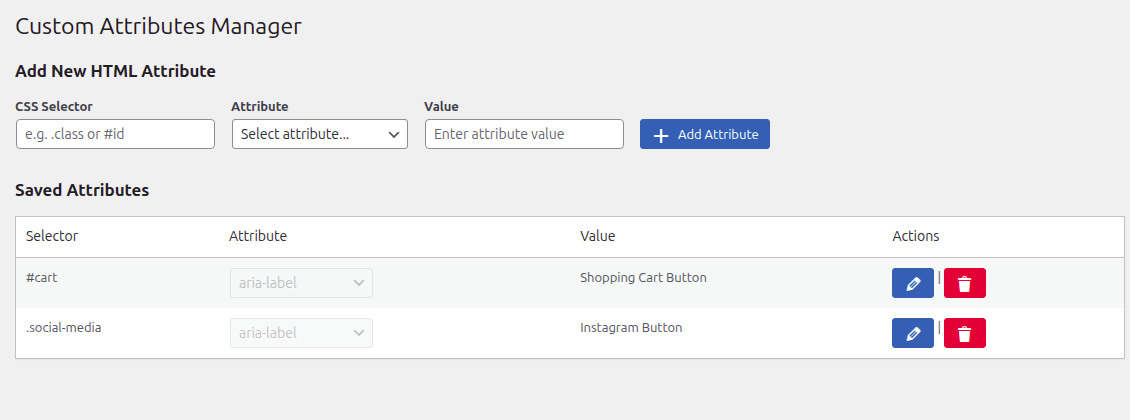
Manage custom attributes from the main list screen.
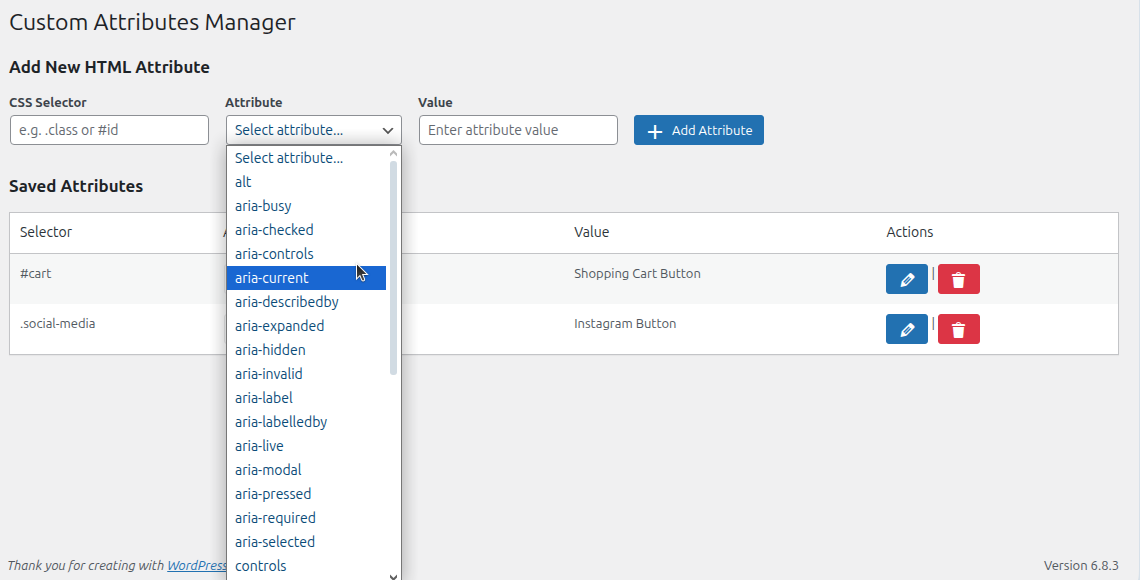
Edit aria-label, role, and tabindex values for any element.
Changelog
1.0.0
- Initial release.