

Maintenance 22/1003073d since update
Active installs
200
Downloads
5,820
Reviews
3
Age
9.7y
Plugin info
Total downloads: 5,820
Active installs: 200
Total reviews: 3
Average rating: 5
Support threads opened: 0
Support threads resolved: 0 (0%)
Available in: 1 language(s)
Contributors: 2
Last updated: 11/2/2017 (3073 days ago)
Added to WordPress: 7/13/2016 (9 years old)
Minimum WordPress version: 4.3.1
Tested up to WordPress version: 4.8.26
Minimum PHP version: f
Maintenance & Compatibility
Maintenance score
Possibly abandoned • Last updated 3073 days ago • 3 reviews
22/100
Is WooCommerce Custom Availability abandoned?
Possibly abandoned (last update 3073 days ago).
Compatibility
Requires WordPress: 4.3.1
Tested up to: 4.8.26
Requires PHP: f
Similar & Alternatives
Explore plugins with similar tags, and compare key metrics like downloads, ratings, updates, support, and WP/PHP compatibility.
Booqable Rental Plugin
Rating 4.2/5 (10 reviews) • Active installs 1,000
WooCommerce Bookings Calendar
Rating 5.0/5 (4 reviews) • Active installs 1,000
VR Calendar
Rating 3.0/5 (15 reviews) • Active installs 800
Booking Ultra Pro Appointments Booking Calendar Plugin
Rating 3.9/5 (230 reviews) • Active installs 500
Sagenda – Scheduling Calendar
Rating 3.5/5 (8 reviews) • Active installs 500
Sagenda – Scheduling List – LEGACY
Rating 4.2/5 (49 reviews) • Active installs 400
Description
Set custom availability text for products
Features
- Set custom availability strings for your products
- Works on simple & variable products
Contributing
Please contribute to this project on Github. Pull requests welcome!
https://github.com/anttiviljami/woocommerce-custom-availability
Installation
- Upload plugin to the
/wp-content/plugins/directory. - Activate the plugin through the “Plugins” menu in WordPress.
- Installation done!
Frequently Asked Questions
None yet.
Installation Instructions
- Upload plugin to the
/wp-content/plugins/directory. - Activate the plugin through the “Plugins” menu in WordPress.
- Installation done!
Review feed
Otto Kekäläinen
Simple and good
Works just as expected
Screenshots
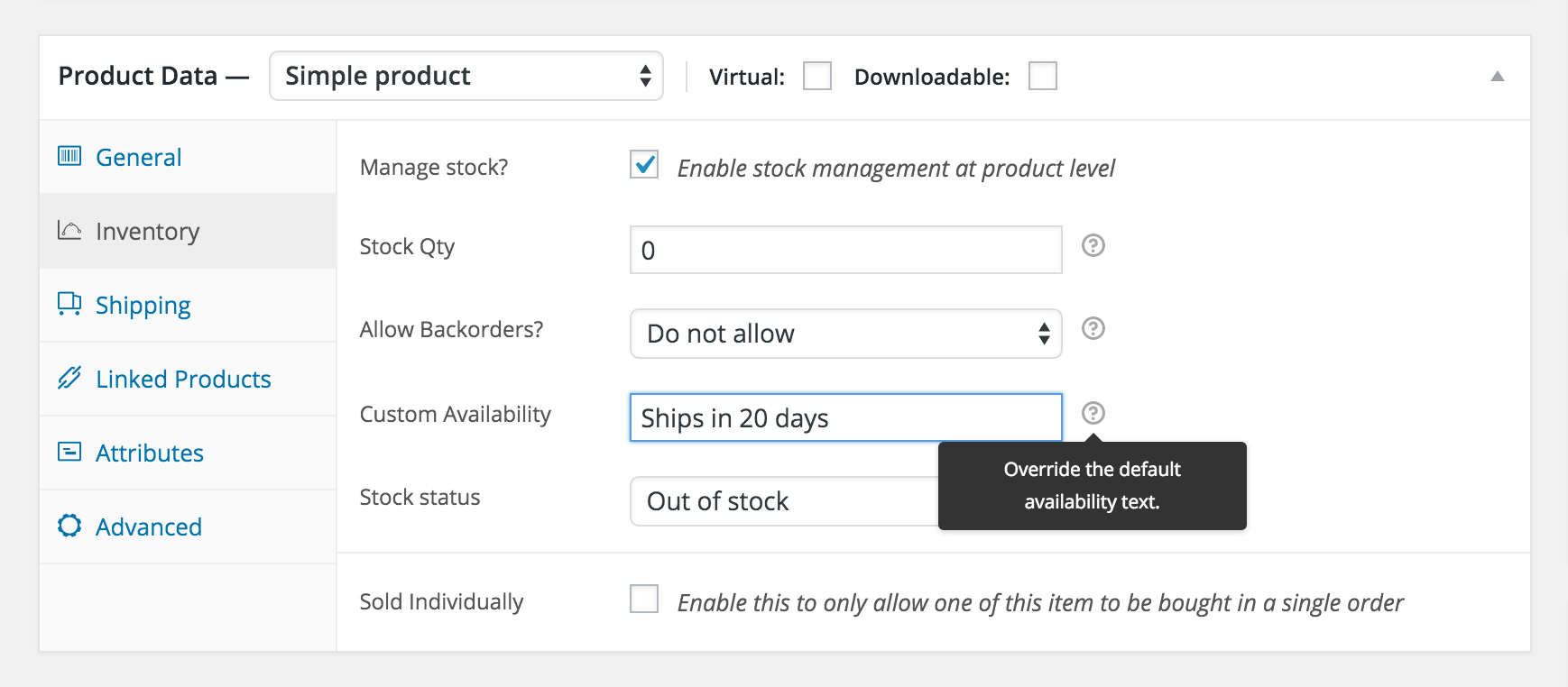
Product stock edit view

Variable product edit view

Product page view in the front end
Changelog
Note that complete commit log is available at https://github.com/anttiviljami/woocommerce-custom-availability/commits/master