

Coordinate for Google Map (No API Required)
Use Google Maps without API using coordinates (latitude & longitude) anywhere in WordPress with help of shortcodes & Gutenberg block
Plugin info
Maintenance & Compatibility
Maintenance score
Possibly abandoned • Last updated 474 days ago
Is Coordinate for Google Map (No API Required) abandoned?
Possibly abandoned (last update 474 days ago).
Compatibility
Similar & Alternatives
Explore plugins with similar tags, and compare key metrics like downloads, ratings, updates, support, and WP/PHP compatibility.
Description
No API key needed to use google maps, use direct iframe method.
This plugin allows to use the shortcode ([map-coordinate]), custom Elementor widget or a Gutenberg block to display Google Maps with Latitude & Longitude. There is also an admin menu to add Latitude & Longitude globally for all Gutenberg blocks and shortcodes.
Check out the live version of the project here: Demo
You can add the coordinates globally for the map to use from admin menu (Custom Map) as shown on screenshot #1.
The shortcode for the map to display is:
[map-coordinate]
You can also add different coordinates for each shortcode:
[map-coordinate lat="xx" lon="xx"]
If you are using Gutenberg editor for your posts, then you can also use the Gutenberg block – Custom Map Coordinates
Custom elementor widget is also available to use for Elementor page builder.
Installation
This section describes how to install the plugin and get it working.
- Upload the plugin files to the
/wp-content/pluginsdirectory, or install the plugin through the WordPress plugins screen directly. - Activate the plugin through the ‘Plugins’ screen in WordPress
- Use the ‘Custom Map’ screen from admin menu to add coordinates globally for shortcodes & gutenberg block.
- Or you can use shortcode or gutenberg directly to add different coordinates in any posts.
Frequently Asked Questions
Review feed
Screenshots
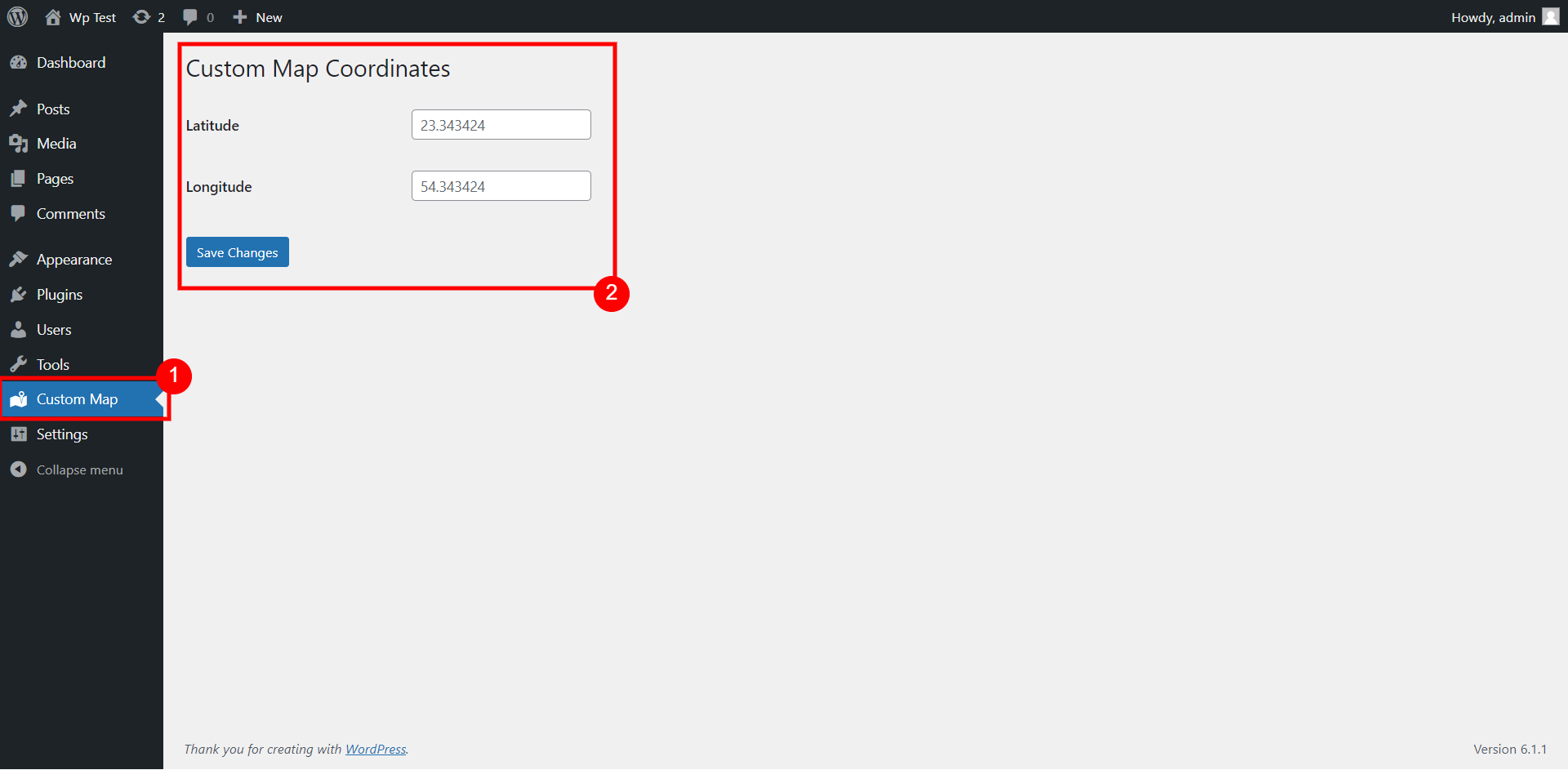
Admin menu to set default google map coordinates
![Shortcode [map-coordinate] that uses default coordinates from admin menu](https://ps.w.org/custom-map-coord/assets/screenshot-2.png?rev=2870886)
Shortcode [map-coordinate] that uses default coordinates from admin menu

Shortcode with custom map coordinates

Custom Gutenberg block

Custom Gutenberg block preview for displaying map with coordinates

Custom Elementor widget
Changelog
- Elementor widget added in 1.1