

Plugin info
Maintenance & Compatibility
Maintenance score
Possibly abandoned • Last updated 6229 days ago
Is Dave’s Outdated Browser Warning abandoned?
Possibly abandoned (last update 6229 days ago).
Compatibility
Similar & Alternatives
Explore plugins with similar tags, and compare key metrics like downloads, ratings, updates, support, and WP/PHP compatibility.
Description
This plugin displays a message at the top of the screen for visitors running outdated versions of the most popular browsers:
- Internet Explorer 6 SP2 or less
- FireFox 2 or less
- Safari 2 or less
It is designed to be unobtrusive. The message disappears after a few seconds, and it only displays the first time the visitor comes to your WordPress blog/site.
The warning reads: It appears that you are using an outdated version of your browser. Please upgrade your browser for better sercurity and an improved experience.
The message also includes a link where the newest version of the browser can be downloaded.
Installation
- Upload
outdated-browser-warningto the/wp-content/plugins/directory - Activate the plugin through the ‘Plugins’ menu in WordPress
Frequently Asked Questions
A visitor is getting the warning on every page
The plugin uses a cookie to track whether or not a visitor has seen the warning. If your visitor has cookies disabled in their browser, they will continually get the warning.
A visitor to my site isn’t seeing the outdated browser warning, even on an older browser
The message will not display for someone who have Javascript disabled in their browser.
Review feed
Screenshots
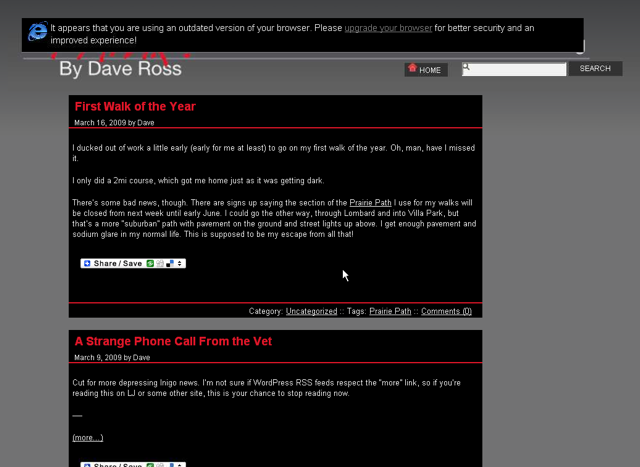
Dave's Outdated Browser Warning displayed in IE6 SP2.