

DesignSetGo
Professional WordPress blocks without page builder bloat. 43 blocks + 11 universal extensions that enhance ANY block.
Plugin info
Maintenance & Compatibility
Maintenance score
Maintained • Last updated 134 days ago • 1 reviews
Is DesignSetGo abandoned?
Likely maintained (last update 134 days ago).
Compatibility
Similar & Alternatives
Explore plugins with similar tags, and compare key metrics like downloads, ratings, updates, support, and WP/PHP compatibility.
Description
When you need professional design features but page builders feel too heavy, too complex, or too limiting.
DesignSetGo gives you the power of a page builder with the simplicity of WordPress blocks. Build layouts, forms, interactive elements, and stunning visuals—all using the native block editor you already know.
Why DesignSetGo?
✓ Works Like WordPress – If you know blocks, you know DesignSetGo. No separate interface, no learning curve.
✓ 43 Blocks, One Plugin – Replaces multiple plugins: forms, sliders, tabs, accordions, counters, cards, maps, and more.
✓ 11 Universal Extensions – Add animations, responsive visibility, sticky headers, clickable groups, max width, and more to ANY WordPress block (including core blocks).
✓ Performance First – Lightweight code, no jQuery, optimized bundles. Your site stays fast.
✓ No Lock-In – Built with WordPress standards. What you build works with or without the plugin.
✓ Editor = Frontend – What you see in the editor is exactly what appears on your site. No surprises.
What’s Included
Layouts & Containers (5 blocks)
Build responsive layouts without code: flex, grid, stacks, rows, and full-width sections with content width controls.
Complete Form Builder (13 blocks)
Professional forms with AJAX submission, spam protection, and email notifications. Includes text, email, phone, textarea, number, URL, date, time, select, checkbox, file upload, and hidden fields. No external services required.
Interactive Elements (10 blocks)
Tabs, accordions, flip cards, sliders, scroll effects, counters, progress bars, and revealing content. All with smooth animations and mobile-responsive behavior.
Visual Components (8 blocks + child blocks)
Icons (500+), icon buttons, icon lists, pills/badges, dividers, countdown timers, organic blob shapes, and content cards with multiple layout presets.
Location (1 block)
Interactive maps with Google Maps and OpenStreetMap support, custom markers, and privacy-friendly options.
Universal Extensions (11 extensions)
These work with ANY WordPress block—including core blocks and third-party blocks:
* Block Animations – 24+ effects with scroll/hover/click triggers
* Sticky Header – Advanced sticky controls with offset and hide on scroll
* Clickable Groups – Turn containers into accessible clickable links
* Background Video – Add YouTube or self-hosted videos to containers
* Responsive Visibility – Hide/show blocks by device (desktop, tablet, mobile)
* Max Width – Constrain content width with auto-centering
* Custom CSS – Per-block custom styling and advanced controls
* Grid Span – Column and row spanning for grid layouts
* Reveal Control – Advanced hover reveal timing and transitions
* Text Alignment Inheritance – Inherit alignment from parent blocks
Perfect For
- Freelancers & Agencies – Build client sites faster without learning another page builder
- Business Websites – Professional forms, FAQs, service listings, and call-to-action sections
- Marketing & Landing Pages – Eye-catching layouts with counters, flip cards, and animations
- Portfolios & Showcases – Image galleries, sliders, and scroll effects for stunning presentations
- Membership & Community Sites – Registration forms, organized content, gamification elements
- E-commerce Sites – Enhanced product pages with sliders, icon lists, and custom layouts
Privacy & Security
DesignSetGo respects your privacy:
* No tracking or analytics
* No data collection
* No external server connections
* No cookies or localStorage for tracking
* 100% GDPR compliant
Form submissions are processed on your server and sent via your WordPress email system. No third-party services required.
Installation
Automatic Installation
- Log in to your WordPress dashboard
- Go to Plugins > Add New
- Search for “DesignSetGo”
- Click Install Now
- Click Activate
- Start using blocks in the block editor!
Manual Installation
- Download the plugin ZIP file
- Log in to your WordPress dashboard
- Go to Plugins > Add New > Upload Plugin
- Choose the ZIP file and click Install Now
- Click Activate
- Blocks are now available in the editor
After Activation
- Edit any post or page
- Click the + button to add a block
- Find DesignSetGo blocks in the DesignSetGo category
- Insert a block and configure using the inspector controls
- Check the documentation for detailed guides
Frequently Asked Questions
Yes! DesignSetGo is designed to work with any modern WordPress theme. It respects your theme’s colors, spacing, and typography settings from theme.json. Tested with Twenty Twenty-Five and FSE themes.
No! DesignSetGo is built for performance. The entire CSS bundle is under 30 KB, there’s no jQuery dependency (saves 150 KB), and blocks only load what you actually use. Your PageSpeed scores stay high.
Not at all. If you can use WordPress blocks, you can use DesignSetGo. Everything is controlled through the familiar block inspector—no code required. (But if you want to add custom CSS to any block, you can!)
Your content stays intact. Because DesignSetGo uses WordPress standards, your layouts won’t break—they’ll just render as standard containers and content. No proprietary markup means no lock-in.
Yes, exactly. DesignSetGo uses the same patterns as WordPress core blocks to guarantee what you see in the editor is what appears on your live site. No surprises.
No! DesignSetGo includes a complete form builder with 11 field types, AJAX submission, spam protection, and email notifications. Everything is built-in and works without external services.
Absolutely. All blocks work seamlessly with FSE, the Site Editor, templates, and template parts. The Sticky Header extension is specifically designed for FSE header template parts.
Yes! Use DesignSetGo blocks on any WooCommerce page to enhance product layouts, create custom sections, and build better shopping experiences.
Check the documentation, visit the support forum, or report bugs on GitHub.
Review feed
Screenshots

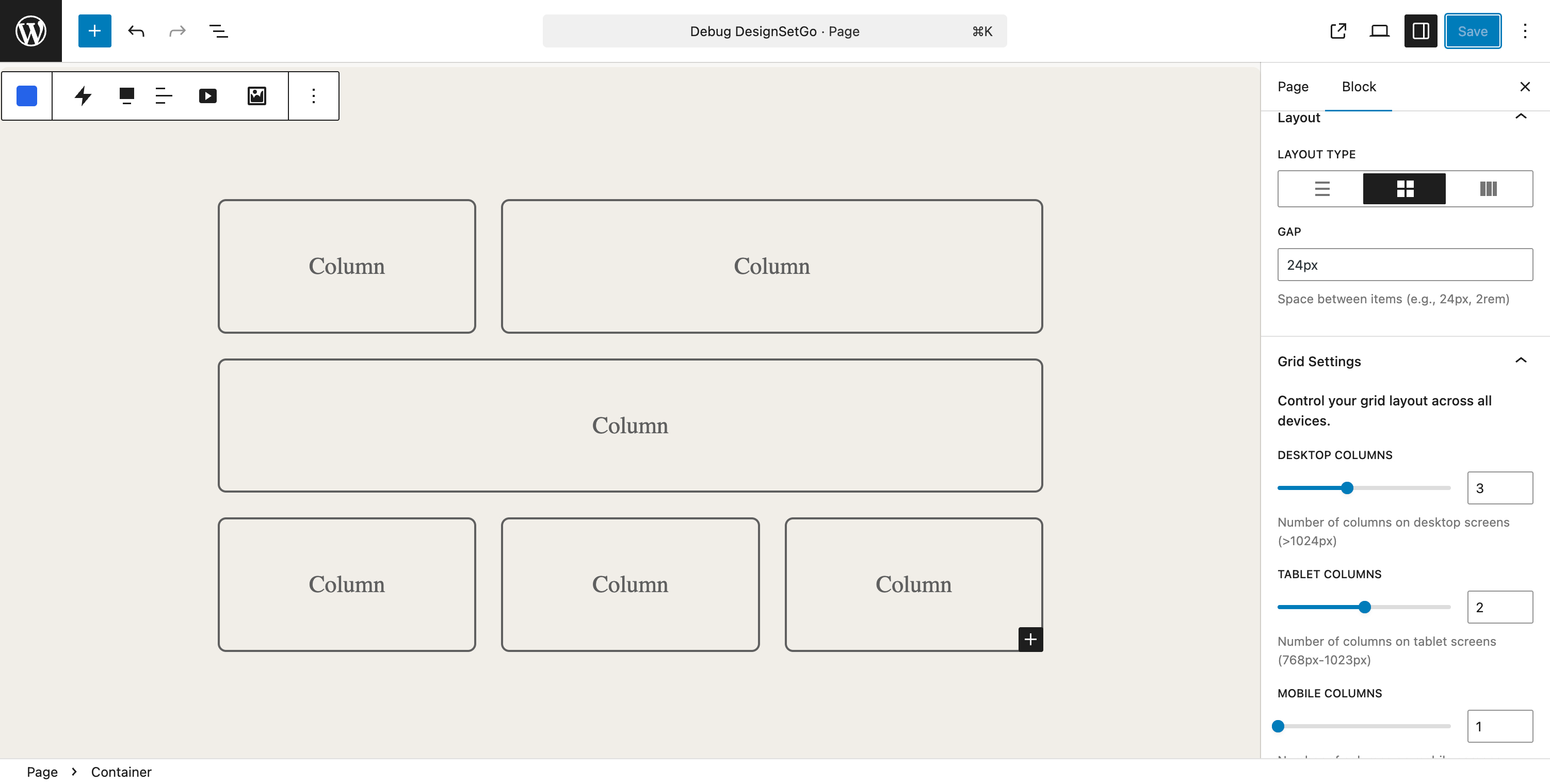
Container block with responsive grid layout and video background support
Tabs block with horizontal orientation, icons, and multiple style options
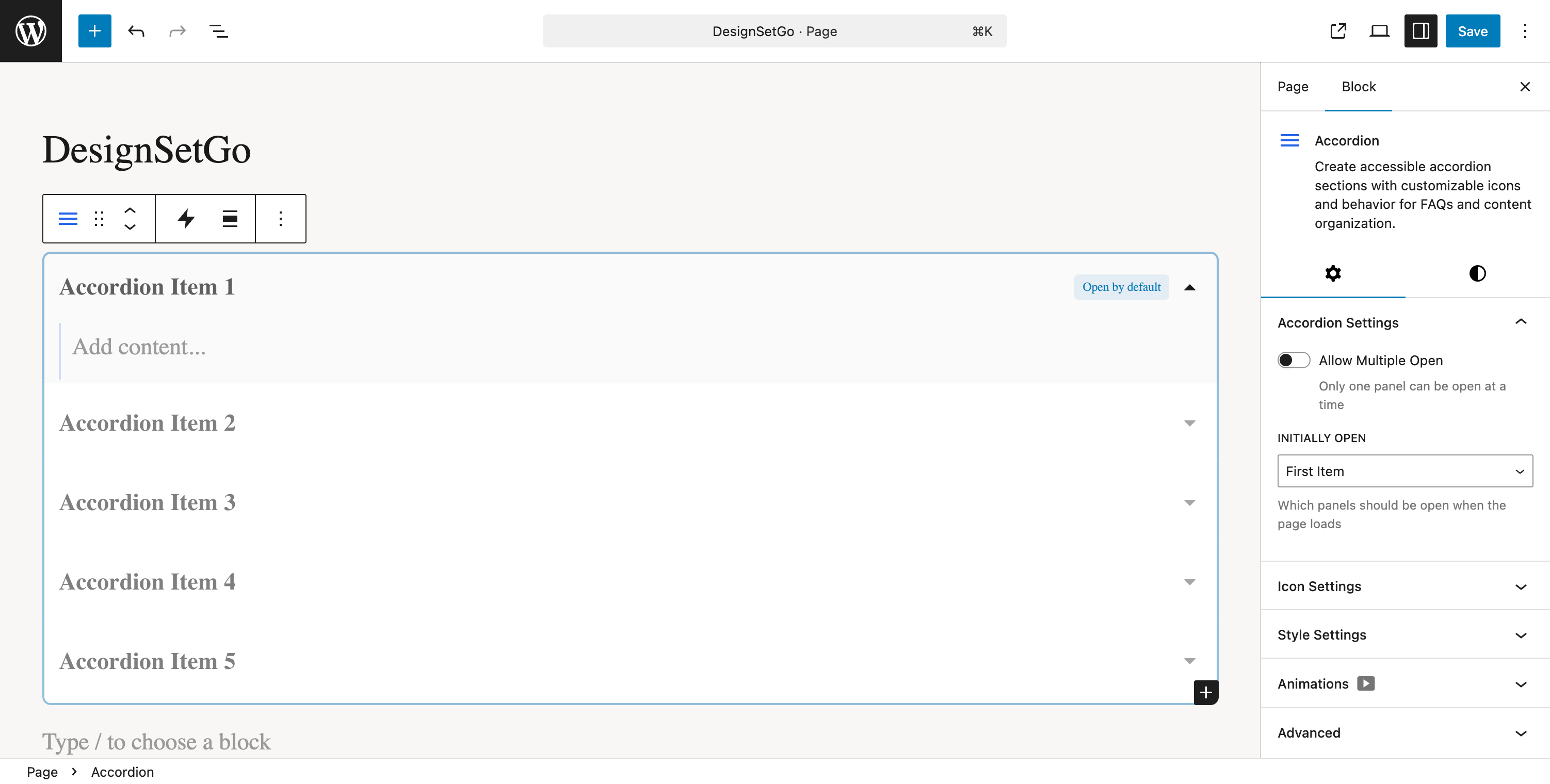
Accordion block with collapsible panels and smooth animations
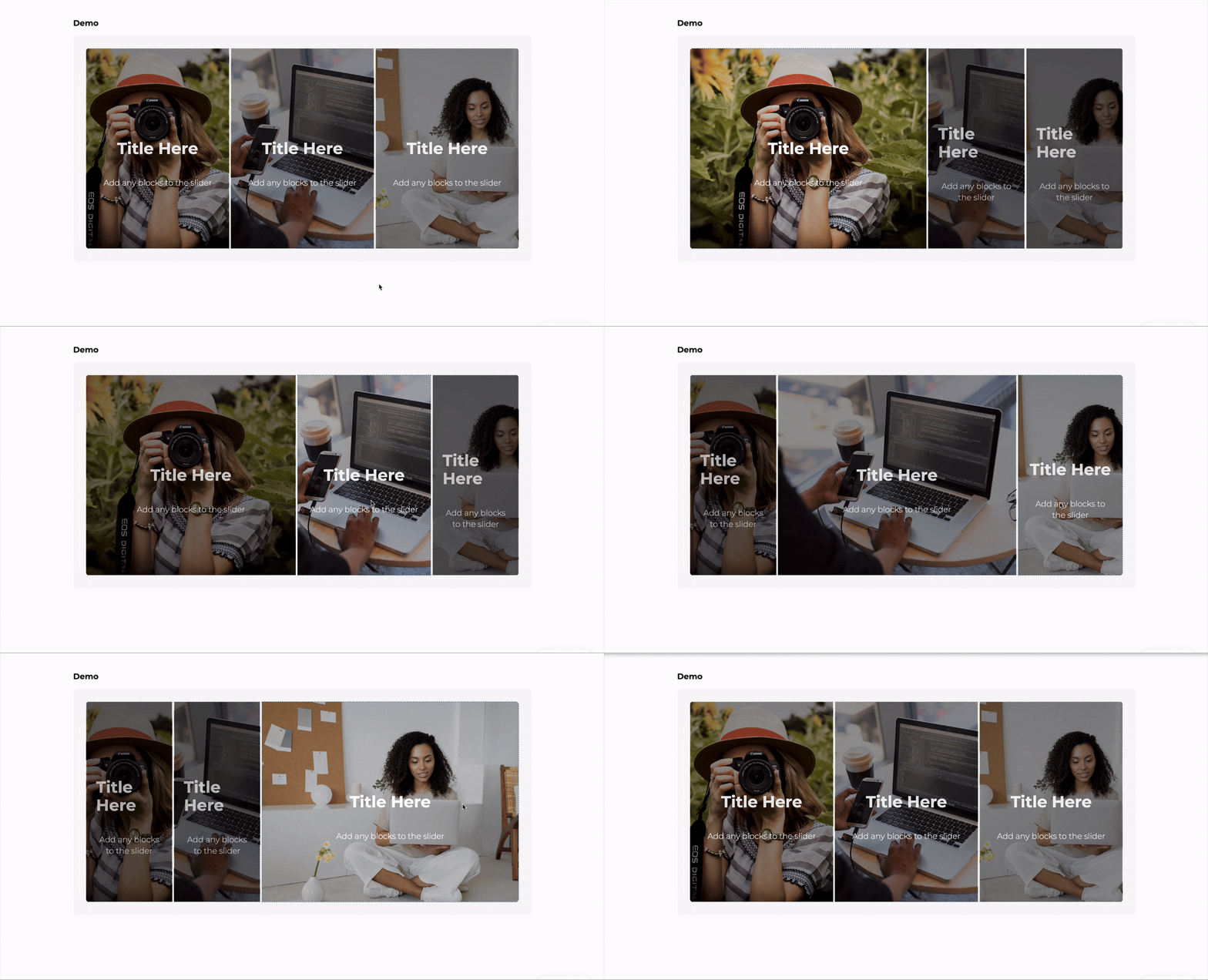
Counter Group block with animated statistics and number formatting
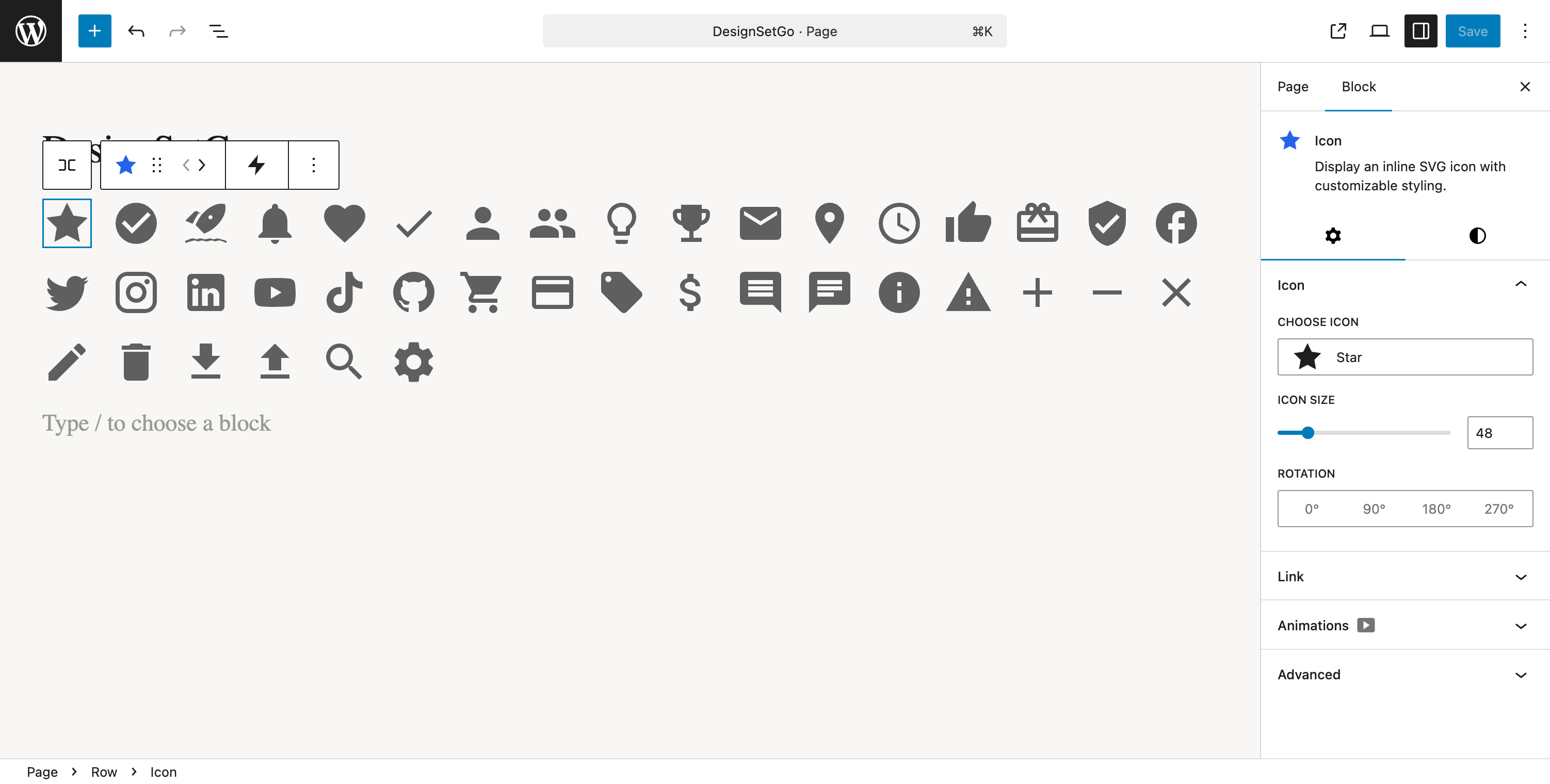
Icon block with 500+ icons, shape styles, and customization options
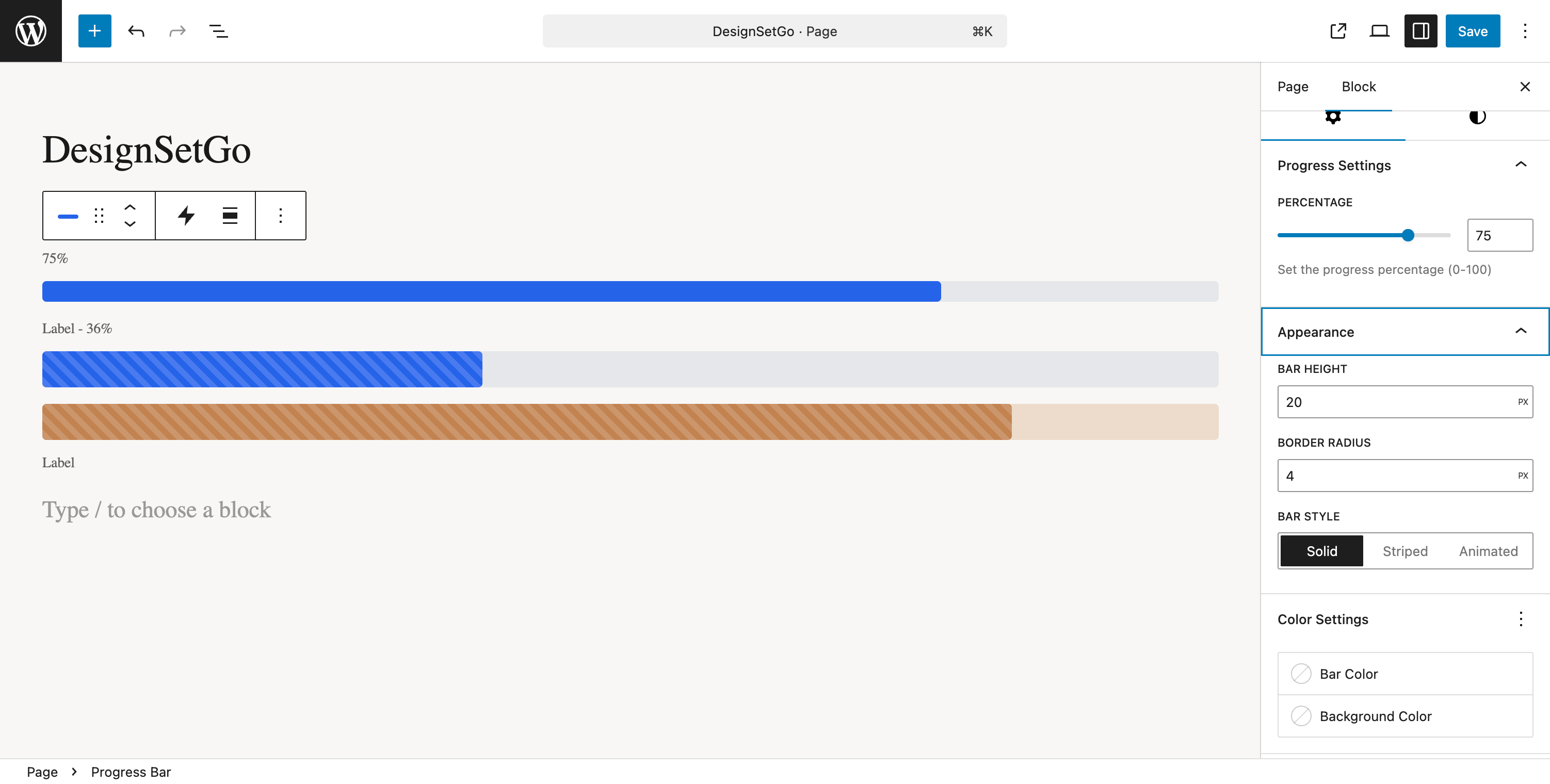
Progress Bar block with animated fills and multiple display styles
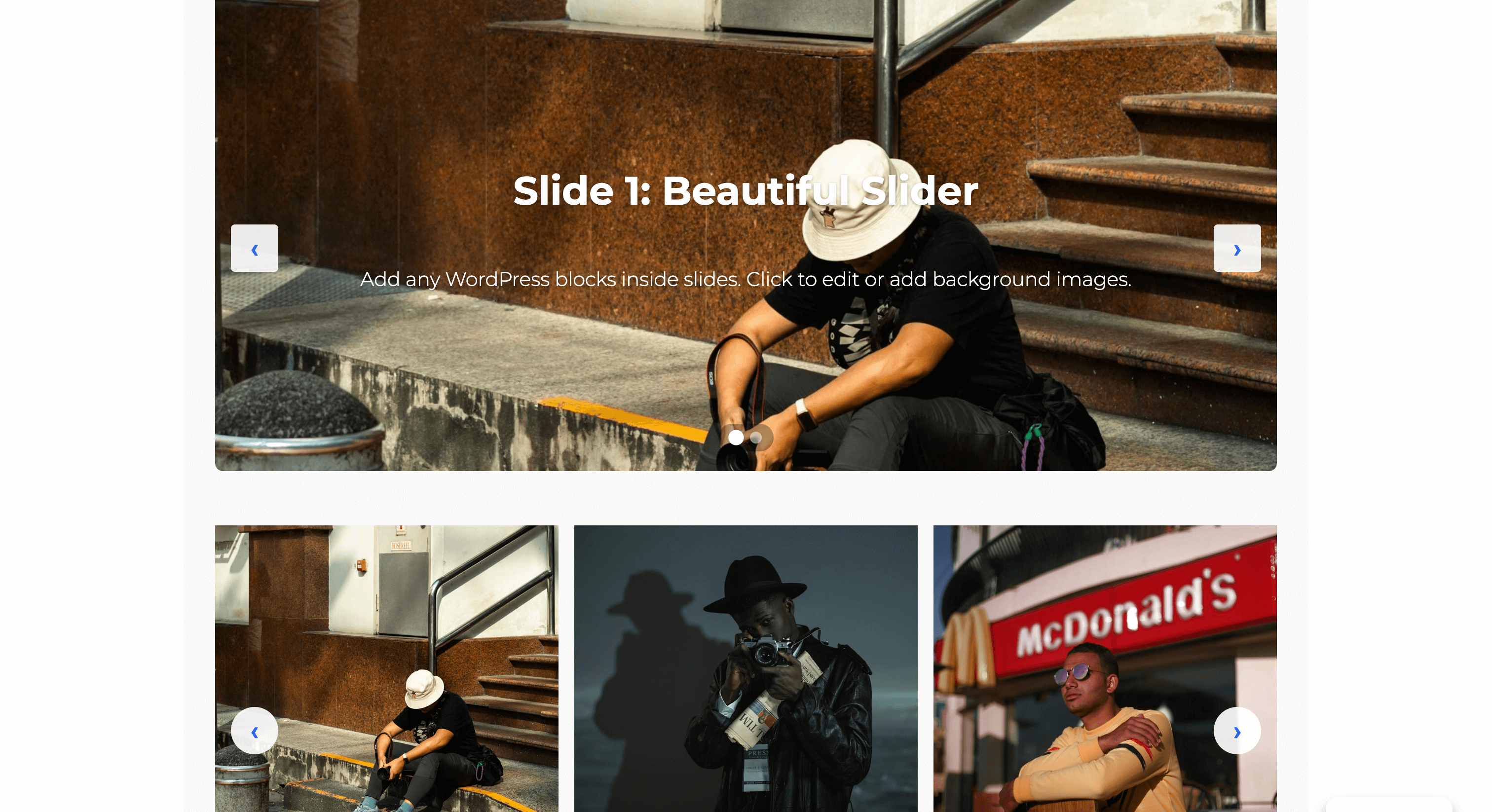
Block animation controls showing entrance effects and timing options
Changelog
1.1.4 – 2025-11-19
Bug Fixes:
* Fix: Slider initialization on uncached first load – sliders now display correctly on first page visit
* Fix: Critical race condition in image loading detection that could cause 3-second initialization delays
* Fix: Memory leak from uncleaned setTimeout timers in slider initialization
* Fix: Double-counting bug in slider image load detection that could prevent initialization
Performance Improvements:
* Performance: Eliminated redundant DOM queries in slider initialization
* Performance: Optimized Array.from conversions for better memory efficiency
Code Quality:
* Docs: Added comprehensive JSDoc documentation for slider initialization functions
* Docs: Enhanced inline comments explaining race condition prevention and error handling
1.1.3 – 2025-11-16
Performance Improvements:
* Performance: Major CSS loading strategy optimization – improved enqueue logic and selective loading (#93)
* Performance: Fixed forced reflows in JavaScript and optimized asset loading strategy (#91)
* Performance: Eliminated layout thrashing by batching DOM reads/writes and deferring non-critical operations
Bug Fixes:
* Fix: Flip card back panel now correctly displays background color and text in editor (#94)
* Fix: Added alignment options to countdown timer block for better layout control (#95)
Documentation:
* Docs: Updated WordPress.org screenshots to reflect current plugin features
1.1.2 – 2025-11-15
New Features:
* New: Added five comprehensive filter hooks for Custom CSS customization
* designsetgo/custom_css_block – Modify CSS per block before processing
* designsetgo/custom_css_class_name – Customize CSS class name generation
* designsetgo/custom_css_sanitize – Additional sanitization rules
* designsetgo/custom_css_processed – Post-process CSS after sanitization
* designsetgo/custom_css_output – Control final CSS output
* New: Comprehensive developer documentation with 16+ practical examples in docs/CUSTOM-CSS-FILTERS.md
Bug Fixes:
* Fix: Section hover background now correctly renders behind content instead of over text
* Fix: Resolved z-index stacking issue where hover overlay appeared above section content
Enhancements:
* Enhancement: Improved Custom CSS textarea UX with better styling and increased height
* Enhancement: Added block name tracking to Custom CSS data structure for better debugging
* Documentation: Enhanced PHPDoc comments with detailed filter hook usage examples
1.1.1 – 2025-11-15
Security Fixes:
* Security: Fixed HIGH severity string escaping vulnerability in counter number formatting (CVE alerts #15-18)
* Security: Added escapeReplacement() function to prevent injection via replacement string special sequences
* Security: Enhanced GitHub Actions workflows with explicit permissions following principle of least privilege
Changes:
* Fix: Escape special characters in separator strings used by Counter and Counter Group blocks
* Enhancement: Added explicit permissions blocks to all GitHub Actions workflows for improved security posture
1.1.0 – 2025-11-14
New Blocks:
* New: Card block with multiple layout presets (horizontal, vertical, overlay, compact, featured)
* New: Map block with Google Maps and OpenStreetMap support, privacy mode, and customizable markers
Admin Interface Overhaul:
* New: Completely redesigned admin dashboard with stat cards showing blocks, extensions, and form submissions
* New: Enhanced dashboard displays blocks organized by category and extension status pills
* New: Tabbed settings interface organized into Features, Optimization, and Integrations tabs
* New: Google Maps API key management in Settings > Integrations with security guidance
* Enhancement: Two-column grid layouts for improved settings panel space efficiency
* Enhancement: Gradient icon stat cards with hover effects for better visual hierarchy
* Enhancement: Collapsible sections for advanced settings to reduce vertical scroll
Translations:
* Enhancement: Added translation support for 9 languages (Spanish, French, German, Italian, Portuguese, Dutch, Russian, Chinese, Japanese)
* Enhancement: Updated POT file with 100% translation coverage for all admin strings
Security & Bug Fixes:
* Security: Fixed js-yaml prototype pollution vulnerability (CVE-2023-2251)
* Fix: Added missing ToggleControl import to Card block editor component
* Fix: Google Maps API key now persists correctly after save/reload
* Fix: API key properly exposed to frontend via data attributes with secure referrer-based protection
1.0.1 – 2025-11-14
- Docs: Streamlined readme.txt with JTBD-focused messaging for better scannability
- Docs: Condensed description from 516 to 339 lines while keeping essential information
- Docs: Reordered FAQ to address user anxiety barriers first
1.0.0 – 2025-11-12
🚀 Initial Release
43 Professional Blocks:
* 5 Container blocks (Row, Section, Flex, Grid, Stack)
* 13 Form Builder blocks (complete system with AJAX, spam protection, email notifications)
* 10 Interactive blocks (Tabs, Accordion, Flip Card, Slider, Counters, Progress Bar, Scroll effects)
* 8 Visual blocks (Icons, Icon Button, Icon List, Card, Pill, Divider, Countdown Timer, Blobs)
* 9 Child blocks (Tab, Accordion Item, Slide, Flip Card Front/Back, Icon List Item, Image Accordion Item, Scroll Accordion Item, Counter)
11 Universal Extensions (work with ANY block):
* Block Animations (24+ effects with scroll triggers)
* Sticky Header (FSE-optimized with offset controls)
* Clickable Groups (accessible card/container links)
* Background Video (YouTube and self-hosted)
* Responsive Visibility (hide by device)
* Max Width (content width constraints)
* Custom CSS (per-block styling)
* Grid Span (column/row control)
* Reveal Control (advanced hover effects)
* Text Alignment Inheritance (parent-child context)
Performance & Quality:
* Built with WordPress core patterns for guaranteed editor/frontend parity
* Optimized bundles, no jQuery, code-splitting
* WCAG 2.1 AA accessible with full keyboard navigation
* FSE compatible with theme.json integration
* Comprehensive documentation and developer guides