

Digital Signage
Create a dedicated digital signage display that automatically rotates through images from your WordPress posts.
Plugin info
Maintenance & Compatibility
Maintenance score
Maintained • Last updated 162 days ago
Is Digital Signage abandoned?
Likely maintained (last update 162 days ago).
Compatibility
Similar & Alternatives
Explore plugins with similar tags, and compare key metrics like downloads, ratings, updates, support, and WP/PHP compatibility.
Description
Digital Signage creates a specialized page for digital signage displays. It automatically rotates through featured images from posts in a specified category, making it perfect for information screens, waiting rooms, or promotional displays.
Features
- Dedicated URL for your digital signage display
- Automatic image rotation with configurable timing
- Category-based image filtering
- Custom image dimensions
- Automatic page refresh to get the latest content
Installation
- Upload the
digital-signagefolder to the/wp-content/plugins/directory - Activate the plugin through the ‘Plugins’ menu in WordPress
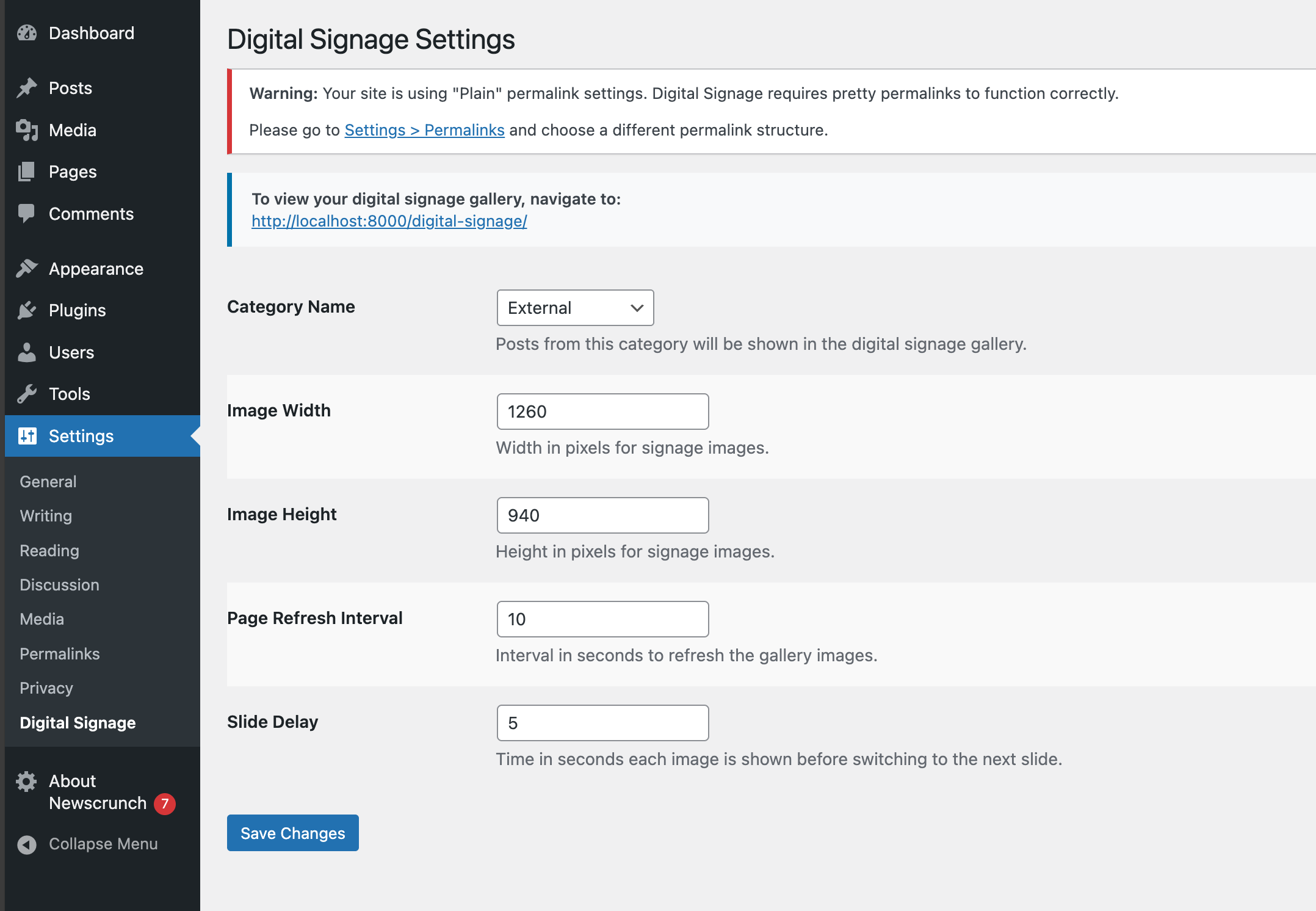
- Configure settings under Settings > Digital Signage
- Access your digital signage at yourdomain.com/digital-signage
Frequently Asked Questions
Add posts with featured images to the category you specified in the settings (default is ‘news’).
Yes, you can set both the slide delay (time between slides) and page refresh interval in the settings.
Review feed
Screenshots
Digital signage display showing rotating images

Admin settings page
Changelog
1.0.2
- Version bump
1.0.1
- Added support for HTML pages; misc. improvements
1.0.0
- Initial release