

Disable XML-RPC
Disables the XML-RPC API in WordPress 3.5+, which is enabled by default.
Plugin info
Maintenance & Compatibility
Maintenance score
Maintained • Last updated 120 days ago • 29 reviews
Is Disable XML-RPC abandoned?
Likely maintained (last update 120 days ago).
Compatibility
Similar & Alternatives
Explore plugins with similar tags, and compare key metrics like downloads, ratings, updates, support, and WP/PHP compatibility.
Description
Pretty simply, this plugin uses the built-in WordPress filter “xmlrpc_enabled” to disable the XML-RPC API on a WordPress site running 3.5 or above.
Beginning in 3.5, XML-RPC is enabled by default. Additionally, the option to disable/enable XML-RPC was removed. For various reasons, site owners may wish to disable this functionality. This plugin provides an easy way to do so.
Installation
- Upload the disable-xml-rpc directory to the
/wp-content/plugins/directory in your WordPress installation - Activate the plugin through the ‘Plugins’ menu in WordPress
- The WordPress XML-RPC methods are now disabled!
To re-enable XML-RPC, just deactivate the plugin through the ‘Plugins’ menu.
View the FAQ about “How do I know if the plugin is working?” to verify that this is working as intended.
Frequently Asked Questions
No. This plugin is as simple as XML-RPC is off (plugin activated) or XML-RPC is on (plugin is deactivated).
There are a few easy methods for checking if XML-RPC is off:
- Try using an XML-RPC WordPress client, like the official WordPress mobile apps. The WordPress mobile app should tell you that “XML-RPC services are disabled on this site” if the plugin is activated.
- Use the curl command to send an XML-RPC request to your site. If the response contains “XML-RPC services are disabled on this site” then the plugin is working properly and WordPress will not send data back to XML-RPC requests.
- Try the XML-RPC Validation Service for WordPress – the tool is available at https://xmlrpc.blog/. Keep in mind that you want the validator to fail and tell you that XML-RPC services are disabled.
See the screenshots for examples of what these tools will return when the plugin is enabled.
If the plugin is activated, but XML-RPC appears to still be working … OR … the plugin is deactivated, but XML-RPC is not working, then it’s possible that another plugin or theme function is affecting the xmlrpc_enabled filter. Additionally, server configurations could be blocking XML-RPC (i.e. blocking access to xmlrpc.php in the .htaccess file).
Review feed
Reduced to perfection
Screenshots
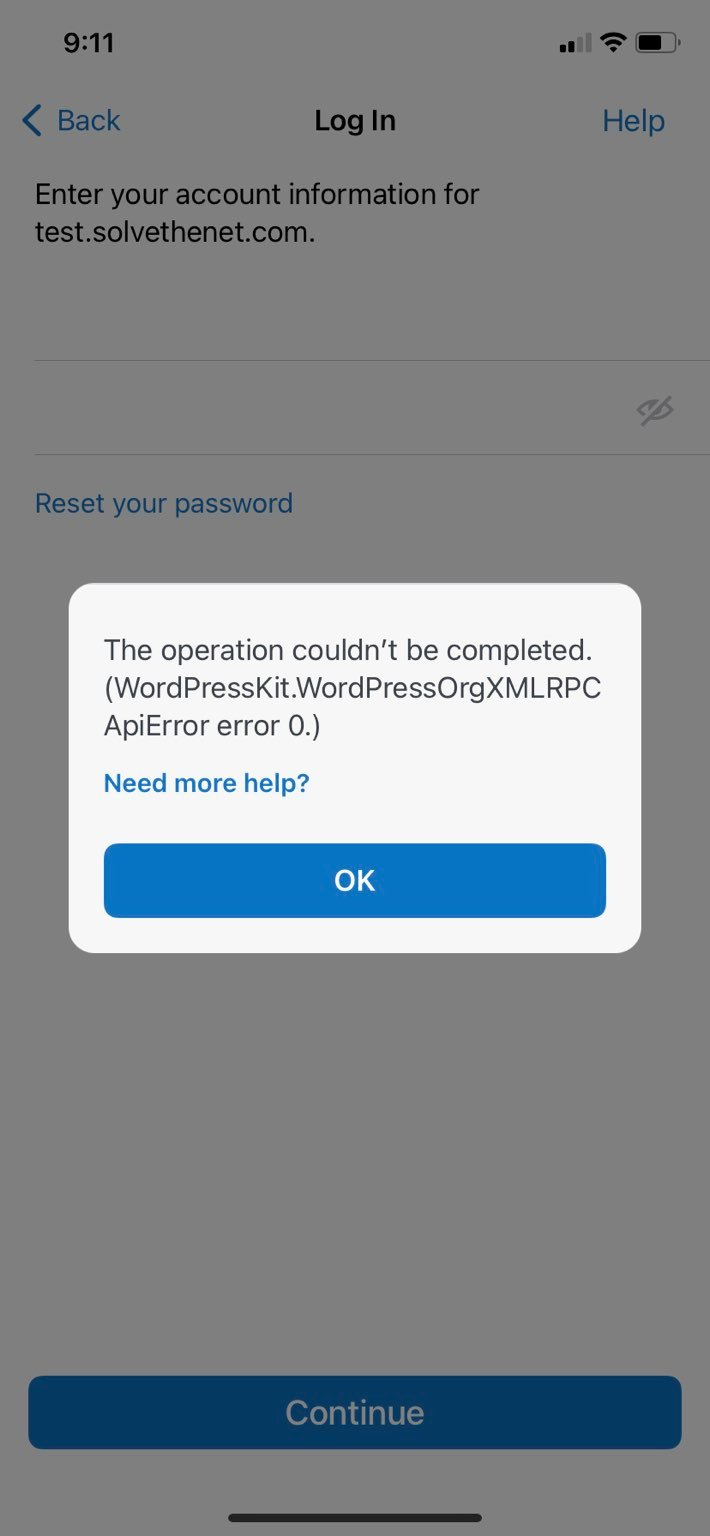
An example of the error that the WordPress mobile app will return when this plugin is enabled. This is expected and indicates that the plugin is working as intended.

An example of a curl command attempting to request data via XML-RPC calls to the site when the plugin is enabled. The error "XML-RPC services are disabled on this site" is expected and indicates that the plugin is working as intended.
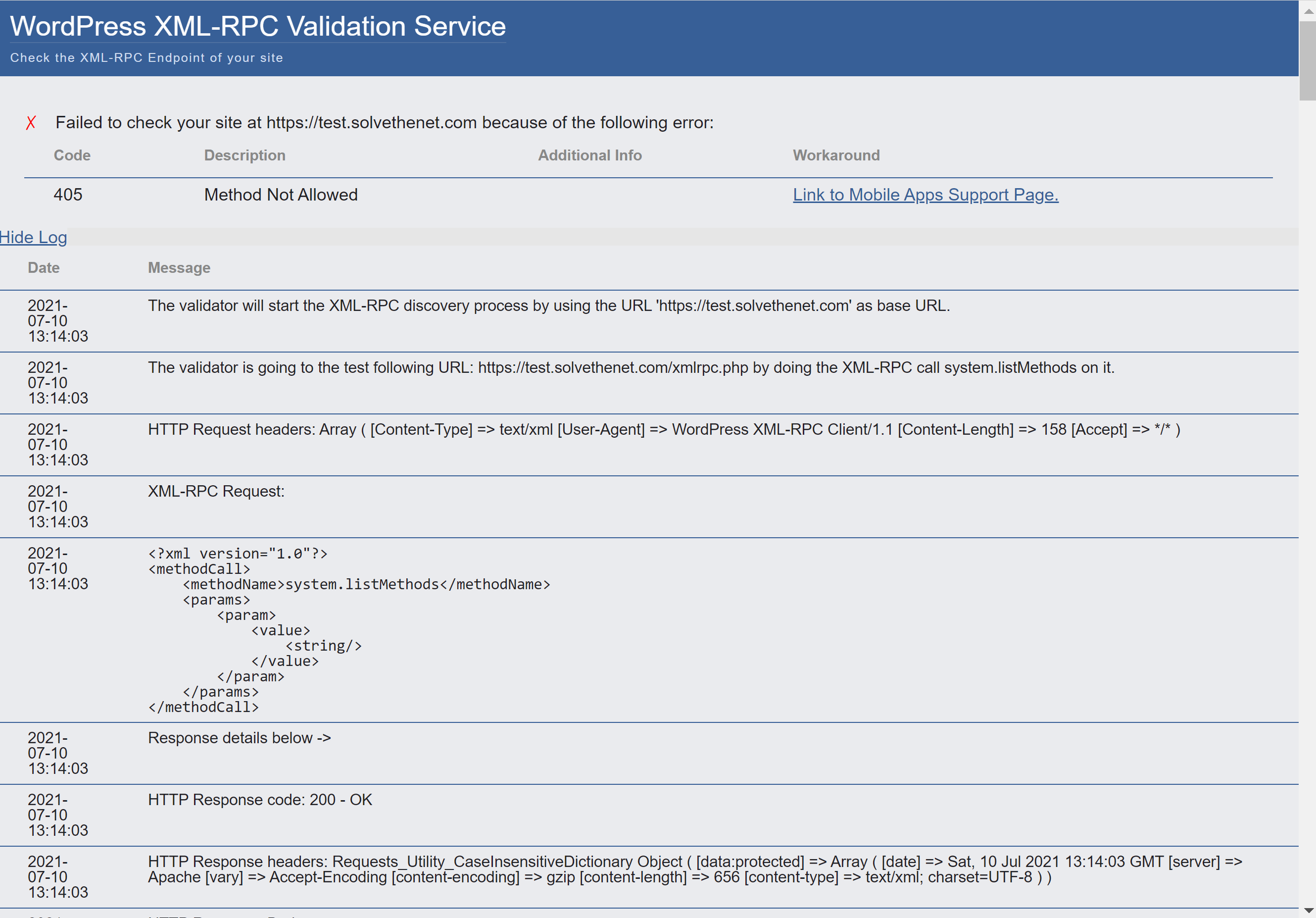
An example of the XML-RPC validator run against the site when the plugin is enabled. The error "Method not allowed" is expected and indicates that the plugin is working as intended.
Changelog
1.0.1
- Blank lines removed from the plugin file.
1.0
- Initial release