

Display Embedded Videos by D.Biota
You can display a gallery of the embedded Youtube and Vimeo videos within your site. They can be shown chronologically or as a random selection.
Plugin info
Maintenance & Compatibility
Maintenance score
Possibly abandoned • Last updated 3985 days ago • 2 reviews
Is Display Embedded Videos by D.Biota abandoned?
Possibly abandoned (last update 3985 days ago).
Compatibility
Similar & Alternatives
Explore plugins with similar tags, and compare key metrics like downloads, ratings, updates, support, and WP/PHP compatibility.
Description
You can display a gallery with one, some or all the Youtube and Vimeo videos embedded within your site. They can be shown chronologically (most recent videos posted) or in a daily random basis, which is a powerful tool to get your visitors engaged (each day they visit the video list, it will show a different selection of random videos from your site).
It is simple and clean, just works with shortcodes that can be posted wherever and easily created in the plugin Settings Page with a Shortcode Wizard.
Features
- display vids chronologically (most recent videos posted)
- display vids in a daily random basis
- shows titles and links to the posts where each video was originally posted
- vids displayed get updated accordingly when new vids are posted in your site
- you can display vids collection in posts, pages or widgets
- choose the number of vids to display
- choose the number of vids per line
- show a “Load more…” button
Shortcode example:
[display_embedded_videos mode="daily_random" vids_to_display="4" vids_per_line="1" more="yes"]
(you can know all possible values with the Shortcodes Wizard in the Settings page of the plugin)
Plugin page: http://www.diegobiota.com/tecnologias-web/wordpress/display-embedded-videos-by-d-biota-wordpress-plugin/
PRO extra features
- display vids per specific category
- display vids per specific tag
- display vids per specific forum (bbpress)
Installation
- Upload the display-embedded-videos-by-dbiota folder to the /wp-content/plugins/ directory
- Activate the \”Display Embedded Videos by D.Biota\” plugin through the \\\\\’Plugins\\\\\’ menu in WordPress
Frequently Asked Questions
What does this plugin do?
It allows you to show your embedded Youtube and Vimeo videos somewhere in your site (widgets or content) by using shortcodes
How do I publish a video collection?
Just by putting a shortcode wherever you want: in a post, in a page or in a widget.
Will it detect and show all videos posted?
Once you activate the plugin, it will detect automatically all new videos posted. To detect videos posted previous the plugin activation, you have a button in the plugin settings. Once detected, the process won’t be needed to run again ever.
How does the daily_random mode work?
It will show random videos from your site, changing each day. It can make interesting for your users visiting your site daily.
Are the videos displayed responsive?
Yes.
Can I add my own CSS to customize the video titles?
This plugin will load devbdb.css from your theme\’s directory if it exists.
If it doesn’t exists, it will just load the default devbdb.css that comes with Display Embedded Videos by D.Biota.
This will allow you to upgrade Display Embedded Videos by D.Biota without worrying about overwriting your video title styles that you have created.
I have just installed the plugin, I hadn’t videos posted before today, and the daily_random mode doesn’t show any video, what happens?
The daily_random mode show videos posted from yesterday to the beginnig time of the site. Hence if you only have videos from today, you won’t see anything. Anyway, don’t worry, that case tomorrow you will start to see videos in the daily_random mode.
Can I choose to show videos only by Category, Tag or Forum (bbpress users)?
That can be donde with the PRO version.
http://www.diegobiota.com/tecnologias-web/wordpress/display-embedded-videos-by-d-biota-pro-wordpress-plugin/
Will I have to modifiy the shortcodes if I upgrade to PRO version?
No, you won’t. They are compatible and will work in the same way. The advantage with the PRO version is that you will have more options to show your videos (by category, by tag or by forum)
I have updated from version 1.0 to 2.0 and the new Vimeo video detection feature doesn’t show the Vimeo videos I posted previously in my site
Since version 2.0 is new to detect Vimeo videos, is needed to update the old videos detected database. To do so, you have to deactivate the plugin and activate it again. You will be asked to run the old videos detection the firts time, and this time previous Vimeo videos posted will be detected as well as Youtube ones.
Review feed
Screenshots
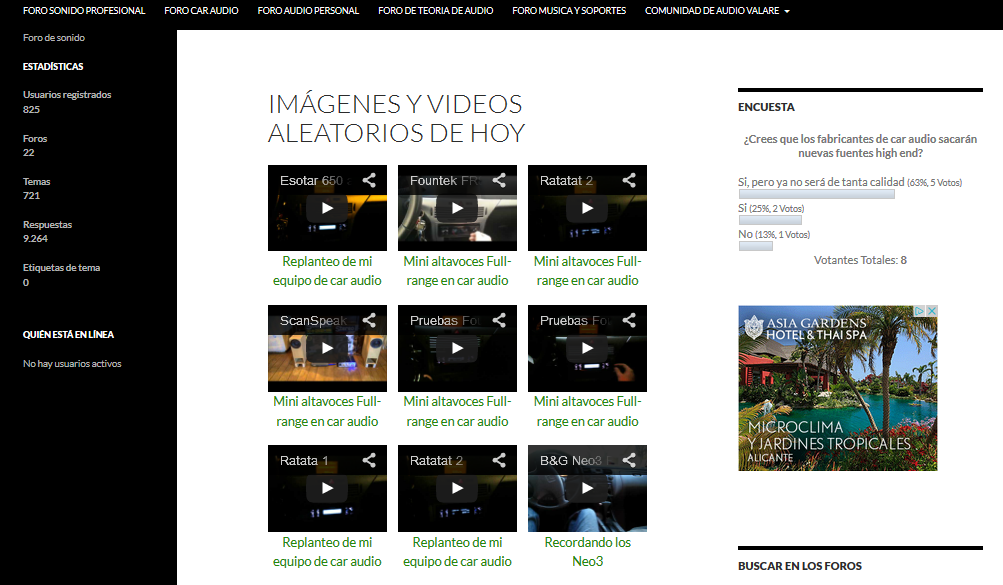
Videos displayed 3 per column
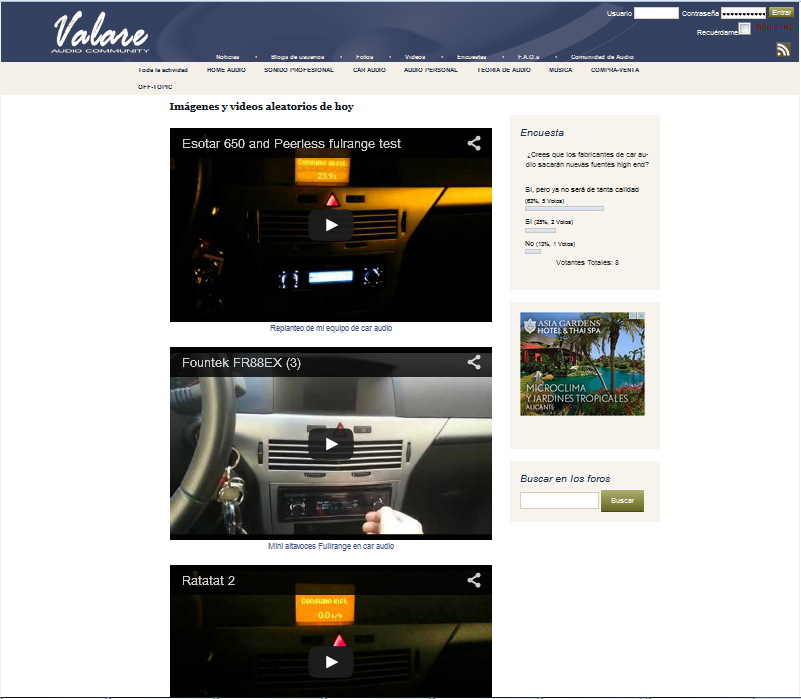
Videos displayed 1 per column
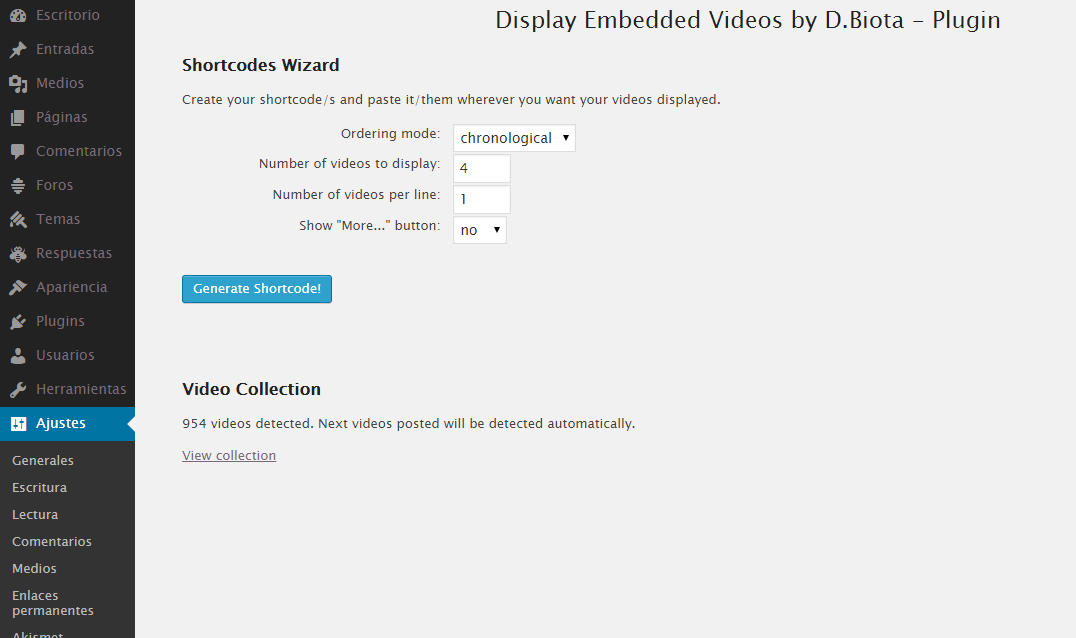
Settings Page
Changelog
2.0
- Added Vimeo videos detection
1.0
- First stable and working version