

Display Post Metadata
It is a useful plugin to display the metadata information and custom fields of posts and pages or custom post type. You can either display date, autho …
Plugin info
Maintenance & Compatibility
Maintenance score
Maintained • Last updated 119 days ago • 3 reviews
Is Display Post Metadata abandoned?
Likely maintained (last update 119 days ago).
Compatibility
Similar & Alternatives
Explore plugins with similar tags, and compare key metrics like downloads, ratings, updates, support, and WP/PHP compatibility.
Description
It is a useful plugin to display the metadata information and custom fields of posts and pages or custom post type. You can either display date, author, comments, views or sticky meta information and custom fields list or maybe if you like then you can display all of them.
Features
You can list the following information:
- Published Date (The day when the post is published on the website)
- Author (The Person who created the post or page)
- Views (Number of people which have seen the post)
- Sticky (If the post is sticky or not)
- Comments (Number of comments on the post)
- Custom Fields (The default custom fields of posts and pages) for more details please consult Custom Fields codex page.
Links
Please don’t forget to rate my Plugin if you find it useful, thanks.
Installation
Instructions for installing the Display Post Metadata Plugin.
- In your WordPress admin go to Plugins -> Add New.
- Enter Display Post Metadata in the text box and click Search Plugins.
- In the list of Plugins click Install Now next to the Display Post Metadata.
- Once installed click to activate.
- Now go to any page, post or custom post type and edit it.
- While editing, you can put the shortcode to display the metadata information. The shortcode is [metadata element=”date,author,comments,sticky,views,custom_fields”]
Frequently Asked Questions
Yes, it works with all major PHP versions and I have tested it with PHP version 5.2, 5.3, 5.4, 5.5, 5.6 and 7.0.
Review feed
Good Work
Screenshots
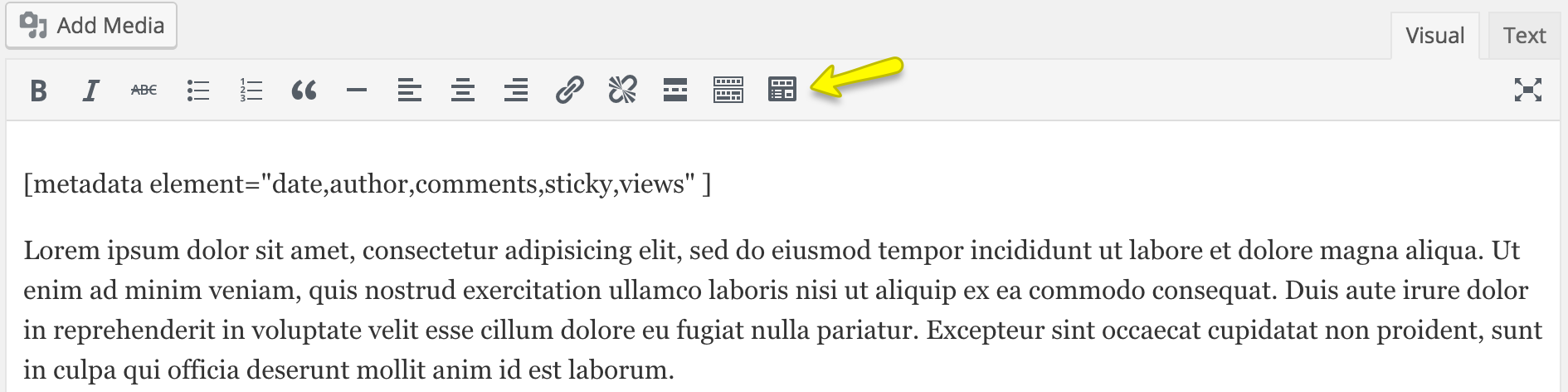
Visual shortcode insert button and shortcode.
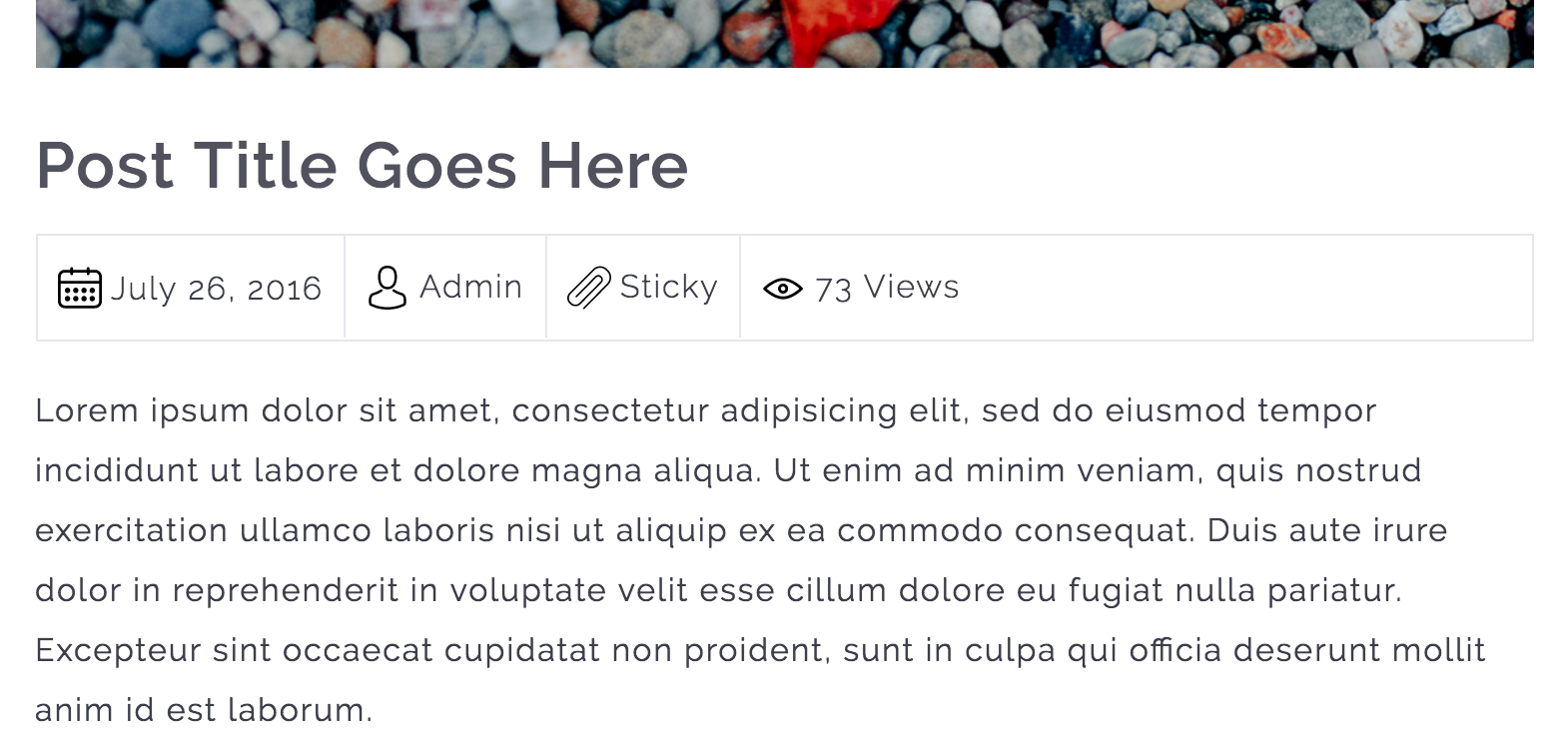
Metadata information is displayed.

Custom Fields list is displayed.
Changelog
1.5.5
- WordPress 6.9 compatibility confirmed
- Updated minimum WP requirement to 6.0
- Updated minimum PHP requirement to 8.3 (recommended by WordPress.org)
- Updated translation files for multilingual support
- General code improvements
1.5.4
- Updated language file
- Tested with WordPress 6.7.1
1.5.3
- Updated language file
- Tested with WordPress 6.2
1.5.2
- Tested with WordPress 6.0.3
1.5.1
- Tested with WordPress 5.9.1
1.5.0
- Improved security of the plugin.
- Tested with WordPress 5.8.2
1.4.0
- Tested with WordPress 5.7.1
1.3.0
- Tested with WordPress 5.4.1
1.2.0
- Added custom fields support for the posts and pages.
- Improved shodcode execution method.
1.1.0
- Add a TinyMCE editor button to insert ‘metadata’ shortcode through a popup which will collect all of the user input for the shortcode attributes.
1.0.1
- Added Comments Post Metadata support
- Updated POT file.
1.0.0
- Initial Release