

DPO Pay for WooCommerce
This is the official DPO Pay extension to receive payments for WooCommerce.
Plugin info
Maintenance & Compatibility
Maintenance score
Stale • Last updated 333 days ago • 1 reviews
Is DPO Pay for WooCommerce abandoned?
Likely maintained (last update 333 days ago).
Compatibility
Similar & Alternatives
Explore plugins with similar tags, and compare key metrics like downloads, ratings, updates, support, and WP/PHP compatibility.
Description
The DPO Pay plugin for WooCommerce lets you accept online payments, including credit and debit cards, digital wallets and other payment methods.
Why Choose DPO Pay?
We provide a secure checkout experience for your shoppers with a wealth of payment methods to choose from, knowing that intelligent fraud protection engines monitor your transactions around the clock.
FAQ’s
Does this require a DPO Pay merchant account?
Yes! You need to sign up with DPO Pay to receive a Company Token key and other details for this gateway to function. You can do so at dpogroup.com/get-started/ or by emailing [email protected].
Does this require an SSL certificate?
We do recommend obtaining an SSL certificate to allow an additional layer of safety for your online shoppers.
Where can I find API documentation?
For help setting up and configuring the DPO Pay plugin, please refer to our user guide.
I need some assistance. Whom can I contact?
Need help to configure this plugin? Feel free to connect with our DPO Pay Support Team by emailing us at [email protected] or give us a call at +254 (0) 709 947947.
Installation
Frequently Asked Questions
Review feed
Screenshots
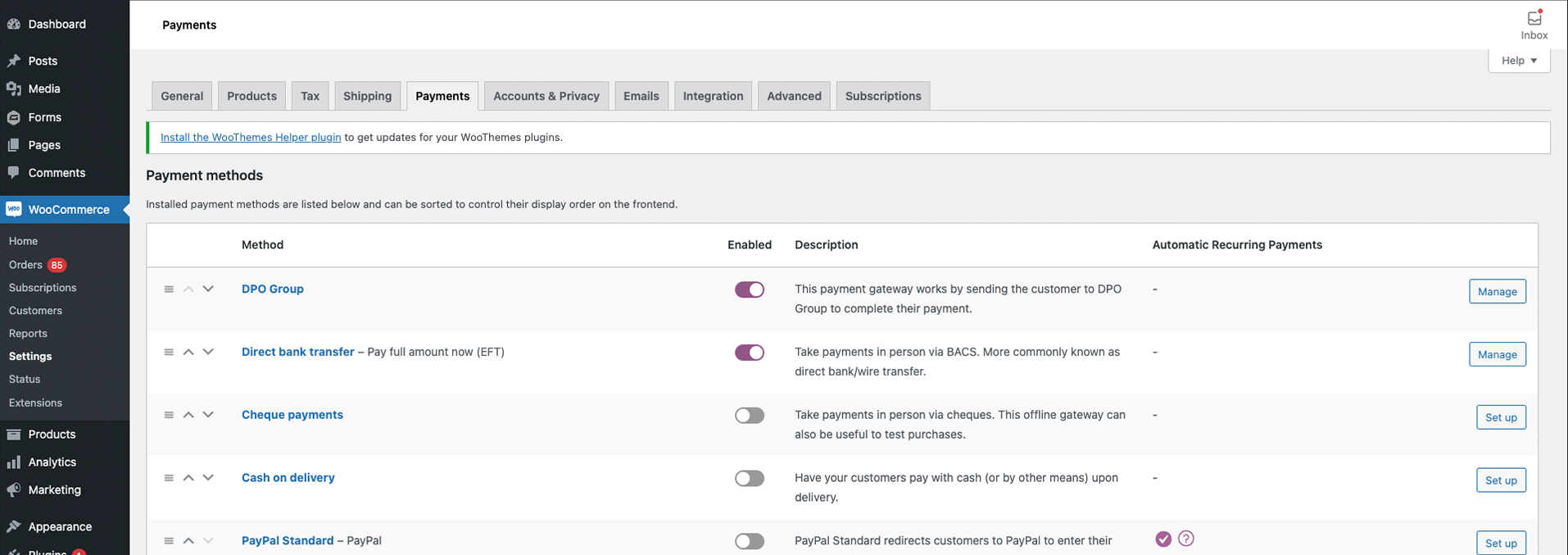
WooCommerce Admin Payments Screen

WooCommerce Admin DPO Pay Primary Settings

WooCommerce Admin DPO Pay Additional Settings

WooCommerce Admin Product Page Settings
Changelog
1.2.2 2025-05-05
- Fixed an issue in the “Add Order Meta to Service” functionality, where entering an invalid Meta Key caused errors during checkout.
- Updated the default placeholder examples on the “Add Order Meta to Service” setting.
- Fixed issues causing the cron job to fail under certain conditions.
1.2.1 2025-01-16
- Resolved an issue with the Service Type configuration that caused an “Unable to connect to payment gateway” error during checkout on some servers.
1.2.0 2024-12-19
- Code quality improvements.
- Verified compatibility with WooCommerce 9.4.3 and WordPress 6.7.1.
1.1.6 – 2024-08-08
- PHP 8.2 code quality standards
- Bug fixes and improvements
- Tested on WooCommerce 9.1.4, PHP 8.2 and WordPress 6.6.1.
1.1.5 – 2024-05-28
- Tested on WooCommerce 8.9.1, PHP 8.1 and WordPress 6.5.3.
1.1.4 – 2024-01-04
- Tested on WooCommerce 8.4.0 and WordPress 6.4.
- Add support for HPOS.
- Decline transactions if the reference and order ID don’t match.
- Amend Return and Cancel Urls for better compatibility.
- Add DPO Pay order filter.
- Change Product Invocation Method for better compatibility.
1.1.3 – 2023-04-26
- Tested on WooCommerce 7.6.0 and WordPress 6.2.
- Add support for WooCommerce Blocks.
- Bug fixes and improvements.