

WooCommerce Stripe Payment Gateway
Accept debit and credit cards in 135+ currencies, many local methods like Alipay, ACH, and SEPA, and express checkout with Apple Pay and Google Pay.
Plugin info
Maintenance & Compatibility
Maintenance score
Maintained • Last updated 142 days ago • Support resolved 97% • 218 reviews
Is WooCommerce Stripe Payment Gateway abandoned?
Likely maintained (last update 142 days ago).
Compatibility
Languages
Similar & Alternatives
Explore plugins with similar tags, and compare key metrics like downloads, ratings, updates, support, and WP/PHP compatibility.
Description
Changing consumer behavior has resulted in an explosion of payment methods and experiences, which are great for increasing conversion and lowering costs—but can be difficult for businesses to maintain. Give customers a best-in-class checkout experience while you remain focused on your core business. This is the official plugin created by Stripe and WooCommerce.
Drive 11.9% in revenue with an optimized checkout experience from Stripe
The enhanced checkout experience from Stripe can help customers:
- Boost conversion: Provide an optimal experience across mobile, tablet, and desktop with a responsive checkout, and offer 23 payment methods, including Link, Apple Pay, and Google Pay, out of the box.
- Expand your customer base: Convert customers who might otherwise abandon their cart with buy now, pay later methods like Klarna, Affirm, and Afterpay/Clearpay, wallets like Apple Pay, Google Pay, Alipay, and WeChat Pay, and local payment methods such as Bancontact in Europe and Alipay in Asia Pacific. Deliver a localized payment experience with out-of-the-box support for localized error messages, right-to-left languages, and automatic adjustment of input fields based on payment method and country.
- Meet existing customer demand and localize the experience: Offer local payment methods, such as ACH Direct Debit, Bacs Direct Debit, Bancontact, BECS Direct Debit, BLIK, Boleto, Cash App Pay, EPS, iDEAL, Multibanco, OXXO, Pre-authorized debit payments, Przelewy 24, and SEPA Direct Debit.
- Fight fraud: Detect and prevent fraud with Stripe Radar, which offers seamlessly integrated, powerful fraud-detection tools that use machine learning to detect and flag potentially fraudulent transactions.
- Accept in-person payments for products and services: Use the Stripe Terminal M2 card reader or get started with no additional hardware using Tap to Pay on iPhone, or Tap to Pay on Android.
- Support subscriptions: Support recurring payments with various payment methods via WooCommerce Subscriptions.
- Manage cash flow: Get paid within minutes with Stripe Instant Payouts, if eligible.
- Achieve PCI-DSS compliance with Stripe Elements hosted input fields.
- Support Strong Customer Authentication (SCA).
Stripe is available for store owners and merchants in 46 countries worldwide, with more to come.
Installation
You can download an older version of this gateway for older versions of WooCommerce from here.
Please note, v4 of this gateway requires WooCommerce 3.0 and above.
Automatic installation
Automatic installation is the easiest option as WordPress handles the file transfers itself and you don’t need to leave your web browser. To do an automatic install of the WooCommerce Stripe plugin, log in to your WordPress dashboard, navigate to the Plugins menu and click Add New.
In the search field type “WooCommerce Stripe Payment Gateway” and click Search Plugins. Once you’ve found our plugin you can view details about it such as the point release, rating, and description. Most importantly, of course, you can install it by simply clicking “Install Now”, then “Activate”.
Manual installation
The manual installation method involves downloading our plugin and uploading it to your web server via your favorite FTP application. The WordPress codex contains instructions on how to do this here.
Updating
Automatic updates should work like a charm; as always though, ensure you backup your site just in case.
Frequently Asked Questions
Stripe is available in the following countries, with more to come:
- Australia
- Austria
- Belgium
- Brazil
- Bulgaria
- Canada
- Croatia
- Cyprus
- Czech Republic
- Denmark
- Estonia
- Finland
- France
- Germany
- Gibraltar
- Greece
- Hong Kong
- Hungary
- India
- Ireland
- Italy
- Japan
- Latvia
- Liechtenstein
- Lithuania
- Luxembourg
- Malaysia
- Malta
- Mexico
- Netherlands
- New Zealand
- Norway
- Poland
- Portugal
- Romania
- Singapore
- Slovakia
- Slovenia
- Spain
- Sweden
- Switzerland
- Thailand
- United Arab Emirates
- United Kingdom
- United States
Yes. In Live Mode, an SSL certificate must be installed on your site to use Stripe. In addition to SSL encryption, Stripe provides an extra JavaScript method to secure card data using Stripe Elements.
Yes, it does. Both production and test (sandbox) modes are driven by the API keys you use with a checkbox in the admin settings to toggle between both.
Refer to the Stripe WooCommerce Extension documentation for more information, including how to set up and configure the extension.
If you get stuck, you can ask for help in the Plugin Forum.
Review feed
Fast response and very helpful
Poorly optimized and lack of quality control
Breaks down every other month
Excellent Payment Gateway with Strong Features and Support
Screenshots

With the enhanced checkout from Stripe, you can surface 23 payment methods including buy now, pay later methods; and Link, an accelerated checkout experience.
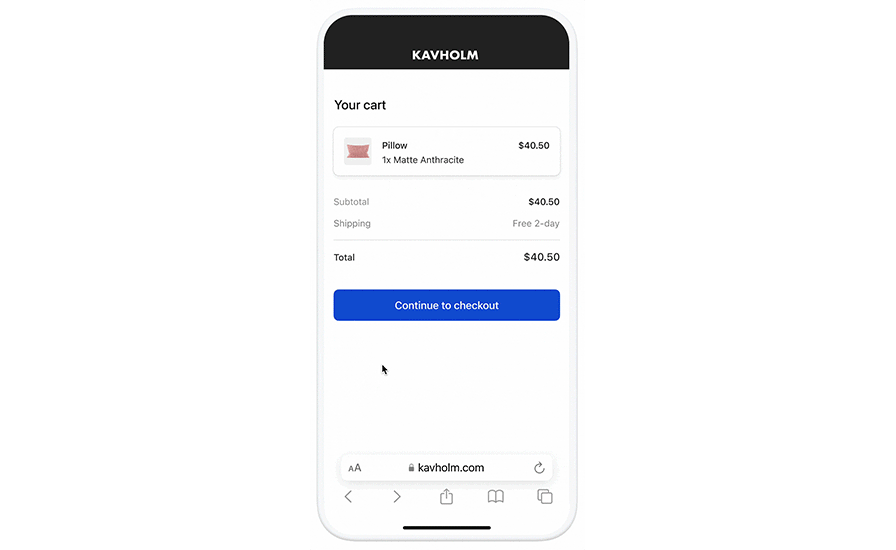
Link autofills your customers’ payment information to create an easy and secure checkout experience.

Convert customers who would usually abandon their cart and increase average order value with buy now, pay later options like Klarna, Afterpay, and Affirm. Accept credit and debit card payments from Visa, Mastercard, American Express, Discover, and Diners.
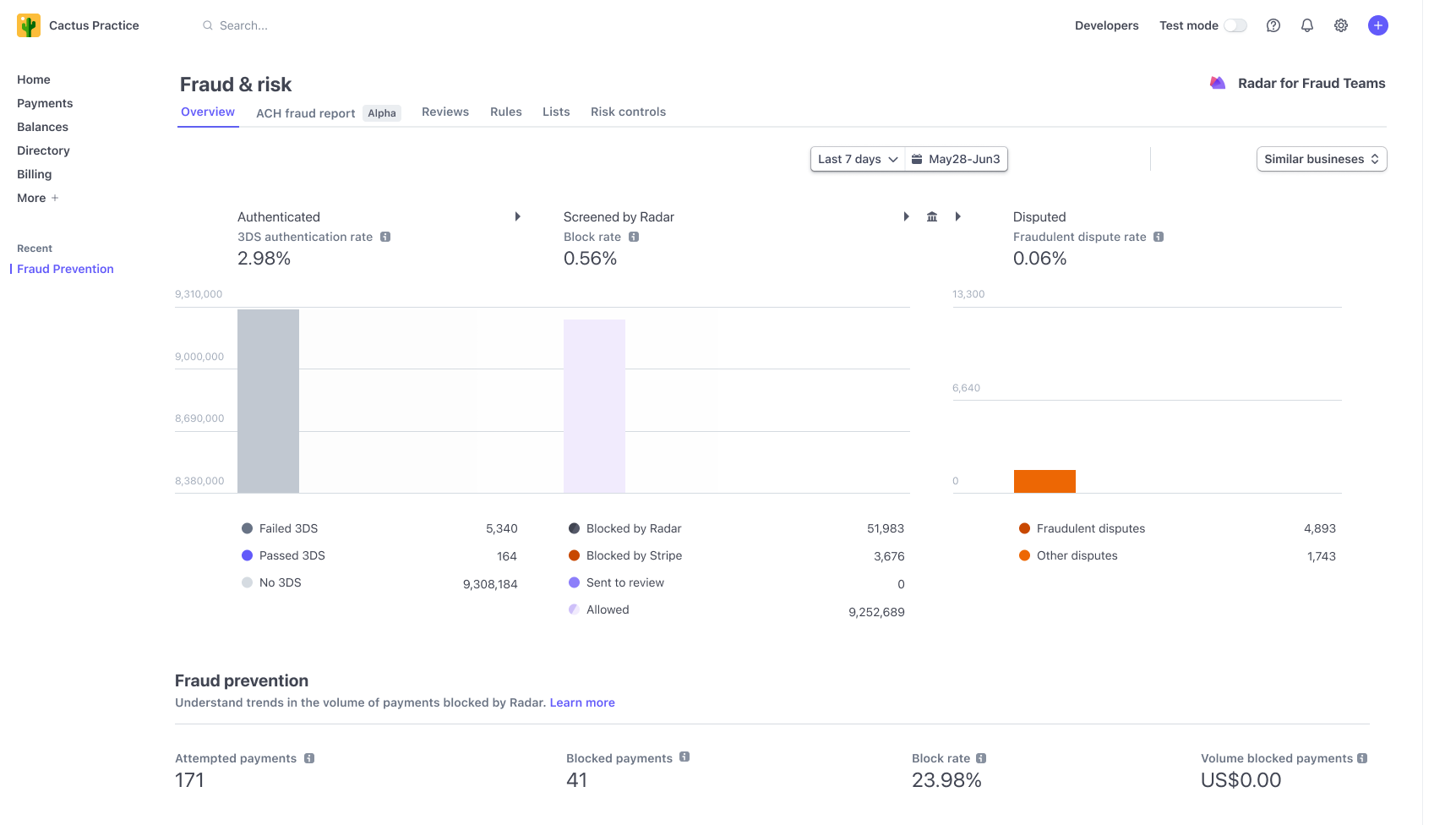
Stripe Radar offers seamlessly integrated, powerful fraud-detection tools that use machine learning to detect and flag potentially fraudulent transactions.

Accept in-person payments for products and services using the Stripe Terminal M2 card reader.

Get started with no additional hardware using Tap to Pay on iPhone, or Tap to Pay on Android.
Changelog
10.1.0 – 2025-11-11
- Dev – Remove unused
shouldShowPaymentRequestButtonparameter and calculations from backend - Fix – Improves the error message shown in checkout when a saved payment method is no longer valid
- Fix – Fix fatal error when trying to allow the
displayCSS property using thesafe_style_cssfilter - Fix – Remove
redirect_urlparameter from Express Checkout payment flow - Fix – Adjust UI spacing of help text on express checkout theme settings page
- Update – Renames and migrates all Payment Request Buttons settings to Express Checkout
- Dev – Upgrades
@automattic/interpolate-componentsto 1.2.1 to remove thenode-fetchdependency - Add – Includes a notice to inform merchants about methods that are automatically enabled upon account connection
- Dev – Upgrades the
nockNPM package to version^13.5.6to remove the lodash.set dependency - Add – Add a new filter allowing third-party plugins to hook captcha solutions when creating and confirming setup intents
- Dev – Add track events when clicking the “Reconnect to Stripe” button (both in the settings page and the admin notice)
- Update – Removes unnecessary legacy checkout gateway instantiations and UPE disablement code
- Dev – Renames previous Order Helper class methods to use the
_idsuffix - Dev – Expands the Stripe Order Helper class to handle customer ID, card ID, UPE payment type, and UPE redirect status metas
- Fix – Remove redundant secret management logic when configuring webhooks
- Dev – Improve Payment Method Configuration error logging
- Dev – Add Stripe’s request-id to API response logs
- Fix – Increase limit when listing available payment method configurations from the Stripe API
- Fix – Klarna not processing recurring payments
- Fix – Fix Express Checkout error with free trial subscription on blocks cart/checkout
- Fix – Improve Express Checkout compatibility with One Page Checkout
- Fix – Allow express checkout to complete successfully for addresses without postal codes in countries where it’s not required (eg: Israel)
- Fix – Prevent retrying requests that errored out due to declined payment methods
- Fix – GooglePay/ApplePay fail when there are more than 9 shipping options
- Fix – Detect WooCommerce Subscriptions staging sites when checking if payments can be detached
- Fix – Fix saved ACH payment methods sending unsupported capture_method parameter causing checkout failures
- Dev – Add Stripe’s masked API key to API request/response logs
- Add – Add wc_stripe_is_amazon_pay_available filter to override Amazon Pay feature flag
- Dev – Add verbose debug logging mode to the OAuth connect flow
- Fix – Disable Amazon Pay when taxes are based on billing address and add notices with details
- Fix – Fix express checkout error for a Saudi Arabian address without state and postal code
- Fix – Ensure we have a fallback for shipping rate names in classic checkout