

DropAvif Image Optimizer – Convert WebP & AVIF | Compress Images
🚀 Unique for image optimization. Cloud-based AVIF & WebP conversion, Smart Format Selection, Watermarking, and Lazy Load. Zero server load.
Plugin info
Maintenance & Compatibility
Maintenance score
Maintained • Last updated 126 days ago
Is DropAvif Image Optimizer – Convert WebP & AVIF | Compress Images abandoned?
Likely maintained (last update 126 days ago).
Compatibility
Similar & Alternatives
Explore plugins with similar tags, and compare key metrics like downloads, ratings, updates, support, and WP/PHP compatibility.
Description
DropAvif Image Optimizer is not just a compression tool—it is a complete image delivery platform for WordPress.
We solve the modern web’s biggest challenge: balancing visual quality with lightning-fast load times. Unlike legacy plugins that struggle with server limits, DropAvif offloads 100% of the processing work to our dedicated optimization cloud.
Whether you are a photographer protecting your work with watermarks, an agency managing 50 sites via WP-CLI, or an eCommerce giant needing instant product page loads, DropAvif is built for you.
💡 Why DropAvif is the Superior Choice in 2025
🧠 Exclusive “Smart Format Selection” Technology
Stop guessing between WebP and AVIF. Our cloud engine generates both next-gen formats, analyzes them in real-time against the original, and automatically serves the absolute smallest file to your visitor.
* Result: You get the extreme compression of AVIF where it shines, and the efficiency of WebP where it’s better. You never leave performance gains on the table.
☁️ Zero-Load Cloud Architecture
Traditional plugins use your server’s CPU (GD/Imagick) to compress images. This causes timeouts, failed uploads, and slows down your dashboard.
DropAvif is different. We send your images to our powerful API. Your server stays fast, and we handle the heavy lifting.
* Process 50,000+ images in the background without slowing down your site.
* No timeouts on shared hosting.
* Resume capability automatically handles interruptions.
👁️ Perceptual “Smart Optimization” (AI)
Our flagship compression engine uses perceptual analysis (SSIM) to understand what the human eye actually sees. It intelligently removes invisible data while preserving critical edges, textures, and colors.
* Result: Images are up to 80% lighter than originals but look virtually identical.
🛡️ Professional Image Protection: Watermarking
Protect your intellectual property automatically without touching your original files.
* Non-Destructive: The watermark is applied only to the optimized WebP and AVIF versions served to visitors. Your original source file remains clean and safe.
* Cloud-Powered: Watermarking happens in the cloud during conversion, ensuring perfect quality and transparency handling.
* Flexible Control: Position the watermark anywhere (9 anchor points), adjust opacity, scale, and padding.
📸 Comprehensive Image Features
Next-Generation Format Conversion
* AVIF Conversion: The future of images. Offers superior compression (often 50% smaller than WebP) and HDR color support.
* WebP Conversion: The modern standard. Fully supported by all browsers.
* Automatic Fallbacks: We use advanced server rules (.htaccess / Nginx). If a browser doesn’t support AVIF, we serve WebP. If it doesn’t support WebP, we serve the original. Zero broken images.
Massive Bulk Optimization
* Asynchronous Engine: Optimize your entire library in the background. You can close the browser tab and let DropAvif work its magic.
* Directory Scanning: DropAvif optimizes everything, not just the Media Library.
* /wp-content/uploads/
* /wp-content/themes/ (Optimize theme assets!)
* /wp-content/plugins/ (Optimize images from other plugins!)
* Any custom folder you define.
Before & After Comparison
* Visual Proof: Use our built-in comparison tool in the Media Library to see the quality difference and file size savings for any specific image side-by-side.
⚡ Core Web Vitals & Performance Suite
It’s not just about file size—it’s about how the browser loads the page.
Advanced Lazy Loading
* Smart Loading: Only load images, iframes, and videos when they enter the viewport.
* Native Support: Utilizes browser-native lazy loading attributes for maximum performance.
* Video Placeholders: Replaces heavy YouTube/Vimeo iframes with a lightweight preview image. The video resource only loads when the user clicks “Play.”
Critical Image Preloading (LCP)
* LCP Optimization: Automatically identifies and preloads the Largest Contentful Paint (LCP) image (usually the hero banner) to instantly boost your Google Lighthouse score.
Layout Shift (CLS) Fixes
* Missing Dimensions: Automatically scans your HTML and adds missing width and height attributes to
🔌 Deep Ecosystem Integration
DropAvif is engineered to work seamlessly with the tools you already use.
Smart SEO Sitemaps
* Yoast SEO & Rank Math: We automatically update the image URLs in your XML sitemaps. This ensures Google bots index your optimized WebP/AVIF versions instead of the heavy originals, boosting your SEO rankings.
Page Builders & Galleries
* Full Compatibility: Automatically detects and optimizes images added by Elementor, WPBakery, Divi, Beaver Builder, and Gutenberg.
* Gallery Support: Native support for NextGen Gallery, Modula, and FooGallery.
eCommerce Ready
* WooCommerce: Optimize thousands of product variations without slowing down the checkout flow.
CDN Support
* Cloudflare API: Connect your Cloudflare account directly. The plugin will automatically purge the Cloudflare cache for specific images whenever they are optimized, ensuring users always see the latest version.
💻 Full WP-CLI Integration (For Developers)
Manage optimization entirely from the command line. Perfect for agencies, cron jobs, and automated deployment pipelines.
- Regenerate: Run bulk conversions or force re-optimization.
$ wp media-optimizer regenerate$ wp media-optimizer regenerate --force
- Automate: Script the optimization process across multiple sites without ever logging into the WordPress dashboard.
🔧 Advanced Control for Agencies
Role-Based Upload Policies
Stop clients or editors from uploading massive, unoptimized photos that kill your server storage.
* Set Max File Size (e.g., 5MB) limits per user role.
* Set Max Image Dimensions (e.g., 2000px width) limits per user role.
Granular Exclusions
Complete control over what gets optimized. Exclude by:
* Path/URL: e.g., /sensitive-documents/
* Filename Pattern: e.g., banner-hq-*.jpg
* Thumbnail Size: Keep your full-resolution originals untouched while optimizing only the thumbnails.
🛡️ Safety, Backup & Privacy
- Originals are Read-Only: We never overwrite your original files. We create optimized copies in a separate folder.
- One-Click Restore: Don’t like the result? Revert to the original image instantly.
- Backup Friendly: Option to exclude the
media-optimizer-filesdirectory from backup plugins (UpdraftPlus, etc.) to save massive amounts of backup storage space (since optimized files can always be regenerated).
💸 Pricing Model
DropAvif Free:
* Unlimited Local WebP conversion (using your server).
* Unlimited Lazy Load, Preload, and Watermarking features.
* 200 Free Cloud Credits (one-time) to test AVIF conversion and “Smart Optimization”.
DropAvif API:
* Cloud AVIF Conversion: Unlock the most efficient compression.
* Smart Format Selection: The “Best of Both Worlds” engine.
* Smart Optimization: Higher quality, lower size (SSIM-based).
* Priority Queue: Skip the line for faster processing.
* Upload Policies: Restrict user uploads.
Installation
- Upload the
dropavif-media-optimizerfolder to the/wp-content/plugins/directory. - Activate the plugin through the ‘Plugins’ menu in WordPress.
- Go to Settings -> DropAvif Image Optimizer.
- (Optional) Enter your API key to enable AVIF, Watermarking, and Smart Optimization.
- Navigate to the Bulk Optimization tab and run the process to optimize your existing library.
Frequently Asked Questions
The plugin uses transparent server-side rules (.htaccess for Apache/LiteSpeed or a configuration snippet for Nginx). The original image URL (e.g., image.jpg) remains in your HTML, but the server delivers the optimized image.jpg.avif or image.jpg.webp file to browsers that support it. This ensures 100% backward compatibility.
No. All image processing is offloaded to the DropAvif Cloud API. Your server only sends the original image and receives the optimized versions. This results in zero CPU load on your hosting environment.
No. The watermark is applied only to the optimized WebP and AVIF versions generated by the plugin. Your original JPEG/PNG source files remain untouched and clean. If you disable the plugin, the watermark disappears.
Your original images remain completely untouched. The plugin will simply stop serving the optimized WebP/AVIF versions, and your site will instantly revert to serving the original JPGs/PNGs.
No, the free version is fully functional for Local WebP conversion and all performance features (Lazy Load, Preload). The PRO account is required for cloud-based features like AVIF conversion, Smart Optimization, and Watermarking because they require significant processing power on our servers.
WordPress only stores metadata for items in the Media Library. DropAvif scans images from plugins, themes, and custom folders. The dedicated wp_media_optimizer_files index keeps a lightweight record for every discoverable file, allowing the plugin to check optimization status instantly without expensive filesystem scans.
Additionally, if you enable the optional CDN feature, the plugin will connect to the Cloudflare API (https://api.cloudflare.com/client/v4/) to purge the cache. This requires you to provide your own Cloudflare API credentials.
* Cloudflare Terms of Service: https://www.cloudflare.com/website-terms/
The service processes the image on its servers and returns the optimized version to your website. No personal user data is sent.
You can review the service’s terms and privacy policy here:
* Terms of Service: https://dropavif.com/terms-of-service
* Privacy Policy: https://dropavif.com/privacy-policy
Review feed
Screenshots
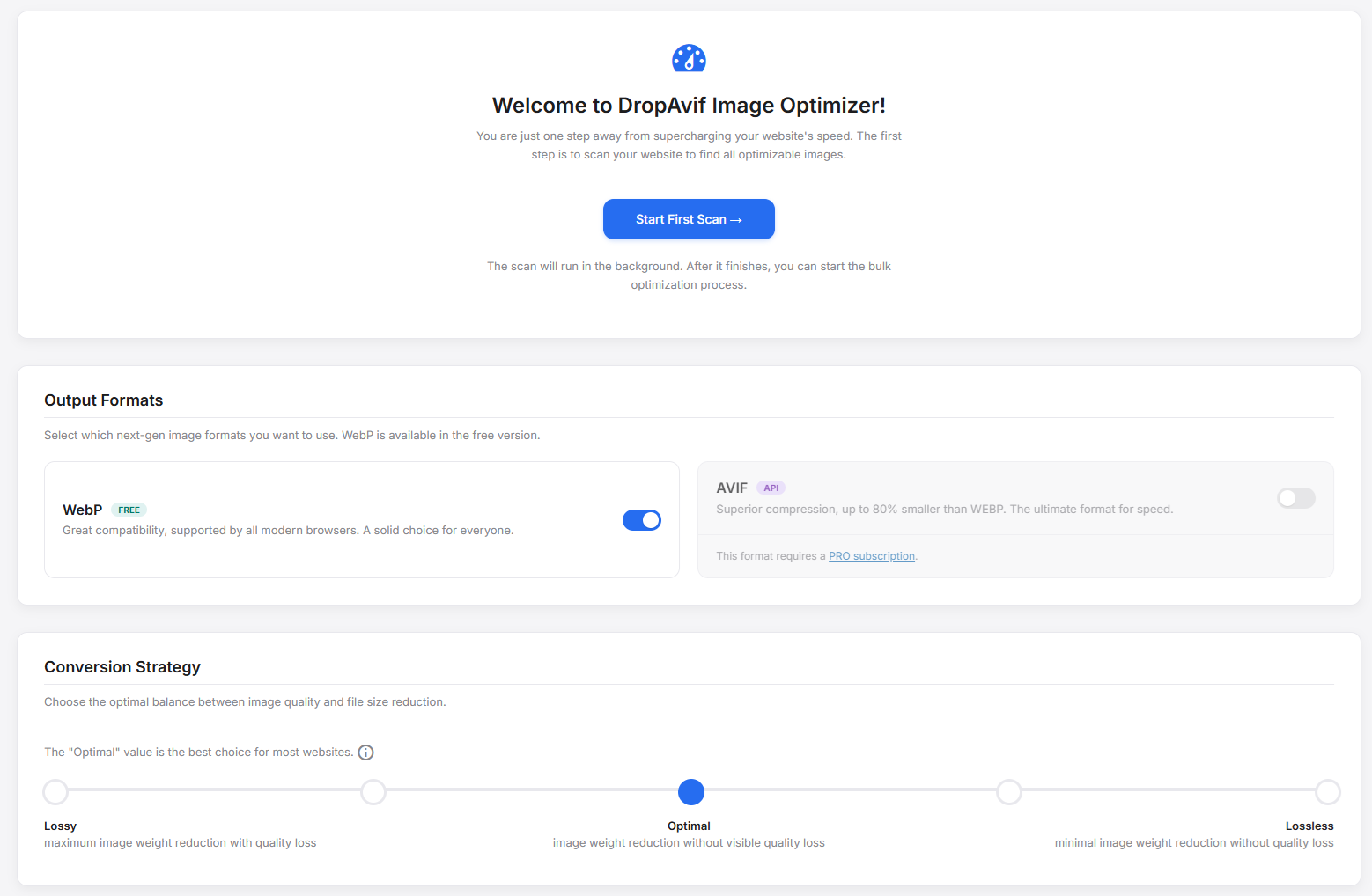
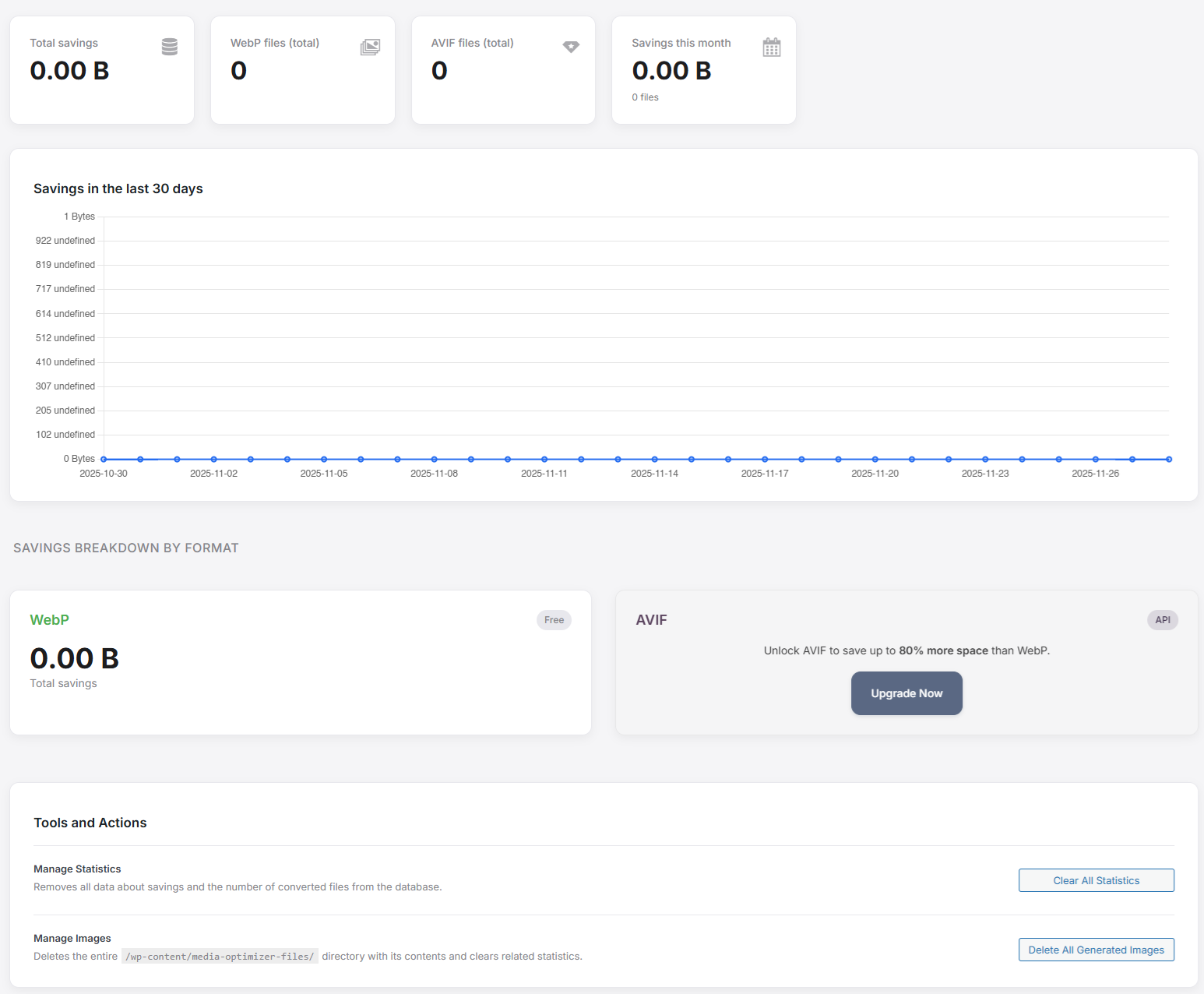
Dashboard: The main overview showing savings, quota, and quick actions.
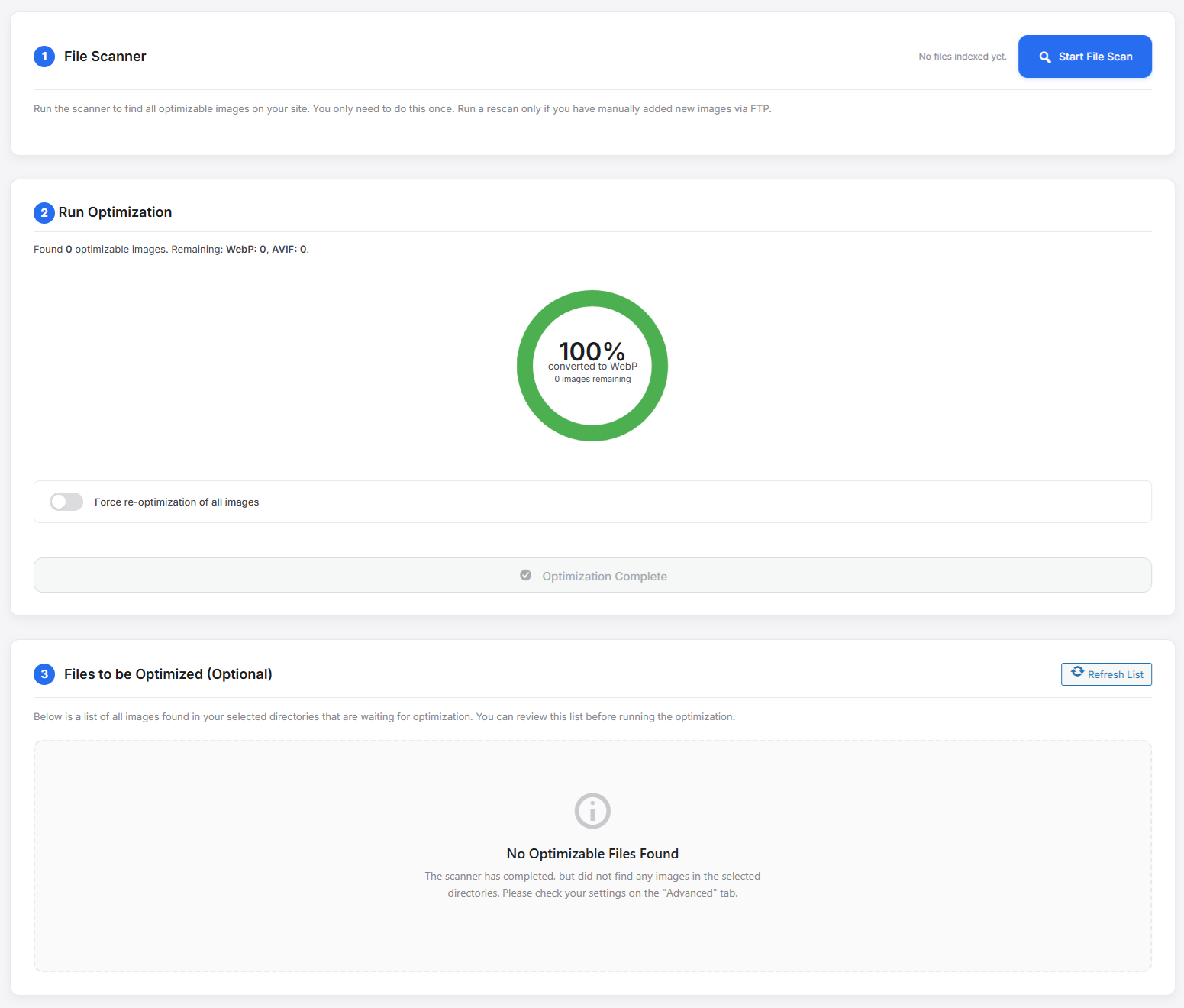
Bulk Optimization: The asynchronous processor handling a large library queue with real-time progress circles.
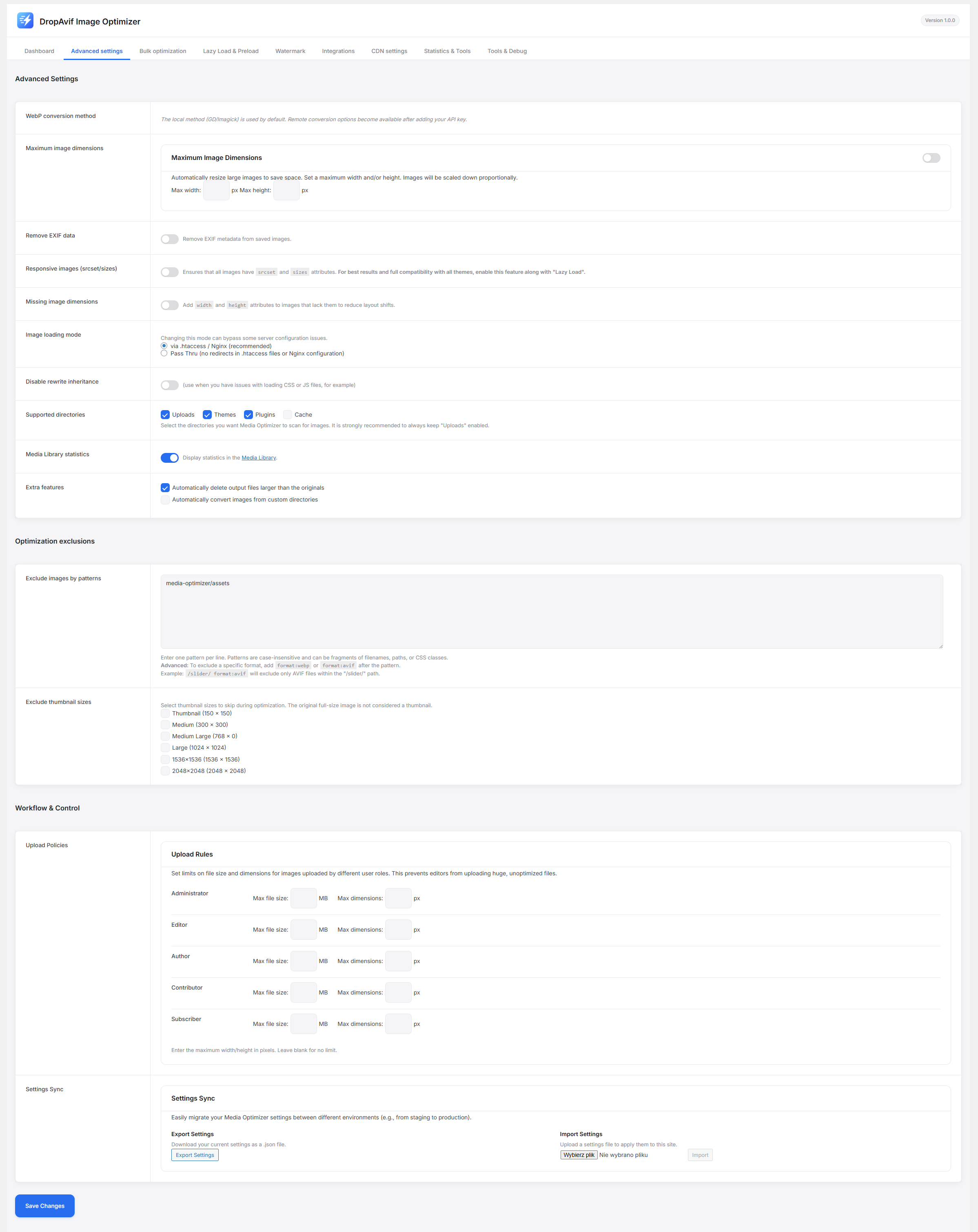
Advanced Settings: Granular control over conversion methods, exclusions, and server settings.
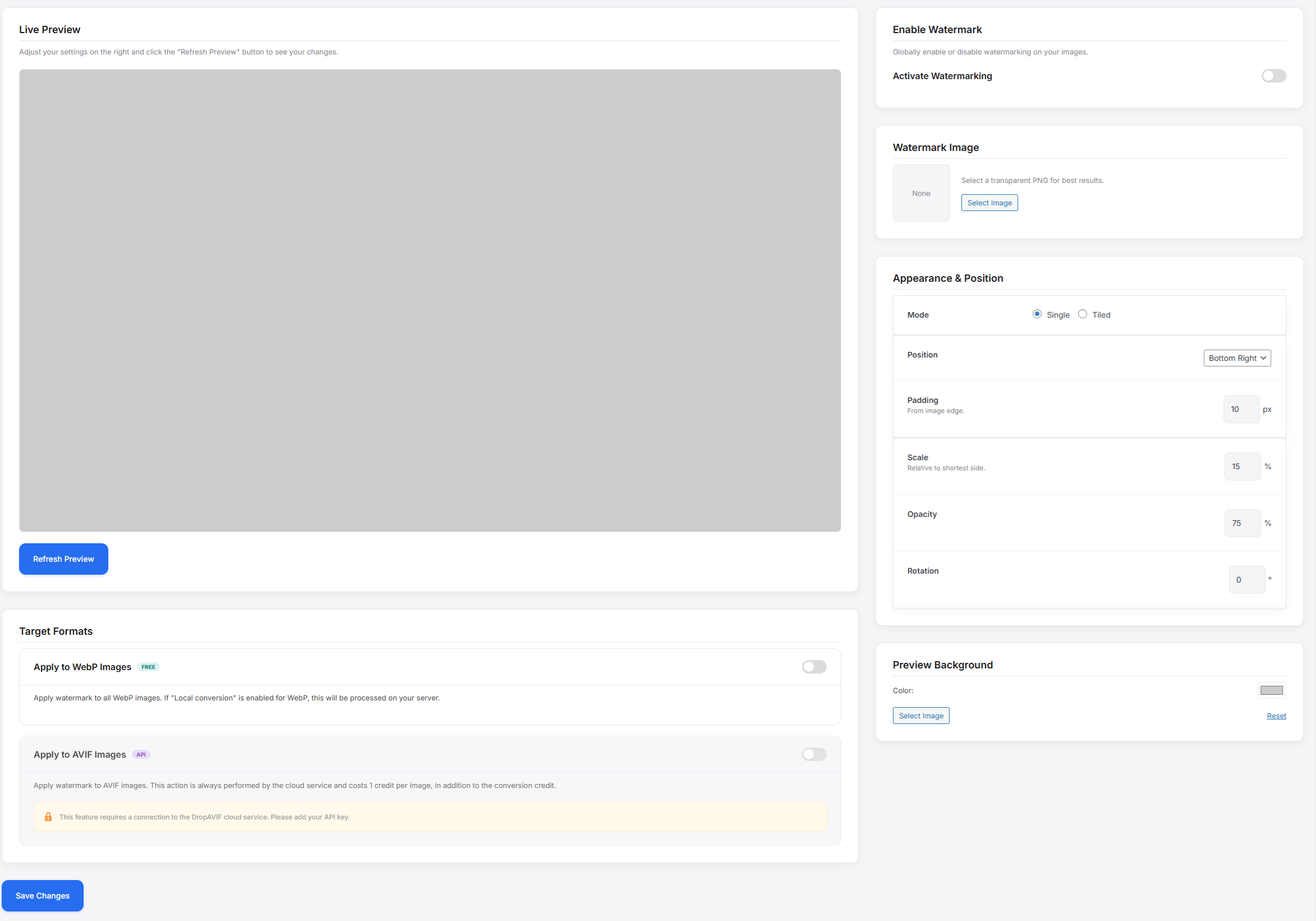
Watermark Settings: Live preview tool for configuring watermark position, opacity, and tiling.
Media Library: Custom column showing optimization status, savings percentage, and comparison tools.
Visual Comparison: The "Before & After" slider tool verifying image quality.
Changelog
1.0.0
- Initial release of DropAvif Image Optimizer.
- Feature: Cloud API integration for AVIF and Smart Optimization.
- Feature: Smart Format Selection logic.
- Feature: Asynchronous Bulk Optimization engine.
- Feature: Non-destructive Watermarking.
- Feature: Lazy Load and Preload modules.
- Feature: WP-CLI support (
wp media-optimizer regenerate). - Feature: SEO Sitemap integration (Rank Math / Yoast).