

Dropbox Photo Sideloader
Adds a new tab to the Add media screen, allowing you to pull images from Dropbox into WordPress.
Plugin info
Maintenance & Compatibility
Maintenance score
Possibly abandoned • Last updated 4224 days ago • 5 reviews
Is Dropbox Photo Sideloader abandoned?
Possibly abandoned (last update 4224 days ago).
Compatibility
Languages
Similar & Alternatives
Explore plugins with similar tags, and compare key metrics like downloads, ratings, updates, support, and WP/PHP compatibility.
Description
Adds a new tab to the Add media screen, allowing you to pull images from Dropbox into WordPress.
“Sideloading” is a term given to differeniate from “uploading” or “downloading”. When you sideload an image, you’re copying it directly from Dropbox to WordPress. So if you keep your images in Dropbox, this plugin allows you to easily copy those images into WordPress.
After sideloading an image into WordPress, you’ll find it in the Media Library and available for use in Galleries, or as images in the Post, or just whatever you like. It’s just as if you uploaded them manually.
Note that sideloading many images at once may take more time than your webserver will allow. If this happens, just sideload them in smaller groups.
Credits:
- This plugin uses the Dropbox PHP code (albeit modified slightly) from https://github.com/Dropbox-PHP/dropbox-php.
- This plugin uses the jsTree Javascript library from http://www.jstree.com/.
- The three image icons come from the Lullacon Pack 1: http://www.lullabot.com/articles/free-gpl-icons-lullacons-pack-1
Installation
Setup:
- Install the plugin.
- Create a new post (or edit an old one), and click the Upload Media icon.
- In the uploader popup, click the new “Dropbox Images” tab on the right.
- If you’re logged in as an administrator, you’ll find configuration instructions. These only need to be followed one time.
Those configuration instructions are reproduced here, for clarity.
- Visit https://www.dropbox.com/developers/apps and Click “Create an App”.
- Give it a name and description.
- Select “Full Dropbox” so that it can access all your files.
- After the app has been created, copy the App Key and App Secret into the plugin config screen.
- Note: You can leave the App in “Development” status unless more people than just you need to access their Dropboxes using the plugin.
Frequently Asked Questions
I just see a blank screen with a Sideload button on the Dropbox Images tab
As of version 0.4, the Dropbox listing is displayed using Javascript and loaded via AJAX requests. This makes navigation simpler and faster.
So if you don’t see the loading message appear and then have the directory structure loaded for you, then something else may be interfering with the javascript on the page. Try disabling other plugins and/or switching to the default theme and seeing if it works there.
Review feed
Got it to work - very nice
Screenshots
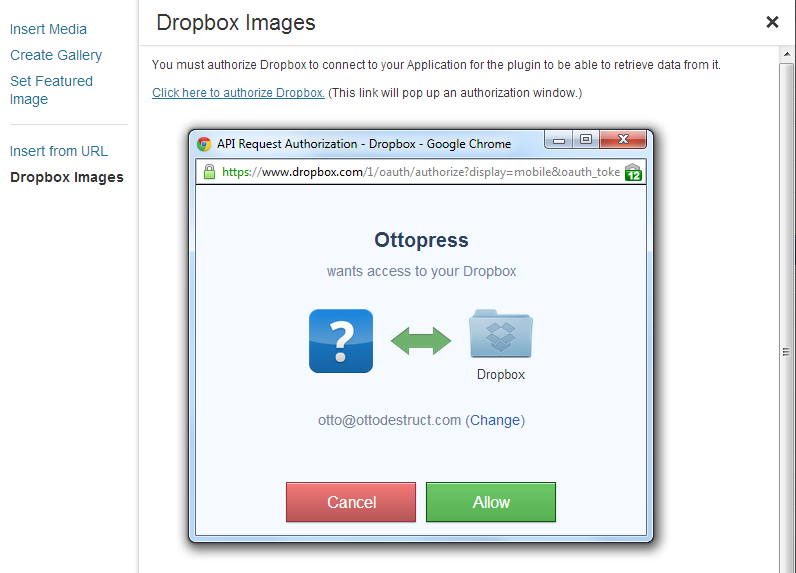
Authorization screen
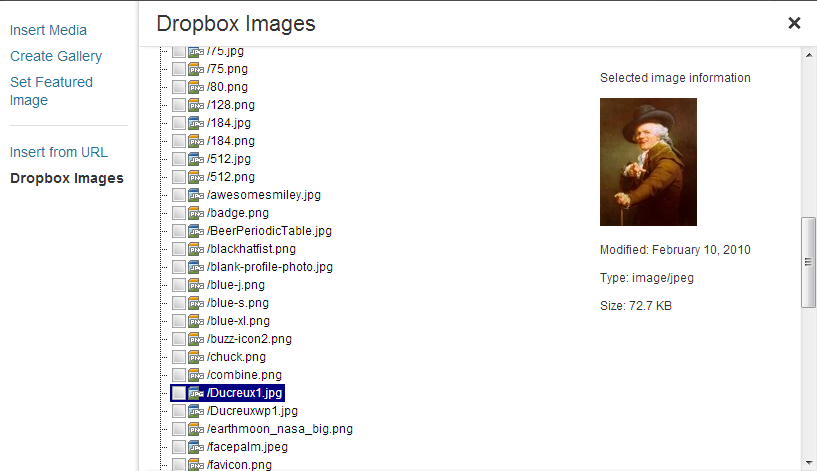
Files ready for sideloading
Changelog
0.6
- WordPress Core now handles spaces in sideloaded images, allowing me to fix this issue in the plugin. Ref: https://core.trac.wordpress.org/ticket/16330
- TODO: Support new media library properly with JS, instead of using the backwards-compatibility functionality.
0.5
- Add preview panel on the right hand side of the screen for WordPress 3.5 users (who now have a bit of extra width to play with)
- Fixed ordering of directories and items
- Added uninstall script to remove the dbsideload settings on uninstall
0.4
- Add new jsTree based file browsing and image icons.
0.3
- Add error handling and error checking to the setup process (test for an invalid key/secret before saving them).
- Change to use mobile version of the auth screen (looks better, IMO)
- Add check for HTTPS/SSL support (Dropbox requires it, won’t work without it).
0.2
- Fix issues with spaces and other url-encoded characters in image filenames not being sideloaded properly.
- Add config screen
0.1
- First version