

Easy Stripe Payments & Donations
A lightweight and flexible Stripe payment solution for WordPress. Accept one-time or recurring payments with a customizable Stripe Checkout interface.
Plugin info
Maintenance & Compatibility
Maintenance score
Maintained • Last updated 126 days ago • 2 reviews
Is Easy Stripe Payments & Donations abandoned?
Likely maintained (last update 126 days ago).
Compatibility
Similar & Alternatives
Explore plugins with similar tags, and compare key metrics like downloads, ratings, updates, support, and WP/PHP compatibility.
Description
Easy Stripe Payments & Donations lets you integrate Stripe Checkout into your WordPress site with minimal setup. Perfect for donations, simple eCommerce needs, services, or subscriptions.
Three checkout modes included:
- Standard Checkout Accept one-time payments with customizable product name, amount, and currency.
- Campaign Checkout Track fundraising campaigns with a frontend progress display showing how much has already been collected.
- Stripe Subscription Button Let users subscribe to recurring payments (monthly/yearly) using Stripe’s subscription system.
Supported Payment Methods & Currencies
Easy Stripe Payments & Donations supports all payment methods offered by Stripe, as well as all currencies available through Stripe.
You can easily enable or disable payment methods directly from your Stripe Dashboard, and they will automatically appear in the checkout on your website — no additional configuration required.
Popular Stripe Payment Methods Supported
Credit and debit cards (Visa, MasterCard, American Express, Discover, etc.)
Apple Pay
Google Pay
Klarna
PayPal via Stripe (if enabled in your Stripe account)
SEPA Direct Debit
Bancontact
iDEAL
Sofort
EPS
Giropay
Przelewy24 (P24)
Afterpay / Clearpay
Alipay
WeChat Pay
Common Currencies Supported
Easy Stripe Payments & Donations accepts all currencies supported by Stripe, including major global currencies such as:
USD – United States Dollar
EUR – Euro
GBP – British Pound
AUD – Australian Dollar
CAD – Canadian Dollar
CHF – Swiss Franc
JPY – Japanese Yen
SEK – Swedish Krona
NOK – Norwegian Krone
DKK – Danish Krone
NZD – New Zealand Dollar
SGD – Singapore Dollar
Stripe automatically handles currency conversion and processing according to your account settings.
Other features include:
- Shortcode-based checkout button embedding
- Compatible with most themes and page builders
- Lightweight and privacy-conscious (no tracking or bloat)
Premium features (available via a separate service):
- Domain-based license activation
- Priority support
- Stripe metadata (e.g. campaign name, custom user data)
- Multiple Stripe checkouts and multiple Stripe subscription payments
Note: This plugin requires a free Stripe account. No additional fees are charged by the plugin author.
External services
This plugin relies on external services to check premium membership status and to securely process payments via Stripe.
All external connections are necessary for the plugin to provide its full functionality, and users sensitive data is handled securely according to the respective service’s privacy policies.
EcoSys365 API
This plugin connects to the external EcoSys365 API service (https://api.ecosys365.com).
The connection is required in order to check whether the current domain has a valid premium membership status.
- Data sent: the domain name of the WordPress installation (no user or visitor personal data).
- Purpose: to confirm whether the domain is marked as “premium”, so premium features can be enabled or disabled.
- Service provider: EcoSys 365 Solutions LLC
- Terms of Service: https://ecosys365.com/terms
- Privacy Policy: https://ecosys365.com/privacy
Domain Registration Service
This plugin also connects to the external domain registration service www.payments-and-donations.com.
The connection is used when a site administrator registers their domain for premium membership activation.
- Data sent: the domain name of the WordPress installation (no personal data from users or visitors).
- Purpose: to register the current domain for premium membership.
- Service provider: Payments and Donations (https://www.payments-and-donations.com)
- Terms of Service: https://www.payments-and-donations.com/terms-conditions
- Privacy Policy: https://www.payments-and-donations.com/privacy-policy
Stripe JS Library
The plugin loads the official Stripe JavaScript library from https://js.stripe.com/v3.
This is required to securely handle payment forms and communication with Stripe’s payment gateway.
- Data sent: the library may collect payment-related information entered by users during checkout (e.g., card details), which is sent directly to Stripe’s servers and not processed or stored by this plugin.
- Purpose: to enable secure payment processing via Stripe.
- Service provider: Stripe
- Terms of Service: https://stripe.com/legal
- Privacy Policy: https://stripe.com/privacy
Stripe API (via PHP SDK)
This plugin uses the official Stripe PHP SDK to communicate with the Stripe API (https://api.stripe.com).
These requests are required to manage payments, subscriptions, and products in the WordPress Dashboard, as well as to enable Stripe Checkout for end users on the frontend.
- Data sent: payment-related details such as product information, subscription data, and customer details that are required for processing payments.
Sensitive payment information (e.g., credit card numbers) is sent directly to Stripe and never stored by this plugin or on the WordPress site. - Purpose: to process payments, create subscriptions, and manage related resources in Stripe.
- Service provider: Stripe
- Terms of Service: https://stripe.com/legal
- Privacy Policy: https://stripe.com/privacy
Installation
- Upload the plugin folder to
/wp-content/plugins/. - Activate via the “Plugins” menu in WordPress.
- Go to Stripe Payments > Settings in your admin dashboard.
- Enter your Stripe API keys (Live or Test).
- Create payment forms for one-time payments, campaigns, or subscriptions using the intuitive form builder.
- Use shortcodes to place payment buttons or forms wherever needed on your site.
Frequently Asked Questions
Yes, core functionality is free. Premium upgrades are available separately via external service.
Yes, the Campaign Checkout mode shows the current collected total on the frontend using a shortcode. The payments are also displayed in the WordPress dashboard and stored in a separate WordPress database table.
Yes, using the Stripe Subscription Button, which integrates with Stripe’s recurring billing system.
No. All code in this plugin is fully usable. Premium features are provided via a separate extension in compliance with WordPress.org guidelines.
No. All payment information is securely handled by Stripe.
Review feed
Screenshots
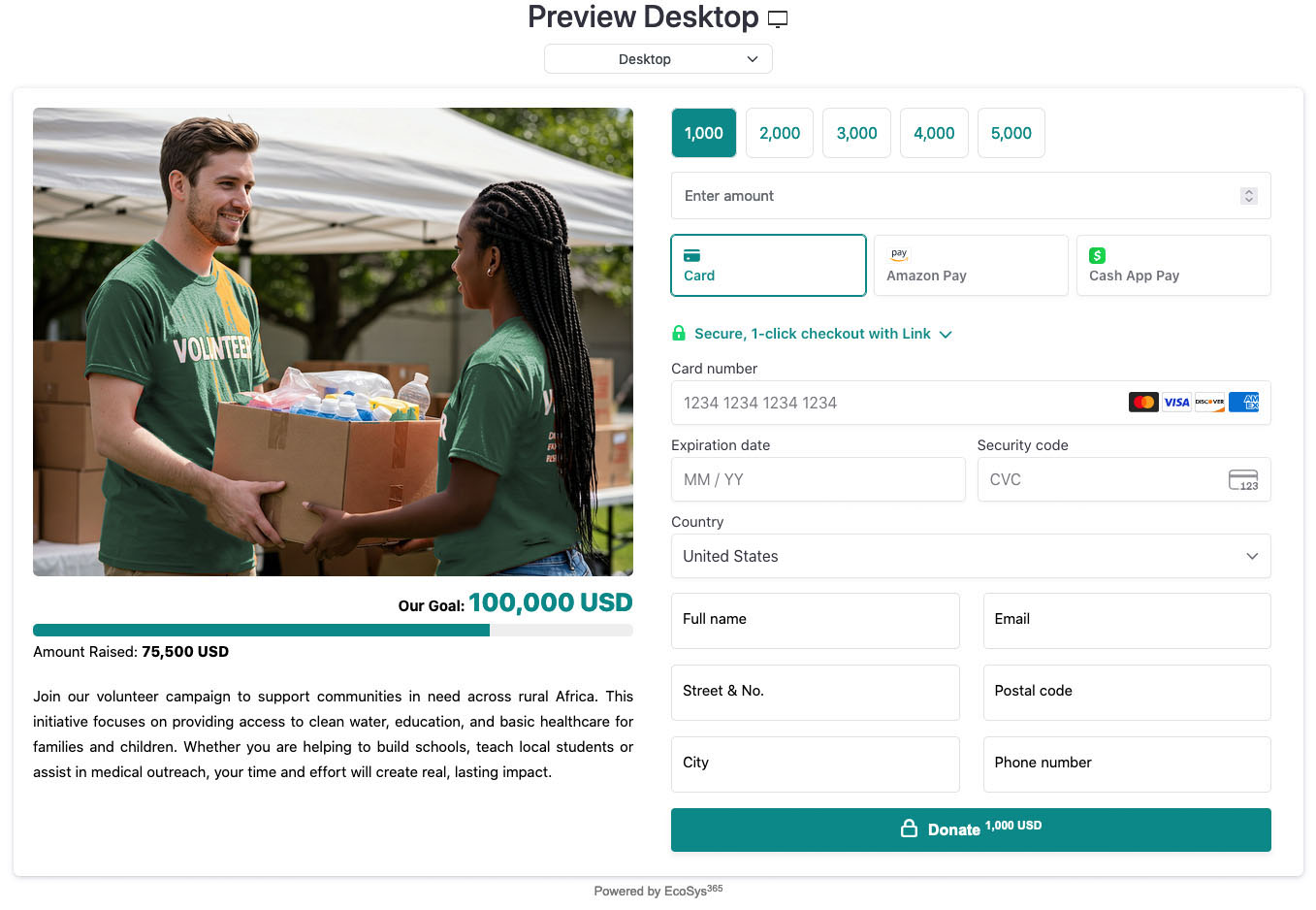
Campaign Checkout example with donation total

Example of a physical product (Smartwatch) integrated with Stripe Checkout

Demo of an annual fitness or coaching program with custom Stripe Checkout form, image, and description
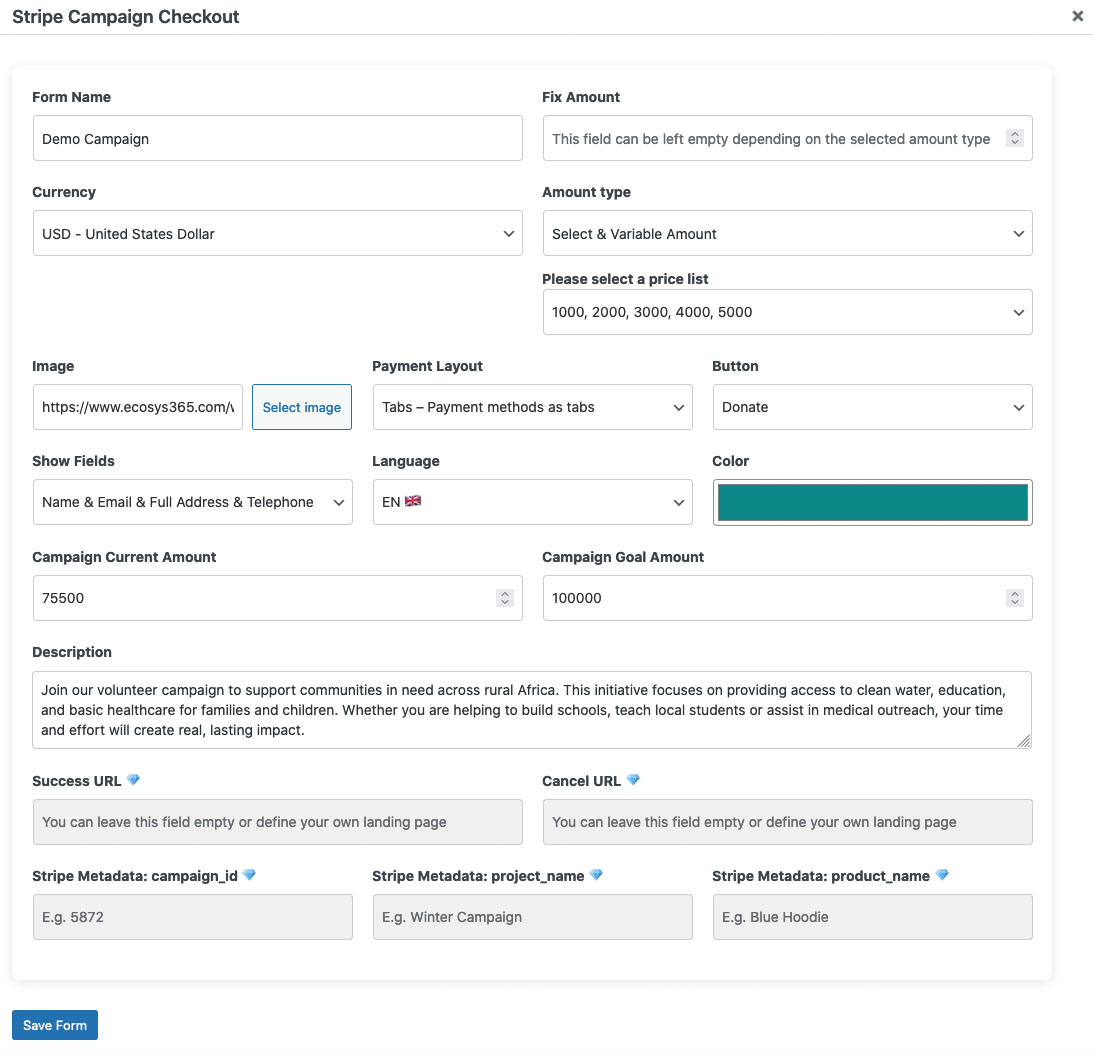
Admin settings page (Stripe Checkout configuration)
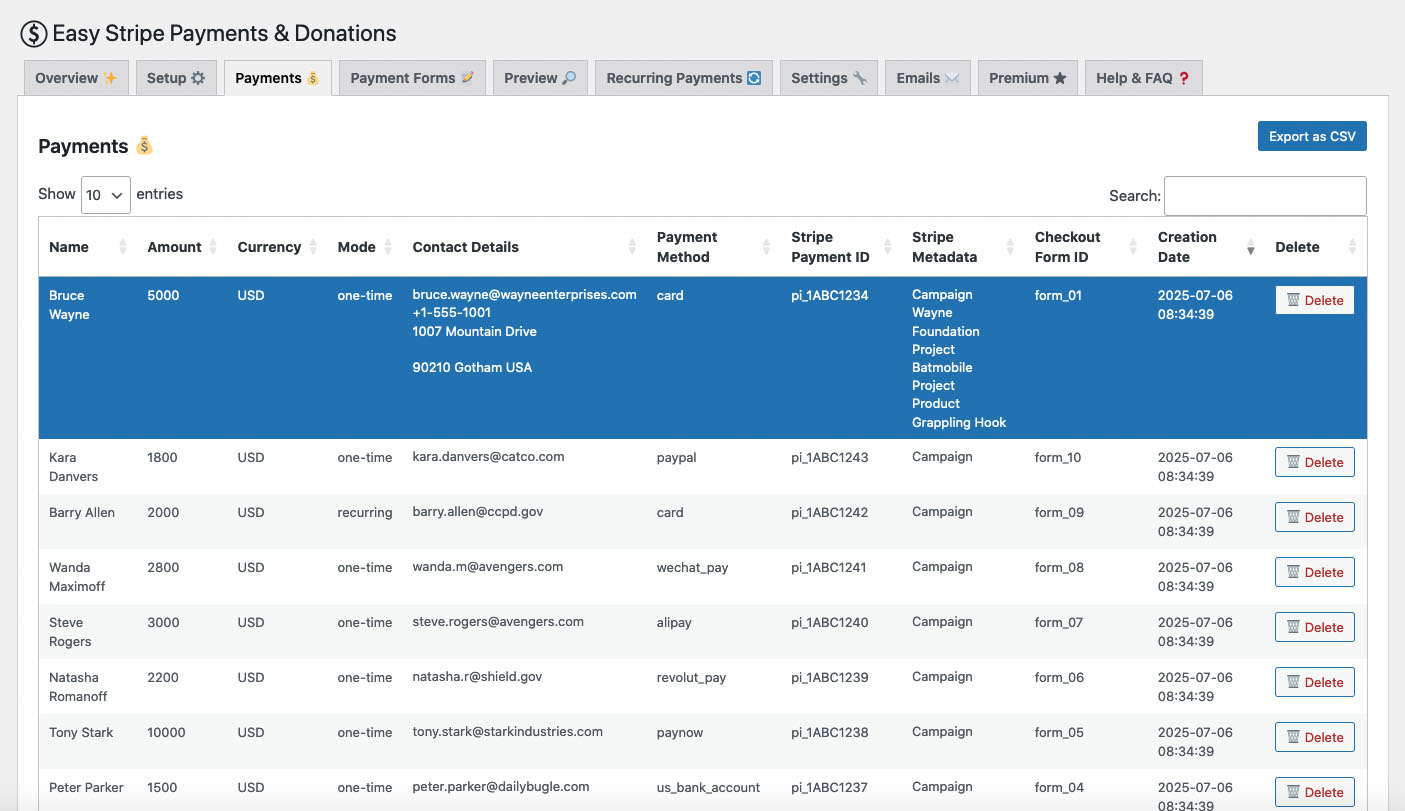
Example of received payments in the WordPress Dashboard
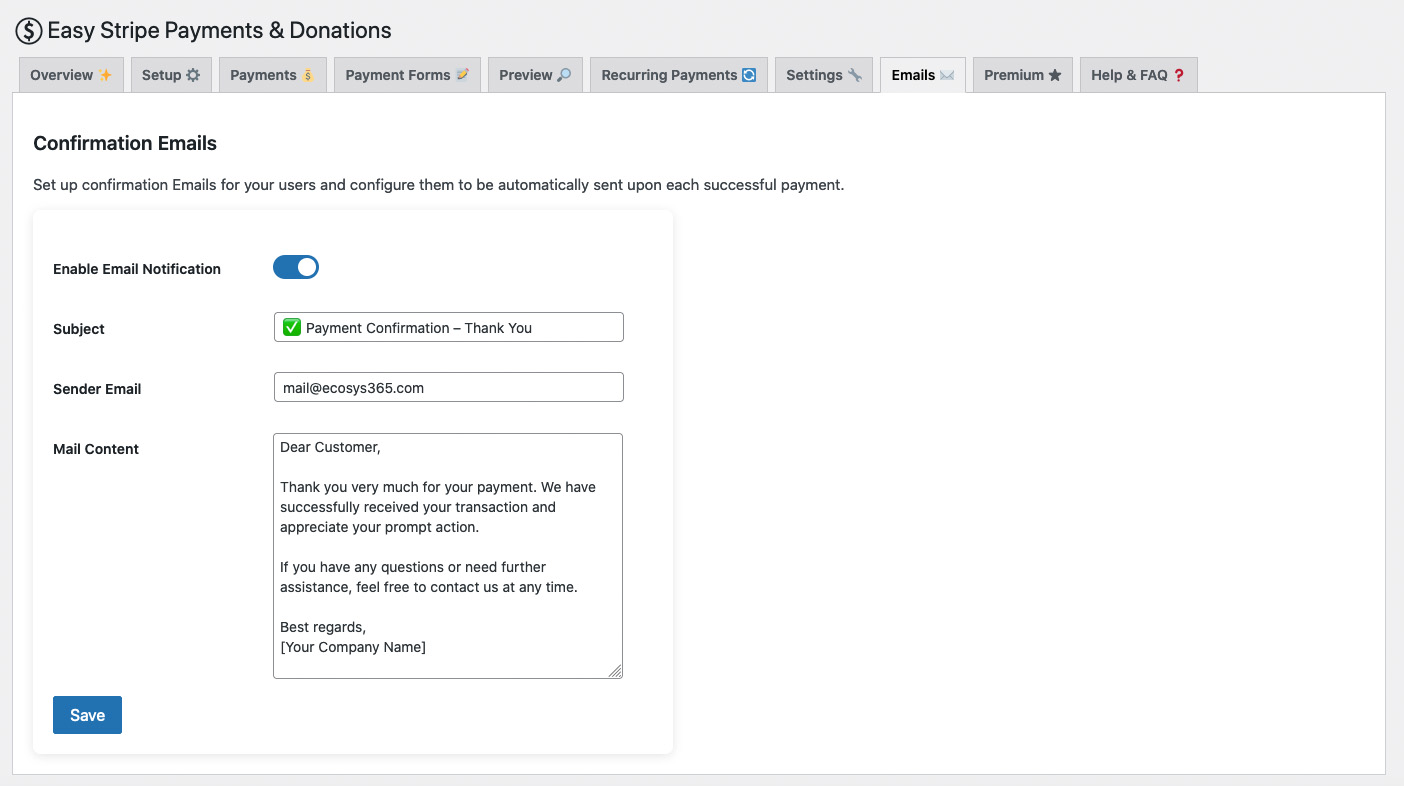
Settings to manage confirmation emails (toggle on/off)
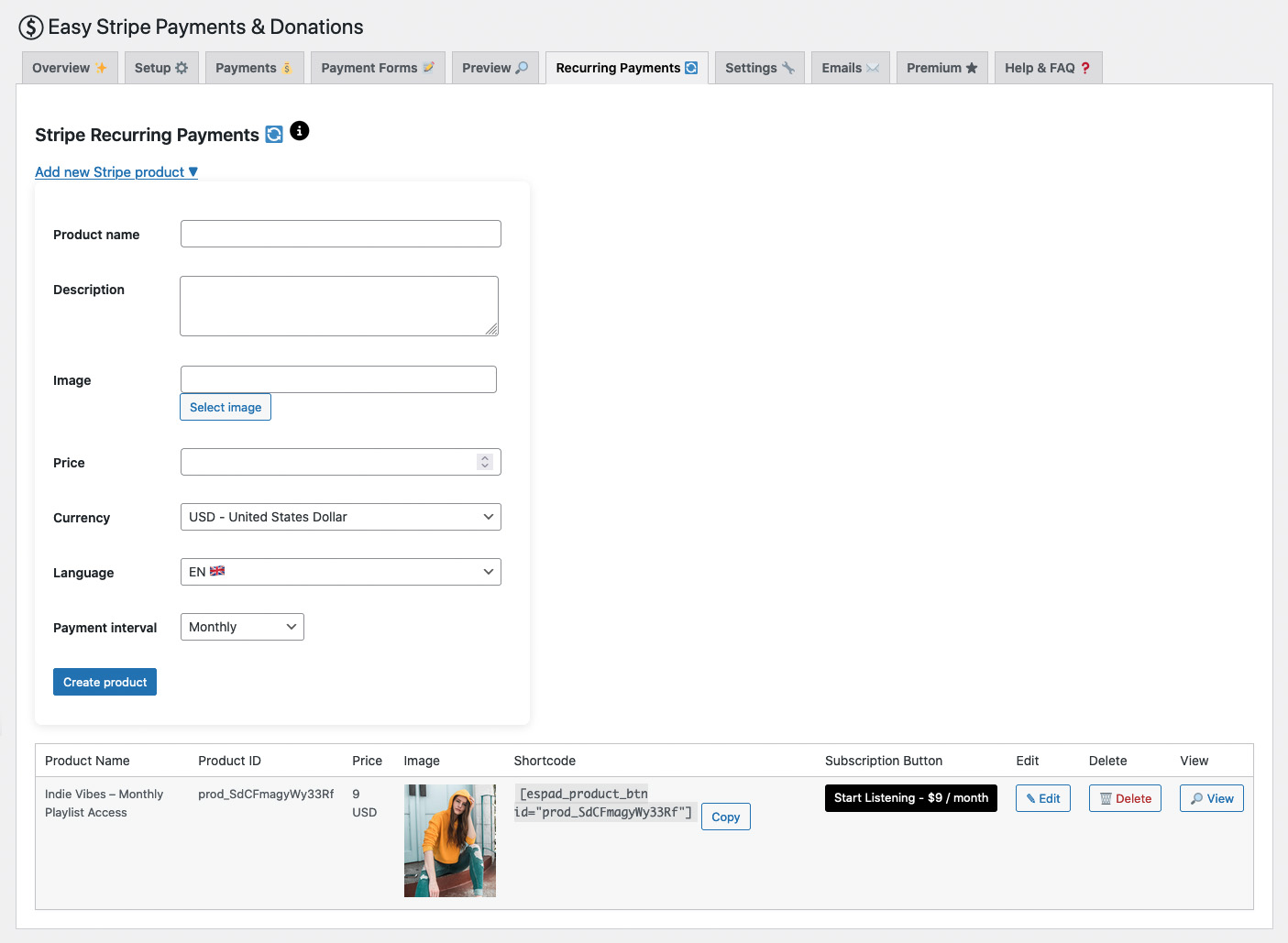
Create a new Stripe subscription product without logging into Stripe
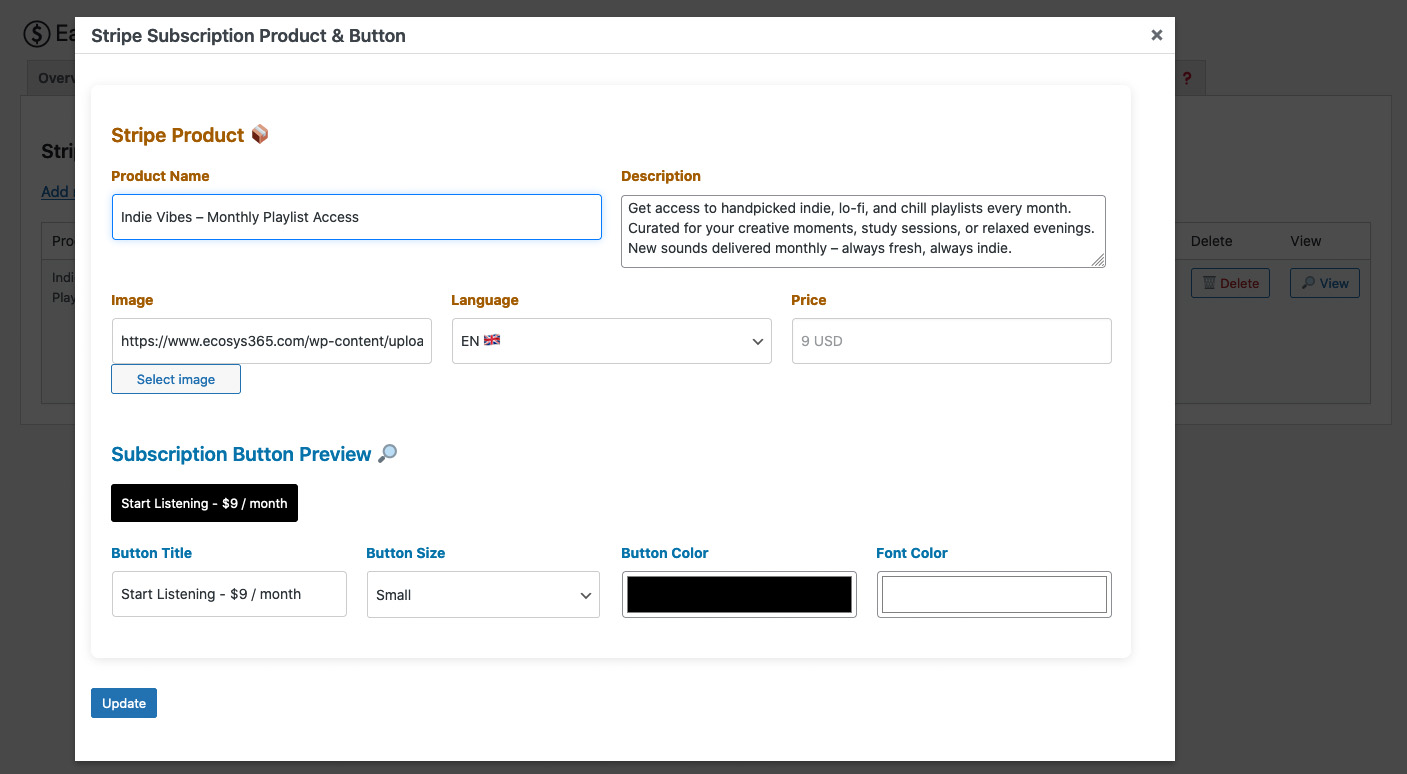
Edit an existing Stripe subscription product and link it with a checkout button
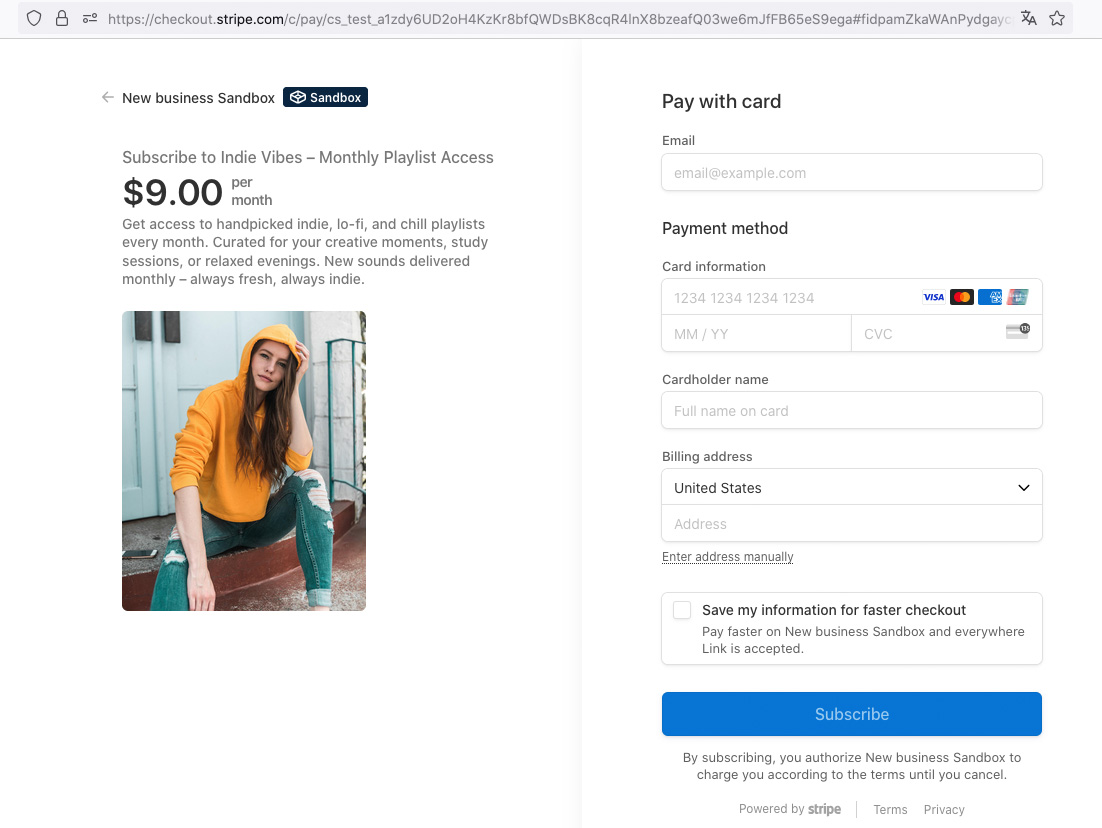
Example of a Stripe-hosted checkout page for subscription payments
Changelog
1.0.4
- Tested up to WordPress 6.9 to ensure full compatibility.
- Updated and improved the readme.txt file (added supported payment methods, currencies, and general documentation enhancements).
1.0.3
- Updating readme and assets
1.0.2
- Documentation update
- No changes to plugin functionality
1.0.1
- Documentation update: improvements and clarifications in readme.txt
- No changes to plugin functionality
1.0.0
- Initial release of Easy Stripe Payments
- Standard Checkout for one-time payments
- Campaign Checkout with frontend donation total
- Stripe Subscription Button for recurring payments