
Gutenberg Editor Full Width Blocks Border
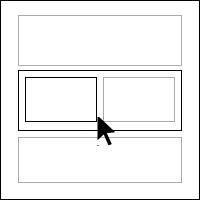
This plugin adds borders and hover effects to all blocks in the Gutenberg Editor for easier navigation.
Maintenance 22/1001715d since update
Active installs
200
Downloads
2,007
Reviews
2
Age
4.7y
Plugin info
Total downloads: 2,007
Active installs: 200
Total reviews: 2
Average rating: 5
Support threads opened: 0
Support threads resolved: 0 (0%)
Available in: 1 language(s)
Contributors: 1
Last updated: 7/22/2021 (1715 days ago)
Added to WordPress: 7/8/2021 (4 years old)
Minimum WordPress version: 5.0
Tested up to WordPress version: 5.8.12
Minimum PHP version: f
Maintenance & Compatibility
Maintenance score
Possibly abandoned • Last updated 1715 days ago • 2 reviews
22/100
Is Gutenberg Editor Full Width Blocks Border abandoned?
Possibly abandoned (last update 1715 days ago).
Compatibility
Requires WordPress: 5.0
Tested up to: 5.8.12
Requires PHP: f
Similar & Alternatives
Explore plugins with similar tags, and compare key metrics like downloads, ratings, updates, support, and WP/PHP compatibility.
Fullwidth Templates for Any Theme & Page Builder
Rating 4.7/5 (42 reviews) • Active installs 30,000
Force Full Width Shortcode
Rating 5.0/5 (3 reviews) • Active installs 300
Full Width Editor
Rating 0.0/5 (0 reviews) • Active installs 10
4 Level Slider
Rating 0.0/5 (0 reviews) • Active installs 0
Description
Gutenberg Full Width Editor and Blocks Border Highlight adds border and hover effects in the Gutenberg editor for easier navigation between nested blocks.
Installation
The plugin is simple to install:
- Upload the plugin and activate or
- Download editor-blocks-border.zip
- Unzip
- Upload the ‘editor-blocks-border’ folder to your /wp-content/plugins directory
- Go to the plugin menu page and activate the plugin
- Go to any post and page or create new post and page to find activate/deactivate option on the right edit section.
Frequently Asked Questions
No FAQ available
Review feed
nick6352683
The best one yet !
I was relying on the EditorsKit plugin to display the borders, but this one is better, easier to see ALL the borders and the hover effect is the icing on the cake.
The only thing I changed was the color of the hover border from black to green, simply because it is more usual to have a black background in a container block, like the Cover or Group blocks, as oppose to a green background.
Thanks a lot for this !
Screenshots

Gutenberg Editor with Activated Borders
Changelog
1.0.0
- Initial release
1.1.0
- Responsive Fixes