

External Links Overview
Analyze, manage, and monitor all external links on your WordPress site. ---
Plugin info
Maintenance & Compatibility
Maintenance score
Stale • Last updated 213 days ago • Support resolved 0% • 1 reviews
Is External Links Overview abandoned?
Likely maintained (last update 213 days ago).
Compatibility
Similar & Alternatives
Explore plugins with similar tags, and compare key metrics like downloads, ratings, updates, support, and WP/PHP compatibility.
Description
The “External Links Overview” plugin scans your WordPress posts and pages for outgoing external links and presents them in a searchable, filterable, and sortable table. It helps you optimize your outbound link profile and identify broken or potentially harmful links.
All plugin functions, options, and database entries use the prefix seokelo_ to prevent conflicts with other plugins.
👉 External Links Overview Plugin Homepage on seo-kreativ.de
💬 Get Support on WordPress.org
Features
✅ Collects and analyzes external links from posts and pages
✅ Displays a detailed link table with sorting, filtering (e.g. broken links), and search
✅ Verifies the HTTP status of external links (e.g. 404, 301, timeout)
✅ Shows rel and target attributes of each link
✅ Tracks domain distribution: see which domains you link to most frequently
✅ CSV export of all link data
✅ Dashboard widget showing a summary of broken links
✅ Uses prefix seokelo_ / SEOKELO_ for all functions, options, and database entries
✅ Rescans posts after updates for up-to-date link data
✅ Clean uninstall: removes plugin data when deleted via WordPress admin
Usage
- Go to External Links Collect All External Links to start the initial scan.
- Use the Link Table tab to view, filter, and sort all collected links.
- Click Check External Links Status to validate HTTP status codes.
- Visit the Domain Distribution tab to analyze your outbound domain profile.
- Export your data using the Export CSV button.
License
This plugin is licensed under the GPLv2 or later.
See https://www.gnu.org/licenses/gpl-2.0.html
Developer Notes
Hooks and filters will be documented in future releases.
The plugin uses seokelo_ as a unique function prefix throughout.
Installation
- Upload the entire
external-links-overviewfolder to the/wp-content/plugins/directory. - Activate the plugin via the Plugins menu in WordPress.
This creates or updates the database tablewp_seokelo_external_links. - Access the plugin via the “External Links” menu item in your WordPress admin sidebar.
Frequently Asked Questions
No. It only analyzes and displays existing external links. Your content remains unchanged.
No. The plugin only runs when triggered manually via the admin panel. It does not affect front-end performance.
Yes. If you delete the plugin via the WordPress admin interface, all associated data (database tables and options) will be removed cleanly.
Review feed
Screenshots
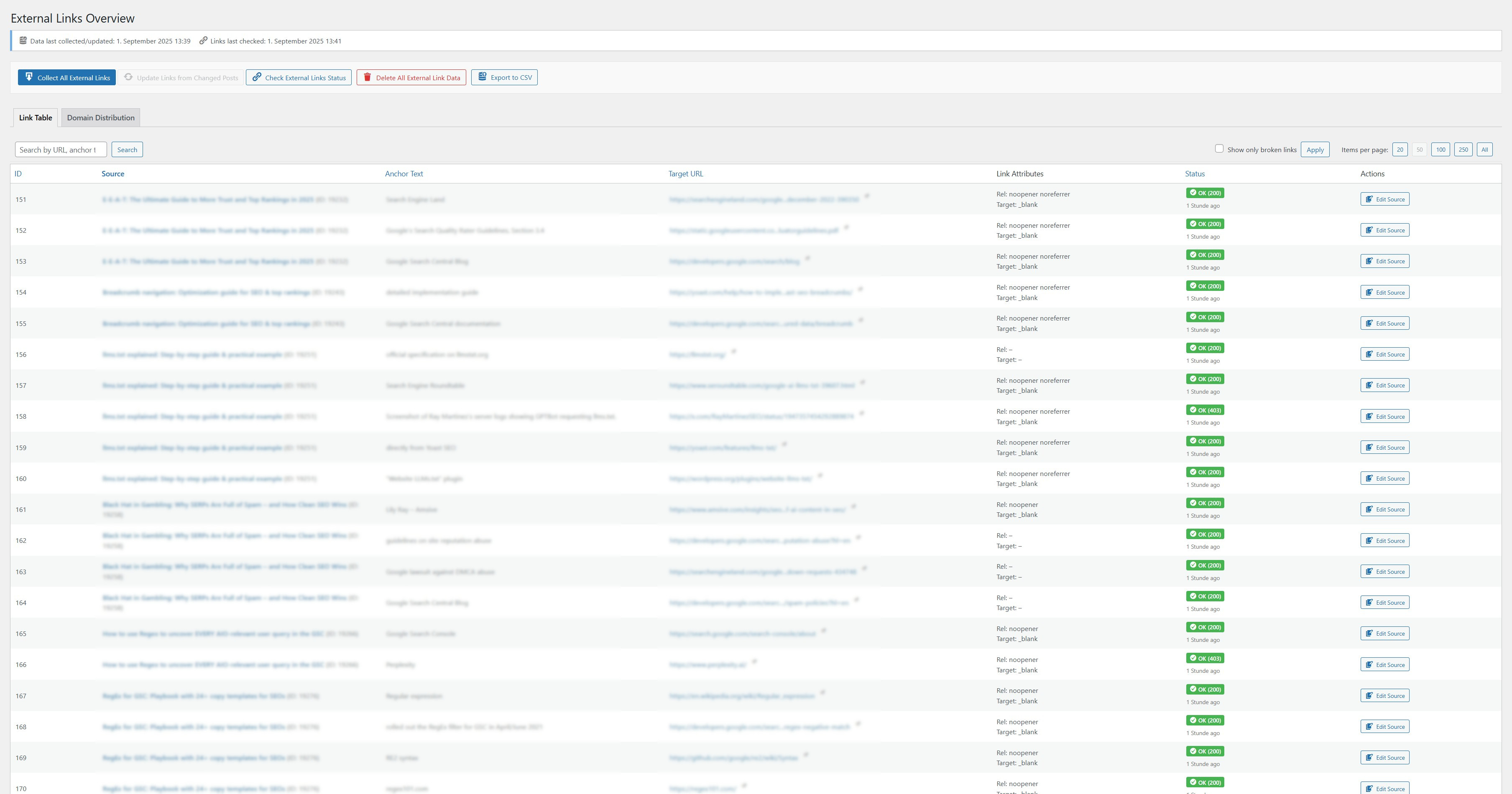
Link Table: Overview of all collected external links with status, attributes, and actions
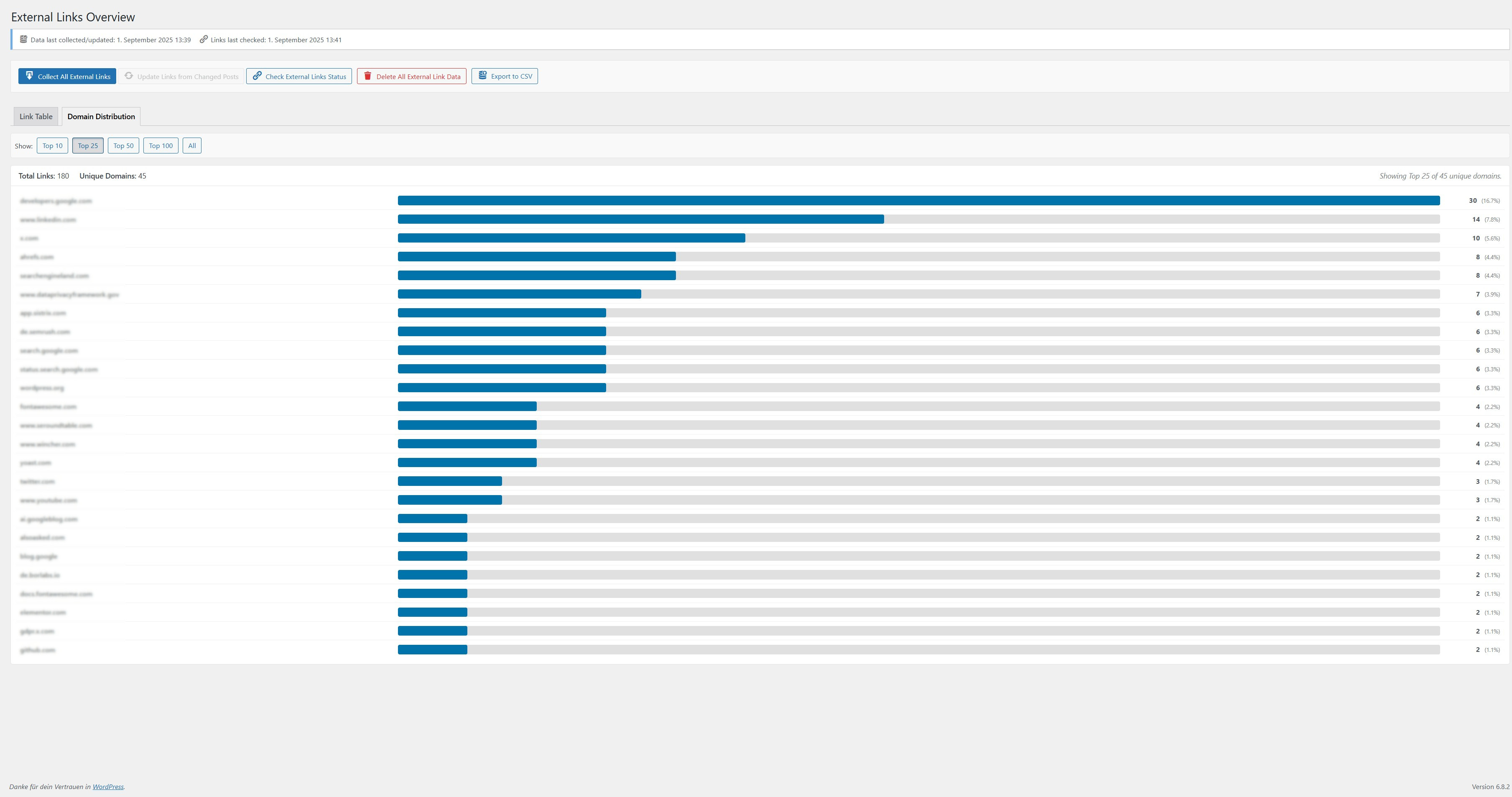
Domain Distribution: List of domains you link to, including counts and percentages
Changelog
1.3.0
- Improvement: The link table now displays
relandtargetattributes in a combined “Link Attributes” column for better space management. - Improvement: The Domain Distribution view and the overall UI have been enhanced for a better user experience.
- Improvement: Database queries and data handling have been optimized for better performance.
- Readme: Updated description, features, and usage instructions.
1.2.1
- Fix: Improved responsive table display in admin area to prevent column titles from overlapping content on mobile views.
1.2.0
- Feature: Added a new „Target“ column to the admin link table, displaying the target attribute of the link (e.g., _blank, _self).
- Feature: Made the new „Target“ column sortable in the admin link table.
- Feature: Ensured link_target attribute is included in the CSV export.
- Improvement: Updated CSS for table column layout to include the new „Target“ column.
- Readme: Updated stable tag, version information, and feature descriptions to reflect the new „Target“ column.