

EZ Form Calculator
Create Estimation Forms, Cost Calculators, Payment Forms and More with ez Form Calculator
Plugin info
Maintenance & Compatibility
Maintenance score
Possibly abandoned • Last updated 2015 days ago • Support resolved 0% • 16 reviews
Is EZ Form Calculator abandoned?
Possibly abandoned (last update 2015 days ago).
Compatibility
Similar & Alternatives
Explore plugins with similar tags, and compare key metrics like downloads, ratings, updates, support, and WP/PHP compatibility.
Description
ez Form Calculator is an intuitive form builder for WordPress. Create form calculators, advanced cost estimators or extensive contact forms for your website in a breeze. Generate more leads for your business with ez Form Calculator.
Easily add form elements like checkboxes, radio buttons, numbers elements or more with only a few clicks. You can assign each element a value so the plugin calculates the form automatically.
Check out all features on the main website
Popular Form Examples
- Loan Form Calculator
- Mortgage Calculator Form
- Prints Calculator Form with Repeatable Fields
- Request a Quote Form
- Photo Shooting Form
- Photo Booth Booking Cost Calculator
- Donation Form
- Points Test Quiz Form
- Area Calculations
- Social Media Booking Form
- Pizza Order Form
- Live Summary Example
- Course Registration Form
- Cleaning Quote Form
- Food Table Order Form
- More Form Examples
Features
- Create calculating forms with the visual drag’n’drop editor
- Calculate form values automatically
- Extensive conditional logic
- Advanced calculations
- Email notifications
- GDPR ready
- Form stats
- 5 form designs
- … and many more features!
Premium Features
- 30+ available form elements
- Advanced calculation and conditional system
- Extensive discount system
- GDPR ready
- Unlimited submissions
- Unlimited file uploads
- Form stats
- 20+ form designs
- 40+ form templates
- No watermarks
- Premium email support
- Repeatable fields
- Matrix fields
- PDF file generation
- Email and PDF style templates
- PayPal integration
- Stripe integration
- WooCommerce integration
- Mailchimp integration
- Mailpoet integration
- … and many more features!
Extensions
- Google Maps Address Autocomplete and Distance Calculation
- ActiveCampaign – Add email addresses to ActiveCampaign lists
- Address & Distance Calculation – View extension
- CSV Import – Import CSV files to replace values in elements quickly
- Edit Submissions – Edit submissions from your WordPress dashboard directly
- AJAX Requests – Adds type-ahead behavior to get data from database tables
Installation
Install the plugin in the common way. After the installation, you’ll see a new menu named “ez Form Calculator” in your dashboard.
On the main page of the plugin, you can add forms with the plus button in the forms section. Add form elements by clicking on any element in the elements list on the right side. You can also drag and drop the elements to the desired position.
Subsequently, you can click on the element in the form builder section to open it. Depending on the element type, you can add your custom value to the value option, set its factor or add values to checkbox/radio options. The plugin will calculate these values automatically as soon as the user changes any element in the form.
Frequently Asked Questions
Review feed
Screenshots

Calculating Forms

Conditional Logic

Repeatable Fields (premium only)

Calculation Section

Calculation Section

Conditional Section

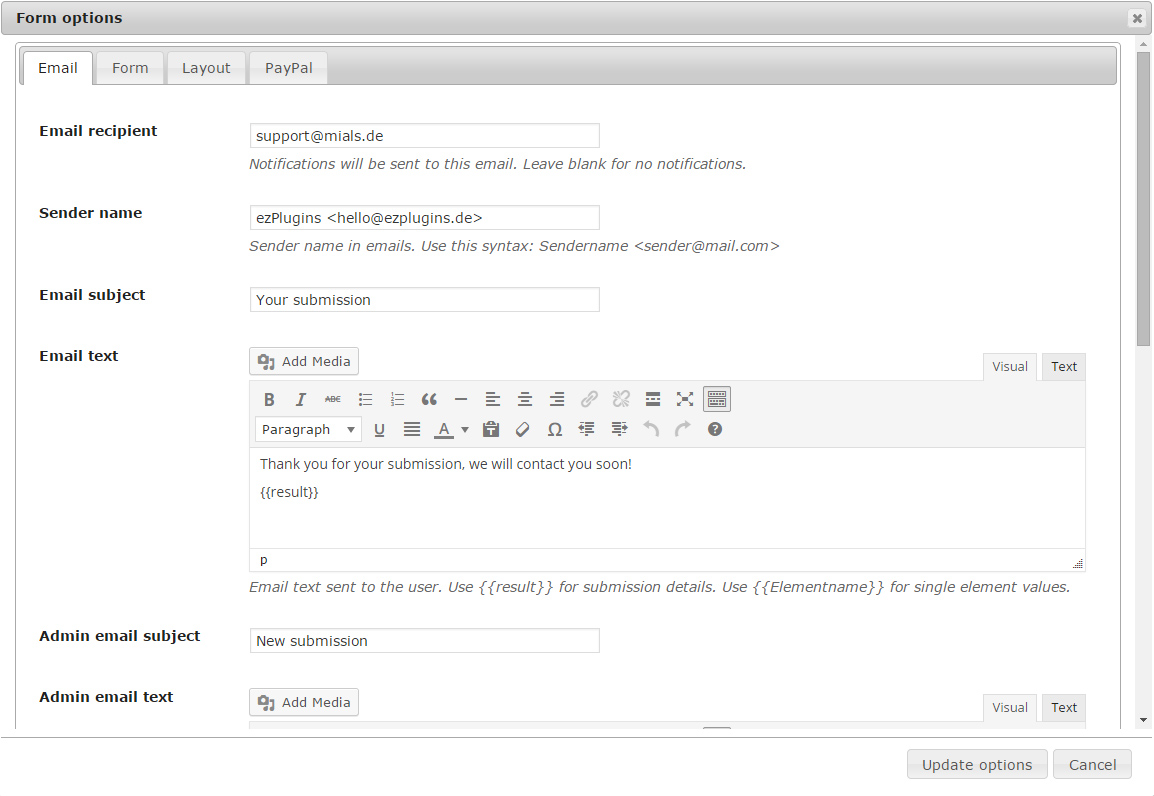
Email Texts

Form Sample

Request a Quote Form

WordPress Donation Form

Quiz Form

Photo Shoot Booking Form

Changelog
Version 2.14.0.3
- Updated to the latest version of the premium plugin
Version 2.14.0.1
- Updated to the latest version of the premium plugin
Version 2.11.2.1
- Updated to the latest version of the premium plugin
Version 2.9.6.1
- Added: email font can be changed (global settings)
- Added: HTML elements can be shown as HTML or HTML code in emails (global settings)
- Added: option to automatically hide required text tooltips
- Added: filters for email header/footer (ezfc_email_header, ezfc_email_header_after, ezfc_email_footer_before, ezfc_email_footer)
- Fixed: backend calculation fix when using comma as decimal point
- Fixed: preselect values for checkbox/radio elements fixed
- Fixed: shortcode can be used for HTML elements in emails
- Fixed: tinyMCE editor in form options is now disabled when deactivated in the global options
Version 2.9.5.5
- Fixed: factors were sometimes calculated incorrectly
- Fixed: form placeholders can be used in email subjects
- Fixed: “calculate_when_hidden” had no effect when element was positioned in a hidden group
- Fixed: spinner / slider function for numbers didn’t work properly when using comma as decimal point
- Fixed: groups can be activated/deactivated conditionally
Version 2.9.5.4
- Added: add elements from template to current form
- Fixed: subtotal calculation fix when using comma as decimal point
- Fixed: PayPal email text is now used correctly
- Fixed: PDF directory wasn’t saved in the options when it wasn’t successful after first try. Check “manual update” in the global settings to update the PDF directory (this is not guaranteed to work since some server environments prohibit the plugin to create directories)
- Fixed: redirect timer fix (labelled as seconds but were calculated in milliseconds)
- Fixed: submitting forms by pressing enter in last step caused the form to both submit and move to previous step
- Removed: unnecessary pdf fonts to reduce file size
Version 2.9.5.3
- Added: add linebreaks to HTML elements
- Added: add_to_price option for Subtotal elements (e.g. show price only but do not add calculated price to the total)
- Added: decimal point in input values will now be detected automatically (depending on the selected decimal point in the global settings)
- Added: max length for input / textarea elements
- Added: star rating element
- Changed: form option “Add linebreaks” changed from nl2br to wpautop in email texts
- Fixed: form was sometimes prevented from calculation when using multi conditionals
- Fixed: PDF files were only attached when the form option “Send PDF to admin” was enabled
- Fixed: WooCommerce didn’t calculate the correct price with certain cart items
Version 2.9.5.2
- Added: invoice ID generation
- Added: max submission value
- Improved: better UI when using large data editor
- Fixed: pdf attachments weren’t sent to customer when no admin email address was set
- Fixed: Set element didn’t calculate properly