

Feedspace
Display customer testimonials and reviews on your WordPress website with beautiful, customizable widgets.
Plugin info
Maintenance & Compatibility
Maintenance score
Maintained • Last updated 96 days ago • 1 reviews
Is Feedspace abandoned?
Likely maintained (last update 96 days ago).
Compatibility
Similar & Alternatives
Explore plugins with similar tags, and compare key metrics like downloads, ratings, updates, support, and WP/PHP compatibility.
Description
Feedspace is a simple and powerful WordPress plugin that helps you showcase customer testimonials and reviews on your website. With an easy-to-use interface, you can embed any Feedspace widget using just your widget ID.
Key Features
- Easy Widget Embedding: Simply enter your widget data ID from Feedspace
- Gutenberg Block: Add widgets using the modern block editor
- Shortcode Support: Use
[feedspace_widgets]in any post or page
How It Works
- Get Your Widget Data ID: In your Feedspace account, open the widget Share Add form to Website next to “Install Now,” click the widget ID (the
data-id, e.g.,93670fb7-547e-4ff2-a346-bc228b70be51), then use it in the plugin. - Add to WordPress: Enter the widget data ID in the plugin settings or use the Gutenberg block
- Display: Your testimonials appear instantly on your website
External Service Integration
This plugin integrates with Feedspace, our testimonial management platform that provides widget functionality.
What is Feedspace?
Feedspace is a testimonial platform that allows businesses to collect, manage, and display customer testimonials on their websites.
What data is transmitted?
– Widget data requests: The plugin sends widget ID requests to Feedspace’s API to fetch testimonial content
– No personal user data is collected or transmitted by this plugin
– No tracking or analytics data is sent to external services
When does data transmission occur?
Data transmission occurs only when:
– A Feedspace widget is displayed on your website
– The plugin requests widget content from Feedspace’s API using your widget ID
Service Links:
– Privacy Policy: https://feedspace.io/privacy-policy/
– Terms of Service: https://feedspace.io/terms-and-condition/
Privacy & Data Handling
Data Collection:
This plugin does not collect, store, or transmit any personal information from your website visitors or WordPress users.
User Tracking:
This plugin does not track users or implement any tracking mechanisms. No cookies are set, and no analytics data is collected.
Data Transmission:
The only data transmitted is widget ID requests to Feedspace’s API to fetch testimonial content. This is done server-side and does not involve user data.
Consent:
No user consent is required as this plugin does not collect or process personal data.
Note:
- Widget content is served by Feedspace.
Installation
Frequently Asked Questions
Log into your Feedspace dashboard, navigate to the widget you want to embed, and copy the data-id from embed code.
Yes, you’ll need a Feedspace account to get widget IDs. Visit feedspace.io to sign up.
You can use the Gutenberg block editor to add a “Feedspace Widget” block, or use the shortcode [feedspace_widgets] in any post or page.
No, this plugin does not collect any personal information from your website visitors or WordPress users. It only fetches widget content from Feedspace’s API using your widget ID.
No, this plugin does not implement any tracking mechanisms, cookies, or analytics. It simply displays testimonial widgets from your Feedspace account.
Only widget ID requests are sent to Feedspace’s API to fetch testimonial content. No personal data, user information, or tracking data is transmitted.
Review feed
Screenshots
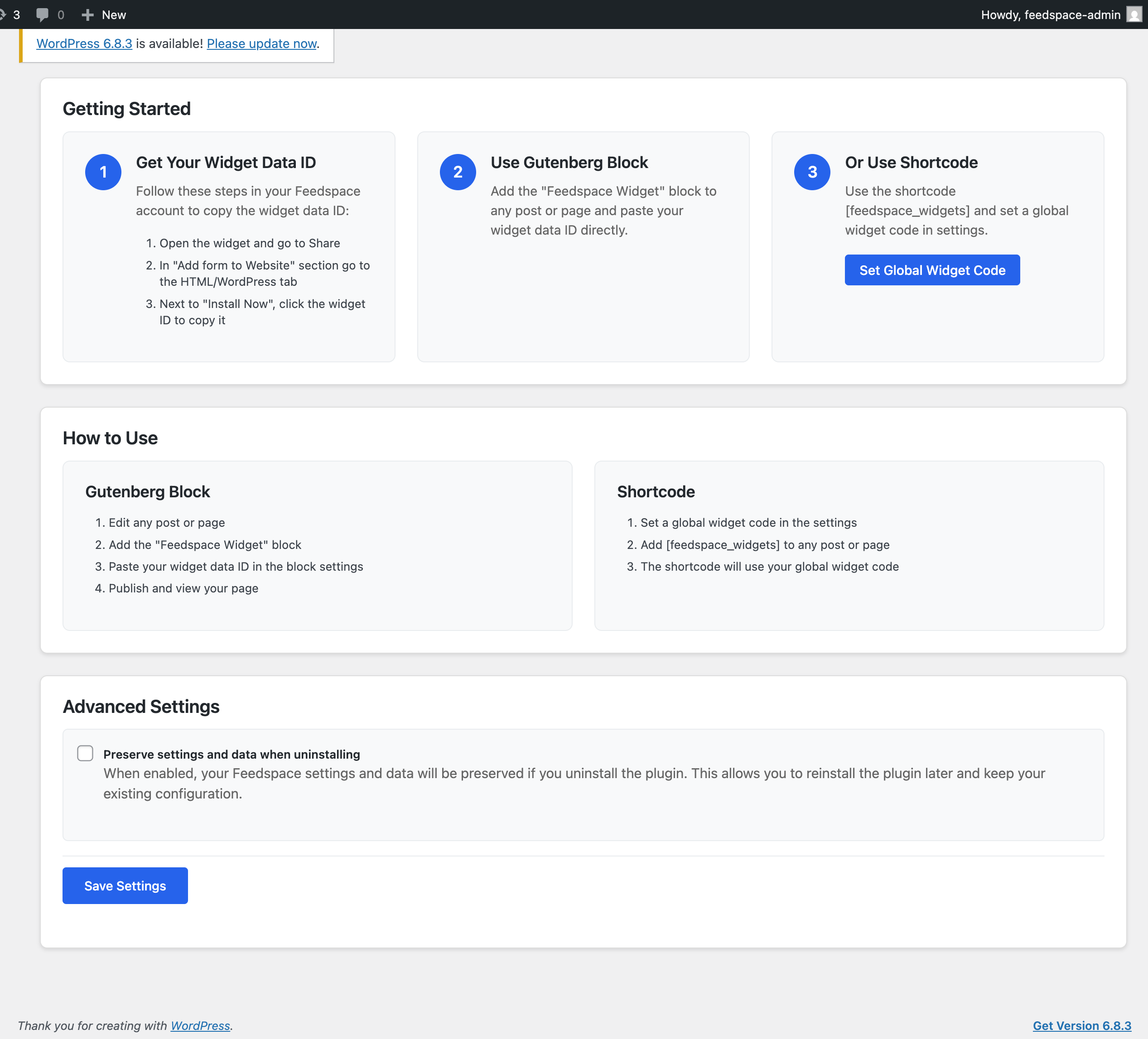
Admin -> Settings page
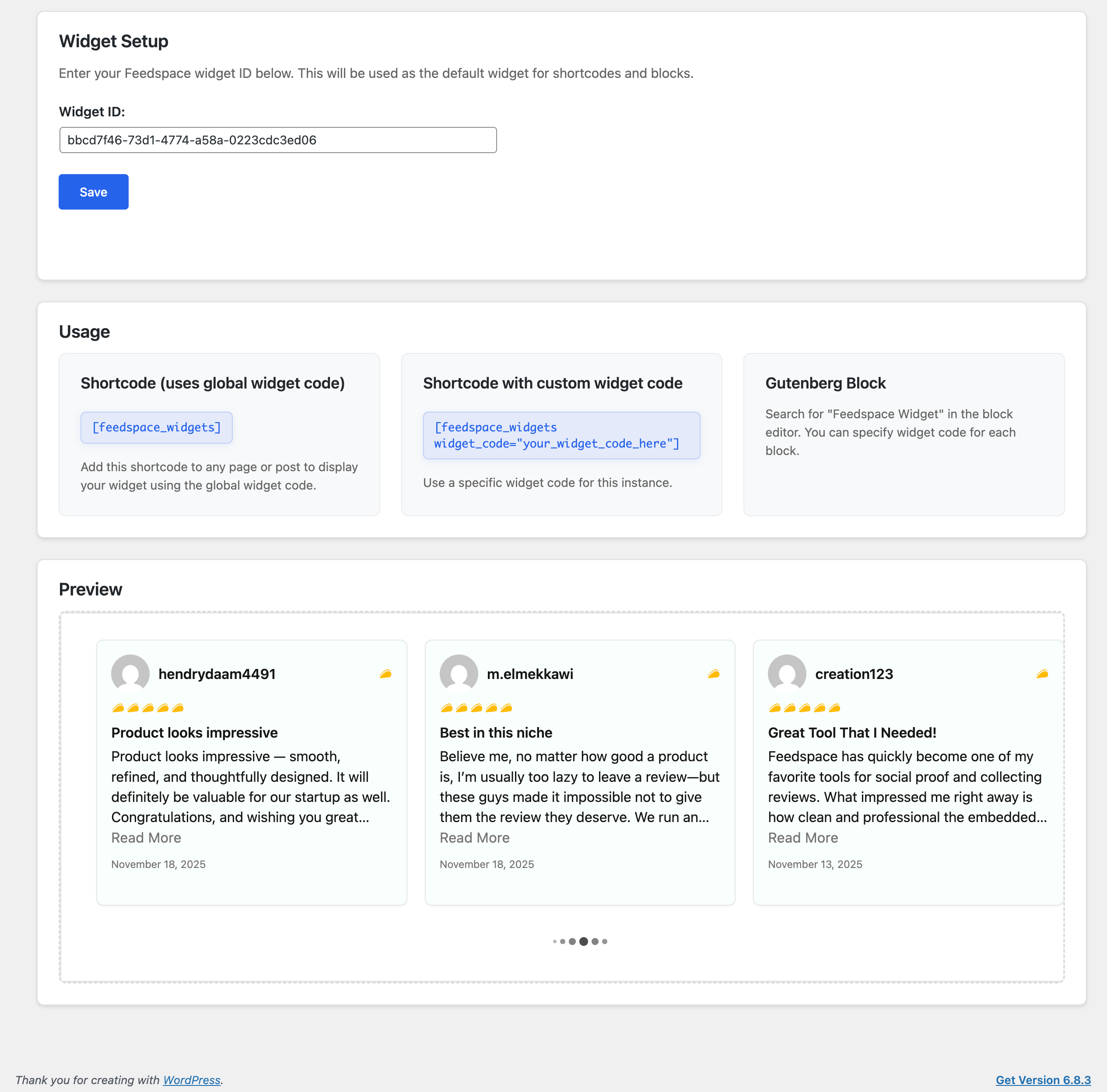
Admin -> Widgets setup
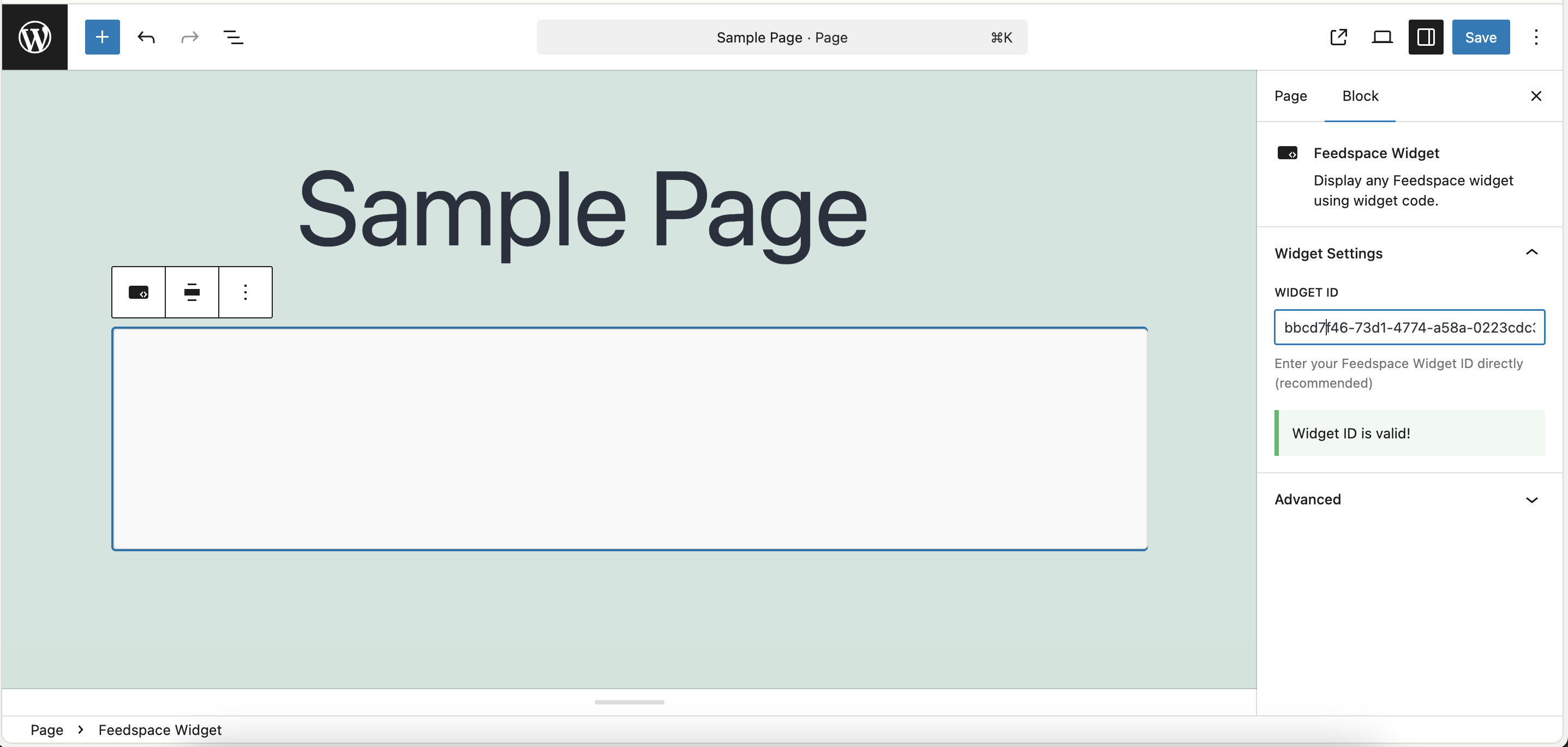
Widget display on frontend
Changelog
1.0.3
- Updated instructions to make it easier to copy the widget data ID from Feedspace.
- Updated instructions Screenshots.
- Bug fixes and general improvements for widget embedding reliability.
1.0.2
- Simplified widget embedding – now uses widget ID only to show widgets.
- Improved user experience with streamlined interface.
1.0.1
- Initial release
- Widget embedding with copy-paste functionality
- Gutenberg block integration
- Shortcode support:
[feedspace_widgets]