

Plugin info
Maintenance & Compatibility
Maintenance score
Stale • Last updated 303 days ago • 182 reviews
Is Force Regenerate Thumbnails abandoned?
Likely maintained (last update 303 days ago).
Compatibility
Developers
Languages
Similar & Alternatives
Explore plugins with similar tags, and compare key metrics like downloads, ratings, updates, support, and WP/PHP compatibility.
Description
Force Regenerate Thumbnails allows you to delete all old images sizes and REALLY regenerate the thumbnails for your uploads.
Regenerate all thumbnails from the Tools admin menu. Regenerate batches of images via the Media Library list mode. Select the images to regenerate and then use the Bulk Actions drop-down menu to Force Regenerate Thumbnails. Use attachment actions to regenerate thumbnails for a single image.
Several filters exist for advanced usage. See more via this gist.
You may report security issues through our Patchstack Vulnerability Disclosure Program. The Patchstack team helps validate, triage and handle any security vulnerabilities. Report a security vulnerability.
Installation
- Go to your admin area and select Plugins -> Add new from the menu.
- Search for “Force Regenerate Thumbnails”.
- Click install.
- Click activate.
- Go to Tools -> Force Regenerate Thumbnails OR select specific images from the Media Library list mode to regenerate.
Frequently Asked Questions
Installation Instructions
- Go to your admin area and select Plugins -> Add new from the menu.
- Search for “Force Regenerate Thumbnails”.
- Click install.
- Click activate.
Review feed
Screenshots
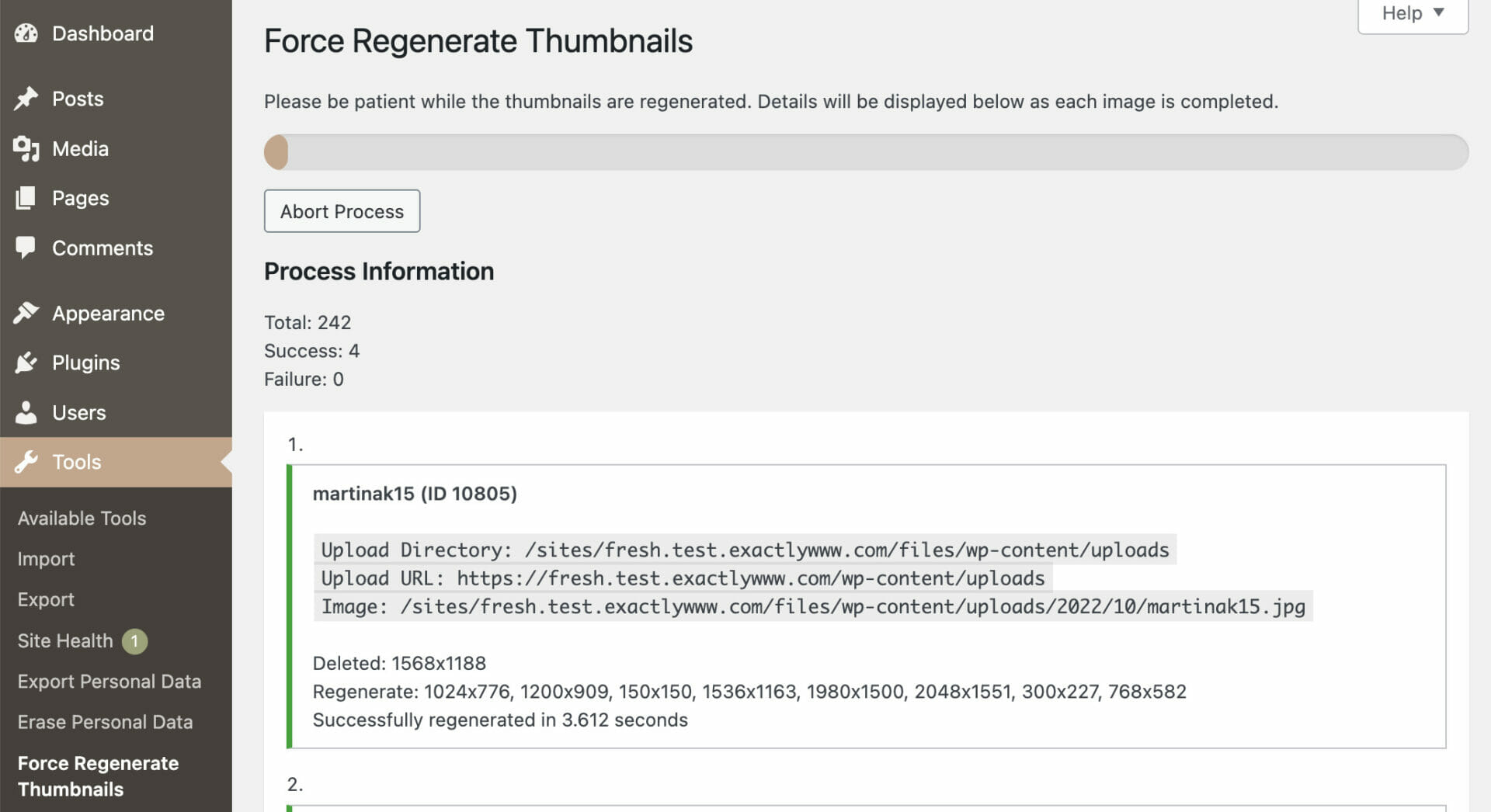
The plugin at work regenerating thumbnails
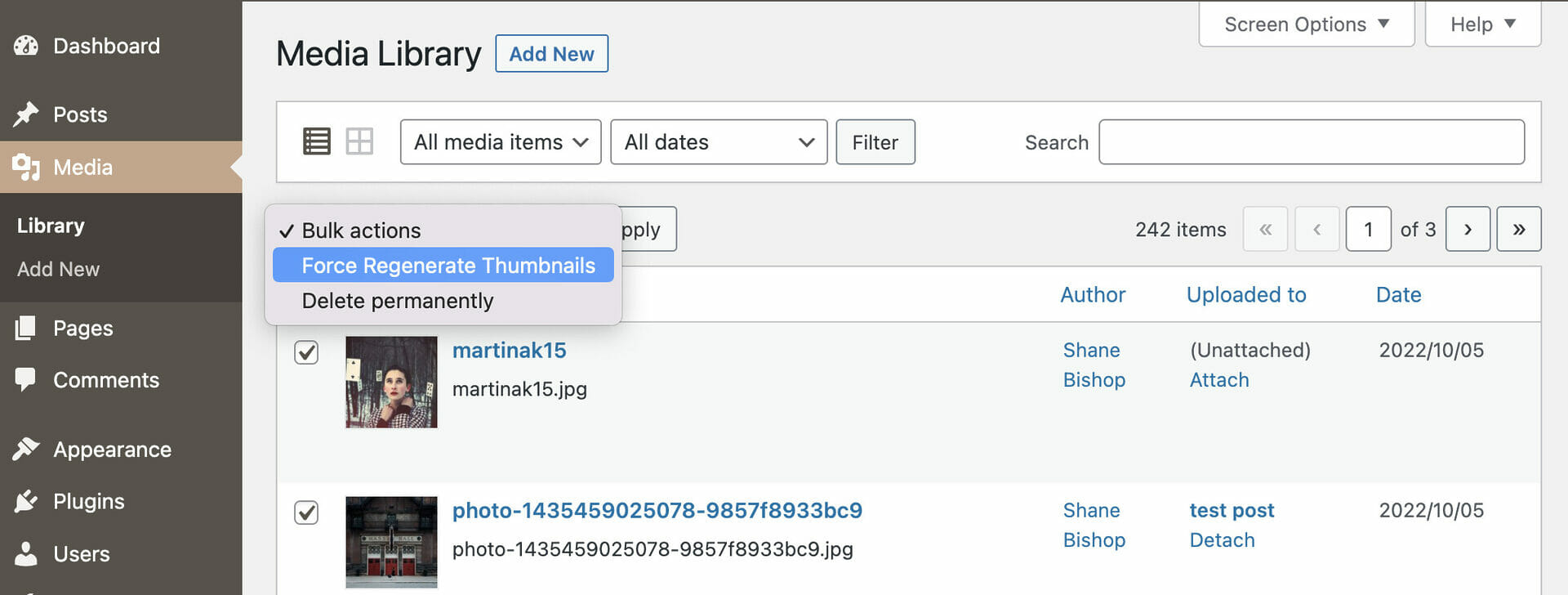
You can resize specific multiples images using the checkboxes and the "Bulk Actions" dropdown
Changelog
2.2.2
Release Date – June 3, 2025
- fixed: PHP notice when regenerating select images
2.2.1
Release Date – November 12, 2024
- added: list of active image sizes when regenerating thumbs for all images
2.2.0
Release Date – September 17, 2024
- added: regen process can be resumed
- fixed: nonce expiration stops regen process
- fixed: JS errors on thumb regen page
2.1.4
Release Date – April 23, 2024
- fixed: thumb removal via metadata not working due to undefined variable
2.1.3
Release Date – September 13, 2023
- changed: use updated coding standards
- fixed: WP image edits lost if pre-scaled original is used for thumbnail generation
2.1.2
Release Date – March 21, 2023
- changed: improved i18n for page headings and menu entries, props @alexclassroom
2.1.1
Release Date – January 18, 2023
- fixed: invalid trailing comma syntax in PHP 7.2
2.1.0
Release Date – November 10, 2022
- added: PHP 8.0 compatibility
- added: support generating thumbnails from original (pre-scaled), on by default
- added: support for PDF thumbnail generation
- added: ability to skip an image by regenerate_thumbs_skip_image filter
- changed: escape all output, sanitize all input
- changed: ensure all strings are i18n
- changed: remove HTML from i18n strings
- changed: improve path lookup function
- fixed: call to set_time_limit() when it is not allowed
Earlier versions
Please refer to the separate changelog.txt file.