

FP LinkedIn Company Profile
Bring your Company LinkedIn profile to your site to help users to follow your company in Linkedin. This plugin embed Company Profile summary card dire …
Plugin info
Maintenance & Compatibility
Maintenance score
Possibly abandoned • Last updated 4656 days ago • 2 reviews
Is FP LinkedIn Company Profile abandoned?
Possibly abandoned (last update 4656 days ago).
Compatibility
Similar & Alternatives
Explore plugins with similar tags, and compare key metrics like downloads, ratings, updates, support, and WP/PHP compatibility.
Description
Bring your Company LinkedIn profile to your site to help users to follow your company in Linkedin. This plugin embed Company Profile summary card directly on your webpage. The widget options are managable from wordpress admin area. You can assign the profile link and others options.
Plugin Settings
- Title – textbox (by default it is – LinkedIn Company Profile, you can use anything.)
- Company Name – textbox (Your Company Name)
- Company ID – textbox (Your LinkedIn Company Profile ID)
- Show Connections – Options
- Display Format – Options
- Only Icons – Options
Installation
This section describes how to install the plugin and get it working.
- Download the plugin file to your computer and Unzip the downloaded archive
- Upload the folder fp-linkedin-company-profile to your /wp-content/plugins/ directory
- Activate the plugin from Plugins > FP LinkedIn Company Profile > Activate, under WordPress admin interface
- Manage Widget Settings.
Frequently Asked Questions
1. What is Company Name?
Answer: You can use any name here, it will show when you don’t select ‘inline’ and you not select ‘true’ from Icon Only options.
2. Is it mandatory to use LinkedIn Company Name ?
Answer: No, it is not mandatory to use that. You can use anything, it will just display in your website, when viewer click on it, they will see your LinkedIn Company Profile.
3. About Show Connections, What does it do?
Answer: If you enable this, it will display the employees profiles in your network.
4. Where i get my LinkedIn Componay Profile ID?
Answer: To find your LinkedIn URL, you will first need to be logged in to LinkedIn.Then you need to type your company name in Search Box, when you find your expected company, browse that link, Now you need to notice at the URL. For example, the link will be link this: www.linkedin.com/company/1089783 . Here the numeric number is your company profile ID.
Review feed
Screenshots
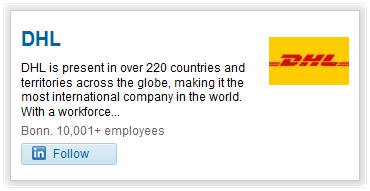
View Frontend of FP LinkedIn Company Profile Widget View. There are also two more views.

View Frontend of FP LinkedIn Copany Profile Widget View with connections.

View Backend of FP LinkedIn Company Profile Widget Settings.
Changelog
1.0.0
- initial release of FP LinkedIn Company Profile.