

Gale HSA & FSA Payments
Gale Payments enables WooCommerce stores to accept HSA/FSA payments
Plugin info
Maintenance & Compatibility
Maintenance score
Stale • Last updated 230 days ago
Is Gale HSA & FSA Payments abandoned?
Likely maintained (last update 230 days ago).
Compatibility
Similar & Alternatives
Explore plugins with similar tags, and compare key metrics like downloads, ratings, updates, support, and WP/PHP compatibility.
Description
Gale Payments integrates with WooCommerce to allow merchants to accept Health Savings Account (HSA) and Flexible Spending Account (FSA) payments. This plugin ensures that eligible products are correctly identified and facilitates secure transactions for customers using their HSA/FSA funds.
Features:
* Accept HSA/FSA payments directly in your WooCommerce store.
* Sync products to verify HSA/FSA eligibility.
* Test mode available for transaction verification before going live.
* Easy configuration with API key integration.
How to Get Started?:
* Visit https://withgale.com to sign up for a merchant account.
* If you have any questions during signup, contact our support team at [email protected].
License
This plugin is licensed under the GPLv2 or later. For more information, see https://www.gnu.org/licenses/gpl-2.0.html.
Installation
- Upload the Gale Payments Plugin:
- Navigate to your WordPress Admin Panel.
- Go to
Plugins > Add New > Upload Plugin. - Click
Choose File, select the Gale Payments plugin zip file, and clickInstall Now.
- Activate the Plugin:
- Once the installation is complete, click
Activate Plugin.
- Once the installation is complete, click
- Configure Gale Payments Settings:
- Navigate to
WooCommerce > Settings > Payments. - Locate the Gale Payments option and click
Manage. - Enter your API Key provided during signup.
- Enable Test Mode to verify functionality before going live.
- Navigate to
- Sync Products with Gale & Verify Eligibility:
- Go to the Products section in WooCommerce.
- Add or edit a product.
- In the product editor page, add the GTIN/UPC code in the designated field and save. (This step is not required if your products are approved for LMN purchases.)
- Navigate to the Gale Products page in your WordPress dashboard sidebar to view synced products and their eligibility status.
- Testing the Integration:
- Add a product to your WooCommerce store.
- Proceed to checkout and select Pay with HSA/FSA.
- Complete a test transaction using test credentials provided by Gale Payments.
- Verify the transaction appears in your WooCommerce orders.
- Go Live:
- Once testing is successful, return to the Gale Payments settings.
- Disable Test Mode.
- Save your changes. Your customers can now make payments using their HSA/FSA cards.
Frequently Asked Questions
- An active WooCommerce store.
- The Gale Payments plugin installed and activated.
- An API key provided by Gale Payments.
API keys are provided during the signup process with Gale Payments. If you haven’t received one, please contact [email protected].
Yes, Gale Payments offers a Test Mode to verify functionality before enabling live transactions.
Review feed
Screenshots
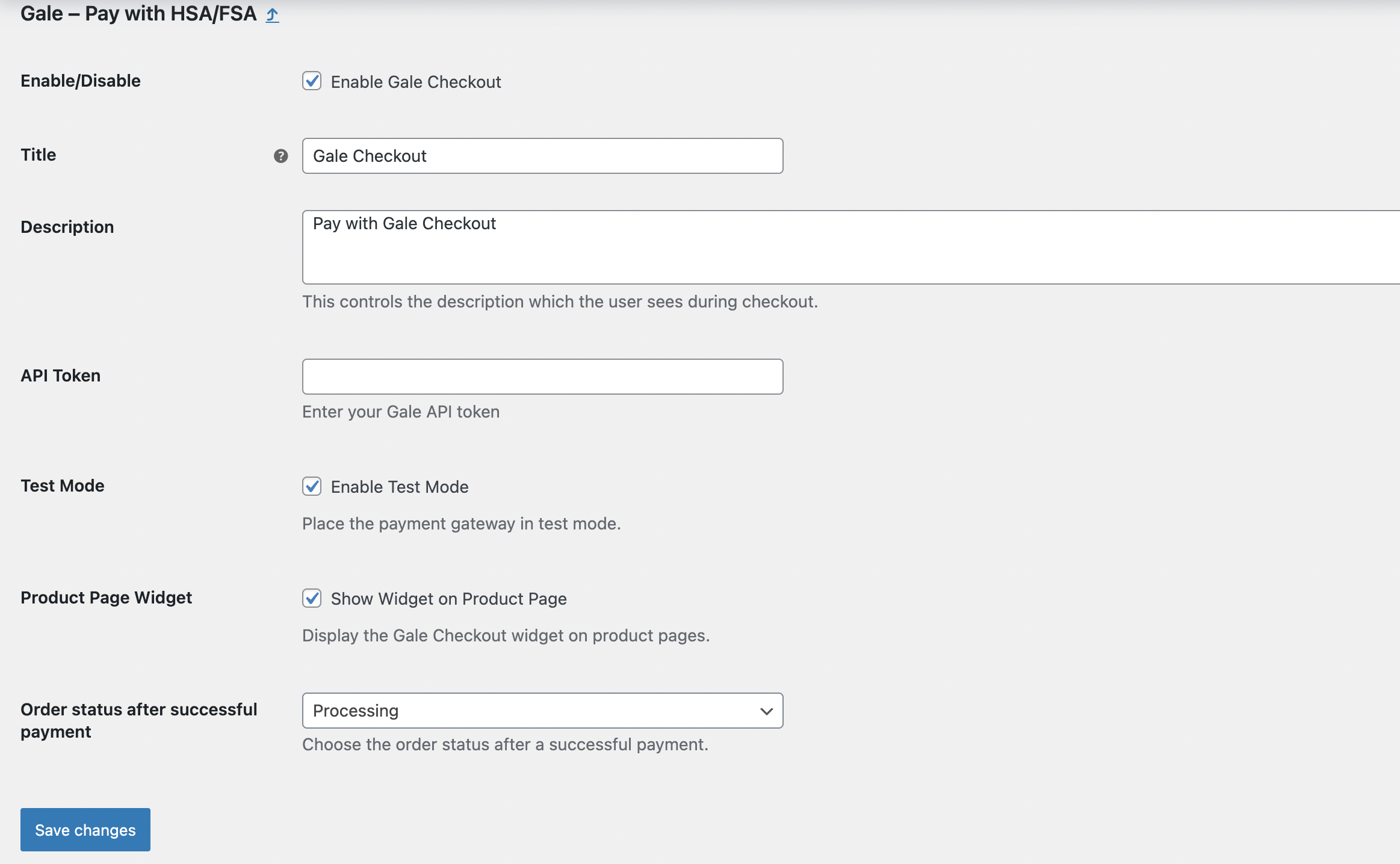
Gale Payments Settings Page:
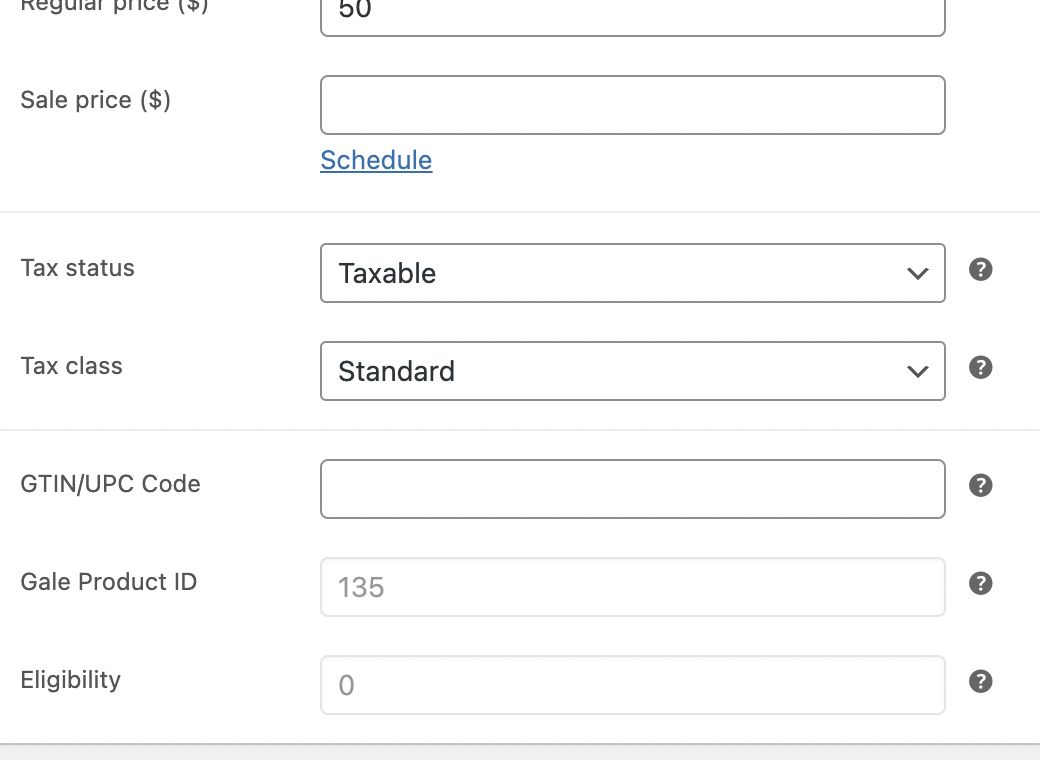
Product GTIN/UPC Field:
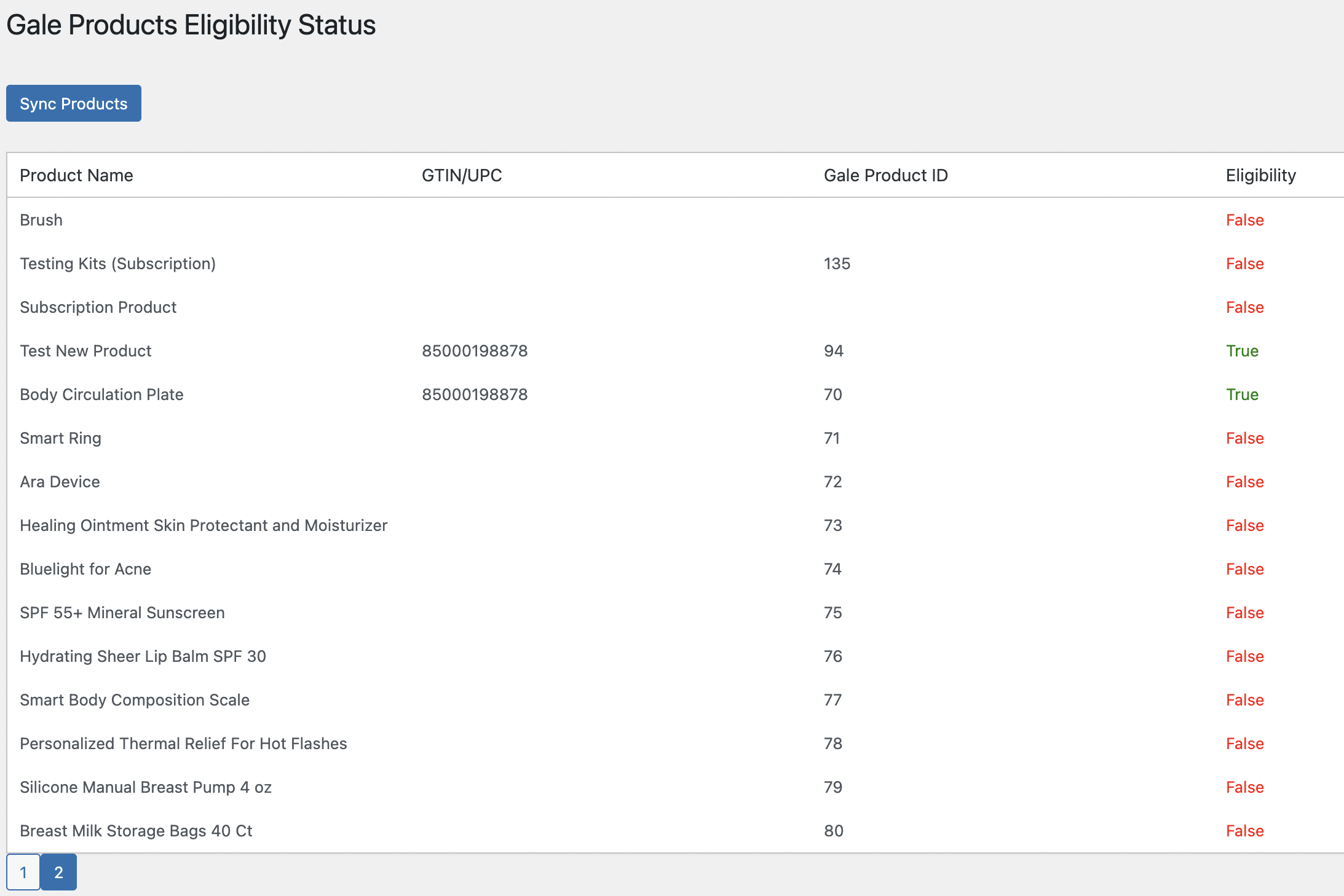
Gale Products Sync Page:
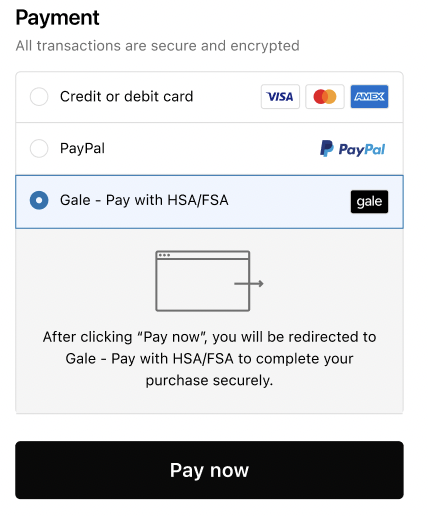
Checkout Page with HSA/FSA Payment Option:
Changelog
1.0.0
- Initial release of Gale Payments plugin.