

Flex HSA/FSA Payments
This is the official plugin for accepting payments via the Flex payment gateway on a WooCommerce store.
Plugin info
Maintenance & Compatibility
Maintenance score
Maintained • Last updated 135 days ago
Is Flex HSA/FSA Payments abandoned?
Likely maintained (last update 135 days ago).
Compatibility
Similar & Alternatives
Explore plugins with similar tags, and compare key metrics like downloads, ratings, updates, support, and WP/PHP compatibility.
Description
Flex integrates with WooCommerce to enable merchants to accept Health Savings Account (HSA) and Flexible Spending Account (FSA) payments. Our plugin helps you tap into the growing $150 billion HSA/FSA market and makes it easy to offer compliant, seamless payment options to your customers.
Features:
- Accept HSA/FSA payments directly in your WooCommerce checkout flow
- Product sync and eligibility assistance
- IIAS support for products deemed “always eligible”
- Letter of Medical Necessity (LOMN) directly in checkout for products deemed “dual use”
Flex partners have seen:
- 20% increase in average order volume
- 17% increase in revenue
- Access to a $150 billion and growing HSA/FSA market
How to Get Started:
Visit withflex.com to learn more or contact us at [email protected] to get started.
Installation
Frequently Asked Questions
Health savings accounts (HSAs) and flexible spending accounts (FSAs) are tax advantaged accounts that can be used for health related purchases.
Traditionally, health expenses are limited to spending at healthcare facilities (think doctor’s office, dentist office etc) or on a specific list of items, usually available at a pharmacy like CVS or Walgreens.
Flex works with wellness partners to enable you to spend your HSA/FSA money with them as well. Our partners include sleep, fitness, and meditation apps, nutrition programs, in person gyms, wearables and even medical tourism! Reach out to [email protected] if you’re interested in learning more!
A Letter of Medical Necessity is a note from a licensed healthcare provider stating that a product is needed to treat or manage a medical condition. Some products require this documentation to qualify for HSA or FSA payment, as required by the IRS.
Flex makes this process simple by offering asynchronous telehealth visits directly at checkout. If a Letter is needed, customers can complete a quick consultation and receive approval to pay with HSA/FSA. Within 24 hours of purchase, Flex will email an itemized receipt and any necessary documentation.
Review feed
Screenshots
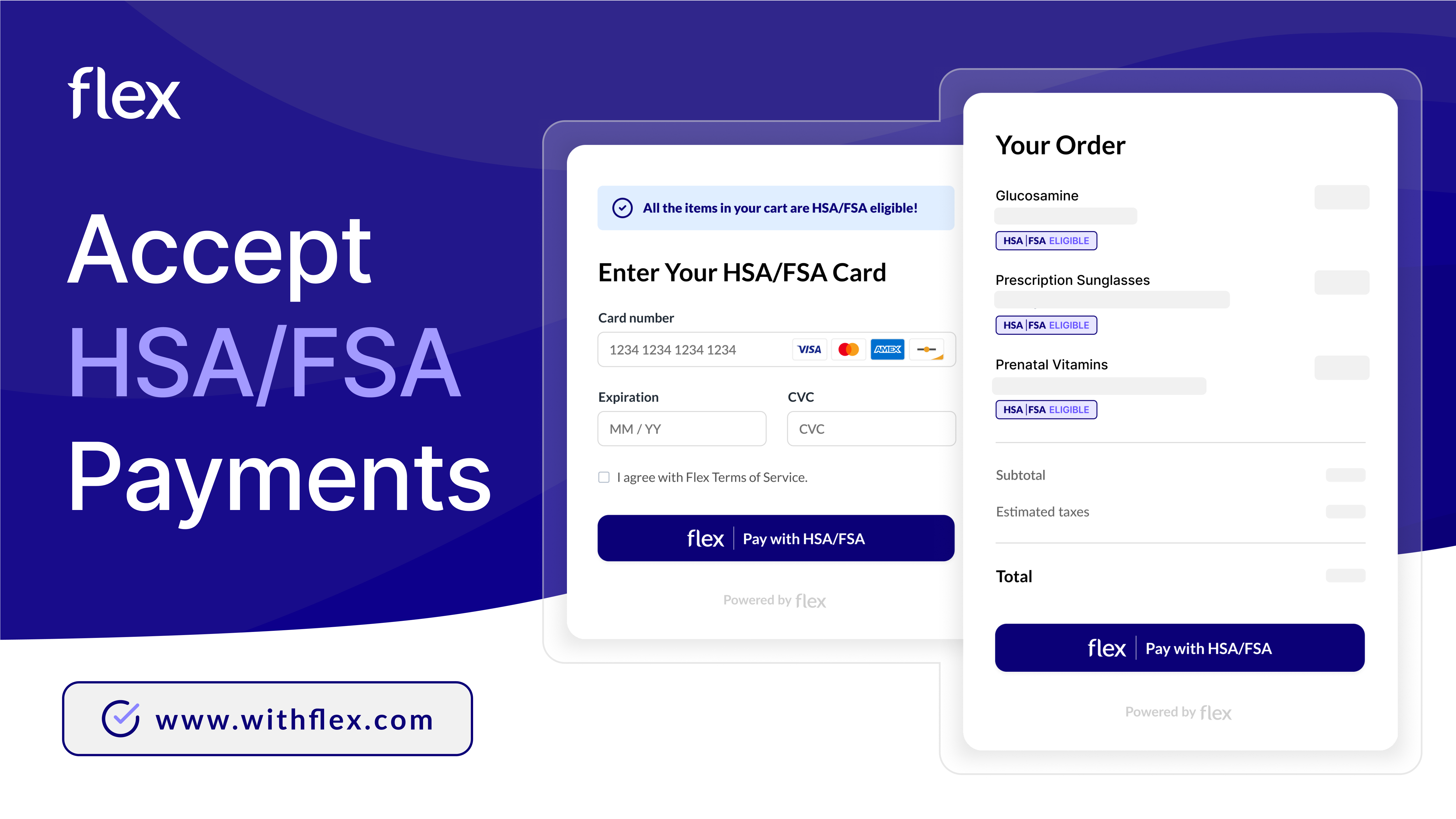
Accept HSA/FSA Payments: https://www.withflex.com/
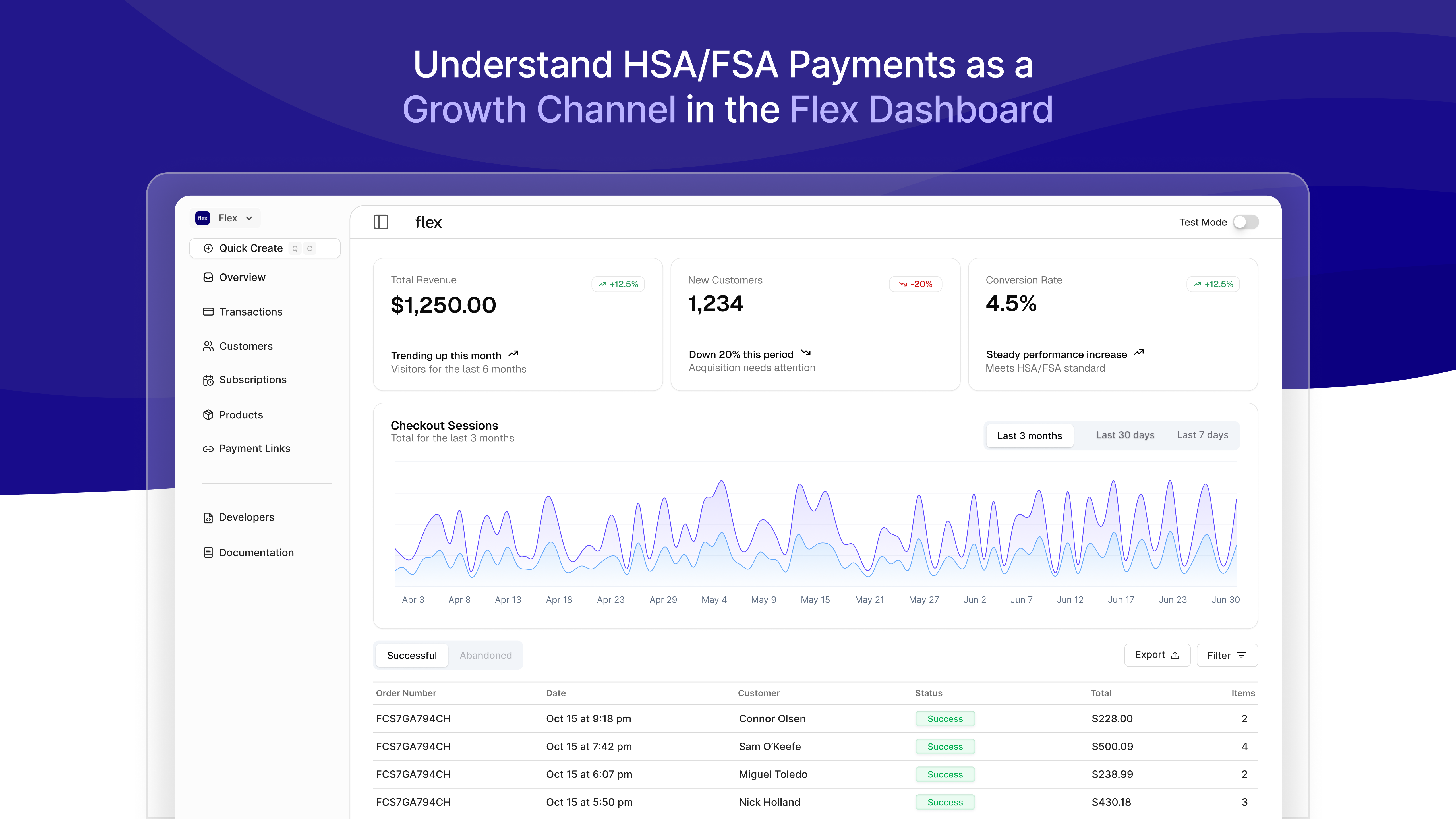
Understand HSA/FSA payments as a growth channel in the Flex dashboard.
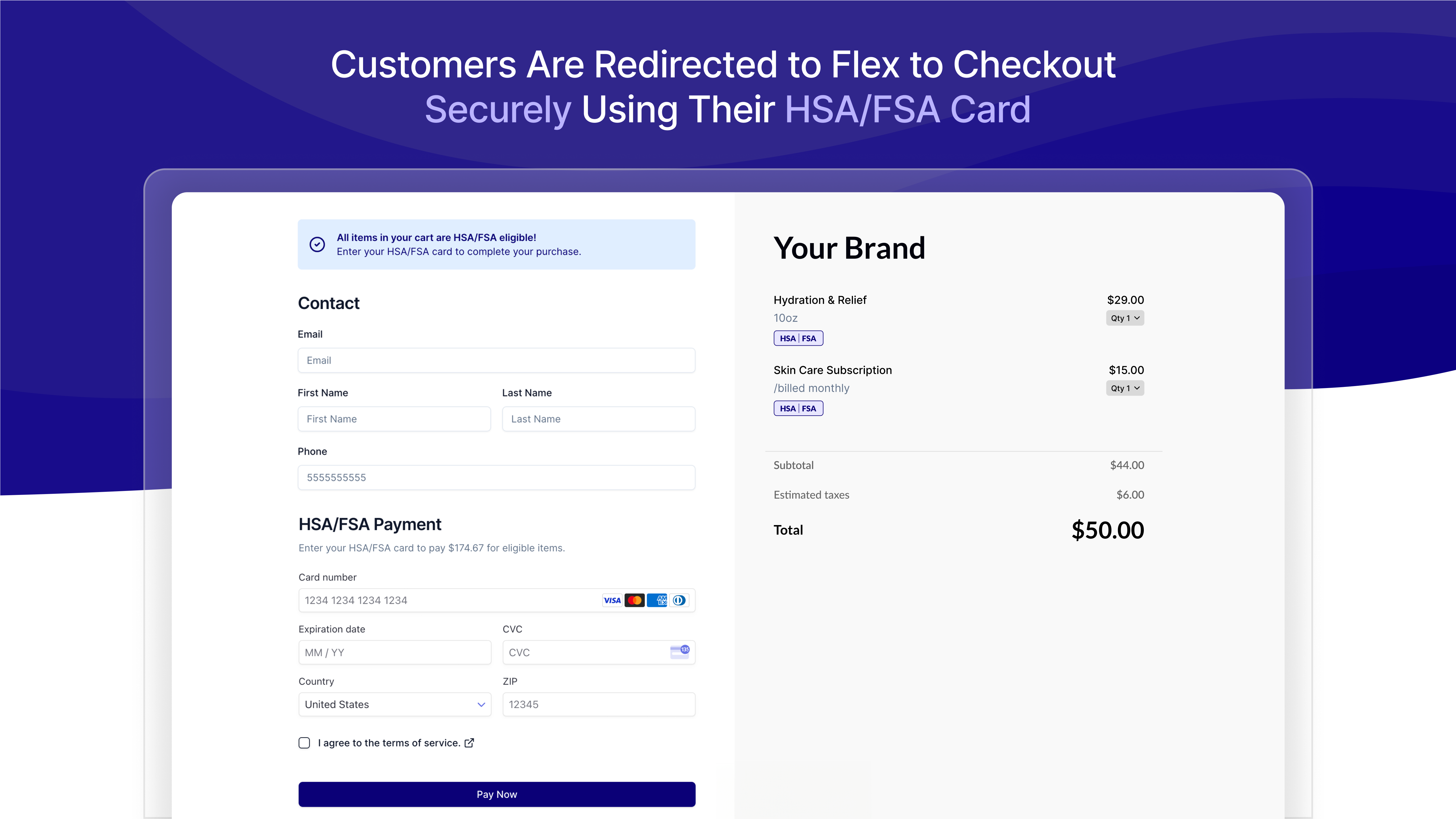
Customers are redirected to Flex to checkout securely using their HSA/FSA card.

Flex promotes your brand to engaged buyers looking to spend the $150B in HSA/FSA accounts.
Changelog
3.1.16
- Fixed a bug that prevented checkout when the cart contained a free item.
3.1.15
- Fixed a fatal error with WordPress 6.7 and PHP <8.4.
3.1.14
- Added support for WordPress 6.7.
3.1.13
- Fixed a bug that prevented pages >1 from being synced on plugin or payment method activation.
3.1.12
- Fixed a bug that prevented products and prices from being created if they already exist under a different account.
- Changed the plugin and payment method activation behavior. Product & Price syncing is now spawned asyncoursly which significantly improves the plugin activation speed.
3.1.11
- Fixed a bug where prices without cents were being incorrectly calculated.
3.1.10
- Fixed an error where WC_Payment_Gateway was accessed too early.
3.1.9
- Fixed version inconsistency between the plugin file and the readme.
3.1.8
- Changed PHP Scoper Excludes by using stubs.
3.1.7
- Fixed a security vulnerability that allowed an attacker to retrieve completed orders within a short window after the order was placed.
3.1.6
- Fixed plugin incompatibility by scoping dependencies.
3.1.5
- Fixed an incompatibility with the Cloudflare plugin.
3.1.4
- Fixed an exception that prevented the plugin from being activated.
- Changed telemetry metadata to only include data that is already available.
3.1.3
- Fixed an exception that prevented the plugin from being activated.
- Upgraded Sentry to 4.14.2.
- Upgraded Jetpack Autoloader to 5.0.9.
3.1.2
- Changed the plugin activation/deactivation behavior. Activating the plugin will now register the webhooks and attempt perform a product sync if the API key is available. Deactivating the plugin will delete the webhooks.
- Fixed an edge case were discounts were not applied if the Price did not already exist.
- Removed error reporting when an order is not found when receiving a webhook event. This error exclusively gets thrown by merchants with more than one environment.
- Removed the Flex payment method when the cart or order currency is not United States Dollar (USD).
- Fixed the validation and error message display on the payment gateway settings page.
- Changed the webhook verification to verify new and legacy webhooks.
3.1.1
- Fixed a bug that would cause the WooCommerce Stripe Payment Gateway to crash.
- Changed the Product descriptions in Flex by removing the HTML before saving them.
- Changed the Price descriptions in Flex by removing the HTML before saving them.
3.1.0
- Added support for Coupons.
- Added support for Sale Price.
- Fixed a bug that prevented product sync when the payment method was enabled for the very first time.
3.0.0
- Added support for processing refunds from within WooCommerce.
- Added the
FLEX_TELEMETRYconstant which allows users to opt-out of telemetry by setting the constant tofalse. - Fixed
PHP Notice: Function _load_textdomain_just_in_time was called incorrectly.
2.2.0
- Added support for WooCommerce block-based checkout.
2.1.3
- Fixed a critical error with PHP < 8.4
2.1.2
- Added additional context (checkout_session_id) to exceptions.
- Added exception reporting. When an exception is thrown within the plugin, the exception is reported to Flex for investigation.
2.1.1
- Removing the
assetsdirectory which is not required to be included in the plugin.
2.1.0
- Added the
cancel_urlto the checkout session which allows customers to return to the WooCommerce checkout. - Changed the default setting of
enabledtono. This makes it more clear that the API Key must be provided in order to enable the payment method.
2.0.0
- Renamed plugin to “Pay with Flex” (
pay-with-flex). - Renamed
WC_FLEX_API_KEYtoFLEX_API_KEY. - Removed
WooCommercefrom the PHP namespaces. - Renamed method
from_woo_commercetofrom_wc.
1.0.0
- Fixed a critical error where a method was incorrectly named.
- Taxes & Shipping are now correctly passed from WooCommerce to Flex.
- Webhook Handler. The plugin registers a Flex Webhook when the payment method is enabled.
1.0.0-beta.1
- API Key handling via the admin or with the
WC_FLEX_API_KEYconstant. - Test mode based on the API Key that is provided
- Flex Product & Price sync.
- Checkout Session creation and redirection back to WooCommerce in classic checkout.