

GeoSmart
Automatically adds city-precise location information of comment authors to comment metadata.
Plugin info
Maintenance & Compatibility
Maintenance score
Possibly abandoned • Last updated 6016 days ago
Is GeoSmart abandoned?
Possibly abandoned (last update 6016 days ago).
Compatibility
Similar & Alternatives
Explore plugins with similar tags, and compare key metrics like downloads, ratings, updates, support, and WP/PHP compatibility.
Description
GeoSmart automatically adds city-precise location information for each comment author to comment metadata for each comment and a map showing comment author location distribution. GeoSmart also ships with a multiple instance capable sidebar widget that displays a map showing the locations of the most recent visitors to your blog.
Installation
- Unzip the geosmart.zip file.
- Upload the ‘geosmart’ directory to the ‘/wp-content/plugins/’ directory.
- Activate the plugin through the ‘Plugins’ menu in WordPress.
- Go to the ‘GeoSmart’ page listed under ‘Settings’ and click the ‘Synchronize’ button.
- To display maps, enter a Google Maps API Key.
Frequently Asked Questions
Where does GeoSmart get its location information from?
GeoSmart utilizes the http://ipinfodb.com/ API to obtain location information.
Can GeoSmart pinpoint the exact address of a commenter?
No it cannot.
Can I use GeoSmart to display maps without a Google Maps API Key?
No you cannot.
Is the GeoSmart widget multiple instance capable?
Yes it is.
Review feed
Screenshots

Admin panel with invalid Google Maps API key.

Admin panel with valid API key but unsynchronized database tables.

Admin panel with valid API key and synchronized database tables.
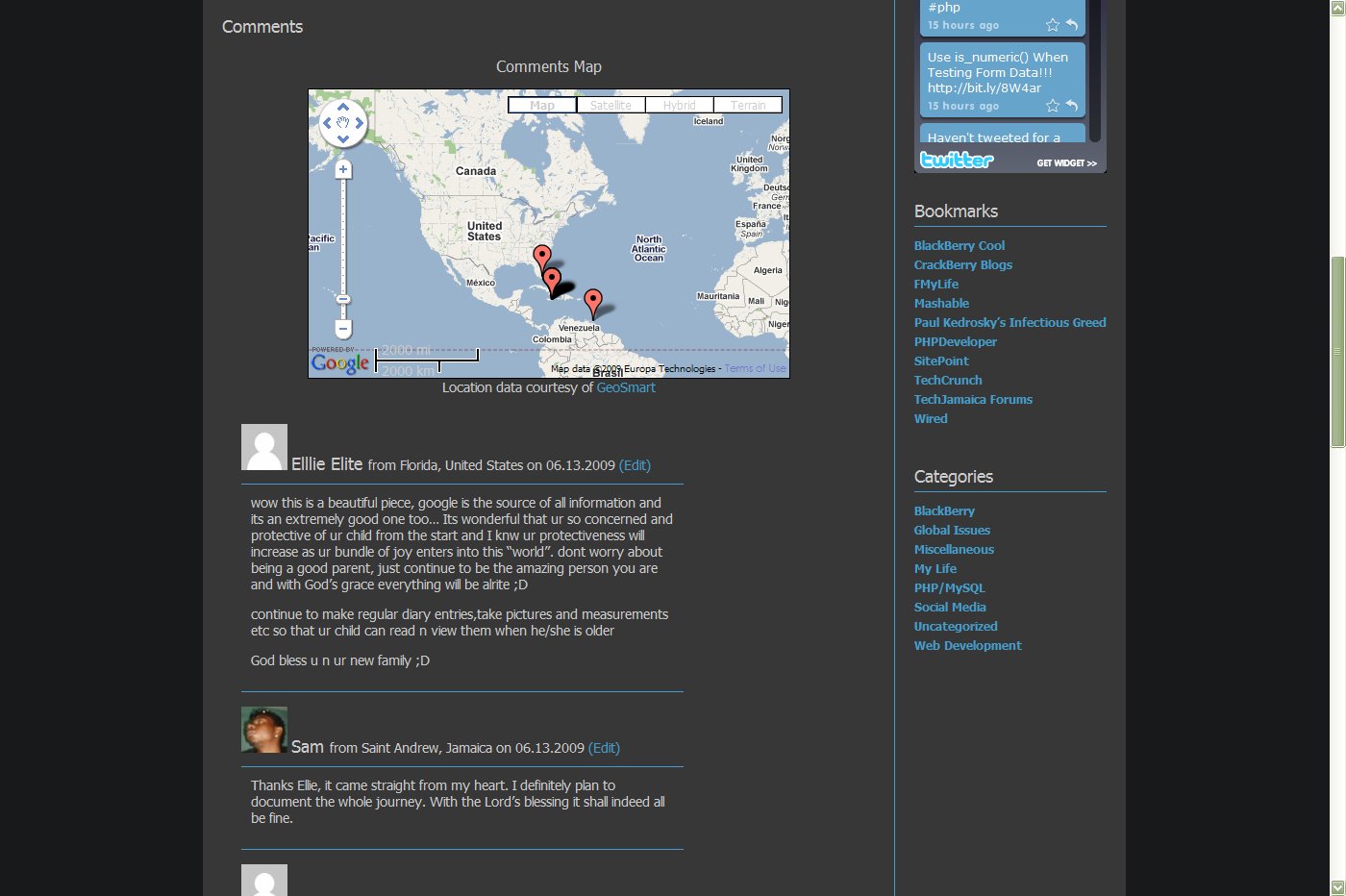
Post page with map and comment author location.
Changelog
1.5.3
- Fixes database sync bug when approving/marking comments as spam.
- Fixes warning message on plugin update page.
1.5.2
- Fixes database error received when upgrading from versions prior to 1.5.
1.5.1
- Fixes widget bug on pages without comments.
1.5
- New feature: Now adds country flags to comment author name.
- New feature: Multiple instance capable recent visitors widget built on the new WordPress 2.8 widgets API.
- New feature: It is now possible to select the color of the map location markers.
- Fixes wp-super-cache incompatibility issue.
- Now uses static method to display comments map.
- Included POT file for I18n.
1.0.9.1
*Fixed comment deletion bug.
1.0.9
*Fixed bug in database synchronization module.
*Fixed code syntax typo on GeoSmart seting page.
*Removed google maps API calls from pages without comments and non-single pages.
1.0.8
*Fixed CURLOPT_FOLLOWLOCATION issue for users running PHP in safe mode or with an open basedir set.
*Added internationalization support.
*Improved error handling.
*Added support for PHP installations compiled without the cURL extension.
1.0.4
*Fixed bug on admin page.
1.0.3
*Added CSS and images.
1.0.2
*Fixed database sync issue.
1.0.0
*Released to WordPress Plugin Repository
0.0.3
*Added geosmart_map() function.
*Modified admin panel.
0.0.2
*Added Google Map functionality.
*Added admin panel options.
*Added settings link on plugins page.
*Modified database table structure.
0.0.1
*Original Version.