

GiveWP Donation Widgets for Elementor
A GiveWP add-on which allows you to embed any GiveWP shortcode into your Elementor-powered pages.
Plugin info
Maintenance & Compatibility
Maintenance score
Stale • Last updated 259 days ago • 5 reviews
Is GiveWP Donation Widgets for Elementor abandoned?
Likely maintained (last update 259 days ago).
Compatibility
Languages
Similar & Alternatives
Explore plugins with similar tags, and compare key metrics like downloads, ratings, updates, support, and WP/PHP compatibility.
Description
GiveWP Donation Widgets for Elementor is the easiest way to embed any of the GiveWP shortcodes or blocks into your Elementor-powered pages.
No more fidgeting with shortcode args or comparing docs. Just use the Donation Elementor widgets and configure them with Elementor’s powerful live preview and hit PUBLISH.
WIDGETS INCLUDED
- GiveWP Form Widget
- GiveWP Donor Wall Widget
- GiveWP Form Grid Widget
- GiveWP Totals Widget
- GiveWP Goals Widget
- GiveWP Donation Receipt Widget
- GiveWP Donation History Widget
- GiveWP Registration Widget
- GiveWP Login Widget
- GiveWP Profile Editor Widget
- GiveWP Subscriptions Table (for Recurring Donations add-on)
BASIC USAGE
Once the add-on is enabled, you’ll have a new Widget section in your Elementor builder called “GiveWP Widgets”. There’s you’ll find all 10 of the available widgets. Simply drop any of them onto your page and the options will be displayed for you to configure.
ABOUT OUR FREE ADD-ONS
Add-ons like “GiveWP Donation Widgets for Elementor” are a way that we are giving back to the WordPress community. Check out our announcement about this add-on to learn more about all the great and free add-ons we’re creating.
ABOUT GIVEWP
GiveWP is the most robust WordPress plugin available for accepting online donations. GiveWP provides you with powerful features helping you raise more funds for your cause from one, effective, platform.
If you are enjoying Give Form Countdown please consider giving us your feedback and rating.
Installation
Minimum Requirements
- PHP version 7.2 or greater
- MySQL version 5.7 or greater
Automatic installation
NOTE: Before installing “GiveWP Donation Widgets for Elementor”, you must have the free GiveWP Donation plugin, and Elementor Page Builder installed and activated on your website.
Automatic installation is the easiest option as WordPress handles the file transfers itself and you don’t need to leave your web browser. To install “GiveWP Donation Widgets for Elementor”, login to your WordPress dashboard, navigate to the Plugins menu and click “Add New”.
In the search field type “GiveWP Donation Widgets for Elementor” and click “Search Plugins.” Once you have found the plugin you can view details about it such as the the point release, ratings and description. Most importantly of course, you can install it by simply clicking “Install Now”.
Manual installation
The manual installation method involves downloading the plugin and uploading it to your server via your favorite FTP application. The WordPress codex contains instructions on how to do this here.
Updating
Automatic updates should work like a charm; as always though, ensure you backup your site before doing any plugin or theme updates just in case. If you have any trouble with an update, try out our WP-Rollback plugin which lets you revert to previous versions of WordPress plugins or themes with just a couple clicks.
Frequently Asked Questions
GiveWP is the most robust WordPress plugin available for accepting online donations. GiveWP provides you with powerful features helping you raise more funds for your cause from one, effective, platform.
If you have purchased any of our Premium Add-ons, we can provide with your Priority Support here.
If you are a free GiveWP user and have a general question about GiveWP, submit a ticket here.
Otherwise, if your question is specific to “Donation Widgets for Elementor” we’re happy to answer your questions here.
“GiveWP Donation Widgets for Elementor” is hosted publicly on Github. We’d love your feedback and suggestions there.
Review feed
Screenshots
The GiveWP Widget Section in the Elementor Builder

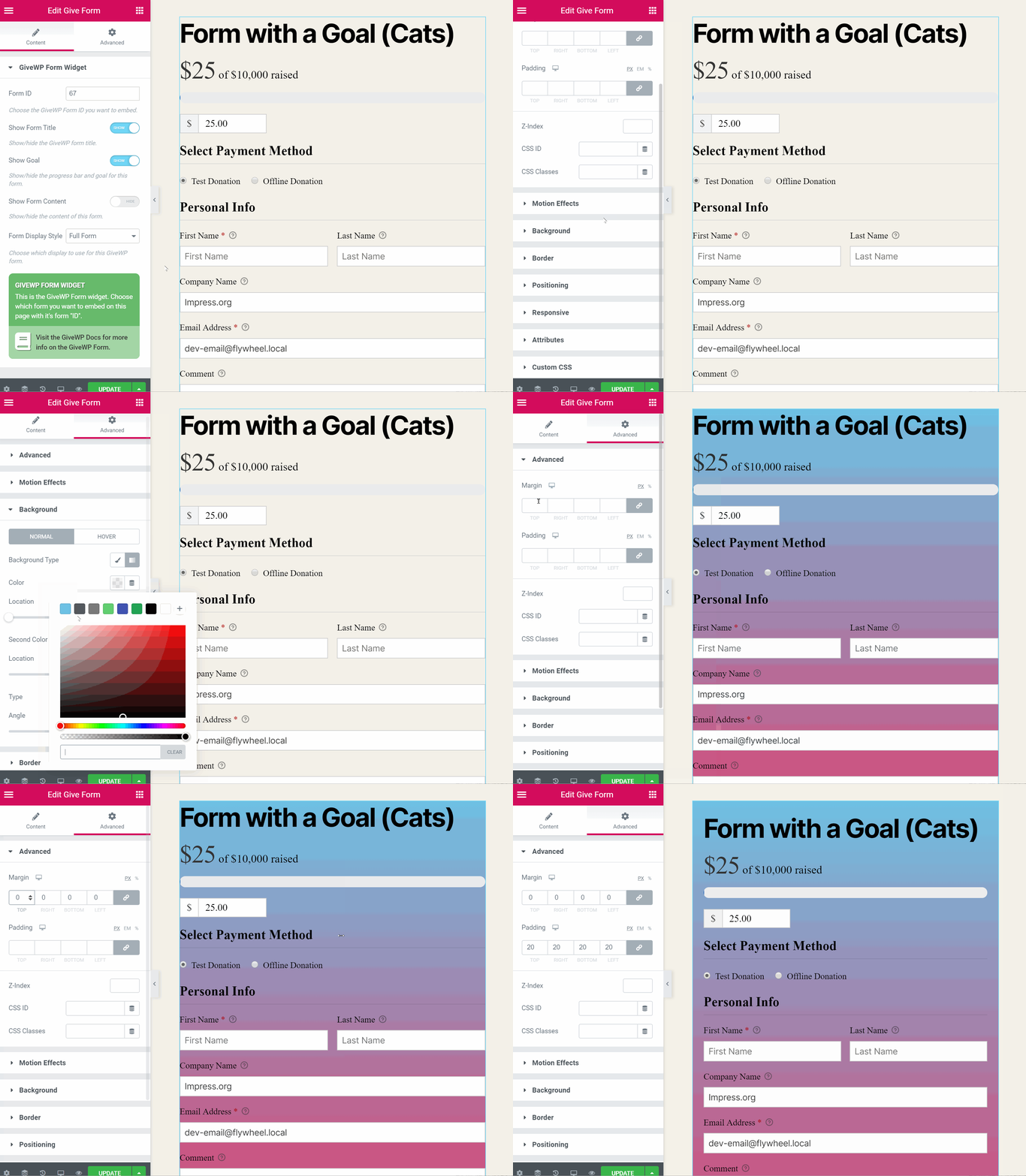
The GiveWP Form Widget
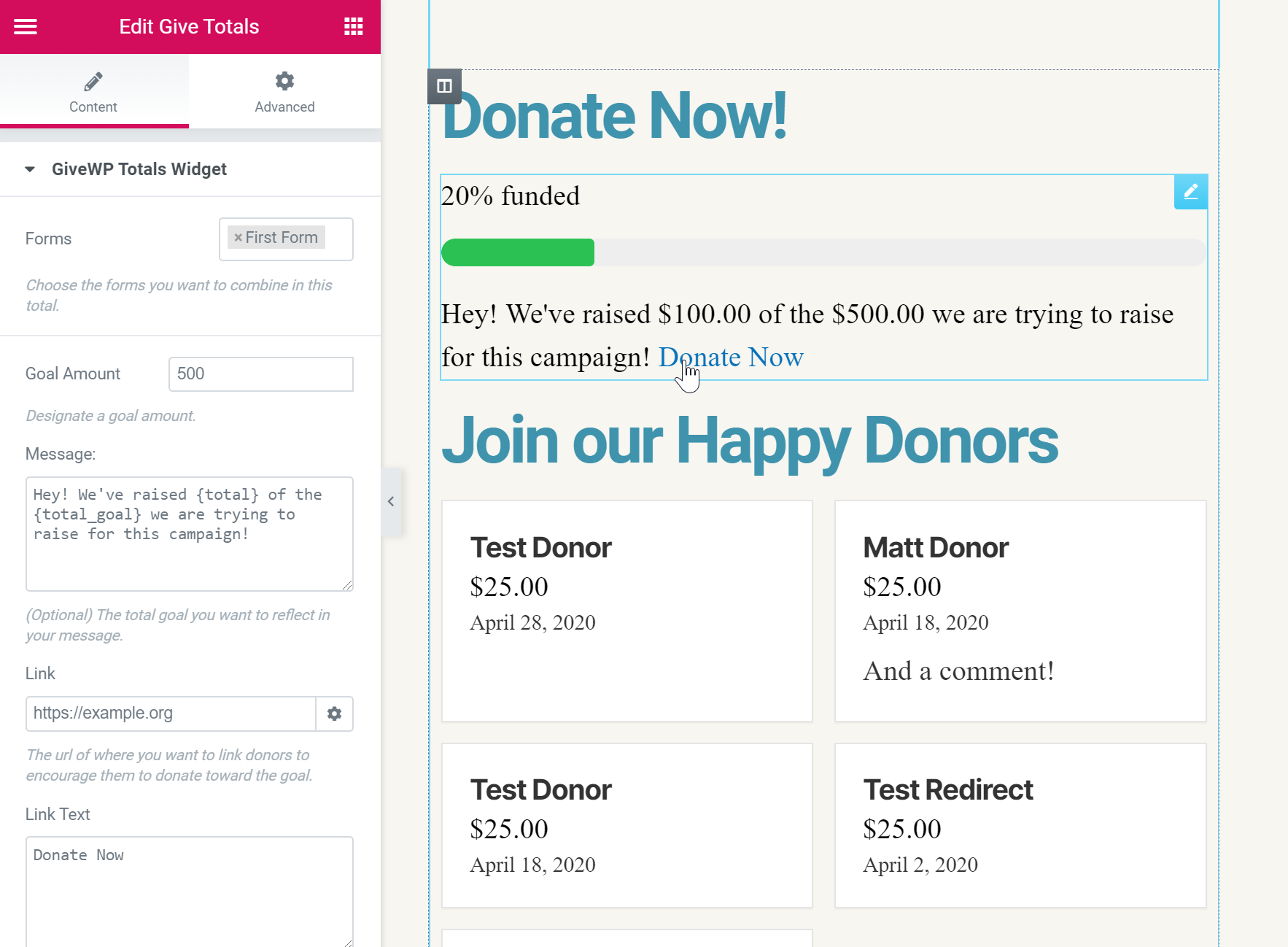
The GiveWP Form Grid Widget
Changelog
2.0.2 July 16th, 2025
- Fix: Resolved an issue with Give icons not showing on widgets
2.0.1 April 3rd, 2024
- Fix: Resolved several issues with the GiveWP form grid widget options not working as expected
2.0.0 February 14th, 2024
- New: Added compatibility with the GiveWP visual form builder
- Fix: Resolved an issue with the show goal setting not working properly
1.2.0 July 6, 2022
- New: Added the Multi-Form goal block
- Enhancement: The Form Grid block has been updated with more controls
- Fix: Resolved an issue with Elementor Pro which prevent GiveWP blocks from being edited
1.1.1 May 28, 2020
- FIX: Ensure Donor Wall widget can show single form donors correctly (issue).
1.1.0 May 4, 2020
Enhancements
- Added PDF Receipts row to the donation receipt table if PDF Receipts is active.
- Added the
give_subscriptionswidget when GiveWP Recurring Donations is active.
Bug Fixes
1.0.0 May 1, 2020
Initial Release!!
- Launched supporting all 10 GiveWP Core shortcodes