

GoToMenu – Menu Navigator
A simple and accessible WordPress plugin that allows users to quickly navigate through your site's menus using the F2 keyboard shortcut.
Plugin info
Maintenance & Compatibility
Maintenance score
Possibly abandoned • Last updated 502 days ago • 1 reviews
Is GoToMenu – Menu Navigator abandoned?
Possibly abandoned (last update 502 days ago).
Compatibility
Similar & Alternatives
Explore plugins with similar tags, and compare key metrics like downloads, ratings, updates, support, and WP/PHP compatibility.
Description
GoToMenu – Menu Navigator GoToMenu – Menu Navigator is a WordPress plugin that boosts efficiency by offering rapid access to any registered menu. A simple F2 keypress opens a search box, letting users quickly find and open their desired menu. Save time and streamline workflow by skipping manual menu scrolling.
Key Features:
- Adds a settings page under “GoToMenu” in the WordPress admin area.
- Includes a toggle field called “Enable for Frontend” to enable or disable the plugin’s functionality on the frontend.
- Includes a toggle field called “Enable for backend” to enable or disable the plugin’s functionality on the backend.
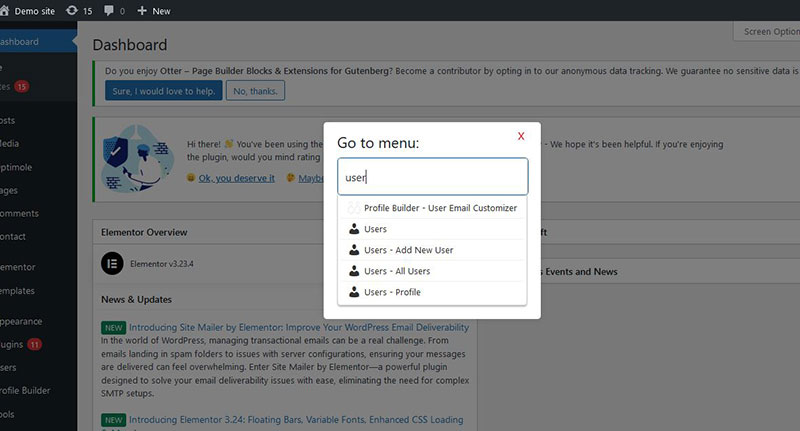
- When enabled, users (including guest users) can press the F2 key to open a modal displaying a list of available menus.
- Users can select a menu from the dropdown list and navigate directly to the selected menu’s page.
- Fully accessible and keyboard-friendly, with support for navigating the modal using keyboard keys.
License
This plugin is licensed under the GPLv2 or later. See the License URI for more details.
Installation
- Upload the
gotomenufolder to the/wp-content/plugins/directory, or install the plugin through the WordPress plugins screen directly. - Activate the plugin through the ‘Plugins’ screen in WordPress.
- Go to the “GoToMenu” settings page in the WordPress admin area.
- Toggle “Enable for Frontend” to activate the plugin’s functionality on the Frontend.
- Toggle “Enable for backend” to activate the plugin’s functionality on the Backend WP Admin Area.
Frequently Asked Questions
After installing and activating the plugin, go to the “GoToMenu” settings page in the WordPress admin area and toggle the “Enable for Frontend” option.
All users, including guest users, can use the F2 key to open the modal and navigate the menus if the “Enable for Frontend” option is activated.
Currently, the plugin only supports the F2 key as the shortcut to open the modal. Customization options may be added in future updates.
Review feed
Screenshots
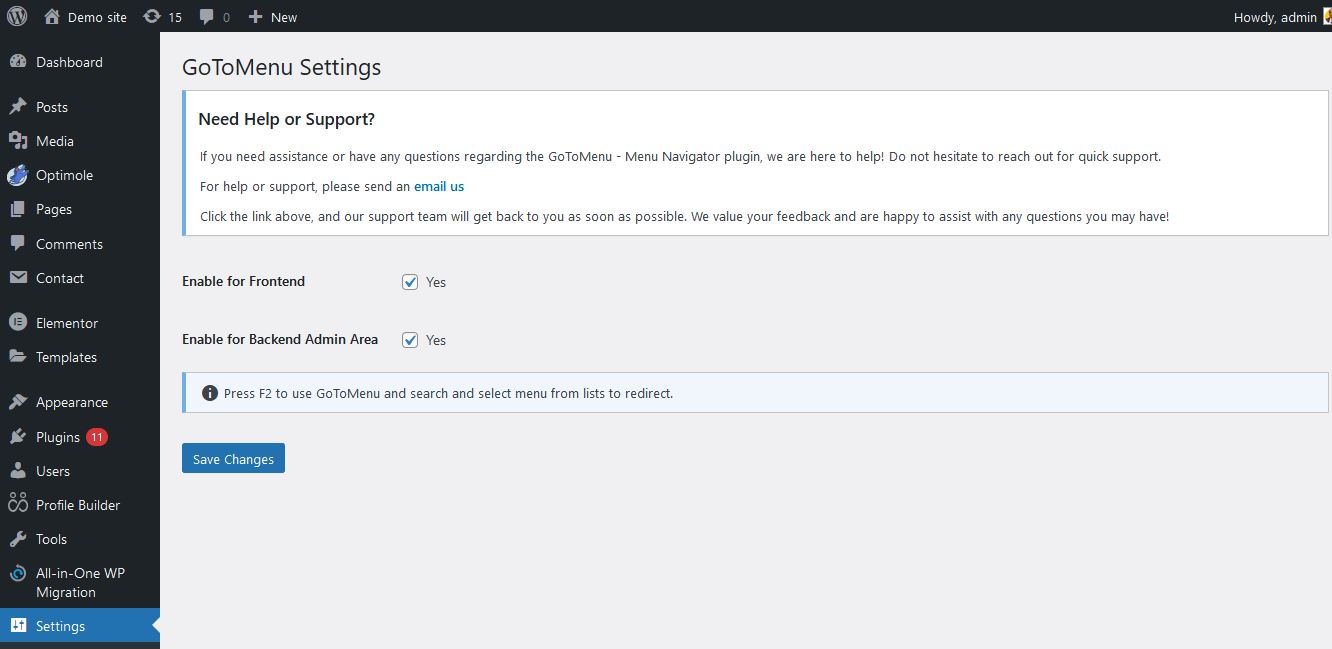
GoToMenu Settings Page: The settings page where you can enable or disable the plugin's frontend functionality.
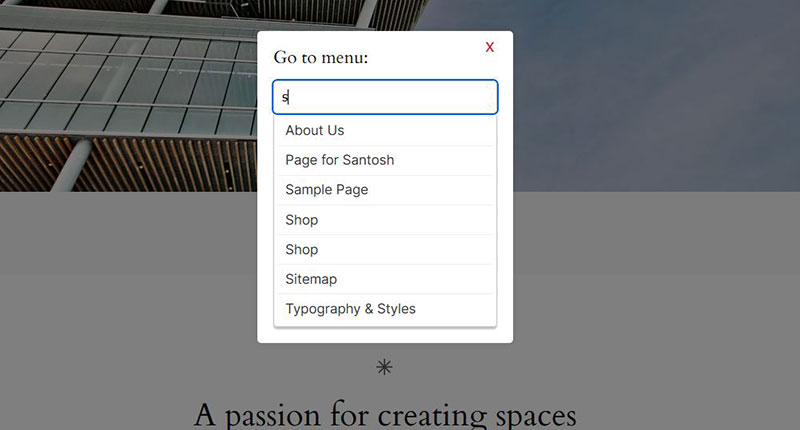
GoToMenu Modal: The modal that appears when users press the F2 key, allowing them to select a menu and navigate to the corresponding page.
Changelog
1.0.0
- Initial release of GoToMenu.
- Added the “Enable for Frontend” setting.
- Implemented the F2 key functionality to open a modal with a dropdown list of available menus.