

Greenshift Smart Code AI
Introducing Smart Code AI for WordPress - the revolutionary plugin that unleashes the power of Artificial Intelligence within the Gutenberg editor!
Plugin info
Maintenance & Compatibility
Maintenance score
Stale • Last updated 313 days ago • 1 reviews
Is Greenshift Smart Code AI abandoned?
Likely maintained (last update 313 days ago).
Compatibility
Developers
Similar & Alternatives
Explore plugins with similar tags, and compare key metrics like downloads, ratings, updates, support, and WP/PHP compatibility.
Description
Are you tired to find proper info in internet to extend your site? Look no further! Smart Code AI is here to save the day. This groundbreaking plugin harnesses the capabilities of AI to assist you in building custom code snippets effortlessly.
Features and Benefits:
✅ AI-Powered Suggestions: Our cutting-edge AI technology assists you in real-time, offering relevant code suggestions while you build your custom snippets. Ask AI to build you the snippet, copy code areas with one click to proper section, continue to use chat for fine tuning.
✅ Code checker and snippets. No more simple text editor like in HTML block. Type your code and special editor will check on errors, suggest snippets and autocompetions.
✅ Code snippets library. Save your code snippets and reuse them in any place of your site via shortcodes.
✅ Preview code directly in editor. No need to switch to frontend and backend. Html, JS, CSS and even php code can be previewed in editor.
✅ Collapsed mode. This will help you to keep page clean. You can hide/unhide big code areas in one click. Or use preview mode to see final result directly in editor.
✅ Greenshift Companion plugin can allow you to style code snippets with no code.
Download Smart Code AI today and witness the future of coding with AI assistance. It’s time to revolutionize your development process!
For Developers
View the source files for this project on github.
Installation
Frequently Asked Questions
Review feed
Great plugin
Screenshots
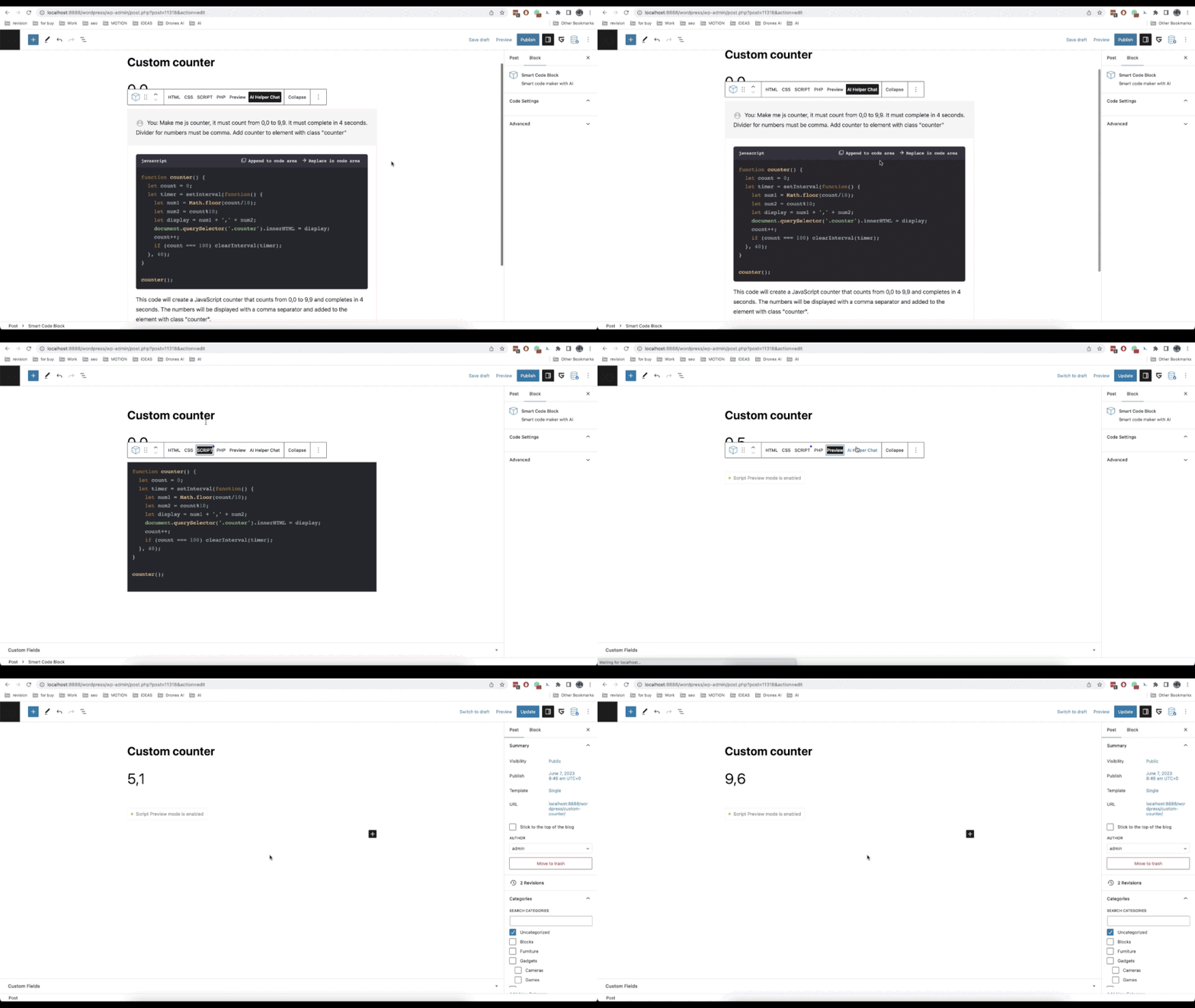
Smart insertion. Easily copy AI code snippets to proper code section
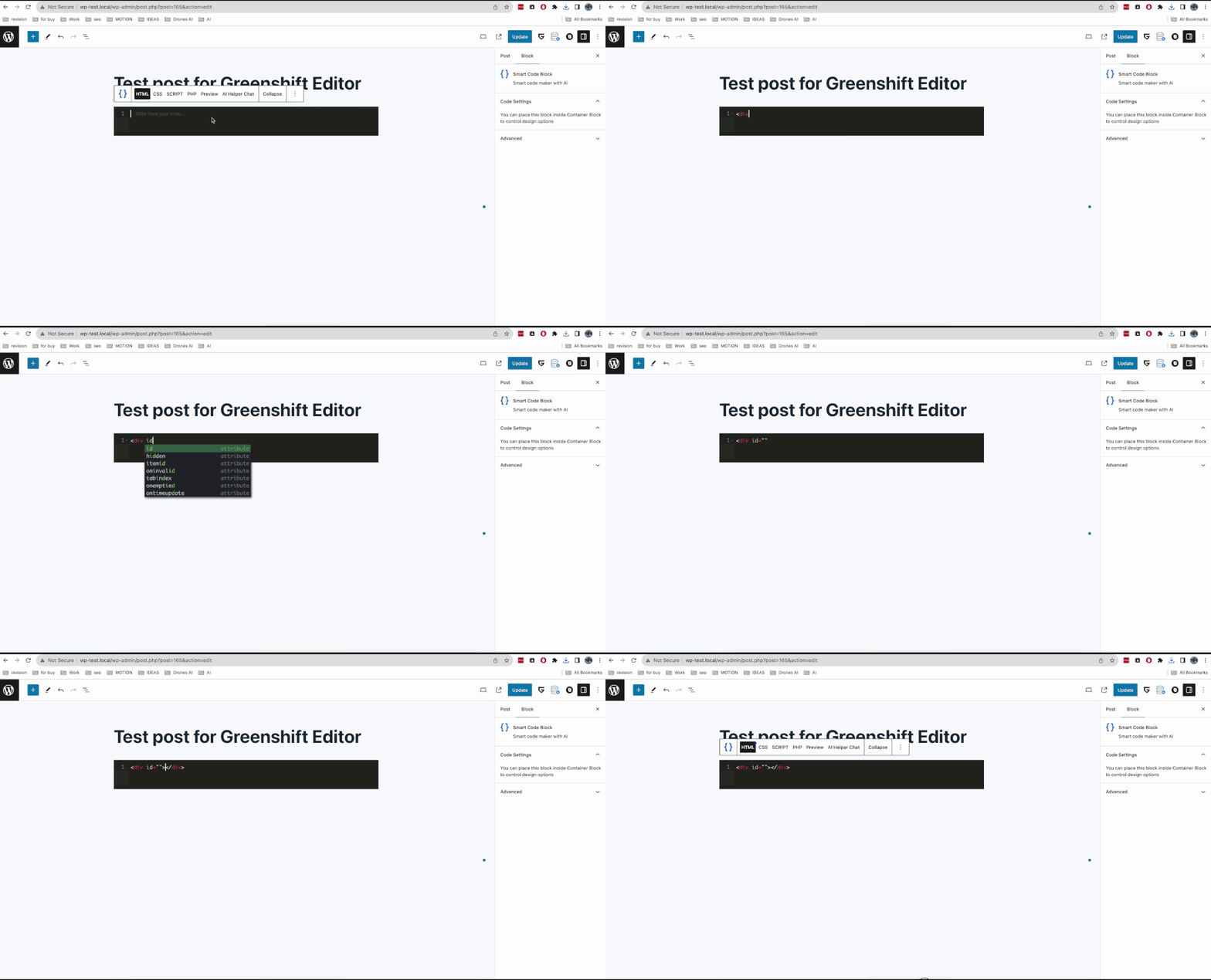
Code editor. Use advanced code editor with autocomplete snippets
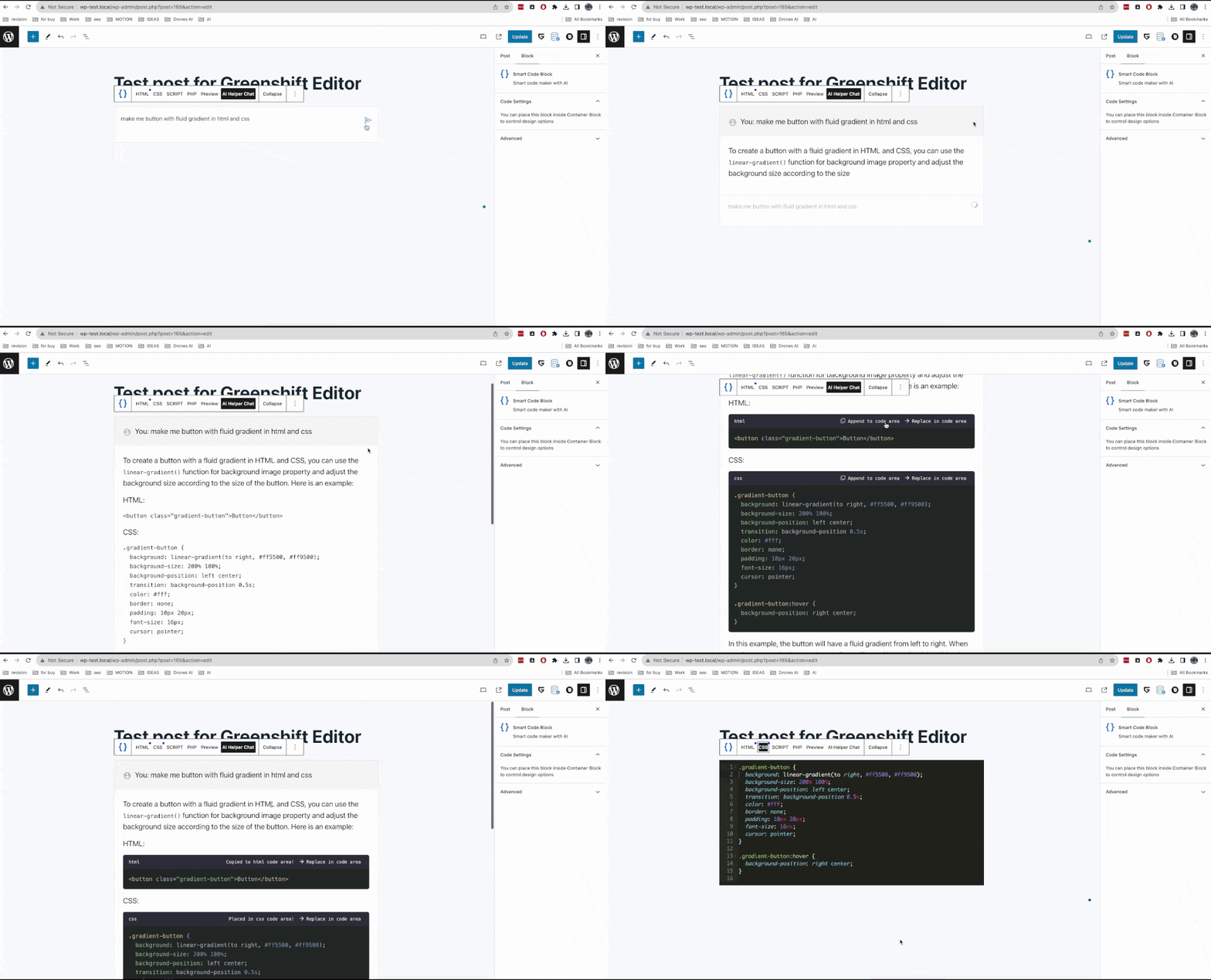
AI helper. Use popular AI models for code generation and code helper.
Changelog
0.5
- Added: support for Gemini models
- Added: support for new updated OpenAI, Claude and Gemini models
0.4
- Added: support for New Claude models
- Added: support for New Gemini models
0.3
- Added: support for Anthropic models
- Added: support for DeepSeek Chat
- Added: all currentavailable OpenAI models
0.2
- Added: support for Greenshift Code field in Element block
- Added: support for Greenshift field for Custom css