

Groundworx Testimonial
A modern testimonial plugin for WordPress block themes — custom post type, custom fields, and Gutenberg blocks with schema and accessibility built-in.
Plugin info
Maintenance & Compatibility
Maintenance score
Stale • Last updated 184 days ago
Is Groundworx Testimonial abandoned?
Likely maintained (last update 184 days ago).
Compatibility
Similar & Alternatives
Explore plugins with similar tags, and compare key metrics like downloads, ratings, updates, support, and WP/PHP compatibility.
Description
Groundworx Testimonial gives you a dedicated testimonial post type plus flexible blocks that fit seamlessly into the WordPress Block Editor.
You can display testimonials in two ways:
– Query Loop – pull multiple testimonials automatically from the CPT.
– Standalone block – insert a single block and select which testimonial post to display.
Each testimonial supports a quote, author, citation (e.g. company), and photo. The main Testimonial block also includes schema markup for SEO, helping search engines recognize and display your reviews.
Editing Experience
When you add a new testimonial in the admin, the editor is streamlined for this purpose:
– The main block is a Testimonial Quote.
– In the right sidebar, open the block settings panel (click the controls icon with sliders) to access fields for Author name, Citation (such as a company or title), and Photo.
Key Features
Custom Post Type + Fields
Manage testimonials in one place with quote, author, citation, and photo fields.
Native Gutenberg Blocks
Insert testimonials directly in the Block Editor—no shortcodes or legacy templates needed.
Main Testimonial Block
Full testimonial with schema support for SEO.
Individual Field Blocks
Use Author, Citation, Quote, and Photo as standalone blocks if you want to design custom layouts.
Flexible Display Options
– Show multiple testimonials in a Query Loop.
– Drop in a single block and select which testimonial to feature.
Accessible Markup
Semantic HTML with proper ,
Theme.json Integration
Typography, spacing, colors, and borders inherit from your theme.json design tokens.
How it works
- Go to Testimonials Add New in the WordPress admin.
- Enter the testimonial quote, author, citation, and photo.
- Save and publish the testimonial.
- Display testimonials:
- Add the Testimonial block and select a specific testimonial to feature.
- Or use a Query Loop to show multiple testimonials automatically.
Blocks included
- groundworx-testimonial/testimonial – Main testimonial block (with schema support).
- groundworx-testimonial/quote – Quote field.
- groundworx-testimonial/citation – Citation field (e.g. company).
- groundworx-testimonial/author – Author name.
- groundworx-testimonial/photo – Photo block.
Installation
- Upload the plugin folder to
/wp-content/plugins/or install via Plugins Add New. - Activate Groundworx Testimonial.
- In the WordPress admin, go to Testimonials Add New and create your first testimonial.
- In the Block Editor, insert the Groundworx Testimonial block (or individual field blocks).
- Use it in a Query Loop to show multiple testimonials, or insert a standalone block and choose a testimonial to feature.
- Style it using your theme.json settings or the block sidebar controls.
Frequently Asked Questions
Yes. Groundworx Testimonial registers its own testimonial post type with custom fields (quote, author, citation, photo).
Use the Query Loop block to pull in testimonials from the CPT. Add the Testimonial block (or individual field blocks) inside the loop, and each post will render automatically.
Yes. Insert a standalone Testimonial block and select a specific testimonial post to display.
Groundworx Testimonial is built for block themes using theme.json. In classic PHP themes, styling and block controls may not behave as expected.
Yes. The plugin outputs semantic HTML using <blockquote>, <cite>, <figure>, and <figcaption>, following accessibility best practices.
Review feed
Screenshots
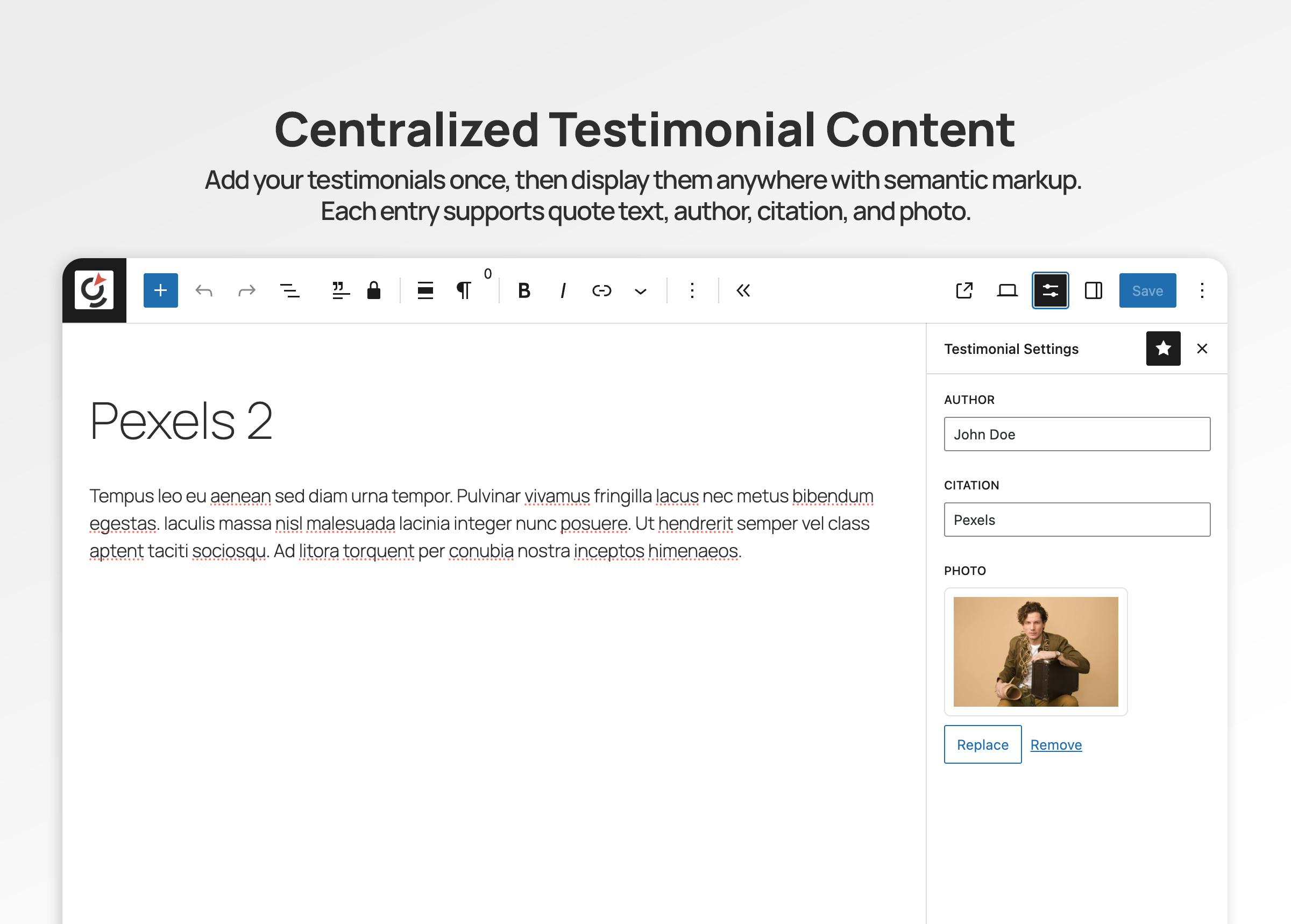
Testimonial post type with quote, author, citation, and photo fields.
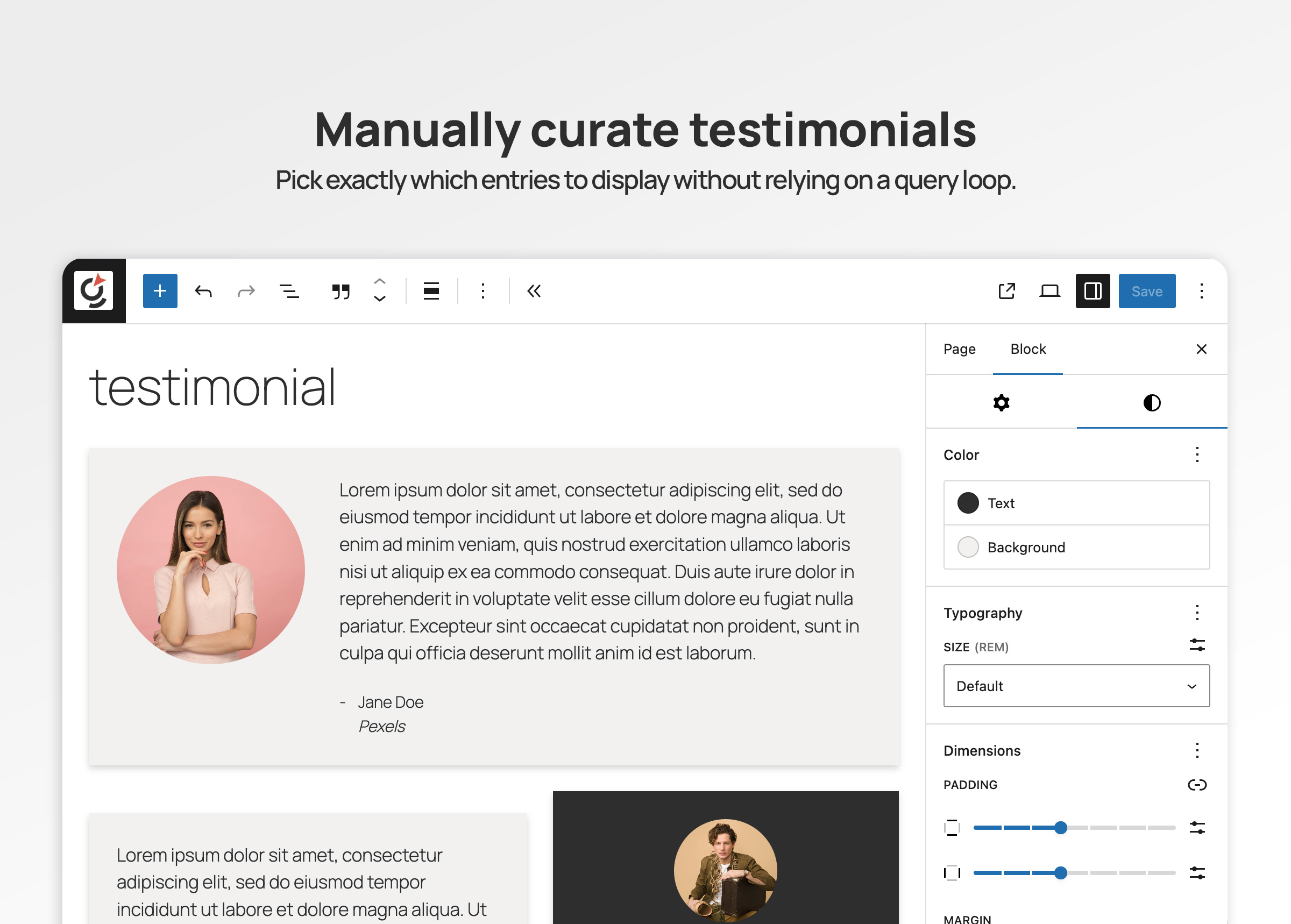
Manually curated testimonials in the editor.
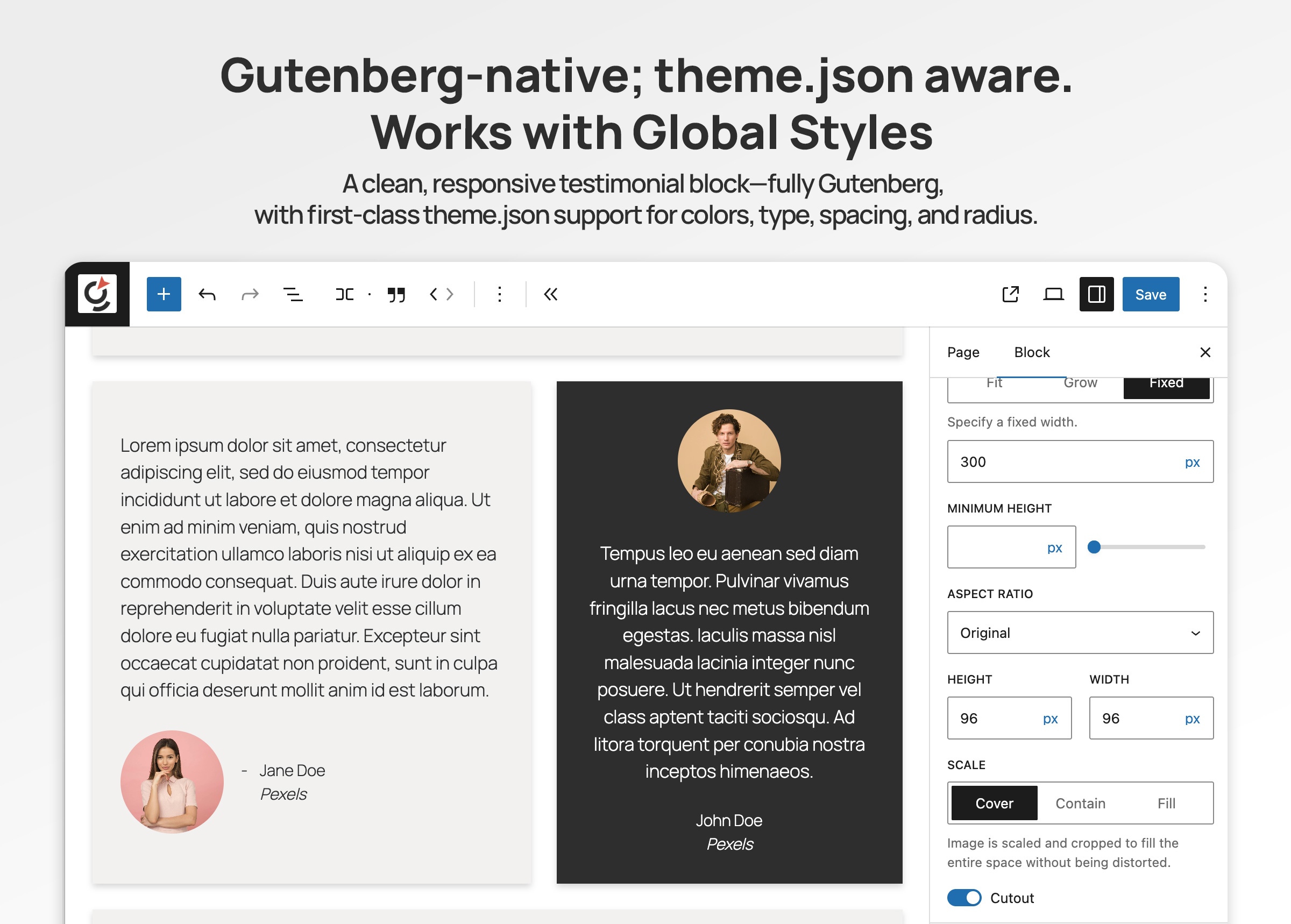
Global Styles and theme.json support.
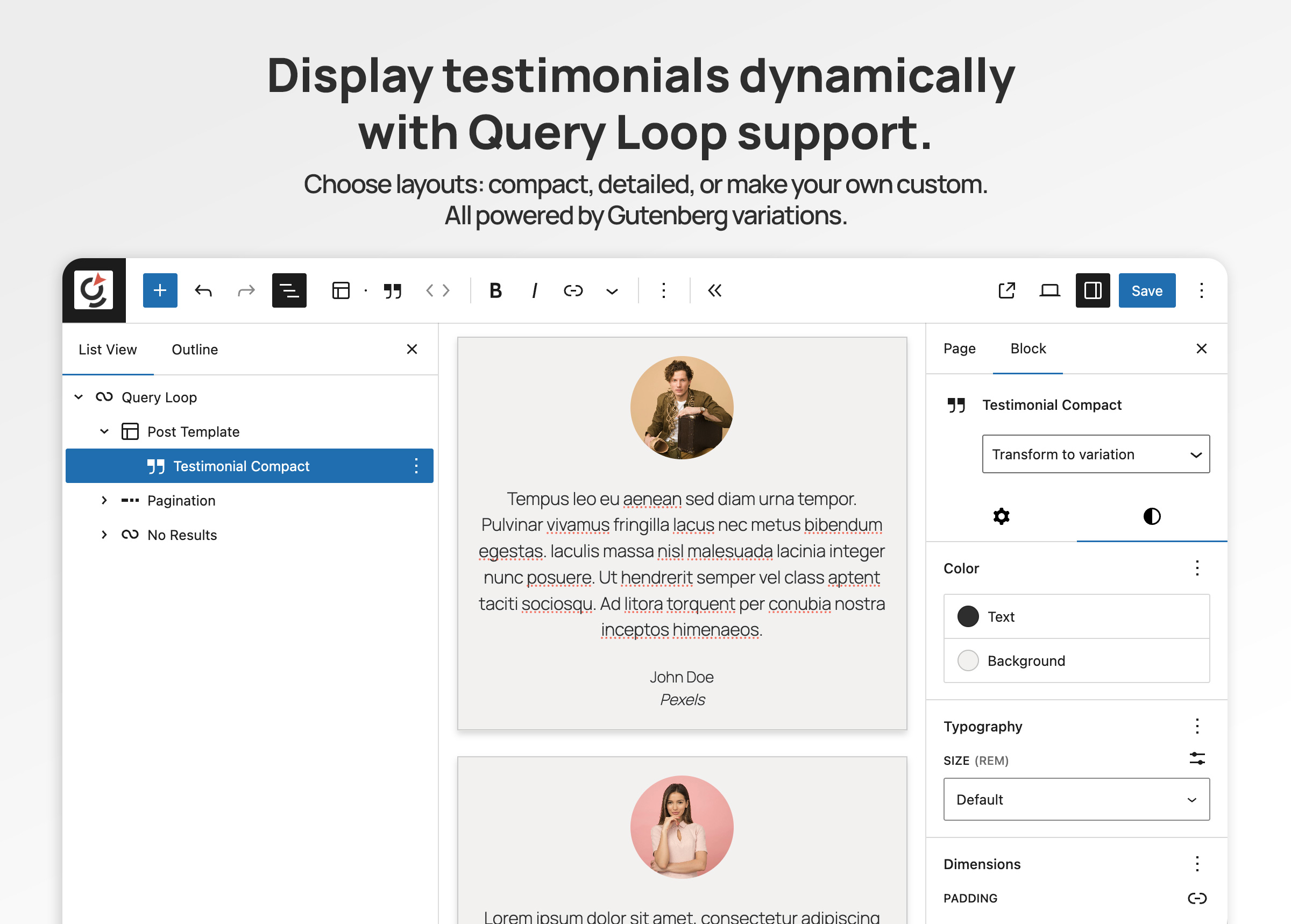
Displaying testimonials with Query Loop.
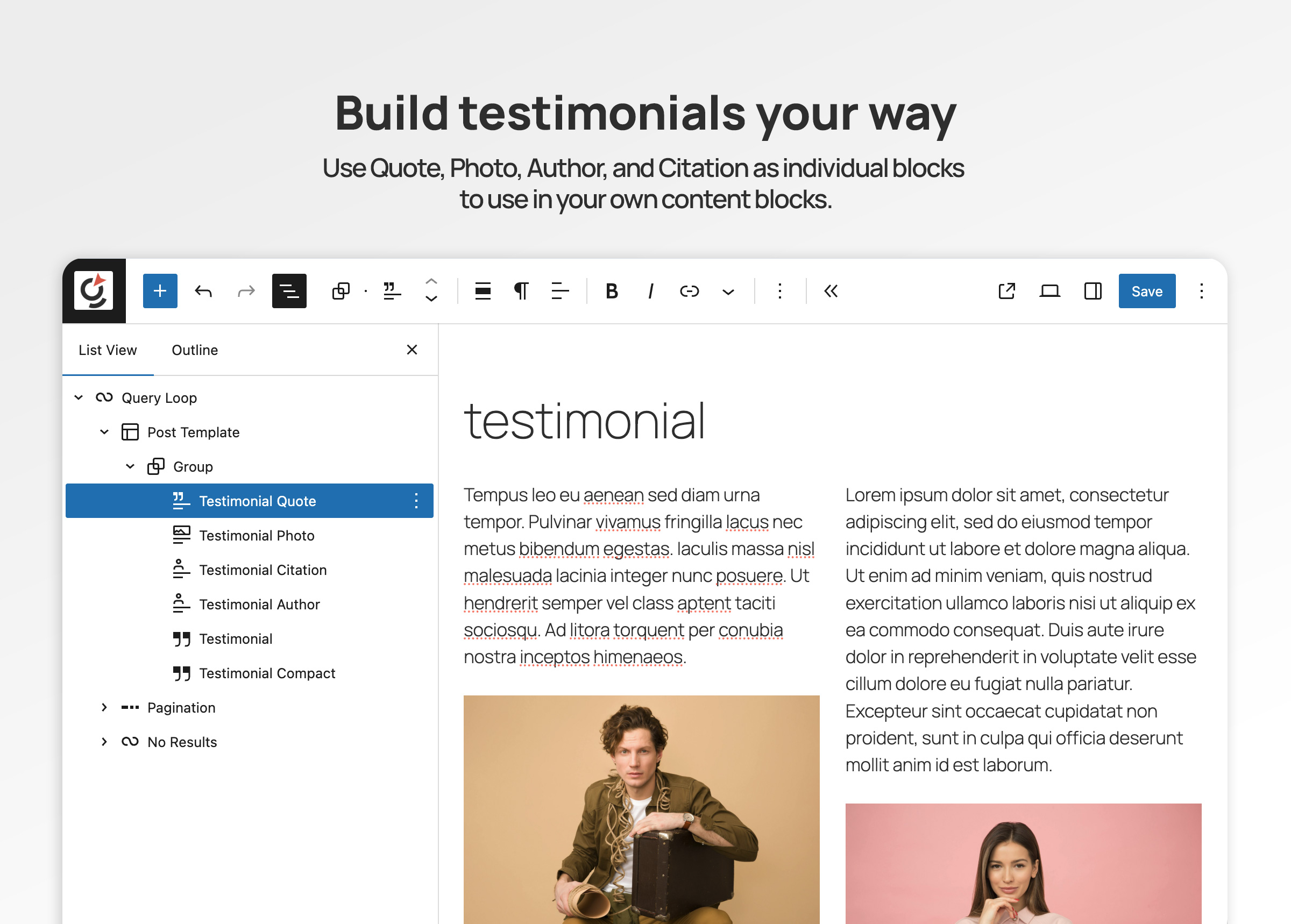
Use testimonial content your way with Quote, Photo, Author, and Citation blocks.
Changelog
1.0.0
- Initial public release – Custom post type, custom fields, main testimonial block with schema, plus author, citation, photo, and quote sub-blocks.