

Advanced Call To Action Block
A sleek, customizable Call to Action block for Gutenberg — perfect for driving clicks, signups, and conversions.
Plugin info
Maintenance & Compatibility
Maintenance score
Maintained • Last updated 138 days ago
Is Advanced Call To Action Block abandoned?
Likely maintained (last update 138 days ago).
Compatibility
Similar & Alternatives
Explore plugins with similar tags, and compare key metrics like downloads, ratings, updates, support, and WP/PHP compatibility.
Description
Need to grab attention and inspire action? The Call To Action Block makes it effortless.
Whether you’re promoting a product, collecting leads, or guiding visitors to your best content, this block gives you everything you need — beautifully styled and fully responsive — right inside the Gutenberg editor.
Key Features:
- Bold headings with full typography control
- Rich descriptions to tell your story
- Customizable button with link, style, and hover effects
- Flexible background: solid color or smooth gradient
- Full responsive controls (desktop, tablet, mobile)
- Padding & margin controls with linked values
- Lightweight & fast — no bloat, no jQuery
Perfect for:
– Landing pages
– Sales sections
– Email capture forms
– Product promotions
– Event announcements
Built for speed, designed for conversions.
No extra page builders needed — just drop, style, and convert.
Source Code
The full uncompressed source code for this plugin is publicly available here:
https://github.com/Hazrath15/call-to-action-block.git
This repository includes all development files, including the ‘src’ directory,
SCSS, JSX, build scripts, and instructions for generating the production build
contained in the plugin.
Build Instructions
Developers may rebuild the compiled assets using:
1. npm install
2. npm run build
‘npm run build’ generates the final production files in the /build directory.
‘npm run start’ runs development mode with file watching.
Arbitrary section
You may provide arbitrary sections, in the same format as the ones above. This may be of use for extremely complicated
plugins where more information needs to be conveyed that doesn’t fit into the categories of “description” or
“installation.” Arbitrary sections will be shown below the built-in sections outlined above.
Installation
Follow these steps to install and use the Call To Action block:
- In your WordPress admin, go to
PluginsAdd NewUpload Pluginand select thecall-to-action-block.zipfile. - Click
Install Now, thenActivate. - Alternatively, manually upload the
call-to-action-blockfolder to/wp-content/plugins/via SFTP/FTP and activate it. - Open any post or page in the Block Editor (Gutenberg), click the
+inserter, and search forCall To Action. - Add the block and configure its settings (title, description, button text, link URL, alignment, and styles).
- Update or publish the post/page to see the block on the front end.
Requirements:
– WordPress 6.0+ and PHP 7.4+.
– The Block Editor (Gutenberg) enabled.
Frequently Asked Questions
An answer to that question.
Answer to foo bar dilemma.
Review feed
Screenshots

General Settings.
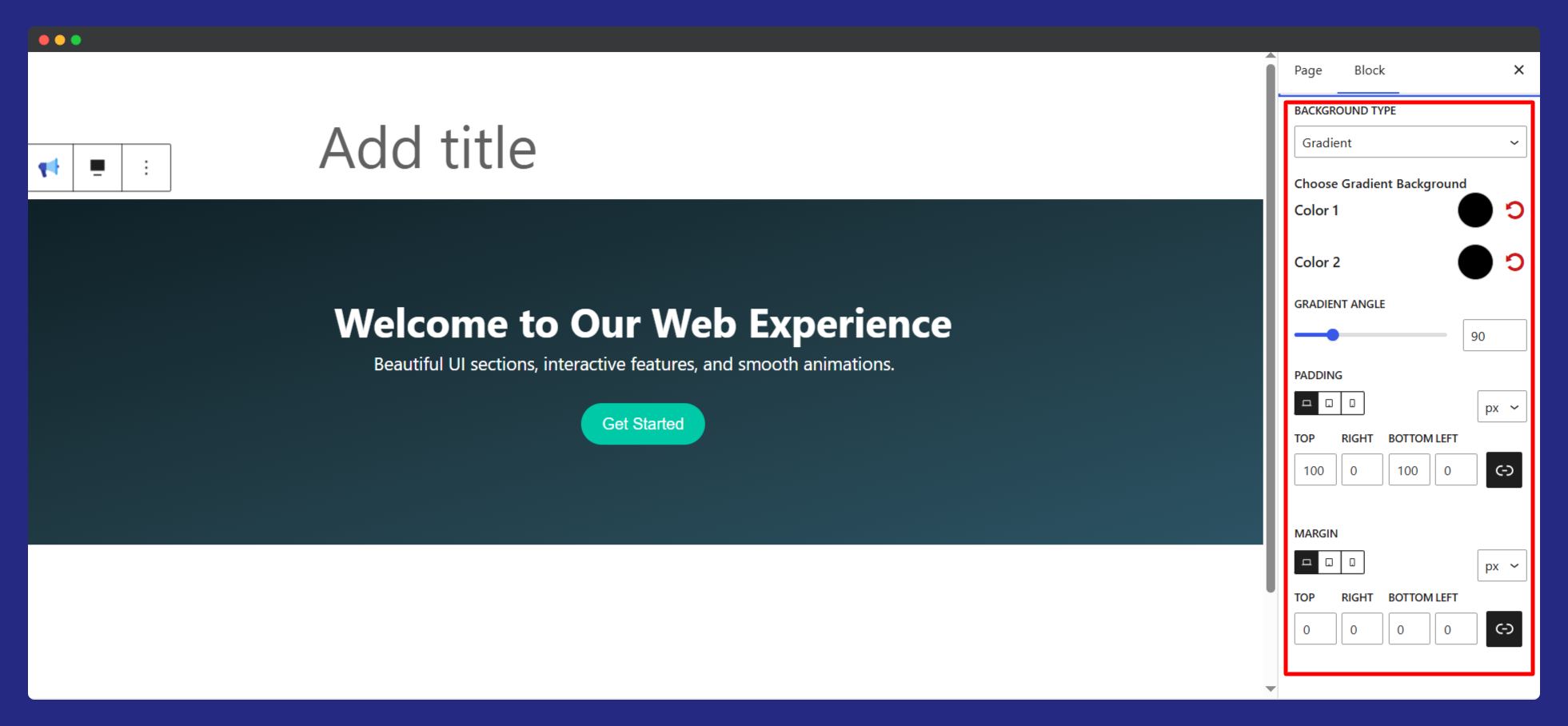
Layout Style.
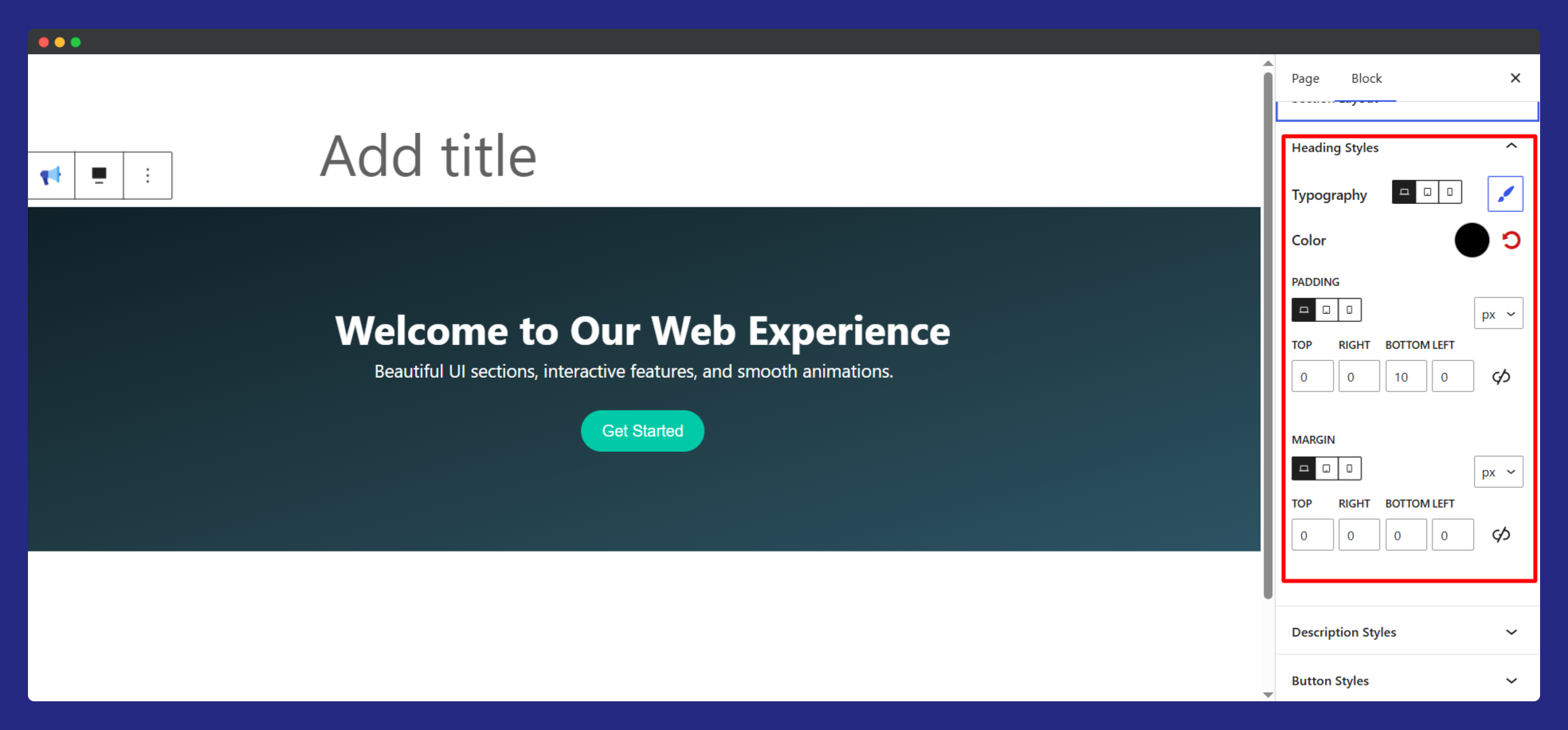
Heading Style.
Changelog
0.1.0
- Release