

Hide Title
Allows authors to hide the title on single pages and posts via the edit post screen.
Plugin info
Maintenance & Compatibility
Maintenance score
Possibly abandoned • Last updated 2508 days ago • 87 reviews
Is Hide Title abandoned?
Possibly abandoned (last update 2508 days ago).
Compatibility
Languages
Similar & Alternatives
Explore plugins with similar tags, and compare key metrics like downloads, ratings, updates, support, and WP/PHP compatibility.
Description
This plugin allows the author of a post or page to hide the title and it’s containing HTML element from the single view ( is_singular() ).
Installation
- Upload the
hide-titlefolder to the/wp-content/plugins/directory - Activate the plugin through the ‘Plugins’ menu in WordPress
Frequently Asked Questions
I upgraded to 1.0.2 and the plugin stopped working. Why?
It is possible that your theme does not have the wp_head function in it’s header.php file. In general all themes are suppose to have it, and version 1.0.2 looks for it to prevent adding bad code to the <head> area of the page. If you have access to your theme file simply add <?php wp_head(); ?> to header.php just before the </head> tag. If not, this plugin will no longer be compatible with your theme.
Hey! This plugin is hiding things I don’t want hidden!
By default this plugin looks for the .entry-title class and hides it. If it doesn’t find it it will look for any h1 or h2 elements that contain the title and hide them instead. To change the default .entry-title selector to something that makes more sense to you, add the following code to the functions.php file of your current theme:
global $DojoDigitalHideTitle;
// Be sure to replace ".your-selector" with your selector!
$DojoDigitalHideTitle->set_selector('.your-selector');
As noted in the comments, you’ll need to replace the string .your-selector with the css selector you’d like hidden. It can be any valid css selector such as h1, .myclass, #myid, etc. I recommend using a class or id to avoid accidentally hiding unforeseen elements.
I don’t want to edit my theme files, can’t you just add an option page?
I could, but I’d like to avoid adding Yet Another Options Page if I can. If enough people request it though, I’ll go ahead and bite the bullet.
Who is the author of this plugin anyway?
This plugin was originally was developed by Randall Runnels of Dojo Digital. In March 2015, the plugin was not compatible with the latest version of WordPress. After finding the problem, Brandon Kraft reached out with a solution, but didn’t hear a response. He contacted the Plugins team at WordPress.org with an offer to assume development to bring it up date. The plugins team reached out and either recieved the approval of Randall, did not hear back at all, or the e-mail bounced.
Review feed
Screenshots
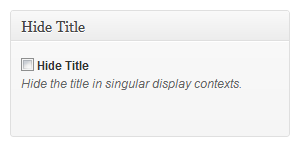
This Meta Box will be added to the Edit screen for pages & posts
Changelog
1.0.8
- Fixed Deletion Error
- Removed WP-Updates
- Added a body class of dojo-hide-title
1.0.6
- Tested New Update Functions for future releases
1.0.5
- Fixed Deletion Error
- Added WP-Updater Support
1.0.4
- Now compatible with latest versions of WordPress
- PHP 4 is no longer supported.
1.0.3
- Fixed a jQuery bug which prevented fallbacks in the case that the selector was not found.
1.0.2
- Added logic to flag when wp_head has run to prevent changes being made to the title in the >head< area.
- Fixed a bug that caused multiple meta field entries.
1.0.1
- Changed the jQuery to use a less brute force method of hiding the title.
- Added a set_selector() method to allow end-users to specify the css selector to hide.