

Plugin info
Maintenance & Compatibility
Maintenance score
Possibly abandoned • Last updated 891 days ago • 18 reviews
Is Hotjar abandoned?
Possibly abandoned (last update 891 days ago).
Compatibility
Developers
Similar & Alternatives
Explore plugins with similar tags, and compare key metrics like downloads, ratings, updates, support, and WP/PHP compatibility.
Description
Hotjar helps you to connect the dots between what your users do and why—so you can confidently create and optimize user experiences that convert. See what your users see, ask how they feel, and connect 1:1, all from one powerful and intuitive platform.
Hotjar Observe:
- Visualize user behavior – Heatmaps visually represent where users click, move, and scroll on your site. With this context, you’ll be inspired with simple ways to improve your site.
- Put yourself in their shoes – Watch recordings of real user behavior on your site. See visitors’ clicks, mouse movements, u-turns, and rage clicks. Learn what frustrates users and resolve issues early.
- Measure conversions and learn why users drop off – Visualize your conversion flows with Funnels, and understand where your users are getting stuck by zooming into relevant recordings.
- Explore and understand your metrics – Trends connects the dots between numbers and user behavior insights so you can visualize your most important metrics and find the recordings and heatmaps of the underlying user behavior with a single click.
Hotjar Ask:
- Hear from your users – Surveys bring voice-of-customer to your decision-making. Gathering evidence for a landing page or feature? Use a targeted Survey to validate your ideas and better understand your users.
- Get feedback with context – A real-time suggestion box on your site, Feedback lets users express frustration or delight about individual parts of your site, right down to the page, form, or image they’re looking at.
Hotjar Engage:
- Connect with users – Automate the recruitment, scheduling, and hosting of moderated user interviews, and focus on what matters the most—connecting with users.
Hotjar Platform:
- Stay on top of your user metrics – Use your Dashboard to get a high-level view of user data and spot issues before they become serious, identify trends, and find deeper insights.
- Integrate Hotjar with the tools you love – Connect Hotjar with thousands of popular apps, so you can automate your work and have more time for what matters most—no code required.
This plugin provides a simple installation of Hotjar on your WordPress site. Sign-up for your free trial today!
Installation
Simple installation
The Hotjar plugin is available to install via the WordPress plugin library and you can install it directly from within your WordPress dashboard. For a step-by-step installation guide, check out our handy help doc.
Manual installation
Alternatively, you can install manually:
- Download the Hotjar plugin as a zip file.
- Upload the folder
hotjarto the/wp-content/plugins/directory - Activate the plugin through the ‘Plugins’ menu in WordPress
Configuration
After installation, configure the plugin by visiting Settings -> Hotjar and entering your unique Hotjar Site ID. You can find your Site ID from the Sites & Organisations list in Insights.
Frequently Asked Questions
Yes. You can sign up for a free Hotjar account which provides access to all our features including heatmaps, recordings and feedback tools.
You can enable, disable and enable all the Hotjar features from within the Insights app. Any changes will be reflected immediately on the site(s) where you have the Hotjar script installed.
For more information on getting started with Hotjar visit our help center.
Visit our website to learn more about Hotjar and how you can use it to start gaining insights into how users use your site.
The full terms of service are available here together with other legal and privacy documentation. If you have further questions do not hesitate to reach out to our support.
We’ve built Hotjar with a privacy by design approach and have developed a number of compliance controls for our customers to be able to use Hotjar in a GDPR compliant manner.
Yes. Hotjar respects the Do Not Track header and users can also opt-out on a per-browser basis by visiting Hotjar opt out.
You can uninstall this plugin at any time to remove Hotjar from your site. Data which has been collected can be removed through the Insights interface, or by deleting your site or account. For more information see our data retention documentation..
Review feed
Up and running in a minute
Plugin is not working
Used to be good
Screenshots
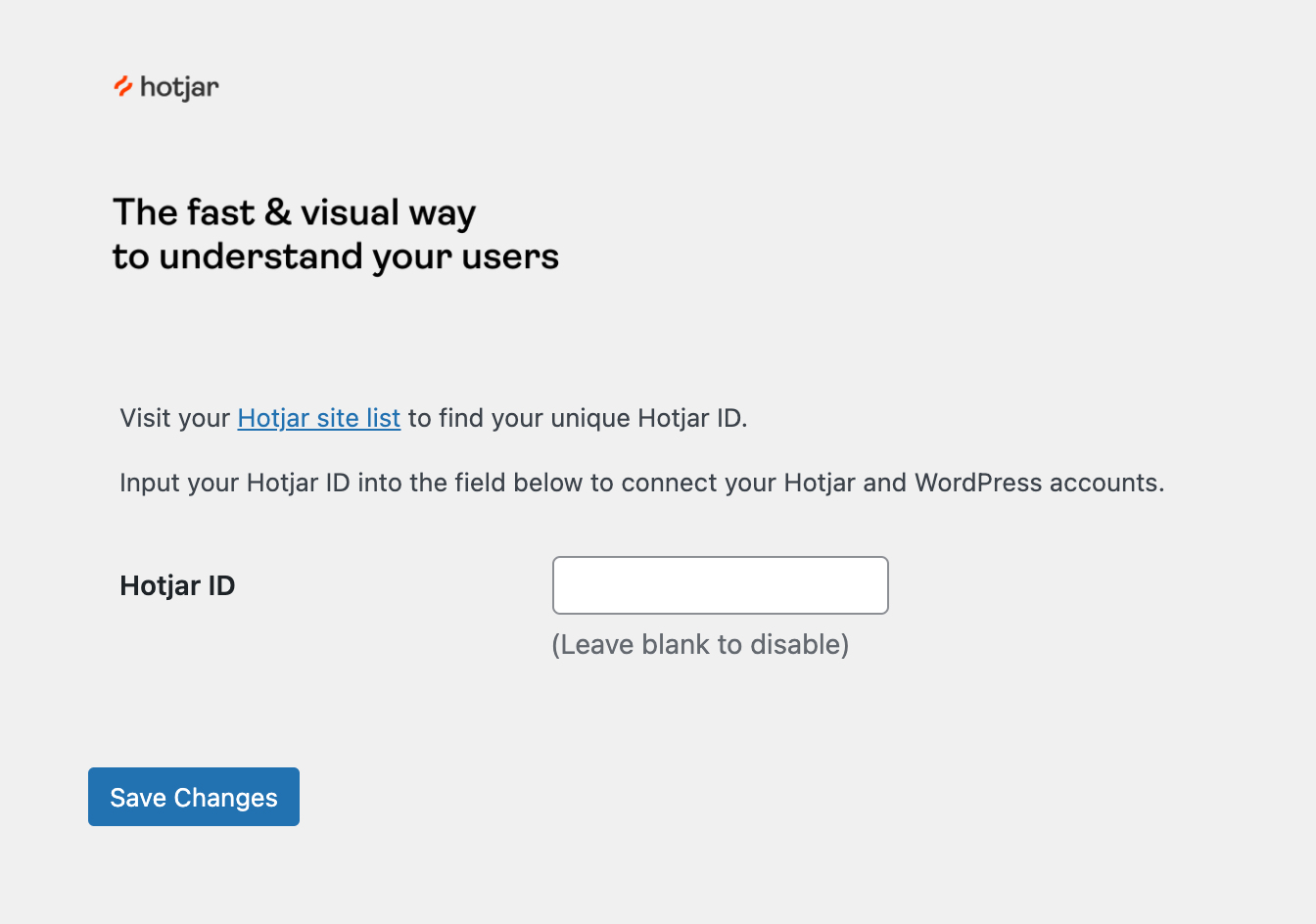
The settings interface. Add your unique Hotjar Site ID to the empty field, and Save Changes to install the Hotjar script for that site.

After saving you will see this success message. Click the link to verify your installation was successful.
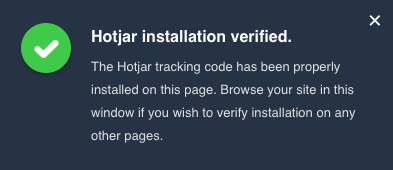
Success! If you see this message Hotjar is installed on your site. Visit Insights to configure the Hotjar tools on your site.
Changelog
1.0.16
- cross-site scripting vulnerability fixed.
1.0.15
- Updated description.
1.0.14
- Fixed a warning (PHP 8 compatibility).
1.0.13
- Tested on WP 6.0.
1.0.12
- Updated assets and tested on WP 5.8.1
1.0.11
- Tested on WP 5.8.
1.0.10
- Tested on WP 5.7.2.
1.0.9
- Tested on WP 5.6.
1.0.8
- Tested on WP 5.5.
1.0.7
- Update description.
1.0.6
- Update changelog as well.
1.0.5
- Fix borked readme in the 1.0.4 tag.
1.0.4
- Tested up to bumped to 5.3.2
1.0
- Initial release.