

Maintenance 52/100147d since update
Active installs
200
Downloads
8,922
Reviews
2
Age
5.9y
Plugin info
Total downloads: 8,922
Active installs: 200
Total reviews: 2
Average rating: 5
Support threads opened: 0
Support threads resolved: 0 (0%)
Available in: 1 language(s)
Contributors: 1
Last updated: 11/6/2025 (147 days ago)
Added to WordPress: 5/20/2020 (5 years old)
Minimum WordPress version: 5.9
Tested up to WordPress version: 6.9
Minimum PHP version: 7.2
Maintenance & Compatibility
Maintenance score
Maintained • Last updated 147 days ago • 2 reviews
52/100
Is I don't like Spam! abandoned?
Likely maintained (last update 147 days ago).
Compatibility
Requires WordPress: 5.9
Tested up to: 6.9
Requires PHP: 7.2
Similar & Alternatives
Explore plugins with similar tags, and compare key metrics like downloads, ratings, updates, support, and WP/PHP compatibility.
WP fail2ban Blocklist
Rating 5.0/5 (2 reviews) • Active installs 4,000
Block List Updater
Rating 4.3/5 (4 reviews) • Active installs 3,000
Blacklist Manager – WooCommerce Anti-Fraud & Checkout Verification & Spam Prevention (Contact Form 7, Gravity Forms, WPForms)
Rating 4.3/5 (11 reviews) • Active installs 2,000
Gravity Forms Block Email Domains
Rating 4.1/5 (9 reviews) • Active installs 1,000
tinyShield – Simple. Focused. Security.
Rating 4.5/5 (8 reviews) • Active installs 700
Description
Use the Comment Blocklist feature to protect your contact form.
Compatibility
This plugin is compatible with Gutenberg Form block (experimental!), Ninja Forms, WPForms and Contact Form Block.
Features
- Not reinventing the wheel since WordPress already has a Comment Blocklist feature.
- Privacy by Design by using a local blocklist.
- No external API.
Setup
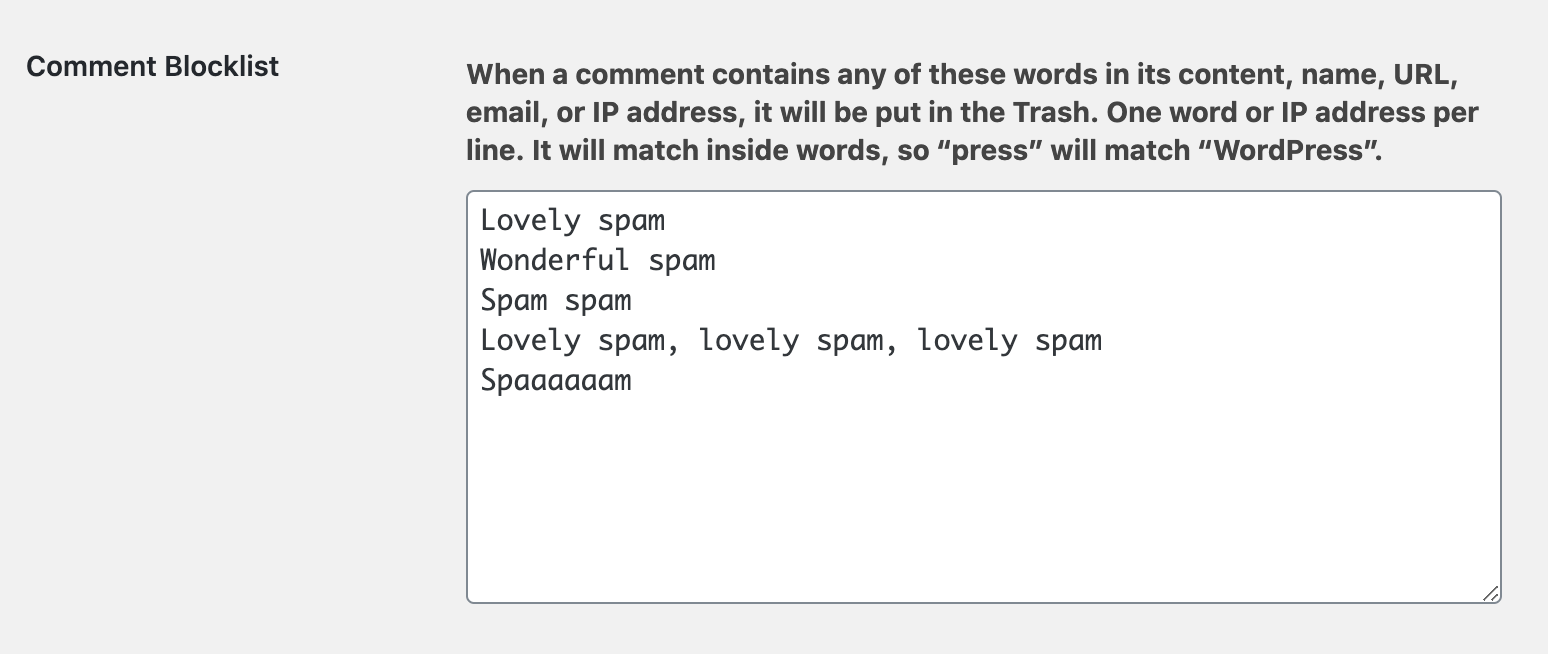
- Login to the dashboard and open Settings > Discussion.
- Scroll down to Disallowed Comment Keys.
- Enter some bad words, phrases or weblinks that keep bugging you. Choose your blocklist wisely!
- Contact forms that contain any of these words cannot be submitted anymore and will show an error message.
- Optional: Modify the error message output in the Theme Customizer.
Fun fact
Spam emails are usually very annoying and affect work – and there is nothing funny about it. But did you know that the term Spam, referring to junk mail, was named after a famous Monty Python sketch?
https://en.wikipedia.org/wiki/Spam_(Monty_Python)
Contribution?
- The Plugin development can be followed via GitHub <3
- Let us know if we should add another Contact form plugin
- We are happy to receive feature suggestions and pull requests: https://github.com/them-es/i-dont-like-spam
More information
Installation
- Upload the Plugin to the
/wp-content/plugins/directory. - Activate it through the ‘Plugins’ menu in WordPress.
- Add a list of bad words, phrases or weblinks that should prevent form submissions to the Comment Blocklist.
Frequently Asked Questions
No FAQ available
Review feed
No reviews available
Screenshots

Changelog
1.3.0
- Compatibility with the Gutenberg form block (experimental) and the Meow Contact Form Block plugin
- Minor refactoring – bump minimum supported WordPress and PHP versions
1.2.8
- Tested up to WordPress 6.7
- Remove Caldera Forms references and code
1.2.7
- Tested up to WordPress 6.6
- The Caldera Forms plugin has been closed by the developers – add a deprecated notice to the code
1.2.6
- Code quality
- Documentation
1.2.5
- Prevent PHP error when checking field values
- Code quality
1.2.4
- Code quality
1.2.3
- The option key changed after WordPress 5.5b3. Use option ‘disallowed_keys’ if WordPress version >=5.5 and implement recommended code snippet for backward compatibility.
1.2.2
- Use option ‘blocklist_keys’ if WordPress version >=5.5
1.2.1
- Improve pluginmissing_admin_notice()
1.2
- Compatibility with Caldera Forms
1.1.1
- “Racially neutral” terminology: Rename blacklist to blocklist where possible
1.1
- Compatibility with WPForms
- Minor changes to translation strings
1.0
- Initial Release
- Created a GitHub repository with all development sources